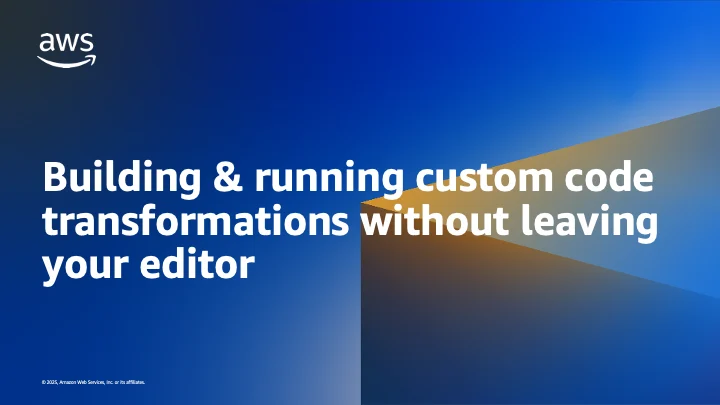
Custom code transformations represent a significant challenge that generic, off-the-shelf migration tools consistently fail to address. The intricate work of transitioning services from proprietary internal libraries, rigorously enforcing a team’s unique error-handling conventions, or standardizing logging protocols across an entire fleet of disparate services often languishes in development backlogs. This persistent issue arises because general-purpose tools are not engineered with the specific nuances and idiosyncrasies of individual codebases in mind. In response to this pervasive industry hurdle, Amazon Web Services (AWS) has introduced AWS Transform custom, an innovative agentic AI service designed to democratize and accelerate these highly specialized code transformations.
The launch of AWS Transform custom marks a pivotal advancement in developer tooling, empowering organizations to describe their specific code transformations using natural language and then execute them at scale across their entire codebase. This sophisticated service integrates seamlessly into existing developer workflows through several key access points: the Kiro power for AWS Transform, the AWS Transform agent skill, and dedicated IDE plugins for VS Code and Open VSX. This multi-faceted approach ensures that developers can design, test, and run complex transformations directly from their preferred development environment, whether that’s an integrated development environment (IDE) or a conversational AI chat interface.
The Pervasive Challenge of Technical Debt and Custom Code Refactoring
For decades, software development teams have grappled with the ever-present specter of technical debt. This debt accumulates from myriad sources, including the evolution of internal libraries, shifts in architectural patterns, the adoption of new programming paradigms, and the continuous refinement of organizational coding standards. While broad migration efforts, such as upgrading Java versions or transitioning between AWS SDKs like boto2 to boto3, are common, they represent only a fraction of the necessary refactoring. The truly burdensome work lies in addressing transformations that are unique to an organization’s proprietary ecosystem.
Consider the scenario of a large enterprise that has developed its own internal logging framework or a specific error-handling library over many years. As technology evolves or new compliance requirements emerge, these internal systems often need to be updated or replaced. However, the sheer volume of code that relies on these deprecated or outdated patterns can be overwhelming. Manually refactoring thousands or even millions of lines of code across hundreds of repositories is a monumental, error-prone, and time-consuming task, diverting precious developer resources from innovation to maintenance. Industry reports frequently highlight that developers spend a significant portion of their time (estimates range from 15-30%) on maintaining and refactoring existing code rather than building new features. This overhead directly impacts time-to-market, operational efficiency, and overall developer morale.
Traditional code migration tools, while effective for standardized tasks, lack the contextual understanding and flexibility required to interpret and implement transformations based on bespoke organizational logic. They operate on predefined rules that cannot account for custom abstractions, unique naming conventions, or specific business logic embedded within proprietary code. This gap in tooling has historically forced development teams into a difficult choice: either invest substantial manual effort in refactoring or allow technical debt to continue accumulating, eventually hindering agility and increasing the risk of system failures.
AWS Transform Custom: An Agentic AI Solution
AWS Transform custom directly confronts this challenge by providing an intelligent, adaptable solution. Unlike its counterpart, which ships with a catalog of out-of-the-box transformation definitions (TDs) for common scenarios like Java version upgrades, boto2 to boto3 migrations, AWS SDK transitions, framework shifts, and x86 to AWS Graviton architecture shifts, the "custom" aspect of the service unlocks a new level of organizational specificity. The real power lies in the ability for developers to define their own transformation definitions tailored precisely to their unique requirements.
A transformation definition (TD) serves as a reusable blueprint, meticulously describing how a specific code transformation should be executed. With AWS Transform custom, the authoring of these TDs is remarkably intuitive, leveraging natural language descriptions rather than requiring developers to learn a complex DSL or scripting language. This approach significantly lowers the barrier to entry, allowing subject matter experts, who might not be proficient in specialized scripting, to articulate their transformation needs directly.
Examples of such custom TDs might include:
- "Migrate our internal
logger-v1package tologger-v2. The new API useslogger.info(msg, context)instead oflogger.log(level, msg). Keep existing log levels intact." - "Refactor all instances of
OldDatabaseConnector.getConnection()to useNewDatabasePool.getInstance().getConnection()and ensure connection closing is handled by the new pool mechanism." - "Standardize error handling by replacing
try-catchblocks that log toSystem.errwith calls to our centralizedAppErrorLogger.handleException(e, context)." - "Update all service endpoints from
api.olddomain.com/v1toapi.newdomain.com/v2and adjust authentication headers accordingly." - "Enforce our team’s new asynchronous programming convention by converting synchronous blocking calls to non-blocking equivalents using
CompletableFutureorasync/awaitpatterns."
Each of these examples encodes logic specific to an organization’s internal standards, libraries, or architectural decisions. Once a custom TD is authored and published to an AWS account, it becomes a reusable asset, applicable to any matching repository within the organization, whether it’s a single project or an entire portfolio of hundreds of services. This ability to codify and automate proprietary refactoring efforts represents a paradigm shift in how technical debt is managed and how modernization campaigns are executed.
Seamless Integration into the Developer Workflow
AWS Transform custom is designed for maximum developer convenience, offering three distinct yet interconnected interfaces that cater to diverse preferences and existing toolchains:
-
Kiro Power for AWS Transform: For users immersed in the Kiro IDE, the Kiro power provides a fully integrated AWS Transform experience. Developers can initiate transformations through natural language prompts within the chat interface. Kiro, leveraging its understanding of the project context, can inspect the codebase, match it against available TDs, request necessary configuration parameters, and then execute the transformation. Progress updates, generated artifacts, and detailed diffs are presented directly within the editor, maintaining a cohesive workflow. This integration underscores the growing trend of embedding AI capabilities directly into IDEs to create a more intelligent and responsive development environment.
-
AWS Transform Agent Skill: Adhering to the open Agent Skills standard, the AWS Transform agent skill offers unparalleled portability. This single package is compatible with a broad ecosystem of over 40 agents, including popular tools like Kiro CLI, Claude Code, Cursor, GitHub Copilot, Gemini CLI, and Windsurf. This expansive compatibility means that developers can access the full power of AWS Transform custom within the conversational AI tool or agent they already use, without needing to switch contexts or learn new interfaces. The workflow mirrors that of the Kiro Power, providing a consistent and powerful experience across various agent-compatible platforms.
-
AWS Transform IDE Plugin: For developers who prefer a more visual, UI-driven interaction, the AWS Transform IDE plugin is available for VS Code and Open VSX-compatible IDEs. This plugin integrates AWS Transform custom features as first-class actions within the IDE. Users can browse their published TDs, configure transformation runs, and monitor progress through a familiar graphical interface. This option caters to those who appreciate direct manipulation and visual feedback within their coding environment, complementing the chat-driven approaches.
Crucially, all three surfaces communicate with the same underlying AWS Transform service and share a common registry of transformation definitions. This interoperability allows teams to mix and match interfaces based on individual preferences or specific task requirements, ensuring that custom TDs authored via one method are immediately accessible and runnable through any other. This unified ecosystem fosters collaboration and consistency across diverse development teams.
Authoring Custom TDs: A Chat-Driven Revolution
Historically, creating a custom TD involved a more technical, CLI-driven process, requiring developers to step through an interactive authoring session in the terminal. While this command-line interface (atx) remains available and is well-suited for scripting and automation, AWS Transform custom significantly streamlines the authoring process through its agentic AI capabilities.
Now, developers can initiate the creation of a new TD simply by describing their desired transformation in natural language within their chosen chat interface. For instance, a prompt such as:
Create a custom AWS Transform custom TD that migrates our internal logger-v1 package to logger-v2. The new API uses logger.info(msg, context) instead of logger.log(level, msg). Keep existing log levels intact.
initiates an intelligent, conversational workflow. The agent then engages in a short, iterative loop, asking clarifying questions about the transformation’s precise scope and intended behavior. This interactive dialogue helps refine the requirements, ensuring the drafted TD accurately reflects the developer’s intent. The agent then drafts the TD based on this description, allowing the developer to review and refine it before publishing it to their AWS account. Once published, the new TD is immediately available for use across the Kiro power, agent skill, and IDE plugin. This chat-driven approach eliminates the need to understand complex TD syntax, making the powerful capabilities of custom code transformation accessible to a much broader audience of developers and technical managers.
Scaling Transformations: Local vs. Remote Execution
The ability to run custom TDs effectively across an organization’s entire codebase is paramount. AWS Transform custom offers two distinct execution modes to address varying scale requirements:
-
Local Mode: For individual developers working on isolated tasks or small projects, local mode allows for the parallel transformation of up to three repositories directly on their machine. This mode is ideal for quick iterations, testing, and one-off refactoring efforts without requiring external infrastructure.
-
Remote Mode: The true power of AWS Transform custom for enterprise-scale modernization lies in its remote mode. This mode leverages AWS Batch with AWS Fargate to fan out transformations across hundreds of repositories in parallel. This eliminates local compute bottlenecks, allowing developers to initiate large-scale refactoring campaigns without needing to keep their local machines running overnight or manage complex distributed computing setups.
A key differentiator of remote mode is its "no setup tax" approach. When a developer requests a transformation in remote mode, the agent automatically provisions all necessary AWS infrastructure, including the AWS Batch compute environment, job queue, job definitions, IAM roles, and networking configurations. Developers are spared the arduous task of hand-writing CloudFormation templates or navigating the AWS console to set up this environment. Once the infrastructure is in place, running a remote transformation is as simple as local mode, with the agent streaming progress updates back to the developer’s editor while Fargate handles the heavy lifting. This abstraction of infrastructure management significantly accelerates the adoption and utilization of large-scale code modernization efforts. Inputs for both local and remote runs can include local file paths, Git URLs, or S3 locations, providing flexibility for diverse repository management strategies.
Implementation and Onboarding
Getting started with AWS Transform custom is designed to be straightforward. For first-time users of the power, skill, or IDE plugin, the agent guides them through an initial setup process. For those who prefer manual installation:
-
Kiro Power Installation: Requires Kiro IDE (version 0.14.0 or later), AWS CLI (version 2 or later), and an AWS account. Installation involves navigating to Kiro IDE settings, selecting "Install Power," and searching for "AWS Transform," or installing from source by cloning the repository and running
npm install && npm run buildfollowed bykiro install-power. -
AWS Transform Skill Installation: Requires installing the AWS Transform custom CLI (
curl -fsSL https://transform-cli.awsstatic.com/install.sh | bash). The skill can then be added usingnpx skills add https://github.com/awslabs/agent-plugins/tree/main/plugins/aws-transform/skills/aws-transform, or by manually placing the skill folder in the agent’s skills directory (e.g.,.kiro/skills/for Kiro CLI). -
IDE Plugin Installation: Available in the VS Code Marketplace and Open VSX. Installation follows the standard extension installation process within the respective IDE.
Once installed, users can immediately begin experimenting by prompting their agent: Create a custom AWS Transform transformation that [describe your transformation]. followed by Use AWS Transform to run my new transformation on /path/to/my-project. The agent then orchestrates the entire workflow, from TD creation and modification to publishing and execution.
Responsible AI and Data Handling
The application of agentic AI to code transformations raises important considerations regarding responsible AI development and data handling. AWS Transform custom operates with the principle of "human-in-the-loop" control. Developers define the transformations, review the drafted TDs, and ultimately approve their execution. The transformations themselves run within the user’s AWS account, ensuring that code and sensitive organizational data remain under the customer’s control. AWS’s commitment to security and privacy underpins the service, with robust mechanisms in place to protect intellectual property during the transformation process. The AI acts as an assistant, automating the mechanical aspects of refactoring while keeping the developer in command of the strategic decisions and final code quality.
Broader Impact and Industry Implications
AWS Transform custom is poised to have a profound impact on developer productivity, code quality, and the pace of digital transformation across industries.
- Accelerated Modernization: By automating custom, repetitive refactoring tasks, organizations can significantly accelerate their modernization initiatives, whether that involves moving to new architectural patterns, adopting updated internal frameworks, or transitioning to more efficient infrastructure like AWS Graviton. This directly translates to faster time-to-market for new features and services.
- Enhanced Code Quality and Consistency: The ability to codify and enforce specific coding standards, error-handling conventions, and logging practices at scale ensures greater consistency and higher quality across an organization’s entire codebase. This reduces technical debt proactively and makes codebases easier to maintain and onboard new developers.
- Developer Empowerment: Developers are freed from the drudgery of manual, tedious refactoring, allowing them to focus on higher-value, creative problem-solving and innovation. This can lead to increased job satisfaction and reduced burnout.
- Strategic Advantage for AWS: This service strengthens AWS’s position as a leader in providing comprehensive tools for cloud migration and application modernization. By offering an AI-powered solution for bespoke code transformations, AWS further embeds itself into the core development workflows of its customers, driving deeper cloud adoption and service utilization (e.g., AWS Batch, Fargate).
- Democratization of Complex Tasks: The natural language interface makes complex code transformations accessible to a wider range of technical professionals, potentially including architects or team leads who might not specialize in specific scripting languages but understand the strategic need for certain refactorings.
In an era where software drives business value, the efficiency and quality of code directly correlate with an organization’s competitive edge. AWS Transform custom offers a powerful mechanism to maintain that edge by making bespoke code transformations not just possible, but practical and scalable.
Conclusion and Future Outlook
The true value proposition of AWS Transform custom lies in its ability to empower organizations to codify and automate the unique transformations that encapsulate their internal libraries, conventions, and operational standards. By seamlessly integrating the authoring and execution of these transformations into native editor experiences through the Kiro power, agent skill, and IDE plugin, AWS has significantly streamlined a historically burdensome aspect of software development.
For organizations that have long deferred crucial migrations and modernization efforts due to the prohibitive cost and complexity of custom code refactoring, now is an opportune moment to re-evaluate their strategy. AWS Transform custom provides the tooling necessary to tackle these challenges efficiently, transforming what was once a manual, error-prone endeavor into an intelligent, scalable, and integrated process. Looking ahead, the evolution of such agentic AI services promises even greater sophistication, with potential for more nuanced code understanding, proactive suggestion generation, and broader integration across the entire software development lifecycle, further accelerating the pace of innovation in the cloud era.
Related posts: