AWS CodeDeploy Introduces Native RESTART Deployment Mode to Streamline Fleet Management and Operational Efficiency

Operational teams managing large-scale cloud infrastructure have long contended with the inherent friction of restarting server fleets. Whether the objective is to refresh runtime configurations, purge memory leaks in long-running services, or return hosts to a known-good state after a transient anomaly, the act of restarting has historically been a manual or scripted burden. Previously, Amazon Elastic Compute Cloud (EC2) and on-premises operators were forced to choose between two suboptimal paths: redeploying the current application revision—which duplicated work and consumed unnecessary time—or executing custom scripts that operated entirely outside the safety guardrails of AWS CodeDeploy. Today, Amazon Web Services (AWS) has addressed this operational gap by introducing the RESTART deployment mode, a purpose-built feature designed to bring fleet restarts into the fold of managed, automated, and secure deployment workflows.
The Evolution of Fleet Maintenance
In the traditional DevOps lifecycle, infrastructure maintenance is often treated as a second-class citizen compared to feature deployments. Custom-built restart scripts, while functional, frequently lack the sophisticated telemetry and safety checks embedded within native AWS services. A recurring failure point observed by engineering teams involves scripts that restart instances in batches without integrated health checks. If an underlying configuration error or a resource dependency issue prevents the first batch of hosts from successfully booting, a naive script may blindly proceed to the next batch, ultimately leading to a widespread outage that could have been mitigated by automated, state-aware intervention.
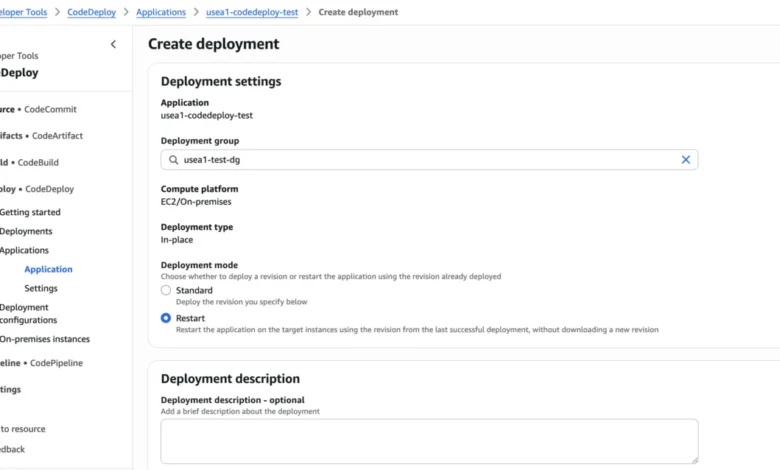
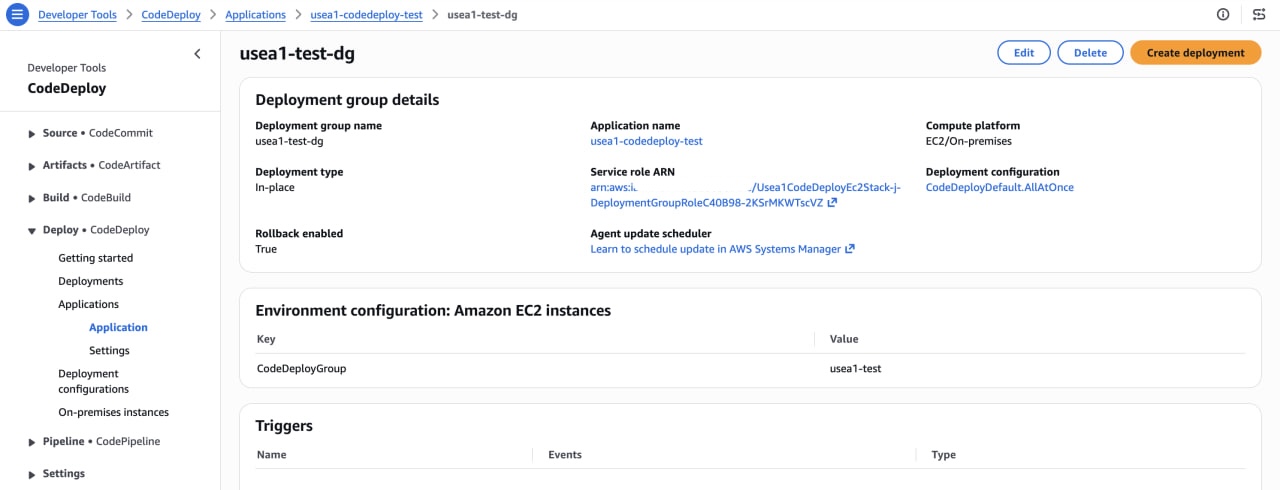
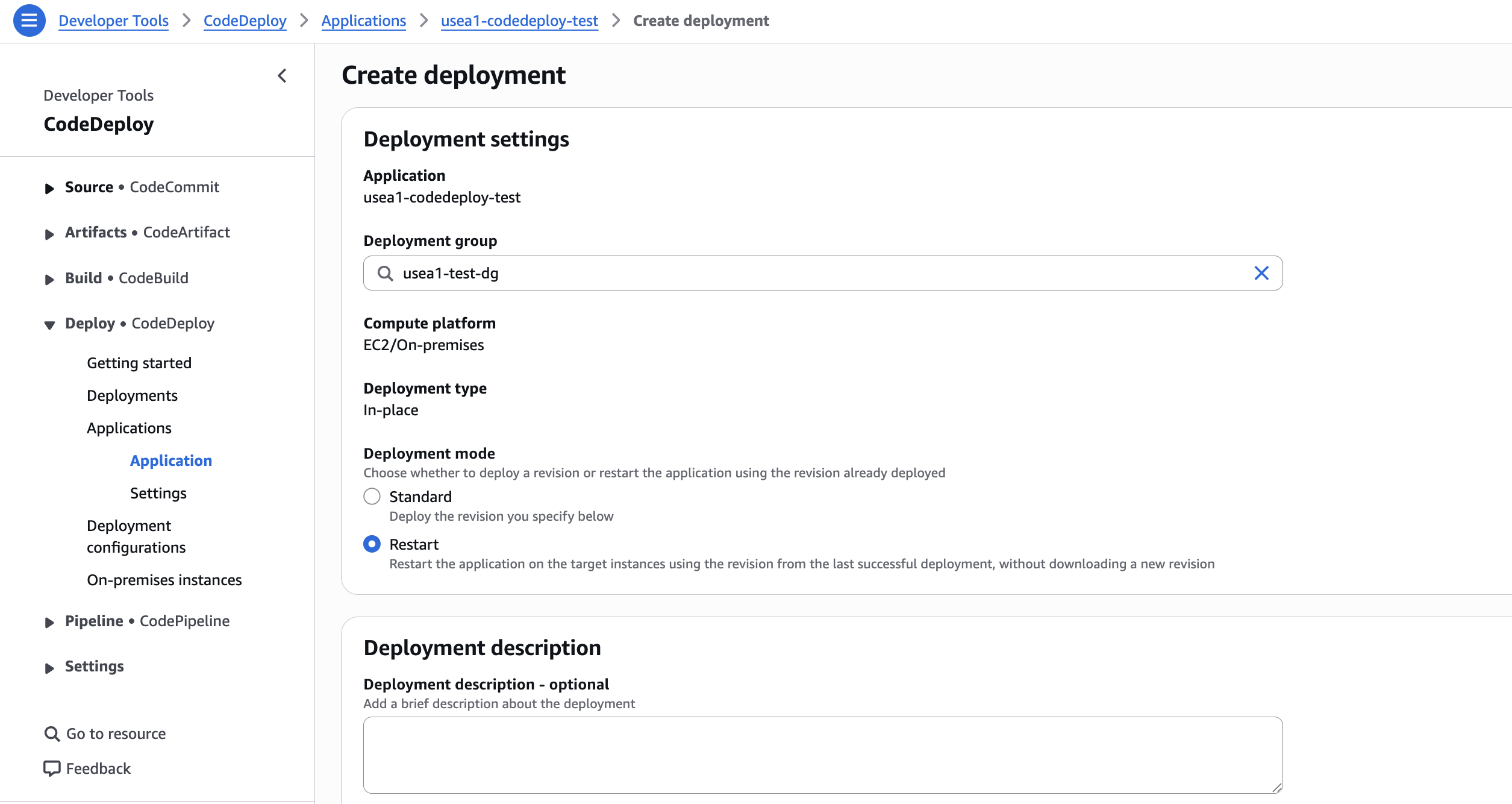
The introduction of the RESTART deployment mode effectively formalizes this process. By utilizing the existing CreateDeployment API, organizations can now execute fleet-wide restarts that respect batch sizing, monitor CloudWatch alarms, and enforce minimum healthy host capacity. If a restart triggers a failure, CodeDeploy halts the deployment immediately, preventing the incident from cascading across the entire environment. This change marks a shift from ad-hoc, brittle automation toward a standardized, resilient approach to system maintenance.
Performance Benchmarks and Operational Gains
The technical efficiency of the new mode is significant, primarily due to the local reuse of deployment artifacts. In feature testing conducted by AWS engineers, the RESTART mode demonstrated a speed improvement of up to 6.14x compared to standard deployments. This represents a substantial reduction in the time required for routine maintenance; tasks that previously consumed several minutes are now completed in a matter of seconds.
The performance gains are most pronounced in fleets integrated with Application Load Balancers (ALBs). In a controlled test involving 50 m5.large instances, a standard deployment cycle lasted approximately 507.4 seconds. By contrast, the RESTART mode completed the same task in just 82.6 seconds, saving nearly seven minutes per cycle. These figures are derived from a series of seven-run tests, with the median value of five runs reported to ensure statistical reliability.
While the exact speedup varies based on factors such as revision size, the presence of lifecycle hooks, and the specific deployment configuration (e.g., "One-At-A-Time" versus "Half-At-A-Time"), the reduction in overhead is universal. For organizations running large-scale services, these incremental savings contribute to a lower mean time to recovery (MTTR) and higher overall system availability.
Technical Architecture: How the RESTART Mode Functions
At its core, the RESTART deployment mode operates by reapplying the last successful revision of an application. When a user initiates a deployment with the deploymentMode parameter set to RESTART and provides no specific revision, CodeDeploy automatically resolves the most recent successful deployment record associated with that deployment group.
The lifecycle of a RESTART deployment follows the standard CodeDeploy hook sequence: ApplicationStop, DownloadBundle, BeforeInstall, Install, AfterInstall, ApplicationStart, and finally, ValidateService. A key optimization here is the agent’s ability to utilize local artifacts. If the host already contains the previous deployment’s archive—a common occurrence in persistent, long-running environments—the agent skips the network-intensive download step. The Install phase then acts as a corrective measure, ensuring that any drift in managed files is rectified and that the host is returned to the exact state defined in the AppSpec file.
Safety Controls and Guardrails
Despite the accelerated nature of the RESTART mode, the feature inherits the full suite of safety controls that define the standard CodeDeploy experience. This includes integration with Amazon CloudWatch alarms. If a deployment triggers a pre-configured alarm—such as a spike in CPU utilization or a dip in request success rates—CodeDeploy will automatically terminate the restart process.
One critical nuance for operators is the behavior regarding traffic control. Unlike standard deployments, the RESTART mode does not execute the BlockTraffic and AllowTraffic steps by default. The host remains registered with the load balancer while the application stops and restarts. This design choice places a greater onus on the developer to ensure that ApplicationStop hooks are correctly configured to drain in-flight requests and cease accepting new traffic before the process exits. Failure to properly configure these hooks in a request-serving fleet could lead to transient errors for end users during the restart window.
Automated Remediation: Building a Self-Healing Loop
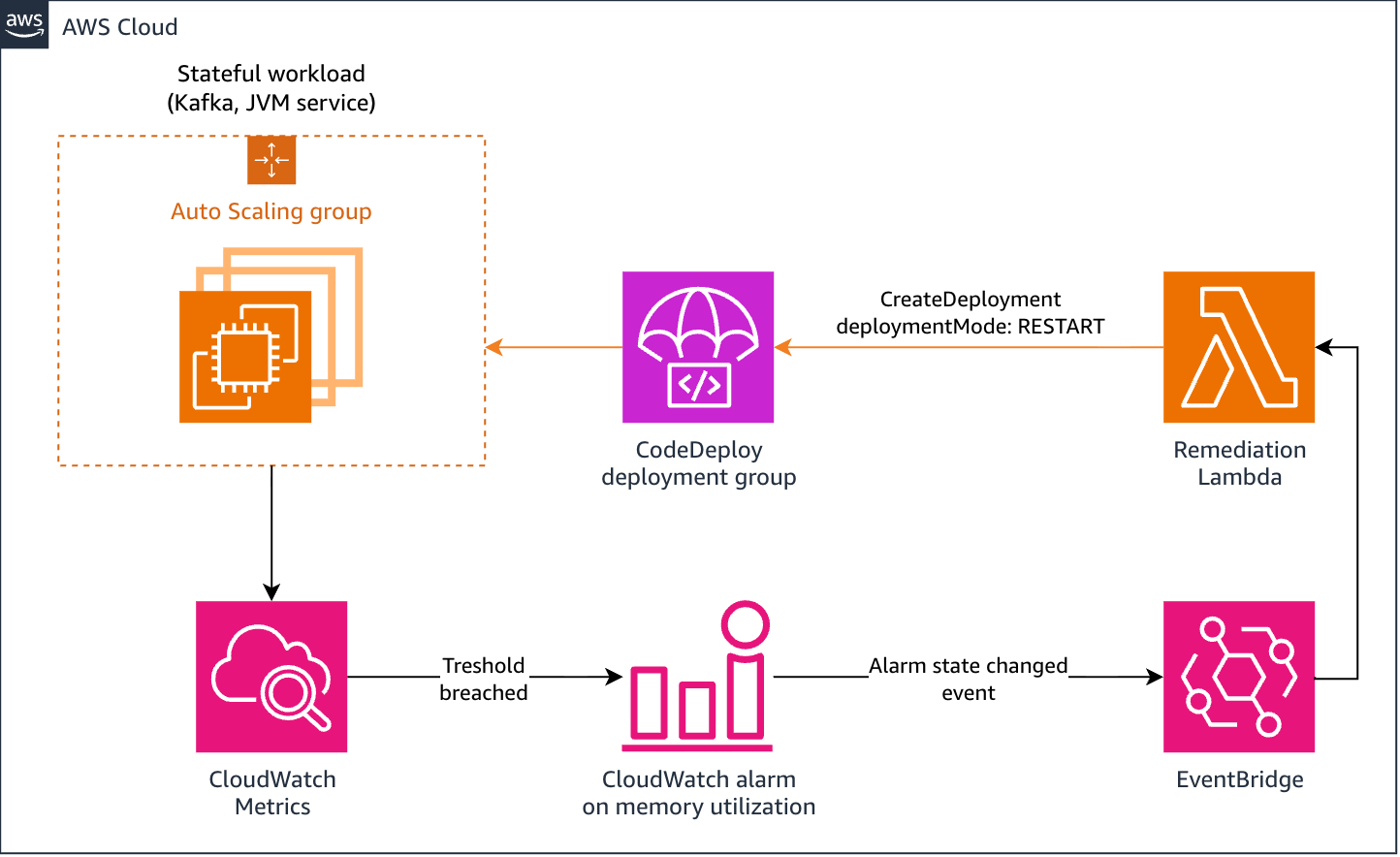
Beyond manual intervention, the RESTART mode is intended to serve as a building block for automated remediation systems. By linking a CloudWatch alarm to an Amazon EventBridge rule, organizations can trigger a Lambda function to initiate a CreateDeployment request in RESTART mode.
This capability is particularly transformative for stateful workloads and long-running services prone to "memory creep" or resource fragmentation, such as self-managed Kafka brokers or Java Virtual Machine (JVM) applications. Instead of relying on rigid, time-based cron jobs to restart services—which may occur regardless of whether the service is healthy or busy—teams can implement a reactive, intelligent loop. The system only restarts when the telemetry dictates that a refresh is necessary, creating a self-healing environment that minimizes the need for human on-call intervention.
Handling Incidents and Overrides
In high-pressure incident scenarios, there may be instances where a restart is required even if a CloudWatch alarm is currently in an ALARM state. To accommodate these situations, AWS has provided an override-alarm-configuration flag. When enabled, this flag allows a deployment to proceed while ignoring the current alarm state.
However, this feature is gated by strict permissions. Initiating such a deployment requires the codedeploy:UpdateDeploymentGroup IAM permission in addition to the standard deployment privileges. This design is deliberate, serving as a friction point to ensure that operators only bypass safety controls when they have alternative health signals and explicit authorization to proceed, thereby preventing the accidental override of critical safety measures during standard operations.
Constraints and Considerations
While the RESTART mode is a robust addition to the AWS ecosystem, it is subject to specific constraints. It is currently limited to in-place deployments on EC2 instances and on-premises servers. Furthermore, users must ensure their CodeDeploy agents are updated to at least version 2.1.0 to take full advantage of local archive reuse. Because the mode relies on the last successful revision, it is also essential that the environment remains consistent with the metadata of that previous deployment.
The broader implication of this release is a clear signal from cloud providers regarding the importance of "operational hygiene." By making it easier to perform routine restarts safely and efficiently, AWS is encouraging a culture of proactive infrastructure maintenance. Rather than fearing the "cold start" or the risk associated with clearing out long-running processes, developers can now rely on a first-class, audited, and managed process that fits seamlessly into their existing CI/CD pipelines.
As modern architectures continue to grow in complexity, the ability to manage the lifecycle of the underlying compute resources with the same rigor as the application code itself will become an increasingly vital differentiator for engineering teams. The RESTART deployment mode is not merely a convenience feature; it is an essential component of a mature, resilient cloud-native operational strategy. Organizations looking to optimize their uptime and reduce manual toil should look toward integrating these automated restart patterns into their standard operating procedures, leveraging the speed and safety of the new native implementation.