PagerDuty and AWS DevOps Agent Unveil Deep Integration to Revolutionize Incident Response and Accelerate Root Cause Analysis

In a significant advancement for site reliability engineering (SRE) and cloud operations, PagerDuty and AWS have announced a native integration between PagerDuty’s incident management platform and the AWS DevOps Agent. This strategic partnership aims to transform how engineering teams respond to, investigate, and resolve production incidents, promising a dramatic reduction in mean time to resolution (MTTR) by automating the initial, often time-consuming, stages of incident investigation. The integration leverages a built-in OAuth 2.0 connection, enabling direct communication between the two systems, so that investigations commence automatically the moment a PagerDuty incident is triggered.
The Escalating Challenge of Incident Management in Modern IT
The complexity of modern distributed systems, microservices architectures, and cloud-native applications has brought unprecedented agility and scalability to enterprises. However, this complexity also introduces significant challenges for incident management. When a critical system fails in production, the immediate priority is to restore service, but understanding the underlying cause before widespread damage occurs is paramount. SRE teams, often operating under immense pressure, frequently grapple with a "swivel chair" problem – manually correlating data across disparate monitoring tools, log aggregators, tracing systems, and deployment logs. This manual data stitching can consume tens of minutes, or even hours, delaying resolution and exacerbating the impact on customers and business operations.
Consider the common scenario: an SRE is paged at 2 a.m. The alert indicates a problem but offers little insight into its root cause. The responder then embarks on a digital scavenger hunt, opening multiple dashboards, cross-referencing deployment logs with AWS CloudTrail events, sifting through metrics, and reviewing application traces. This laborious process of manual correlation is precisely where resolution time balloons, turning a critical incident into a protracted ordeal. Industry data consistently highlights the substantial cost of downtime, with estimates ranging from thousands to millions of dollars per hour, depending on the business size and sector. Furthermore, prolonged incidents erode customer trust and can lead to significant reputational damage. The need for intelligent automation in this critical phase has never been more urgent.
AWS DevOps Agent: The AI-Powered First Responder

At the heart of this new integration is the AWS DevOps Agent, an innovative frontier agent designed to act as an intelligent first responder for engineering teams. Its core mission is to expedite the investigation and resolution of production incidents. The DevOps Agent conducts federated investigations across an organization’s entire observability stack, meticulously tracing incidents from initial code changes through to their impact on cloud infrastructure. Beyond merely identifying issues, it produces detailed mitigation plans, empowering teams to act swiftly and effectively.
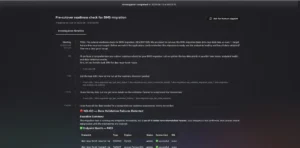
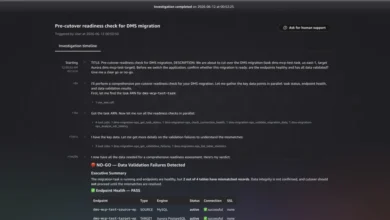
A distinguishing feature of the AWS DevOps Agent is its proactive capability. It doesn’t just react to incidents; it also proactively recommends improvements to observability configurations, infrastructure, and deployment pipelines. This foresight helps prevent recurring issues, shifting teams from a purely reactive stance to a more proactive and preventative operational model. The AWS DevOps Agent web application provides a transparent window into these investigations, allowing teams to observe the analysis unfold in real-time, access comprehensive findings, and even steer the analysis as needed.
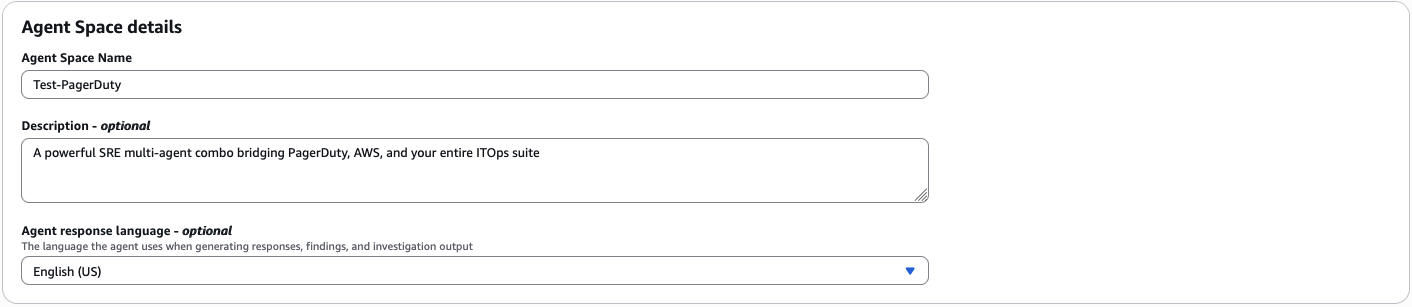
The operational scope of the agent is defined by its "Agent Space," a configurable boundary that dictates what resources and data sources the agent can access. While an AWS account serves as the primary source, teams can layer on secondary capabilities from a wide array of telemetry providers such as Datadog, Dynatrace, New Relic, and Splunk. Pipeline tools like GitHub and GitLab, communication platforms like Slack, and even custom Model Context Protocol (MCP) servers can be integrated to provide the agent with a holistic view of the operational environment. Crucially, the agent is designed for continuous learning. With every investigation it undertakes, it maps intricate relationships between resources—from load balancers to services, services to databases, and deployments to configuration changes. This dynamic knowledge graph continually expands, enabling the agent to uncover relationships that might be undocumented or unknown to human operators, enhancing its investigative prowess over time.
PagerDuty: The Epicenter of Incident Management
For anyone involved in managing critical, customer-impacting incidents, PagerDuty requires little introduction. It has long served as the industry standard for detecting, triaging, resolving, and learning from operational incidents. Engineering teams across the globe rely on its robust platform for real-time alerting, on-call scheduling, incident communication, and post-incident analysis. PagerDuty acts as the central nervous system for incident response, ensuring that the right people are alerted at the right time with the necessary context to address critical issues.
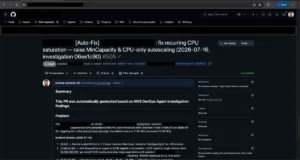
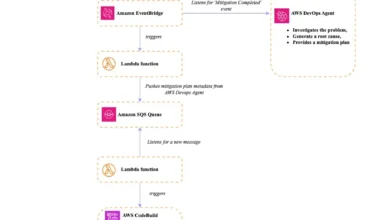
The native PagerDuty Capability Provider in AWS DevOps Agent creates a direct, seamless conduit between these two powerful systems. PagerDuty incident events now automatically trigger investigations within the AWS DevOps Agent. The findings from these investigations—including root cause analyses and recommended mitigation steps—are then fed directly back into the originating PagerDuty incident record. This bidirectional flow of information ensures that responders have immediate access to deep diagnostic insights without leaving their primary incident management platform. These findings are also available within the AWS DevOps Agent console and web app, providing a unified view for the entire team.
Beyond the immediate event-driven investigation, a second, equally valuable aspect of this integration involves the PagerDuty MCP Server. By adding the PagerDuty MCP Server as a capability and configuring a specific AWS DevOps Agent skill, the agent gains the ability to query PagerDuty’s vast institutional memory. This includes historical incident data, diagnostic patterns, resolution playbooks, and operational context spanning both AWS and non-AWS environments. This MCP Server-based connection operates separately from the primary event flow and requires its own setup. The profound benefit is that investigations are not only informed by current signals but also enriched by a wealth of prior incident history, allowing for more intelligent correlation and pattern recognition.
Tangible Benefits for Accelerated Incident Resolution
This deep integration translates into several practical and tangible advantages for engineering teams:
- Faster Time to Root Cause: The most immediate impact is the automatic initiation of investigations when a PagerDuty incident triggers. This eliminates the manual overhead of logging into multiple tools or remembering to launch an investigation. By the time an engineer acknowledges an alert, the AWS DevOps Agent is already actively correlating data and identifying potential causes, providing a crucial head start.
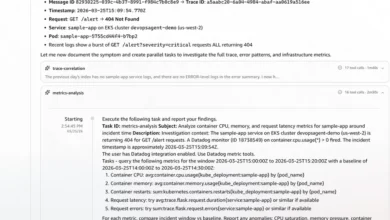
- Real Contextual Analysis: The agent’s ability to correlate PagerDuty incident data with a diverse array of telemetry is a game-changer. It pulls metrics, logs, and alarms from Amazon CloudWatch, API activity from AWS CloudTrail, application topology, deployment history, and data from connected third-party observability providers like Datadog, Splunk, New Relic, or Dynatrace. This federated approach connects dots that would require significant human effort and time to even begin piecing together, offering a truly comprehensive view of the incident’s context.
- Investigations Start Immediately: The AWS DevOps Agent proactively conducts deep-dive investigations in the background. Its root cause analysis and proposed mitigation steps are then automatically posted back to the originating PagerDuty incident, complete with a link to the AWS DevOps Agent web app for further detail. This means responders receive actionable intelligence almost instantly.
- Reduced Detective Work, Increased Remediation Focus: The manual, time-consuming task of correlating data across four or five different tools is largely offloaded to the agent. This frees up engineers to focus on the critical task of actually resolving the issue, rather than spending valuable time building the incident timeline or searching for clues. This shift empowers teams to move from "playing detective" to "fixing things" much faster.
- No Additional Infrastructure Hosting: The native PagerDuty Capability Provider eliminates the need for teams to provision, manage, or maintain additional infrastructure. There are no servers to stand up, no endpoints to maintain, simplifying adoption and reducing operational overhead.
Architectural Overview and Technical Underpinnings
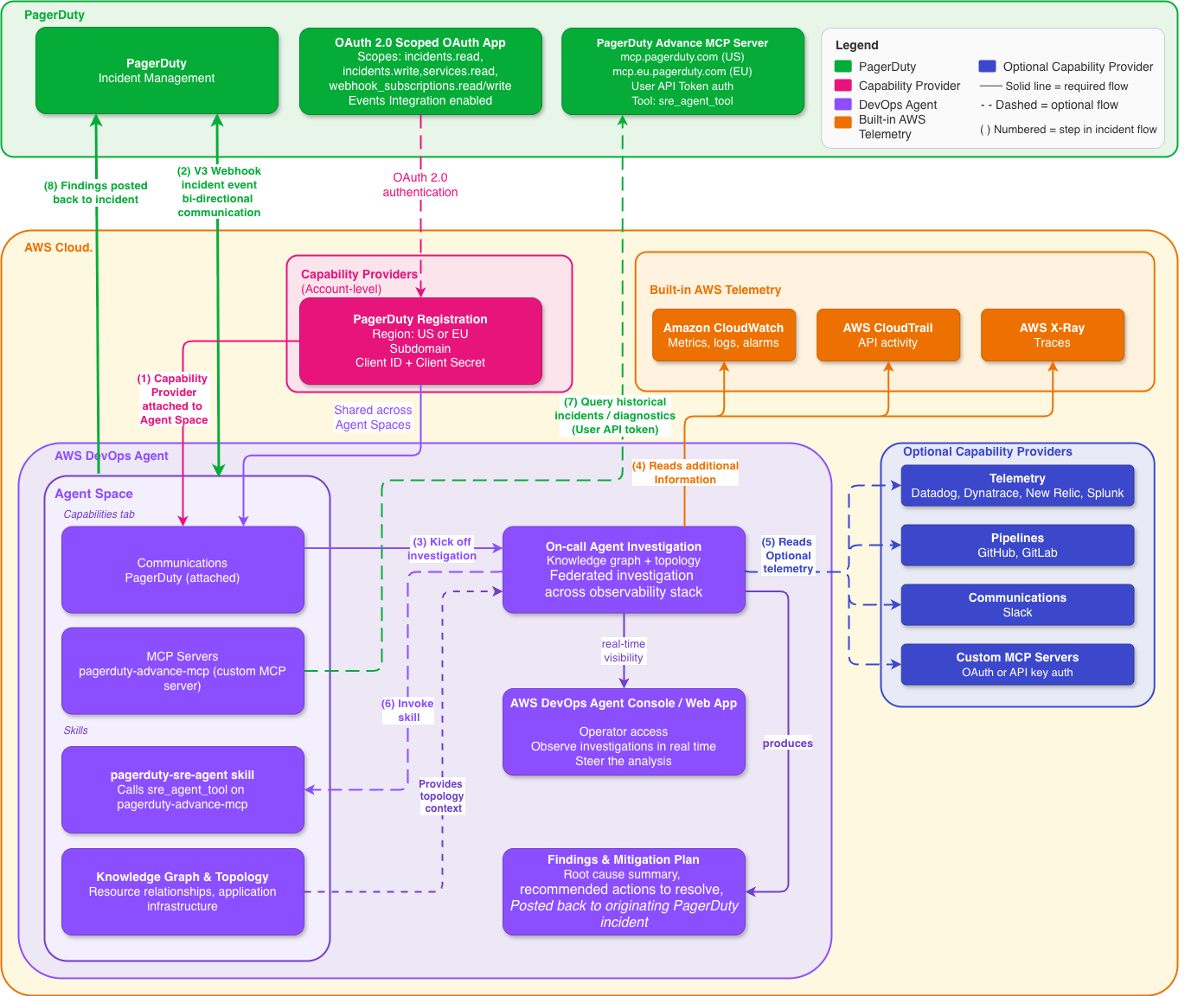
The integration’s architecture is designed for simplicity and security. AWS DevOps Agent and PagerDuty authenticate using OAuth 2.0 Scoped OAuth. PagerDuty is registered once at the AWS account level as a Capability Provider, making it available to any Agent Space within that account. This centralized registration streamlines setup and management across multiple teams or services.
When a PagerDuty incident triggers, the AWS DevOps Agent receives the event via this native connection and initiates its investigation. The agent systematically gathers and processes information from various sources:
- It introspects AWS observability data from CloudWatch and CloudTrail.
- It pulls relevant information from any connected third-party capability providers.
- It leverages its dynamically built topology mapping, which creates a knowledge graph of the application infrastructure.
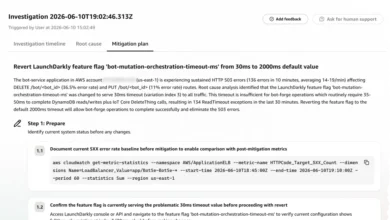
This continuous learning process means that every investigation expands the agent’s understanding of resource interdependencies, uncovering relationships that might not be explicitly documented. The agent then processes this vast amount of data to produce detailed mitigation plans, including specific actions to resolve the issue, validate the fix, and, if necessary, revert changes. These findings, along with a root cause summary and recommended next steps, are posted directly to the PagerDuty incident record, providing immediate actionable intelligence to the on-call team.
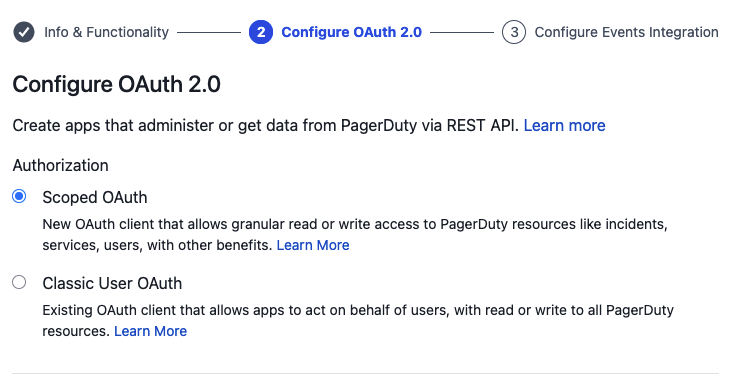
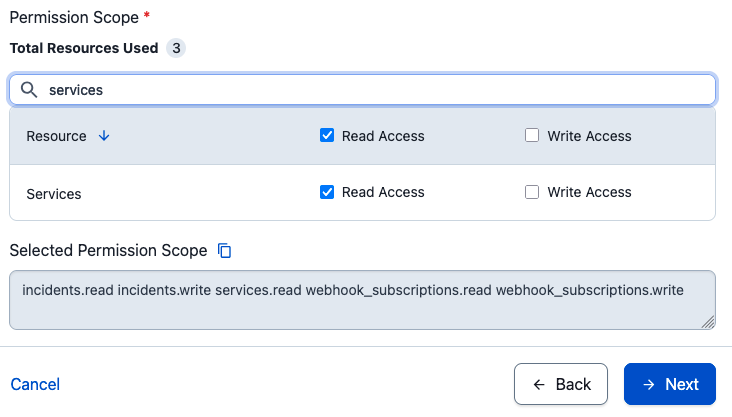
Security is a paramount concern. The native connection employs OAuth 2.0 Scoped OAuth, utilizing a minimum set of PagerDuty scopes (incidents.read, incidents.write, services.read, webhook_subscriptions.read, webhook_subscriptions.write). AWS DevOps Agent specifically supports the newer scoped OAuth flow, ensuring modern security practices. Legacy PagerDuty OAuth with redirect URIs is not supported. For inbound events from PagerDuty, only V3 webhooks are compatible, ensuring adherence to current API standards and secure communication over HTTPS.
Implementing the Integration: A Phased Approach
Setting up this powerful integration involves a structured, multi-phase process designed for clarity and control.
Phase 1: Establishing the Agent Space
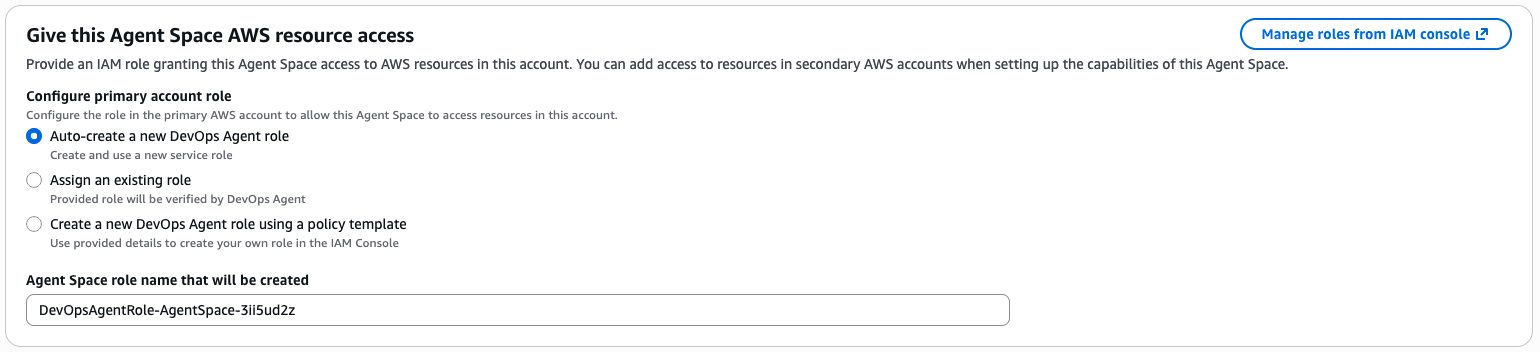
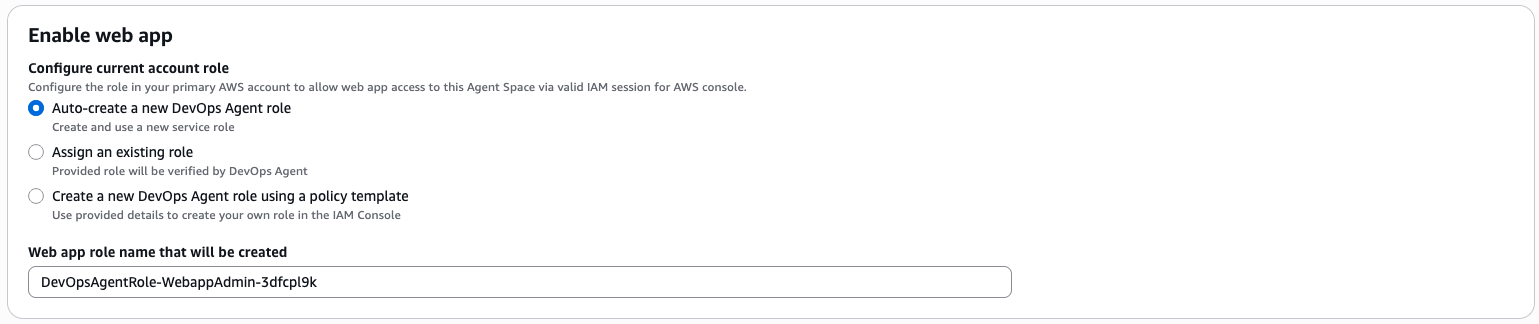
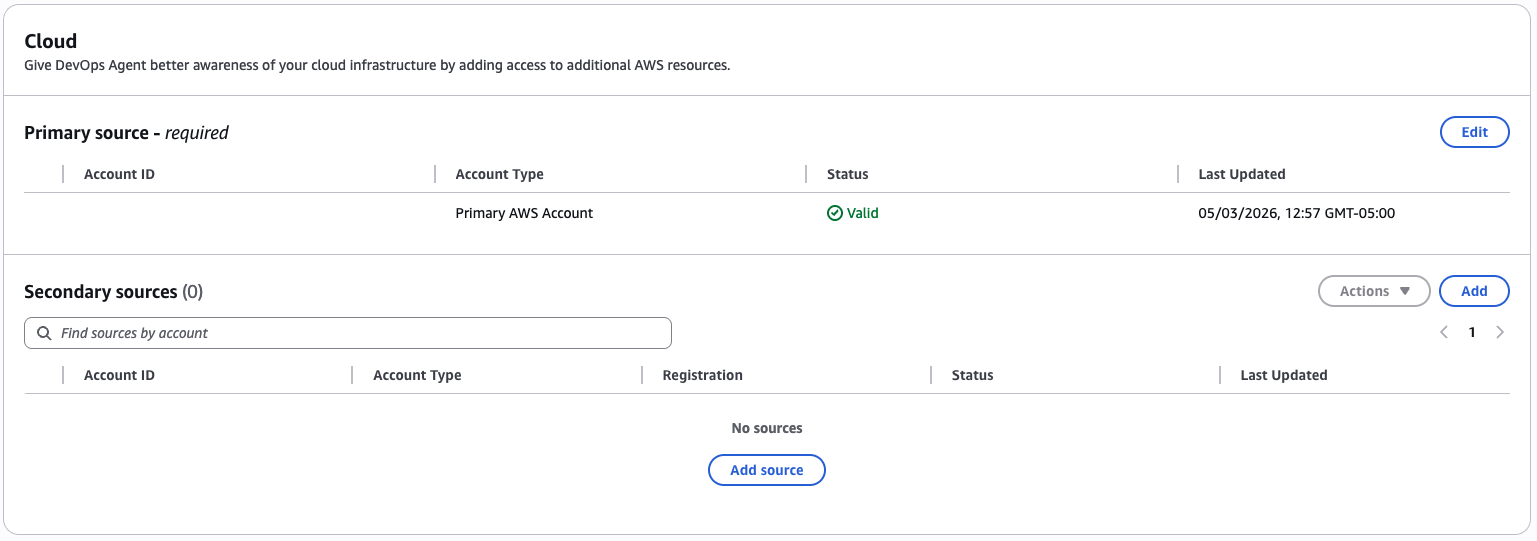
The initial step involves creating an Agent Space within the AWS DevOps Agent console. This space acts as the logical boundary, defining the scope of resources and data the agent can access and investigate. During this phase, necessary IAM roles for Agent Space operations and web app functionality are configured, often with auto-creation options for ease of setup. The AWS account is automatically designated as the primary source for the agent’s investigations.
Phase 2: Integrating Supporting Capabilities
While the agent natively connects to Amazon CloudWatch for metrics, logs, and alarms, and can analyze AWS CloudTrail API activity and X-Ray traces, modern environments rarely rely solely on AWS tooling. This phase focuses on wiring in external tools – such as Datadog, Dynatrace, New Relic, Splunk for telemetry, and GitHub/GitLab for pipeline insights – to provide the agent with a comprehensive, federated view of the operational landscape. Teams can start with essential integrations and gradually add more, with each new capability enhancing the agent’s ability to discover infrastructure relationships and investigate effectively.
Phase 3: Defining Application Topology
To truly understand the application landscape, teams help the agent by defining application components, their services, and relationships. This can be achieved by importing existing topology data, allowing the agent to discover dependencies, or configuring custom resource types. This foundational understanding is crucial for the agent to accurately trace incidents across complex environments.
Phase 4: Registering PagerDuty as a Capability Provider
This critical phase involves a two-step process:
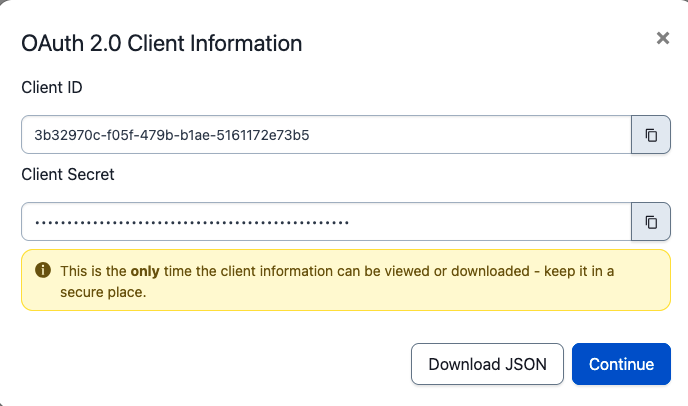
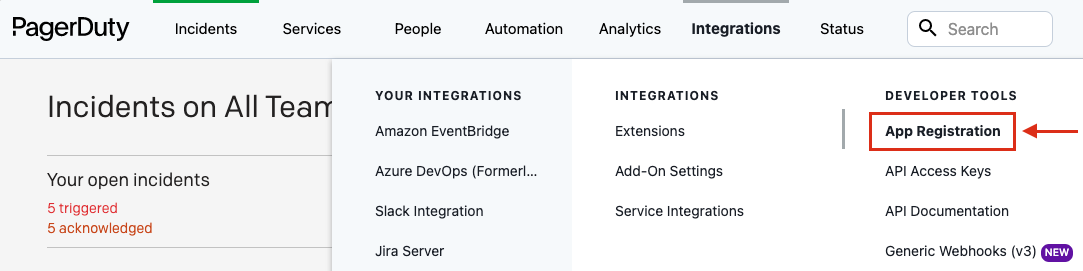
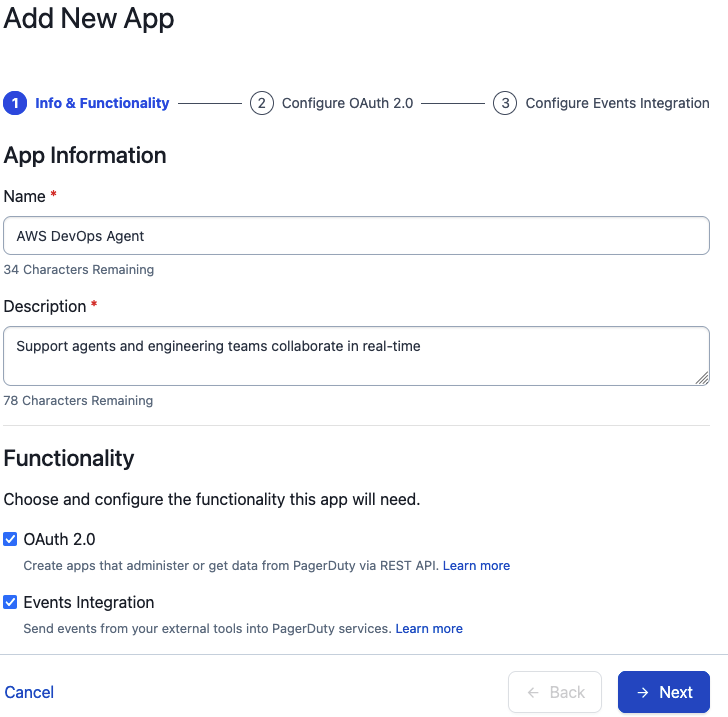
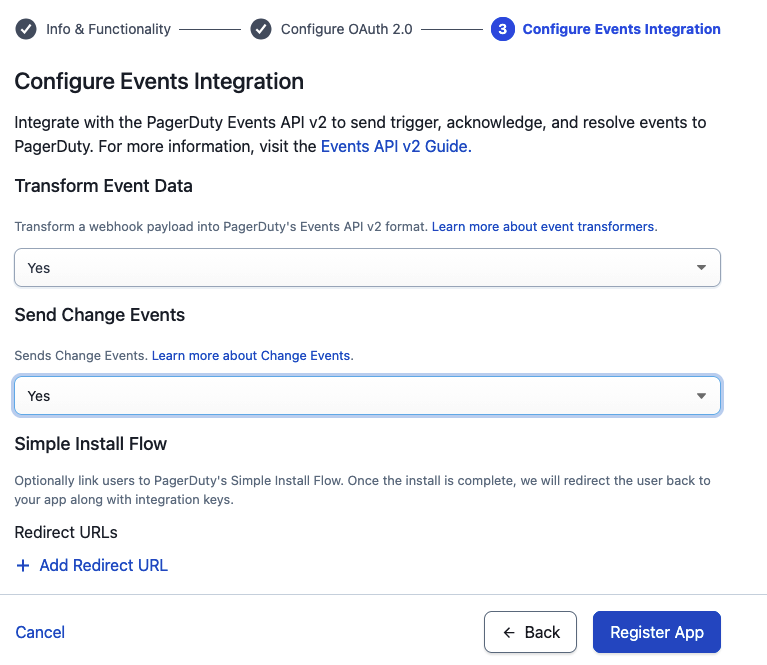
- Creating the OAuth App in PagerDuty: Users navigate to PagerDuty’s Integrations > App Registration to create a new OAuth 2.0 Scoped OAuth app. Specific, minimum required scopes (incidents.read, incidents.write, services.read, webhook_subscriptions.read, webhook_subscriptions.write) are granted, and Events Integration is enabled for bidirectional communication. The Client ID and Client Secret generated by PagerDuty are then securely copied.
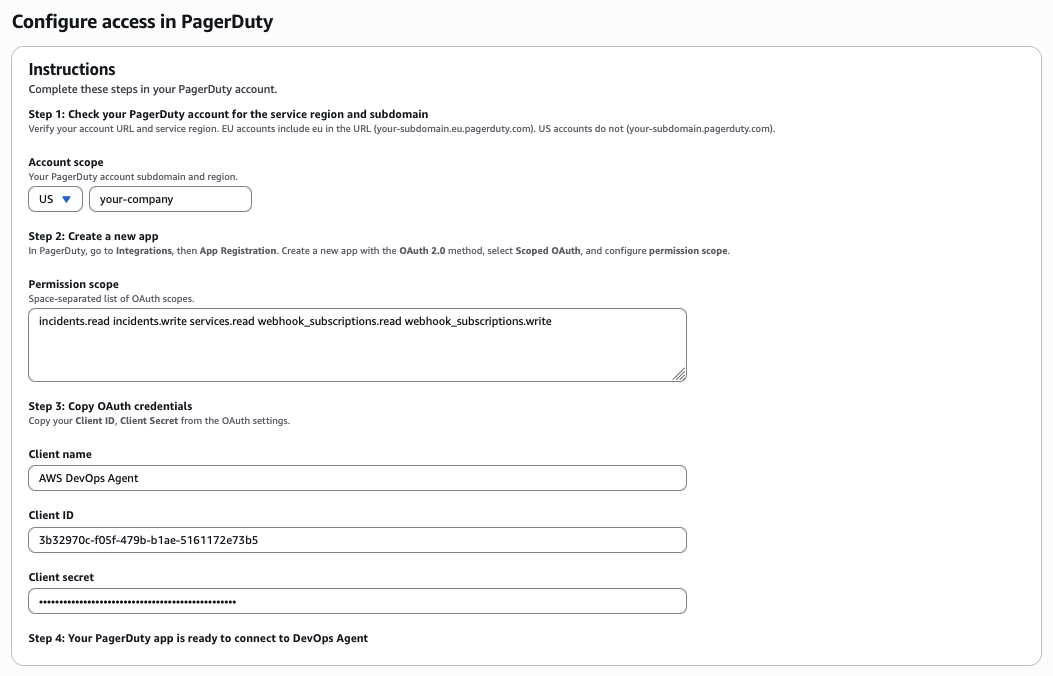
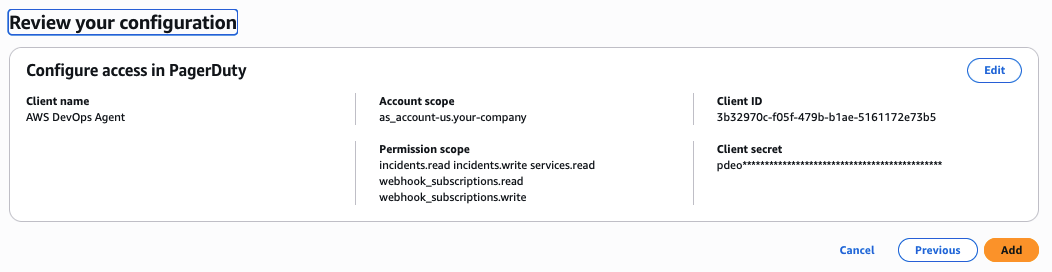
- Registering PagerDuty in AWS DevOps Agent: Within the AWS DevOps Agent console, under Capability Providers, PagerDuty is selected for registration. The PagerDuty region, subdomain, OAuth client name, client ID, and client secret are entered. After review, the registration is finalized, making PagerDuty visible under "Currently registered" providers.
Phase 5: Attaching PagerDuty to the Agent Space
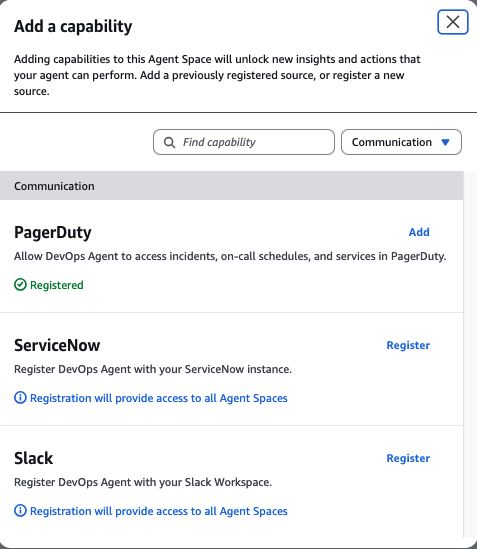
With PagerDuty registered at the account level, it must then be explicitly connected to the specific Agent Space that will utilize its capabilities. This involves selecting the Agent Space, navigating to its Capabilities tab, and adding PagerDuty from the list of available Communication providers.
Phase 6: Enriching Investigations with PagerDuty MCP Server and Agent Skill
This advanced setup allows the agent to actively query PagerDuty’s historical knowledge during investigations.

- Adding the PagerDuty MCP Server: A custom MCP server is added to the Agent Space, configured with the PagerDuty MCP server URL and a PagerDuty User API token for authentication. This gives the agent programmatic access to PagerDuty’s data.
- Configuring the Agent Skill: Within the AWS DevOps Agent Operator web app, a new skill named
pagerduty-aws-devops-agentis created. This skill, defined with specific instructions, tells the agent when and how to use thesre_agent_toolfrom thepagerduty-advance-mcpserver. It enables the agent to ask natural language questions about incidents, correlate past incidents, and leverage PagerDuty’s institutional memory to provide deeper context and more informed resolution patterns.
Phase 7: Comprehensive Testing and Validation
Before full deployment, it is crucial to thoroughly test the integration. This involves triggering a test incident in PagerDuty, verifying that the AWS DevOps Agent automatically initiates an investigation, confirming that findings are posted back to the PagerDuty incident record, and ensuring that the agent’s web app displays the ongoing analysis. Starting with a limited scope—perhaps a single application or service—allows teams to get comfortable with the integration, fine-tune configurations, and then expand progressively.
Navigating Potential Hurdles: Troubleshooting Insights
While the integration is designed for ease of use, a few common issues might arise during setup or operation:
- Invalid Credentials: Registration failures often stem from incorrect Client ID or Client Secret. It’s essential to double-check that these credentials are from the correct PagerDuty OAuth 2.0 Scoped OAuth app, as legacy PagerDuty OAuth apps are not supported. If credentials need updating, deregistering and re-registering is the recommended approach.
- Webhook Event Issues: The AWS DevOps Agent exclusively supports PagerDuty V3 webhooks. If investigations aren’t triggering, verify that the PagerDuty subscription is configured for V3.
- Agent Space Inactivity: Even if PagerDuty is registered at the account level, it must be explicitly added to an Agent Space to become active within that space. Teams should confirm PagerDuty appears under the "Communications" section of their Agent Space’s Capabilities tab.
- Region or Subdomain Mismatch: For PagerDuty accounts hosted in specific service regions (e.g., EU), selecting the correct region during registration is vital. Similarly, the PagerDuty subdomain entered (e.g.,
your-companyfromhttps://your-company.pagerduty.com) must match exactly.
Broader Industry Impact and Future Outlook
The collaboration between PagerDuty and AWS represents a significant leap forward in the field of AIOps (Artificial Intelligence for IT Operations). By automating the "undifferentiated heavy lifting" that consumes the first several minutes of incident response—such as opening dashboards, tailing logs, and correlating deployment events—this integration allows engineering teams to shift their focus from reactive detective work to proactive remediation. This is not merely an efficiency gain; it’s a strategic advantage that enhances organizational resilience, reduces operational costs, and improves customer experience.
The increasing adoption of generative AI and machine learning in IT operations is driving a paradigm shift towards more autonomous and intelligent systems. The AWS DevOps Agent, powered by AI, embodies this shift, moving incident management from a human-intensive, reactive process to one that is augmented by machine intelligence, enabling faster, more accurate, and more consistent responses. This integration positions both PagerDuty and AWS at the forefront of this evolution, offering enterprises a robust solution to navigate the complexities of modern cloud environments. It underscores a growing industry trend where specialized tools converge to create more holistic and intelligent operational workflows, ultimately empowering SREs to achieve higher levels of service reliability and operational excellence.

To embark on this transformative journey, organizations are encouraged to explore the comprehensive AWS DevOps Agent documentation or engage directly with their PagerDuty or AWS account teams for tailored guidance and support.
About the authors

Shan Kandaswamy
Shan is a Senior Partner Solutions Architect specializing in generative AI at AWS, dedicated to solving complex user challenges. He advocates for innovative AI solutions, distributed architecture, and serverless technologies, helping users harness the power of generative AI in their cloud journey. You can reach him on LinkedIn.
Laith Al-Saadoon
Laith Al-Saadoon is a Principal AI Engineer at AWS. He created and launched AWS MCP Servers (30M+ PyPI downloads) and contributes to Strands Agents SDK – AWS’s open-source framework for building AI agents – along with other agentic AI open-source projects like Mem0 and Agno. He drives AWS’s autonomous software development and agentic AI strategy and builds production agentic systems that make agents work for the world’s largest companies. In his personal time, Laith enjoys the outdoors – fishing, photography, drone flights, and hiking with his wife.
Scott Schreckengaust
Scott Schreckengaust brings a biomedical engineering degree and decades of deep domain expertise in healthcare and life sciences to emerging technologies and AI. He’s spent his career building—from automating lab workflows and integrating enterprise systems to architecting full-stack software deployments in regulated environments. Now working as an AI engineer, Scott continues what he’s always done best: partner with customers to uncover their scientific and operational challenges, then engineer solutions that scale. His journey from the bench to the cloud reflects a consistent belief: the best technology is invisible—it just works.