Build Intelligent Android Apps: Leveraging Gemini Nano for On-Device Personalization and Agentic Experiences

Google is ushering in a new era of intelligent Android applications, empowering developers to create personalized, sophisticated, and agentic user experiences directly on mobile devices. This transformative approach, detailed in an ongoing blog series, centers on the integration of advanced AI models, most notably Gemini Nano, through Google’s ML Kit. The Jetpacker demo application serves as a tangible example, showcasing how developers can elevate a basic app into a dynamic, context-aware tool. This second installment delves into the practical application of Gemini Nano via ML Kit’s Prompt API, illuminating the path to building intelligent, on-device features that prioritize user privacy and enhance functionality.
The core tenet of this advancement is the ability to process prompts and data locally on a user’s device, eliminating the necessity of sending sensitive information to remote servers. This paradigm shift offers a multitude of benefits, including enhanced data privacy and security, reduced latency for real-time interactions, improved offline functionality, and a significant reduction in cloud infrastructure costs for developers. In the context of the Jetpacker app, these advantages translate into three key user experience enhancements: intelligent summarization of trip itineraries, streamlined expense management, and efficient voice note capture.
On-Device Intelligence for Enhanced Travel Planning
The itinerary screen within the Jetpacker app, designed to provide a comprehensive overview of travel plans, can often become information-dense and overwhelming. To counteract this, developers can implement an "Get ready for your trip" section. This feature leverages Gemini Nano to process a trip itinerary and generate a concise summary, complete with practical preparation tips and relevant local phrases.

This capability is particularly well-suited for on-device processing due to several compelling reasons. Firstly, the sensitive nature of travel plans, which can include personal preferences and destination details, makes local processing a significant privacy advantage. Secondly, the immediate availability of summarization and tips, even in areas with limited connectivity, ensures a seamless user experience. Finally, the computational demands of summarizing text and generating short, actionable advice are well within the capabilities of modern mobile chipsets, making on-device execution efficient.
Google’s Gemini Nano, the company’s most efficient model tailored for mobile devices, forms the backbone of these on-device features. Introduced several years ago, Gemini Nano has already reached over 140 million devices. The latest iteration, Gemini Nano 4, built upon the architectural foundation of the recently released Gemma 4 model, offers further optimizations for battery and performance efficiency. This latest version is crucial for enabling complex AI tasks directly on a smartphone without draining power or causing significant slowdowns.
Developers can harness Gemini Nano 4’s advanced capabilities through ML Kit’s Prompt API. The process involves crafting specific prompts that guide the model’s output. For the itinerary summarization, a prompt can be designed to include the trip itinerary and instruct the model to generate an "overall vibe," "tips on how to prepare," and "common short phrases to learn."
// Add dependency to your app's build.gradle file:
// implementation("com.google.mlkit:genai-prompt:1.0.0-beta3")

// Define the configuration for Gemini Nano 4 E2B preview model
val previewFastConfig = generationConfig
    modelConfig = modelConfig
        releaseStage = ModelReleaseStage.PREVIEW
        preference = ModelPreference.FAST // Prioritizes speed for quick responses


val geminiNano2BPreviewModel = Generation.getClient(previewFastConfig)

val tripItinerary = "Day 1: Arrive in Paris, check into hotel, Eiffel Tower visit. Day 2: Louvre Museum, Notre Dame Cathedral. Day 3: Montmartre exploration, Seine River cruise."

val getReadyForYourTripSummary = geminiNano2BPreviewModel
 .generateContent("Given this trip itinerary: $tripItinerary,
     generate the following: overall vibe, tips on how to prepare for this
     trip, and common short phrases to learn for the trip.")
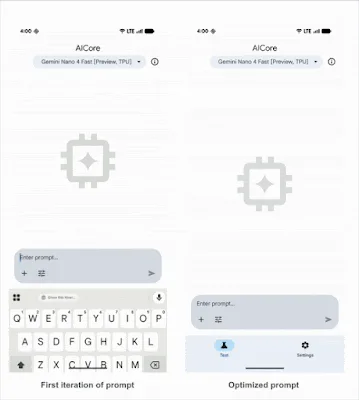
The process of refining these prompts is iterative. Tools like the AICore app, which offers a developer preview option, allow developers to download preview models like Gemini Nano 4 and test prompts to observe expected outputs. Through such iterative refinement, the response time for itinerary summarization in Jetpacker was dramatically reduced from approximately 13 seconds to under 2 seconds, demonstrating the power of prompt engineering and on-device optimization. The final code implementation and optimized prompt are available on GitHub for developers to explore.

The optimization of prompts is critical for managing the computational resources of on-device models. An overly verbose or complex prompt can lead to longer processing times and potentially less focused outputs. By carefully structuring the prompt and specifying the desired output format, developers can ensure that the AI model delivers concise, relevant, and timely information, significantly enhancing the user’s interaction with the application. This meticulous approach to prompt design is a hallmark of efficient on-device AI development.
Local Processing for Secure Expense Management
The second key feature introduced is a simplified expense manager, designed to alleviate the manual effort involved in tracking receipts and calculating budgets. This feature allows users to capture photos of restaurant bills, with the app then parsing the data and presenting it in an organized expense overview.
The critical aspect of this feature is the handling of potentially sensitive information contained within receipts, such as credit card numbers and addresses. By processing this data entirely on-device, users can maintain confidence that their private financial information is being handled securely, without any transmission to cloud servers. This commitment to local processing directly addresses growing user concerns about data privacy in an increasingly connected world.
Gemini Nano 4’s enhanced multimodal capabilities are particularly beneficial here, especially for tasks like Optical Character Recognition (OCR) and visual data extraction. This makes it an ideal solution for accurately extracting information from receipts.

For this use case, the prompt is designed to analyze an image of a receipt and extract specific details: a generated title for the expense, the total amount spent, and the category of the expense. To ensure the model outputs this information in a structured and usable format, developers can leverage ML Kit’s Structured Output API. This API seamlessly converts the model’s output into a predefined Kotlin data object, streamlining the integration process.
// Add dependencies to your app's build.gradle file:
// implementation("com.google.mlkit:genai-prompt:1.0.0-beta3")
// ksp("com.google.mlkit:genai-schema-compiler:1.0.0-alpha1")

@Generable("Information extracted from an expense receipt")
data class ParsedReceipt(
  @Guide("Generated title for the expense less than 6 words. Based on restaurant or activity name.")
  val  String,
  @Guide("Total amount of the expense. Look for values at the bottom and words like total or balance due.")
  val amount: Double,
  @Guide("Type of expense", enumValues = ["travel", "food", "shopping", "entertainment", "other"])
  val category: String,
)

val prompt = "Determine if the image is a receipt or expense.
    If it is NOT a receipt or expense, output the text 'NOT_A_RECEIPT'.
    Otherwise, parse the receipt information."

// Assuming 'bitmap' is a Bitmap object containing the receipt image
val request = generateContentRequest(ImagePart(bitmap), TextPart(prompt))
val requestWithStructuredOutput = generateTypedContentRequest(request, ParsedReceipt::class)

// Define the configuration for Gemini Nano 4 E4B preview model
// ModelPreference.FULL prioritizes reasoning power over speed, suitable for complex analysis.
val previewFullConfig = generationConfig
    modelConfig = modelConfig
        releaseStage = ModelReleaseStage.PREVIEW
        preference = ModelPreference.FULL


val geminiNano4BPreviewModel = Generation.getClient(previewFullConfig)
val response = geminiNano4BPreviewModel.generateContent(requestWithStructuredOutput)
val parsedReceipt: ParsedReceipt? = response.candidates.firstOrNull()?.response
The choice between ModelPreference.FAST and ModelPreference.FULL in ML Kit’s generationConfig is a critical decision for developers. ModelPreference.FAST is ideal for scenarios where low latency is paramount and the AI task is relatively straightforward, such as generating a quick summary. Conversely, ModelPreference.FULL is suited for more complex reasoning and analysis, such as meticulously extracting data from a receipt where accuracy and thoroughness are prioritized over immediate response time. This fine-grained control allows developers to optimize AI integration for specific application needs and device capabilities.
Multimodal Input for Seamless Voice Note Integration
The final intelligent feature integrated into Jetpacker is a fully on-device voice notes functionality. This feature empowers users to record short audio memos during their travels, which are then automatically transcribed into text. Subsequently, ML Kit’s Prompt API is employed to associate these transcribed voice notes with specific trip activities, enabling users to easily recap their experiences as they navigate their trip itinerary.
The ML Kit GenAI Speech Recognition API facilitates on-device audio transcription through two distinct modes. The "Basic mode" utilizes traditional on-device speech recognition models and is compatible with most Android devices running API level 31 and higher. The "Advanced mode," however, leverages Gemini Nano to offer enhanced language coverage and superior transcription quality, currently supported on Pixel 10 devices.

This voice note feature elegantly combines the Speech Recognition API with the ML Kit GenAI Prompt API. The process involves:
- Speech Recognition: Users record audio via their device’s microphone. The
SpeechRecognizerfrom ML Kit processes this audio in real-time. It can display partial transcriptions as the user speaks and provides a final, complete transcription once the recording is finished. - Transcription Processing: Once the audio is transcribed, the text is processed. This includes cleaning up filler words and ensuring clarity.
- Event Association: The cleaned transcription is then fed into the Prompt API along with a list of the trip’s events. The AI model analyzes both the transcribed voice note and the trip events to identify which specific activities the voice note pertains to.
// Add dependencies to your app's build.gradle file:
// implementation("com.google.mlkit:genai-prompt:1.0.0-beta3")
// implementation("com.google.mlkit:genai-speech-recognition:1.0.0-alpha1")

val tripEvents = listOf("Eiffel Tower visit", "Louvre Museum tour", "Seine River cruise") // Example trip events

// Set up speech recognition with advanced mode for better quality
val speechRecognizerOptions =
    speechRecognizerOptions
        locale = Locale.US
        preferredMode = SpeechRecognizerOptions.Mode.MODE_ADVANCED // Leverages Gemini Nano on supported devices

val speechRecognizer: SpeechRecognizer = SpeechRecognition.getClient(speechRecognizerOptions)

suspend fun transcribeVoiceNote(recognizer: SpeechRecognizer)
    // Display partial text as the user is recording audio
    var partialTextResponse = ""

    // Display the full text once user is finished recording audio
    var transcription = ""

    val request: SpeechRecognizerRequest
        = speechRecognizerRequest  audioSource = AudioSource.fromMic()  // Capture audio from microphone
    recognizer.startRecognition(request).collect  response ->
        when (response)
            is SpeechRecognizerResponse.PartialTextResponse ->
                partialTextResponse = response.text
                // Update UI with partial transcription

            is SpeechRecognizerResponse.FinalTextResponse ->
                transcription = response.text
                processAndCategorizeVoiceNote(transcription, tripEvents)


fun processAndCategorizeVoiceNote(transcribedVoiceNote: String, events: List<Event>)
    val prompt = "Given the voice note '$transcribedVoiceNote'
     and the following events for this trip: $events, rewrite this transcription
     to remove filler words. Then, identify which events from the
     list this rewritten transcription matches to. Format the output as a JSON object with 'cleaned_note' and 'matched_events' keys."

     // Utilize ML Kit's Prompt API to process voice note and tag it with the relevant trip activities
     val response = Generation.getClient().generateContent(prompt)
     // Parse the JSON response to extract cleaned_note and matched_events
     // Update UI to display the voice note associated with relevant trip events
The integration of these on-device intelligent features within the Jetpacker app underscores a significant shift in mobile application development. By leveraging ML Kit’s GenAI APIs and the power of Gemini Nano, developers can create applications that are not only more functional but also more privacy-conscious and cost-effective.
Conclusion and Future Outlook
The successful implementation of itinerary summarization, expense management, and voice note features within the Jetpacker app demonstrates the tangible benefits of on-device AI. These intelligent capabilities, powered by Gemini Nano and ML Kit, provide an enriched user experience without incurring additional cloud infrastructure costs. Developers are encouraged to explore the full source code of Jetpacker on GitHub and delve deeper into the principles of building intelligent Android apps through accompanying video resources.
This ongoing blog series provides a comprehensive roadmap for developers interested in integrating advanced AI into their Android applications. The series covers a spectrum of approaches, from purely on-device inference to hybrid cloud-based reasoning and system integration with agentic frameworks. The progression through these topics highlights Google’s commitment to empowering developers with the tools and knowledge necessary to create the next generation of intelligent, personalized, and agentic mobile experiences.

The trend towards on-device AI processing is not merely a technical evolution but a response to growing user demands for privacy, security, and seamless functionality. As AI models become more efficient and mobile hardware more capable, the potential for sophisticated on-device intelligence is virtually limitless. This opens up new avenues for innovation in areas ranging from personalized healthcare and education to advanced productivity tools and immersive entertainment. The future of Android development is undoubtedly intelligent, and Google’s latest advancements are paving the way for a more intuitive and empowering mobile ecosystem.