React Native 0.86 Arrives with Enhanced Android Edge-to-Edge Support and DevTools Advancements

React Native 0.86 has officially launched, bringing significant enhancements to the cross-platform development framework. This latest release prioritizes a more seamless developer experience with robust support for Android’s edge-to-edge display mode on Android 15 and above, alongside notable improvements to React Native DevTools. Notably, this marks the second consecutive release without user-facing breaking changes, underscoring a sustained commitment to making framework upgrades more predictable and less disruptive for developers.
A New Era for React Native: Relocation to the React Foundation
A foundational shift accompanying React Native 0.86 is the relocation of the React Native repository, along with React, Metro, Yoga, and the React Native Website, from the facebook GitHub organization to the react organization. This strategic move signifies the transition of both React and React Native under the stewardship of the React Foundation, an independent entity established to ensure the long-term health and evolution of the React ecosystem. This transition is designed to foster greater community involvement and transparency in the development process. GitHub has implemented automatic redirects for all existing URLs, issues, and pull requests, ensuring a smooth transition for users with no immediate action required on their part. This organizational change is a key indicator of the growing maturity and independent governance of the React Native project.
Embracing the Full Screen: Edge-to-Edge Support on Android
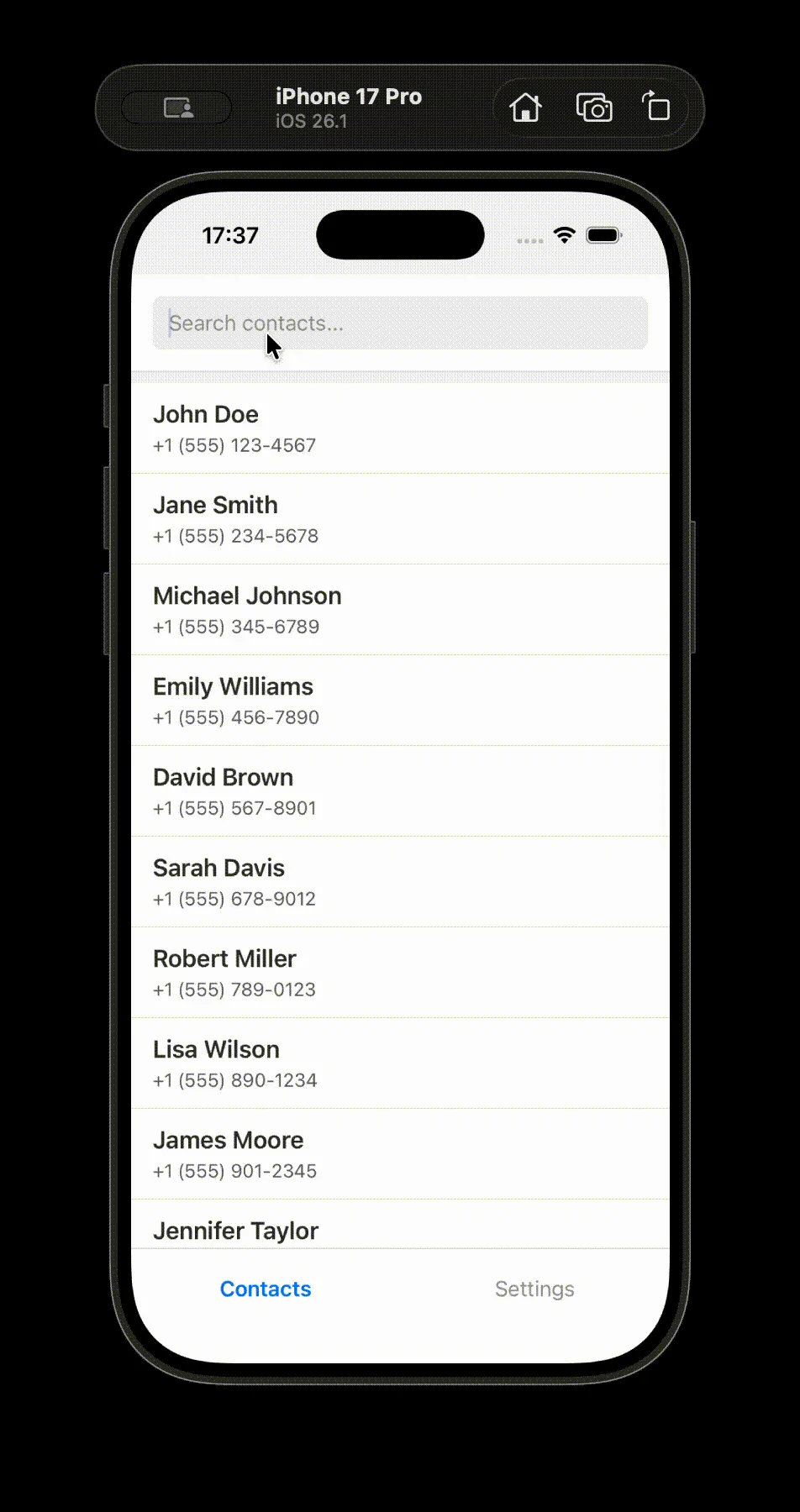
React Native 0.86 introduces comprehensive fixes and enhanced functionality for Android’s edge-to-edge display mode, particularly for devices running Android 15 and later. This update addresses scenarios where the operating system enforces edge-to-edge display even when it’s not explicitly enabled via the edgeToEdgeEnabled Gradle property. This improvement ensures that applications can leverage the full screen real estate on modern Android devices, providing a more immersive user experience without the need for manual configuration in every instance.
The implementation of edge-to-edge support on Android has been an ongoing effort to align with the platform’s design principles, which increasingly encourage applications to extend behind system bars for a more unified visual experience. This release signifies a significant step forward in achieving that goal within the React Native ecosystem. Developers can now expect more consistent behavior and better integration with system-level display features, reducing the likelihood of visual glitches or content being obscured by system UI elements.
Empowering Developers: React Native DevTools Improvements
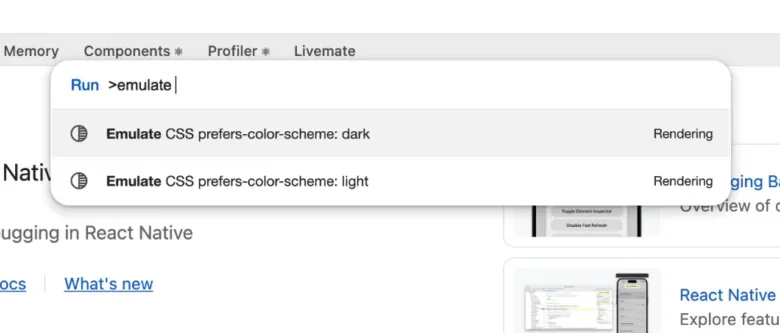
The developer experience receives a considerable boost with enhancements to React Native DevTools. A standout feature is the introduction of light/dark mode emulation directly within DevTools. This functionality, accessible via Emulation.setEmulatedMedia, allows developers to test their application’s appearance mode handling without altering their device’s system-wide settings. By using the command palette (accessible via cmd + shift + P or ctrl + shift + P), developers can toggle between light and dark mode simulations, providing a quick and efficient way to verify UI consistency across different themes. This feature is particularly valuable for ensuring a polished user experience, as it enables precise testing of how components adapt to varying lighting conditions. It’s important to note that this is a temporary switch, designed to reset when DevTools disconnects, preventing unintended persistent changes to the development environment.
These DevTools enhancements are part of a broader trend in mobile development to provide more integrated and powerful debugging and testing tools. The ability to emulate display conditions directly within the development environment streamlines the workflow, saving developers time and effort in identifying and resolving visual issues.
A Commitment to Stability: No User-Facing Breaking Changes
A key takeaway from the React Native 0.86 release is the continued emphasis on stability. For the second release in a row, developers will find no user-facing breaking changes. This policy, initiated with version 0.83, reflects a deliberate strategy to make upgrading React Native projects a more predictable and less burdensome process. For developers currently on React Native 0.85, the upgrade to 0.86 is expected to be a straightforward process, requiring minimal to no modifications to existing application code. This focus on backward compatibility is a crucial factor for businesses and individual developers relying on React Native for long-term project development and maintenance. It allows for easier adoption of new features and bug fixes without the risk of introducing significant regressions.
Deprecations and Future Considerations
While the release is free of breaking changes, it does introduce a list of deprecated APIs. These are features that are slated for removal in future versions of React Native. Developers are encouraged to review the deprecation list and begin migrating their code to recommended alternatives to ensure future compatibility. The specific APIs marked for deprecation are typically those that have been superseded by more modern or performant solutions, or those that present potential maintenance challenges. The clear communication of these deprecations allows developers ample time to adapt their projects.
Under the Hood: Runtime, Layout, and Infrastructure Enhancements
Beyond the headline features, React Native 0.86 incorporates a range of under-the- அ hood improvements across various domains.
Runtime & Web Spec Alignment: Efforts continue to align the React Native runtime with web specifications, aiming to create a more consistent development experience for those working across both web and native platforms. This convergence can lead to shared codebases and a more unified approach to building user interfaces.

Rendering, Layout & Animation: Significant work has been done to optimize rendering performance, refine layout calculations, and improve the efficiency of animations. These improvements are crucial for delivering fluid and responsive user interfaces, especially in complex applications with demanding visual requirements. The focus on these core areas directly impacts the perceived quality and performance of applications built with React Native.
Accessibility: The release includes updates to improve accessibility features, ensuring that applications built with React Native are more inclusive and usable for individuals with disabilities. This ongoing commitment to accessibility is vital for reaching a wider audience and adhering to global standards.
Infrastructure & Dependencies: Updates to the underlying infrastructure and dependencies are regularly made to maintain security, improve performance, and leverage the latest advancements in the broader JavaScript and native development ecosystems. This includes ensuring compatibility with newer versions of Node.js, JavaScript engines, and native build tools.
JSI (Native Interface) Advancements: The JavaScript Interface (JSI) continues to be a focus for enhancement, with new APIs being introduced to bolster the C++ interface between native modules and the JavaScript engine. These advancements aim to provide native modules with more powerful capabilities for interacting with the JavaScript runtime, enabling more sophisticated integrations and potentially improved performance for certain operations.
Android Input, Navigation & Images: Specific improvements have been made to how React Native handles Android input, navigation, and image processing. These updates are designed to provide developers with more granular control and better performance when dealing with these fundamental aspects of application development on the Android platform. This includes refinements to touch handling, gesture recognition, and image loading and rendering.
Android Networking: Enhancements to the networking layer on Android are included, likely focusing on improved performance, reliability, and security for network requests made by applications.
A Collaborative Effort: Acknowledgements
React Native 0.86 is the product of a significant collaborative effort, featuring over 596 commits from 97 contributors. This broad participation highlights the vibrant and active community surrounding React Native. The release acknowledges the invaluable contributions of community members who have played a pivotal role in shaping this iteration of the framework. Such a diverse range of contributors ensures that the project benefits from a wide array of perspectives and expertise.
Upgrading to React Native 0.86
React Native 0.86 is now the latest stable version available. Version 0.83.x has moved to an unsupported status, reinforcing the importance of staying current with the latest releases. For developers looking to upgrade their existing projects, the React Native Upgrade Helper tool is recommended. This online resource provides a side-by-side comparison of code changes between React Native versions, simplifying the process of integrating updates. Additionally, the official Upgrading documentation offers comprehensive guidance on the upgrade process.
For those embarking on new projects, creating a new React Native application with the latest version can be achieved using the command: npx @react-native-community/cli@latest init MyProject --version latest.
For users of the Expo managed workflow, React Native 0.86 will be made available through the expo@canary releases, allowing early access to the latest features and improvements within the Expo ecosystem. This phased rollout ensures that Expo users can benefit from the new version while maintaining the stability and integrated tooling that Expo is known for.
The release of React Native 0.86 marks a significant milestone, characterized by a strong emphasis on developer experience, platform feature integration, and a continued commitment to upgrade stability. The organizational transition to the React Foundation further solidifies the project’s long-term vision and its independent trajectory within the broader software development landscape.