Googlebook Marks a New Era for the Android Ecosystem by Bridging Mobile and Desktop Computing

The introduction of Googlebook signifies a strategic pivot in the evolution of the Android operating system, transitioning from a mobile-first platform to a unified, multi-form-factor ecosystem. By establishing a shared Android foundation for high-performance laptops, Google is enabling hardware partners—including HP, Dell, Lenovo, Acer, and Asus—to deliver devices that marry the portability of mobile technology with the robust processing power and ergonomic design of a traditional desktop computer. This development represents the culmination of years of iterative progress in adaptive UI design, multi-window management, and cross-device connectivity, effectively positioning Android as a viable contender in the professional workstation market.
The Evolution of Android: A Chronology of Convergence
The journey toward the Googlebook architecture did not happen in isolation. It is the result of a deliberate, decade-long maturation process within the Android development community. In the early 2010s, Android was primarily focused on small-screen smartphones. The launch of Android 3.0 (Honeycomb) in 2011 served as the first major attempt to accommodate tablets, though it lacked the software ecosystem to sustain momentum.

The true turning point occurred between 2019 and 2021, when the emergence of foldable devices forced a paradigm shift in how Android handled windowing, aspect ratios, and responsive UI. The release of Android 12L and subsequent versions specifically targeted "large-screen" optimization, introducing taskbars and sophisticated drag-and-drop capabilities. By 2023, Google had refined its "Adaptive Apps" framework, allowing developers to create singular codebases that functioned seamlessly on everything from a 6-inch phone to a 15-inch tablet. Googlebook is the final piece of this puzzle, providing the desktop-grade hardware necessary to realize the full potential of these software advancements.
Hardware Specifications and User Experience
Googlebook hardware is engineered to meet the demands of modern professional workflows. Devices in this category feature high-resolution OLED touchscreens, high-fidelity keyboards, and precision-tuned trackpads. Beyond the physical chassis, the operating system integrates Gemini Intelligence at the core level, providing users with context-aware assistance that spans across applications.
The technical architecture is built to solve the "fragmentation" problem that has historically plagued Android on large screens. By ensuring that every Googlebook device adheres to a unified set of performance standards, Google is creating a predictable environment for developers. Users can expect all-day battery life and the ability to transition fluidly from mobile interactions to complex, multi-window desktop sessions, mirroring the transition patterns seen in successful enterprise-grade operating systems.

Empowering Developers: The Shift to Adaptive Architecture
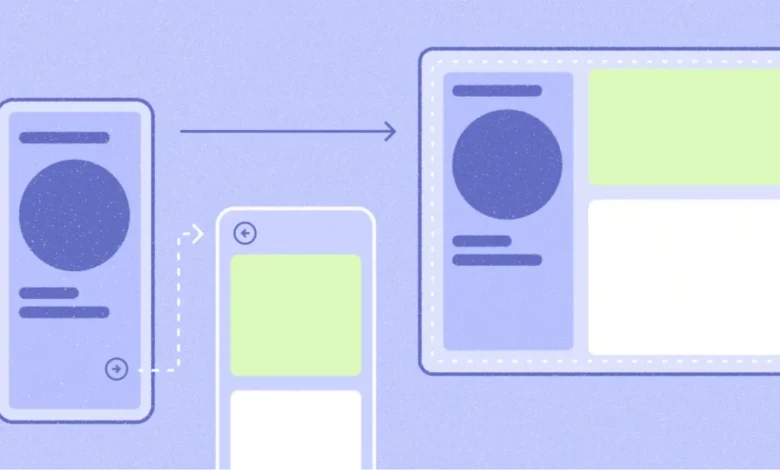
A central tenet of the Googlebook launch is the message to the developer community: there is no need to build a separate "laptop app." Instead, the ecosystem relies on adaptive development. Modern Android apps, utilizing Jetpack Compose and advanced navigation libraries, are inherently scalable.
The technical requirements for developers focus on "desktop fundamentals." This includes:
- Multi-pane architectures: Utilizing
ListDetailSceneStrategyandSupportingPaneSceneStrategyto display content side-by-side on wide screens. - Navigation 3: Implementing adaptive scene strategies that coordinate UI changes based on back-stack state.
- Input Handling: Integrating support for physical keyboard shortcuts, right-click context menus, and precision pointer targets.
- Window Size Classes: Shifting from static pixel-based measurements to fluid window size classes that allow apps to adapt to free-form, resizable windows.
Industry analysts note that this approach significantly lowers the barrier to entry for developers. By adopting these standards, developers not only prepare their applications for Googlebook but also improve the quality of their software across the entire spectrum of Android devices, including tablets and foldables.

Market Implications and Business Growth
The introduction of the Apps Experience Program is a clear indicator that Google intends to incentivize developers to prioritize high-quality, adaptive apps. By offering dedicated badging, enhanced search visibility, and curated store placement, Google is effectively creating a "premium tier" within the Google Play Store.
Financial analysts suggest that this strategy could drive significant business growth for developers. The program includes a new rate card structure designed to reward apps that meet strict performance and design guidelines. Furthermore, the "day-one presence" feature—where optimized apps are highlighted during the initial setup of a new Googlebook—provides a massive marketing advantage, ensuring that high-performing applications are the first things users encounter on their new hardware.
Perspectives from the Development Frontline
Early adopters of these adaptive patterns are already reporting success. Notability, a prominent note-taking application, serves as a primary case study. According to Ryan Shea, Android Engineering Manager at Notability, the transition to the desktop environment was an extension of work already completed for tablets and foldables.

"Scaling Notability up to a laptop-class experience was mostly turning a dial we had already built," Shea stated. By leveraging existing investments in adaptive UI, the team was able to focus on high-value features like "Continue On," which enables users to hand off active notes from a smartphone to a laptop, and optimizing side-by-side multitasking for academic study. This sentiment is echoed across the ecosystem, where developers are discovering that the "desktop" version of their app is simply the most mature version of their mobile codebase.
Tools for the Modern Developer
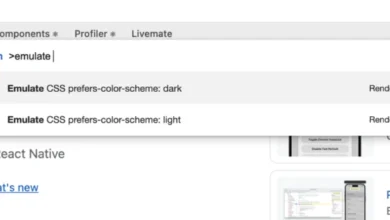
To support this transition, Google has enhanced the Android Studio suite. The new desktop emulator allows developers to simulate free-form window resizing, multi-instance behavior, and various input methods directly on their existing workstations.
Additionally, the integration of AI-assisted development tools—specifically the "adaptive skill" for AI agents—marks a significant leap in productivity. By using the Android CLI to install this skill, developers can automate the refactoring of mobile layouts into responsive, container-based designs. This reduces the manual labor required to modernize legacy code, allowing smaller teams to compete with larger enterprises in delivering a polished desktop experience.

Broader Impact on the Computing Landscape
The arrival of Googlebook poses a long-term challenge to the traditional dominance of Windows and macOS in the laptop market. While Android has historically been viewed as a consumer-oriented, mobile-first OS, the Googlebook initiative elevates it to a platform capable of handling professional-grade tasks.
The strategic focus on "Continuity" and "Cross-Device Intelligence" suggests that Google is betting on a future where the device boundary is blurred. By ensuring that a user’s state—such as a partially written document, an open web tab, or a specific app configuration—follows them from their phone to their Googlebook, the platform offers a level of convenience that is difficult to achieve in ecosystems where mobile and desktop are strictly siloed.
Conclusion and Future Outlook
The launch of the Googlebook platform is not merely a hardware release; it is a fundamental expansion of the Android ecosystem’s reach. By providing the tools, documentation, and incentives for developers to embrace adaptive design, Google is fostering an environment where mobile apps can provide desktop-class productivity.

As hardware partners continue to roll out devices and more developers adopt the desktop design guidelines, the Android ecosystem is likely to see a shift in user behavior. The ability to perform complex, multi-window tasks on a portable, touch-enabled laptop that shares a common language with one’s smartphone is a compelling value proposition. For the developer community, the call to action is clear: by building adaptively today, they are securing their position in a future where the distinction between "mobile app" and "desktop software" continues to fade into obsolescence. The path forward for Android is unified, professional, and increasingly powerful, marking a significant milestone in the history of personal computing.