Accelerating Software Innovation Through Autonomous Experimentation Cycles with AWS DevOps Agent and LaunchDarkly

Continuous improvement has long been the gold standard of software engineering, yet the practical application of this philosophy remains mired in slow, manual, and high-risk processes. Teams frequently encounter a paradox where the desire to iterate faster is stifled by the overhead of planning, the disconnect between data measurement and operational action, and the tendency for experimentation to stall due to a lack of institutional memory. Today, a new architectural reference implementation—combining the orchestration power of the AWS DevOps Agent with the governance of LaunchDarkly—offers a pathway to bridge the gap between setting a business goal and achieving it through fully automated, safe, and iterative deployment cycles.
The Problem: Why Experimentation Stalls
In modern DevOps environments, the "Plan-Prove-Iterate" loop is often broken by three primary friction points. First, the planning cost associated with feature flagging and cross-team coordination is significant. Before a single user interacts with a new feature, engineers must define strategies, implement flags, and wire systems together. Second, measurement is frequently decoupled from execution. In traditional setups, if a metric regresses, the time-to-remediation relies on a human operator to notice the issue, initiate a rollback, or merge a hotfix. This latency is costly in terms of both user experience and developer productivity. Third, without a centralized record of which specific changes produced which outcomes, iteration often devolves into guesswork, leading to a loss of momentum and abandoned goals.
The Solution: A Closed-Loop Architecture
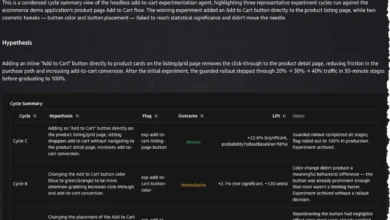
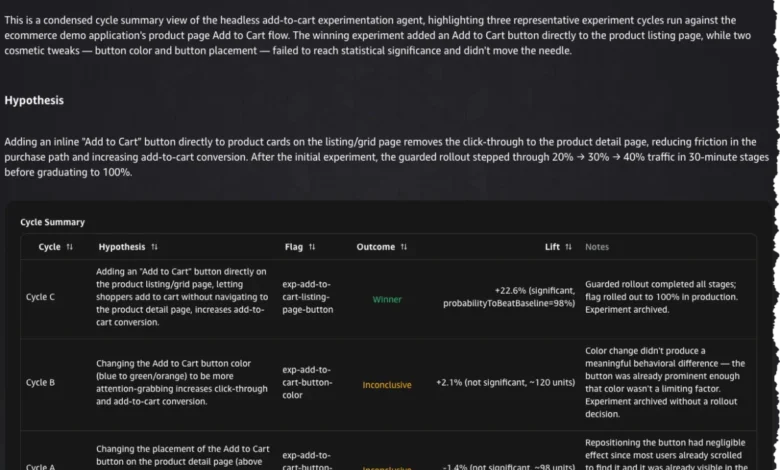
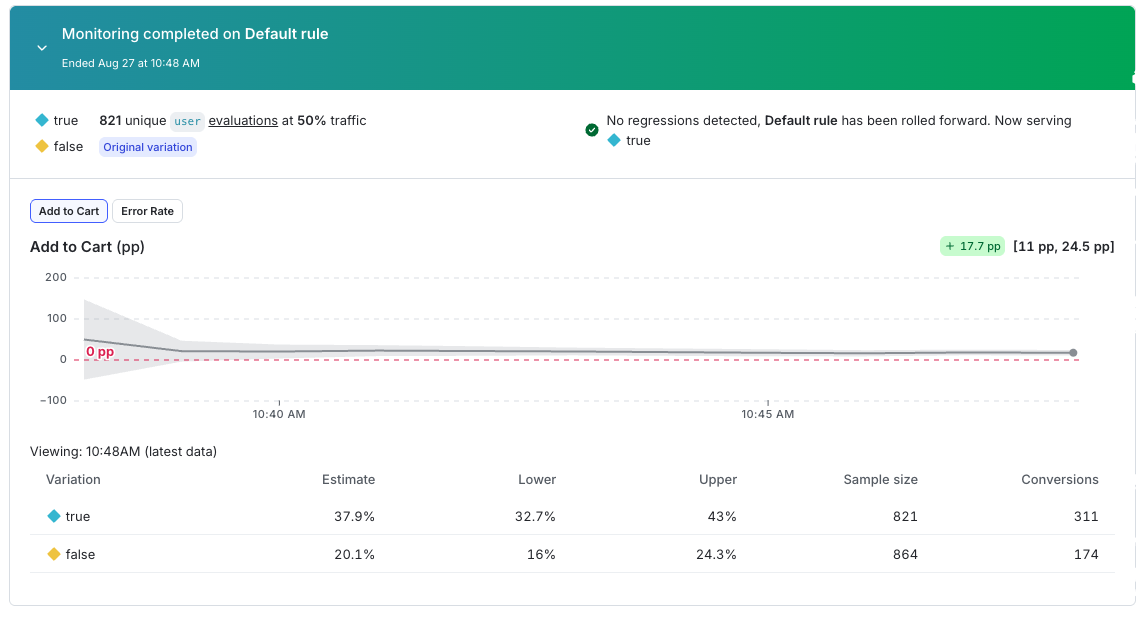
The reference implementation introduced recently addresses these barriers by treating the software development lifecycle as a closed-loop system. When a team establishes a specific improvement goal—such as increasing an "add-to-cart" conversion rate by 15%—the system takes control. By leveraging the AWS DevOps Agent, an AI-driven orchestrator, the architecture generates hypotheses, manages the implementation of code changes behind feature flags, handles release readiness reviews, and monitors real-time metrics to drive automated rollouts.
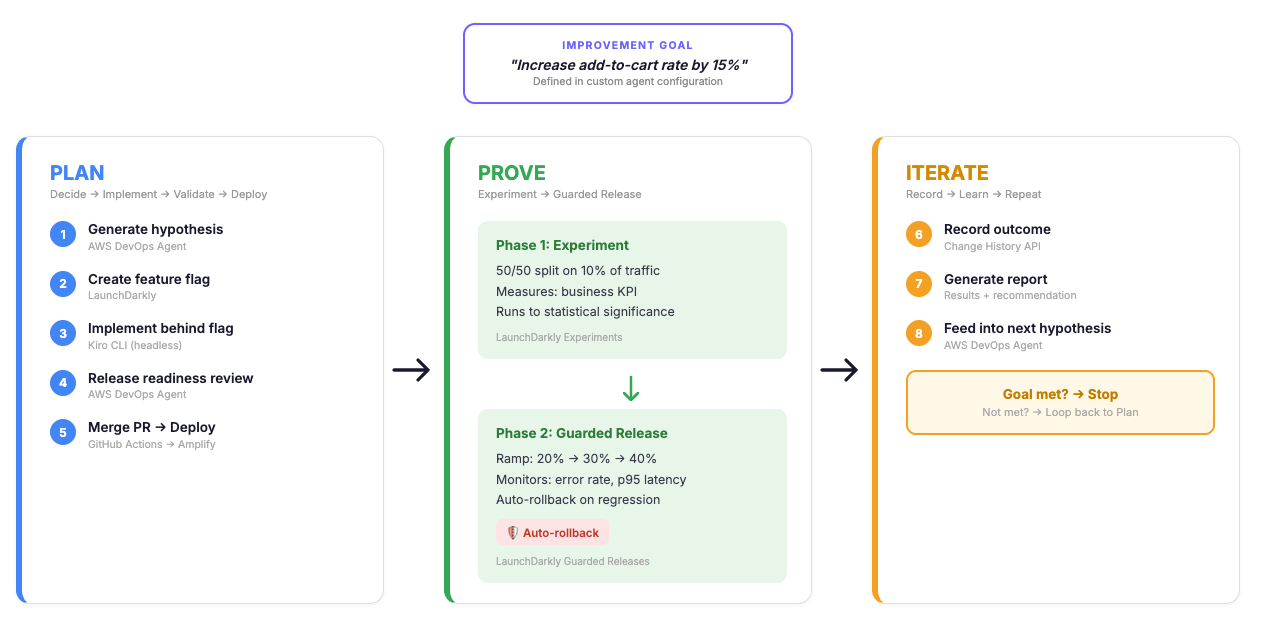
The architecture relies on a specialized configuration where the AWS DevOps Agent functions as an orchestrator, while LaunchDarkly provides the governance layer for feature flags, experimentation, and Guarded Releases. To facilitate code-level changes, the system integrates the Kiro CLI, allowing the agent to write code, open pull requests, and trigger deployments without a human developer having to manually open an integrated development environment (IDE).
Chronology of the Plan-Prove-Iterate Workflow
The workflow operates in a distinct three-phase cadence:

-
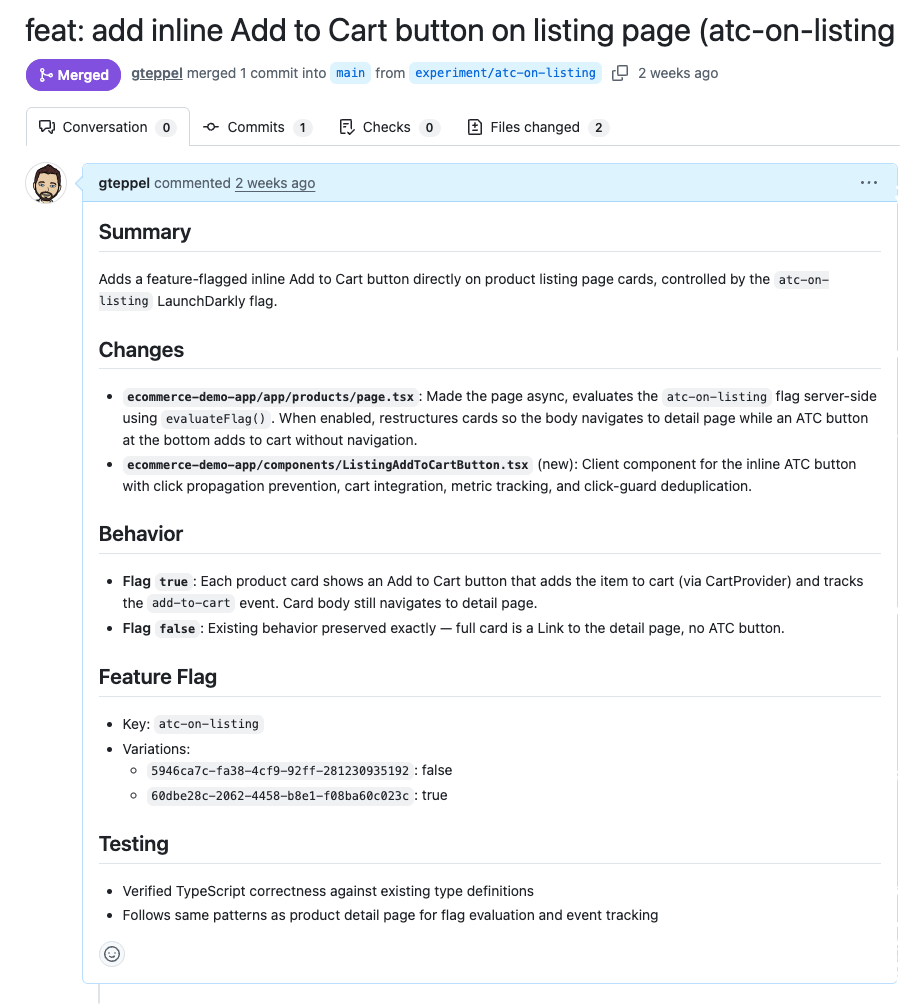
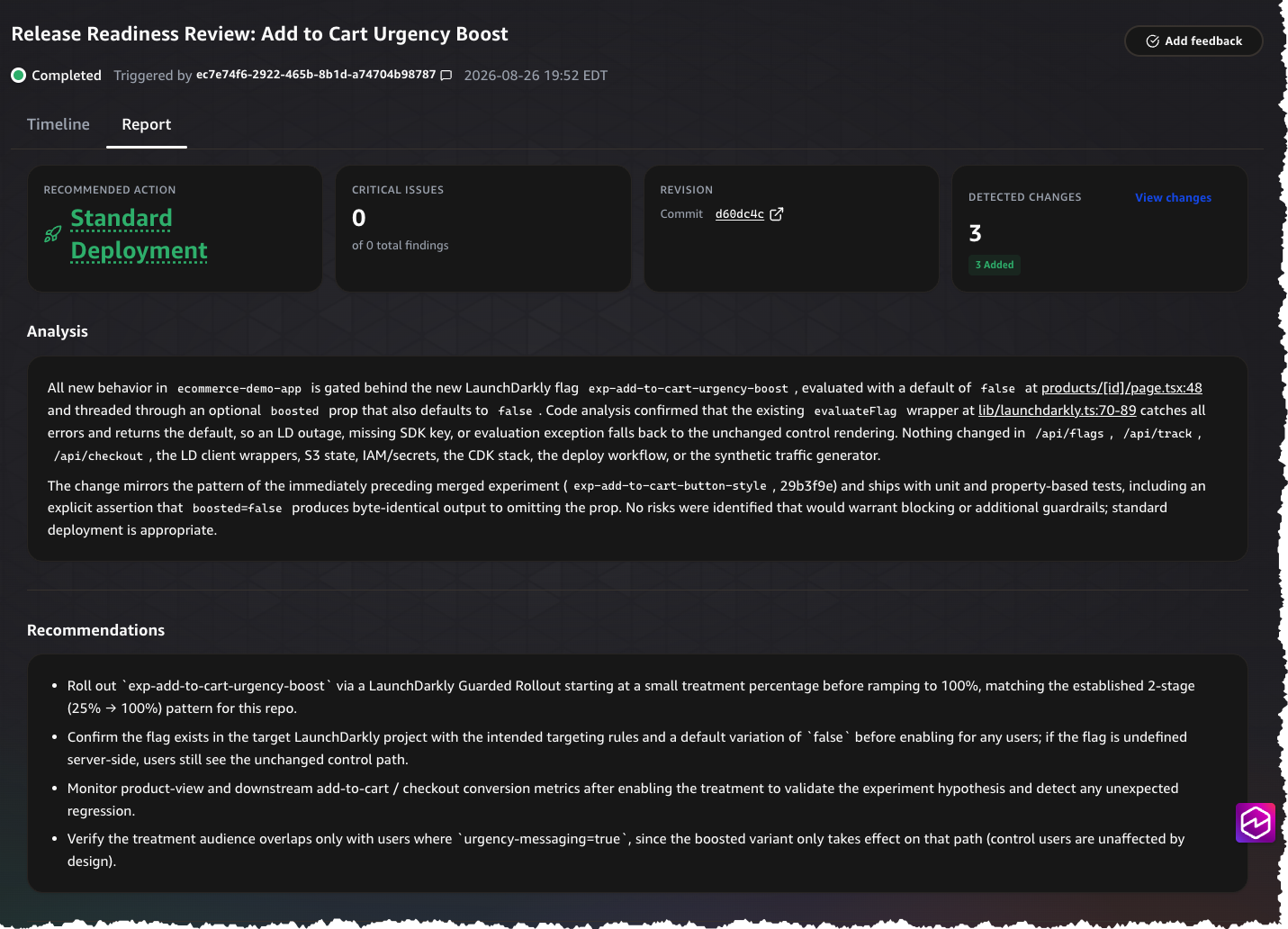
The Planning Phase: The process begins with the agent analyzing the current state of a goal. It generates a hypothesis based on existing repository data and previous experiment results. Once a hypothesis is formed, the agent uses the Kiro CLI to implement the change behind a feature flag, ensuring that the new behavior remains inert by default. Before any code reaches production, the AWS DevOps Agent conducts a release readiness review, providing an automated safety gate. Upon passing this review, the code is merged and deployed via GitHub Actions to an environment like AWS Amplify.
-
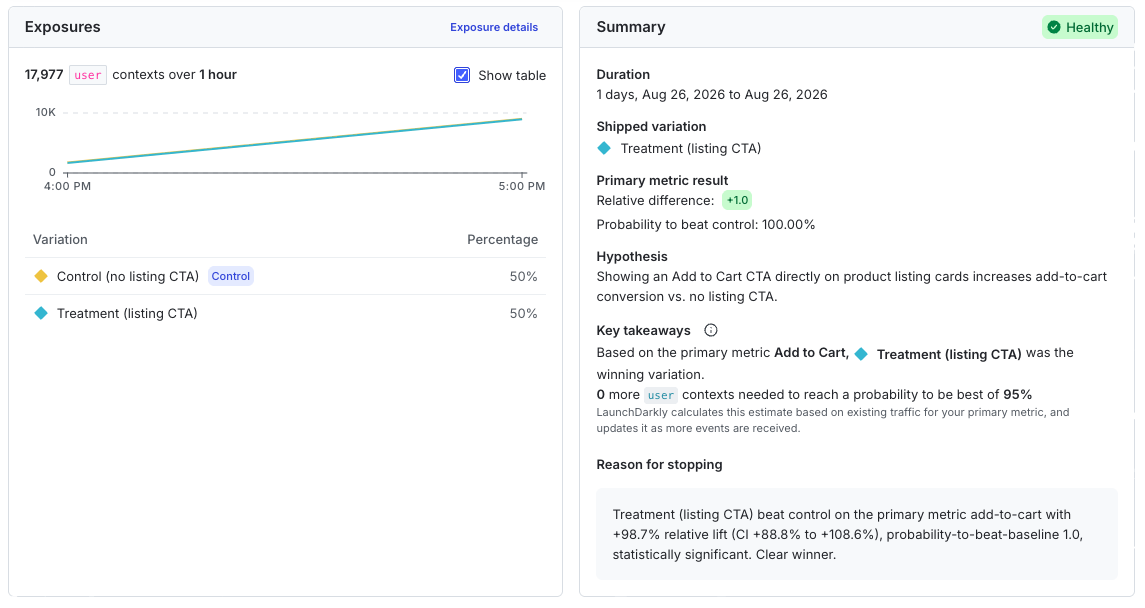
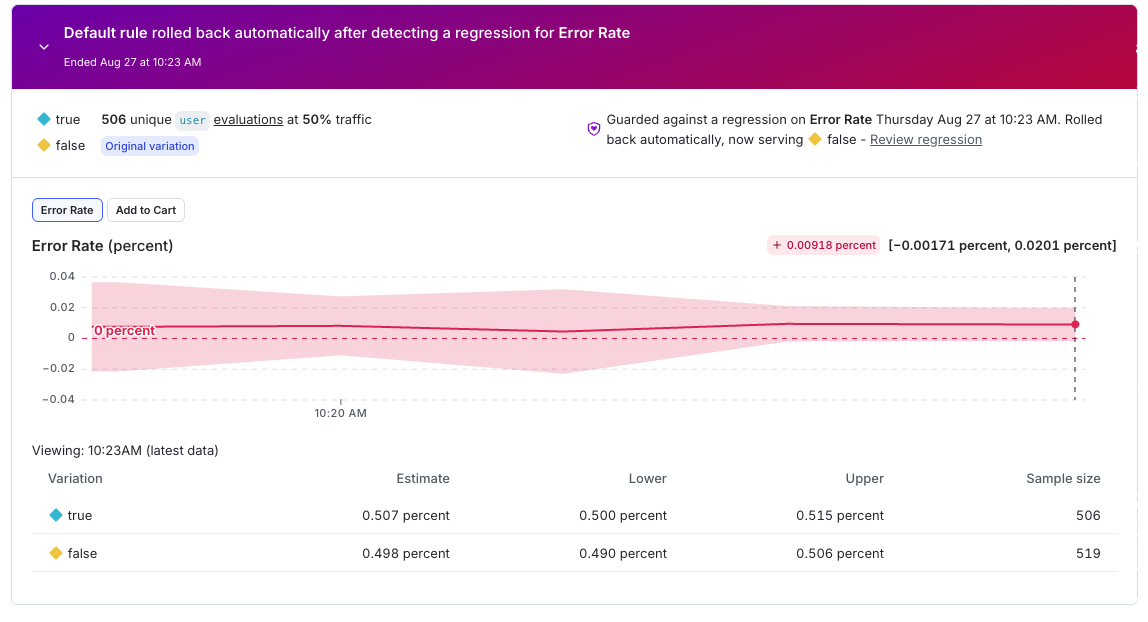
The Proving Phase: Once live, the experiment moves into a two-tiered testing structure. Initially, a 50/50 A/B experiment is conducted on a small, 10% slice of traffic. This phase focuses purely on business KPIs, such as conversion rates, to determine if the variation is statistically superior to the control. If successful, the process graduates to a Guarded Release. During this stage, the winning variation is ramped up—for example, from 20% to 40%—while LaunchDarkly monitors operational guardrails like error rates and page-load latency. If a regression is detected at any point, the system triggers an automatic rollback to the control version, requiring no human intervention.
-
The Iteration Phase: Following the conclusion of a rollout, the system queries the Change History API to log the outcome. This data is critical, as it informs the agent’s next hypothesis. The cycle repeats, allowing the agent to refine its approach based on what worked and what failed, until the goal is met or the team determines the objective is unattainable.
Technical Infrastructure and MCP Integration
At the heart of this architecture is the use of Model Context Protocol (MCP) servers. The AWS DevOps Agent acts as an MCP client, connecting to two primary servers. The LaunchDarkly hosted MCP server manages the lifecycle of flags and releases, while a custom-built "Experiment MCP Server" handles the mutation operations—writing code, merging pull requests, and triggering deployments.
This separation of concerns is vital for security and stability. The Experiment MCP Server, deployed as a container on Amazon Bedrock AgentCore, is constrained to specific repositories and branches. By using a stateless HTTP design, the container can be restarted or replaced without losing the state of ongoing tasks, as it delegates persistence to external systems like S3 for task status and GitHub for deployment history.
Data-Driven Insights and Safety Guardrails
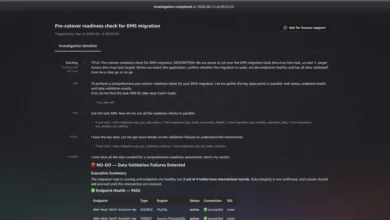
The importance of safety in automated environments cannot be overstated. By requiring every change to be gated behind a feature flag, the system ensures that the "blast radius" of any experiment is strictly controlled. During the reference testing, researchers simulated an error-rate spike during a guarded rollout. The system detected the regression within the monitoring window and reverted the flag to the control state in seconds. This effectively demonstrated the value of real-time monitoring over traditional static deployment models.
Furthermore, the system discourages the use of error rates as a primary success metric. Instead, it mandates that operational guardrails remain distinct from performance-oriented metrics. This ensures that the system does not accidentally prioritize a "successful" conversion rate at the expense of site stability or availability.
Industry Implications and Future Outlook
The shift toward autonomous experimentation represents a broader trend in the DevOps space: the move from "manual CI/CD" to "intelligent release orchestration." For enterprises, this means the potential to run dozens of experiments in parallel with a level of safety that would be manually prohibitive.
Industry experts note that while this approach reduces the burden on engineering teams, it requires a high degree of maturity in observability and instrumentation. Organizations must be able to emit precise events via OpenTelemetry or similar protocols to ensure the data driving these automated decisions is accurate. Furthermore, the reliance on AI-driven code generation necessitates robust testing protocols, which the AWS DevOps Agent’s release readiness review attempts to satisfy.
Looking ahead, the goal of such reference implementations is to create a more turnkey experience for organizations. While currently requiring specific configuration steps—such as setting up the MCP servers and defining orchestration skills—the future roadmap points toward standardized, out-of-the-box integration kits. As these tools become more accessible, the barrier to entry for small-to-medium-sized businesses to adopt sophisticated A/B testing and autonomous release cycles will likely decrease significantly.
Conclusion: A New Standard for Delivery
The integration of AWS DevOps Agent with LaunchDarkly and Kiro represents a fundamental shift in how teams approach software delivery. By automating the most tedious and error-prone parts of the experiment lifecycle, teams can focus their human intelligence on defining the what and the why of their business goals, while the system handles the how.
The three-pronged approach—reducing planning overhead, automating the connection between measurement and action, and eliminating stalled iteration—creates a compounding effect on software quality. As organizations continue to face pressure to deliver features faster without compromising on stability, the transition to autonomous, guarded, and continuous experimentation will likely become a competitive necessity rather than a technical luxury. For now, the reference architecture provides a concrete, repeatable framework for any engineering team ready to move beyond manual release management and toward a future of autonomous improvement.