Automating Active Directory Domain Joins for Windows Applications on AWS Elastic Beanstalk

Many enterprise-grade Windows applications are architected with the fundamental expectation that they will operate within a secure Active Directory (AD) domain environment. These applications frequently rely on Windows Integrated Authentication for intranet site access, leverage Windows authentication for secure SQL Server connectivity, utilize file shares for distributed data, or adhere to centralized security postures enforced via Group Policy. Historically, ensuring that instances within an AWS Elastic Beanstalk environment could satisfy these domain-membership requirements was a complex, manual undertaking. System administrators were previously forced to implement custom scripts embedded within .ebextensions to handle the delicate process of domain joining. These scripts required the secure storage of domain credentials, complex logic to prevent computer name collisions, and automated handling of the mandatory post-join reboots. Furthermore, this logic had to be perfectly replicated for every scaling event, adding significant overhead and risk to the deployment lifecycle.
The recent update to AWS Elastic Beanstalk fundamentally changes this landscape by natively automating the domain-join process. By providing a directory ID and a corresponding directory name, administrators can now ensure that every Windows Server instance launched within an environment automatically joins the specified Active Directory domain. This integration supports AWS Managed Microsoft AD, Simple AD, and self-managed Active Directory environments connected via AD Connector. Because the process is handled by the platform, the need for custom join scripts and the associated security risks of storing domain credentials are eliminated, as instances now authenticate the join process using their assigned IAM instance profiles.
The Evolution of Deployment Efficiency
The shift from manual scripting to native platform support reflects a broader trend in cloud computing: the abstraction of "undifferentiated heavy lifting." For years, the requirement for Active Directory integration was a common pain point for DevOps teams migrating legacy .NET applications to the cloud. The reliance on custom scripts meant that if a script failed during an Auto Scaling event at 3:00 AM, the instance might remain in a "workgroup" state, leading to application authentication failures and potential service outages.
By shifting this responsibility to the Elastic Beanstalk platform, AWS has provided a more robust and predictable lifecycle for Windows instances. The process now occurs in a defined sequence: when an instance launches, it performs the necessary domain-join operations before the application deployment begins. This ensures that when the application code finally executes, the underlying environment is already fully compliant with the organizational security policy.
Architectural Mechanics and Collision Avoidance
A critical component of this automation is the handling of computer naming conventions. In standard Windows environments, hostnames are often derived from IP addresses (e.g., IP-0A010203). This is problematic in cloud environments where IP addresses are frequently reused, potentially leading to name collisions with stale computer objects in the Active Directory database. Elastic Beanstalk addresses this by utilizing the globally unique instance ID to construct the hostname when Active Directory options are enabled. This ensures that each instance possesses a unique identity within the directory, effectively neutralizing the risk of name conflicts and preventing the accumulation of "orphaned" computer objects that often plague automated cloud environments.

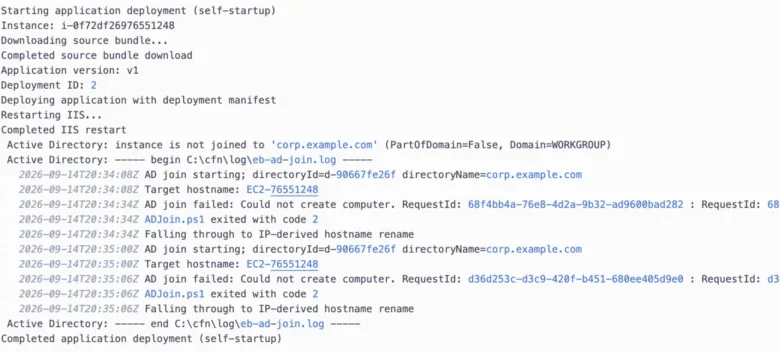
Furthermore, the system is designed with fault tolerance in mind. If an instance fails to join the domain—due to misconfigured DNS, missing IAM permissions, or an incorrectly defined Organizational Unit (OU)—the environment does not enter a failed state. Instead, the deployment proceeds, and the instance falls back to its standard IP-derived hostname. This "fail-safe" approach ensures that while the specific security requirements of the application may not be met, the availability of the service remains intact. Administrators are then alerted through detailed logs that capture the full output of the failed join attempt, allowing for rapid troubleshooting without the need for manual remote access to the instance.
Step-by-Step Implementation and Configuration
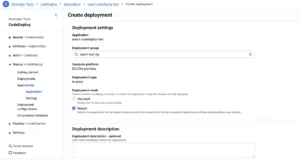
To leverage this capability, users must configure the aws:elasticbeanstalk:windows:activedirectory namespace. This can be accomplished through a configuration file in the application source bundle, the AWS Management Console, or via the AWS Command Line Interface (CLI). The process involves creating a VPC that is correctly configured for directory communication, ensuring the instance profile has the necessary ds:CreateComputer permissions, and setting the appropriate DHCP options to ensure the instances can resolve the domain’s DNS servers.
The chronological workflow for a new deployment is as follows:

- Infrastructure Provisioning: The VPC and directory services are established, with DHCP options pointing to the directory DNS.
- Permission Assignment: An IAM role is created with the
ds:CreateComputeraction, scoped to the specific directory ARN, and attached to the instance profile. - Application Packaging: The .NET application is published and bundled with a Windows deployment manifest.
- Environment Creation: The Elastic Beanstalk environment is launched with the specific Active Directory namespace configuration.
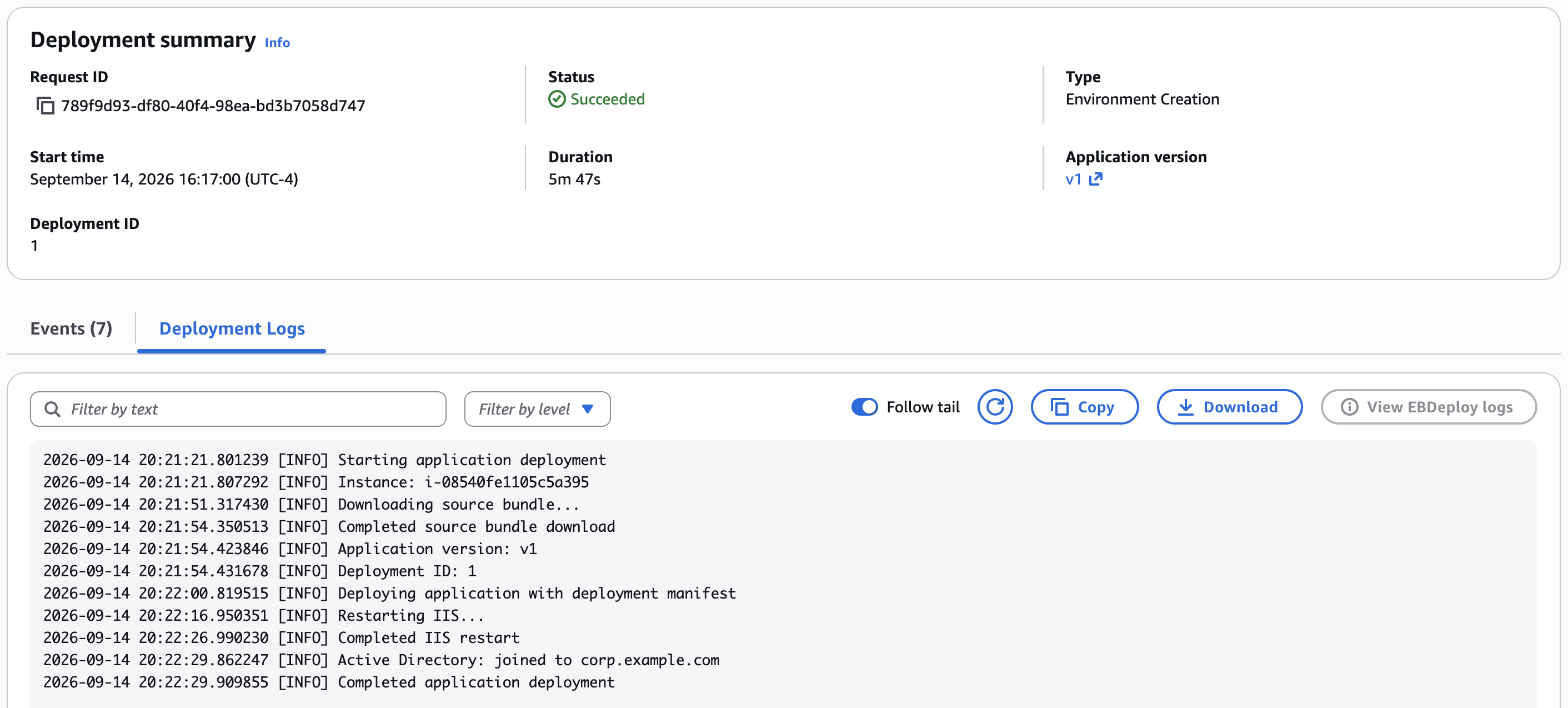
- Domain Join Execution: Upon startup, the instance interacts with the directory to create its computer object, joins the domain, and reboots.
- Application Deployment: Once the domain join is confirmed and the reboot is complete, the application deployment commences.
Data-Driven Troubleshooting
The transparency of the new system is a significant improvement over previous iterations. Because Elastic Beanstalk now logs the entire join process, the "black box" nature of earlier custom scripts is removed. If a join fails, the instance emits a customer-visible error event. For instances launched by Auto Scaling, the deployment logs are automatically saved to the environment’s Amazon S3 bucket. By examining these logs, developers can pinpoint the exact stage of failure—whether it be a network timeout, a DNS resolution issue, or a permissions error—allowing for a surgical approach to problem resolution.
Implications for Enterprise Security
The integration of Active Directory into the Elastic Beanstalk deployment pipeline aligns with the "Security by Design" principle. By removing the need for developers to handle domain credentials within their source code or configuration files, the attack surface is significantly reduced. Centralizing the join process under an IAM-authenticated role ensures that security policies are consistently applied across all instances, regardless of when or how they were launched.
This development is particularly timely as organizations continue to modernize their Windows-based application portfolios. By reducing the operational friction associated with domain-joined environments, AWS is enabling organizations to migrate legacy workloads with greater confidence. The ability to specify an Organizational Unit (OU) via the DirectoryOU parameter further allows for fine-grained control, enabling administrators to apply specific Group Policies to different environments within the same directory.
Conclusion and Future Outlook
The native support for Active Directory in AWS Elastic Beanstalk represents a significant maturation of the platform’s Windows-centric capabilities. By formalizing a process that was previously a source of operational complexity, AWS has enabled developers and system administrators to focus on application logic rather than infrastructure plumbing.
This feature is available for Windows Server platform versions released on or after August 18, 2026, across all commercial and GovCloud regions. As enterprises continue to seek a balance between the agility of the cloud and the strict compliance requirements of traditional IT infrastructure, features that bridge the gap—such as this native domain-join capability—will remain essential. Future updates to the platform will likely continue to focus on this integration, potentially expanding to include more complex scenarios such as multi-domain forests or more granular trust relationship management. For now, the current implementation provides a robust, secure, and transparent method for managing domain membership at scale, marking a new milestone in the evolution of Windows application hosting on AWS.