Streamlining Markdown Publishing: How Docsify-This Eliminates Website Setup and Simplifies Multi-Platform Content Delivery

The modern digital publishing landscape has long been dominated by complex content management systems, rigid database architectures, and resource-intensive site generation tools. For educators, technical writers, open-source contributors, and developers who prefer the lightweight simplicity of Markdown, sharing documents online has traditionally required setting up a hosting environment, configuring build pipelines, or deploying static site generators. However, the emergence of open-source initiatives like Docsify-This is fundamentally altering this dynamic. Built on top of the popular Docsify.js framework, Docsify-This offers a streamlined mechanism to transform raw, publicly hosted Markdown files into responsive, standalone web pages instantly—entirely bypassing traditional website configuration.
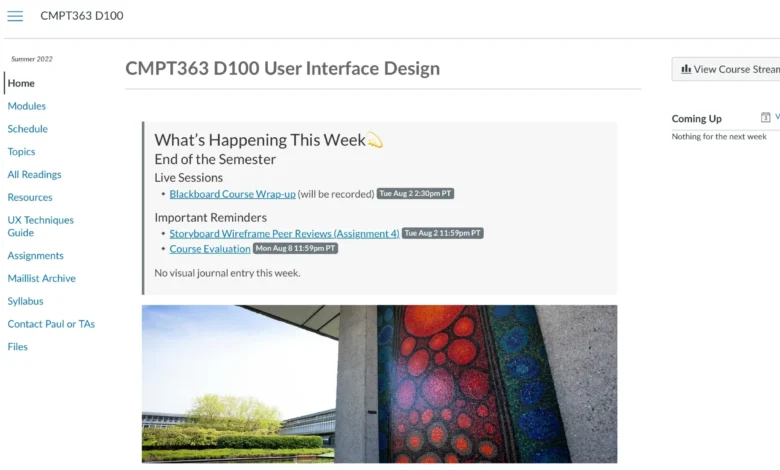
At its core, Docsify-This addresses a friction point familiar to anyone who creates digital documentation: the difficulty of reusing constraint-free Markdown or HTML content across multiple, disparate platforms. Whether an instructor needs to display course readings inside a Learning Management System (LMS) such as Canvas or Moodle, or a technical communicator needs to sync documentation across various corporate content management systems (CMS), traditional embedding often breaks formatting or introduces cumbersome maintenance overhead. Docsify-This solves this challenge by leveraging direct URL parameters and lightweight HTML embedding frameworks, allowing content creators to write once and publish everywhere with dynamic styling capabilities.
Understanding the Technical Architecture and Evolution

The foundational technology behind Docsify-This, Docsify.js, has spent years establishing itself as a flexible, dynamic documentation generator. Unlike traditional static site generators that compile Markdown files into pre-rendered HTML files prior to deployment, Docsify generates your documentation site on the fly. It loads your Markdown files and renders them as a single-page application inside the browser. Docsify-This builds upon this reactive architecture by abstracting the deployment layer entirely, exposing a public-facing instance—as well as code that allows users to spin up their own private instances—that consumes raw repositories directly from Git hosts like GitHub and Codeberg.
Historically, the workflow for publishing documentation involved writing content locally, running a build script via tools like Node.js or Python, committing compiled HTML files to a separate branch, and configuring a web server to serve the assets. Any update required repeating the entire pipeline. With Docsify-This, the publishing lifecycle is truncated to a single step: updating the source Markdown file in a public version-controlled repository. Because the rendering engine pulls directly from the raw file URL, changes made to the repository are reflected instantly on the rendered web page without manual redeployment.
Leveraging the Web Page Builder and URL Parameters
For users seeking an intuitive point-and-click interface, the Docsify-This Web Page Builder provides an accessible gateway. By navigating to the official web application or a localized instance, users can input the repository URL of a public Markdown file hosted on platforms like GitHub or Codeberg. Upon clicking the generation button, the platform produces a dedicated standalone URL that wraps the content in a responsive layout.
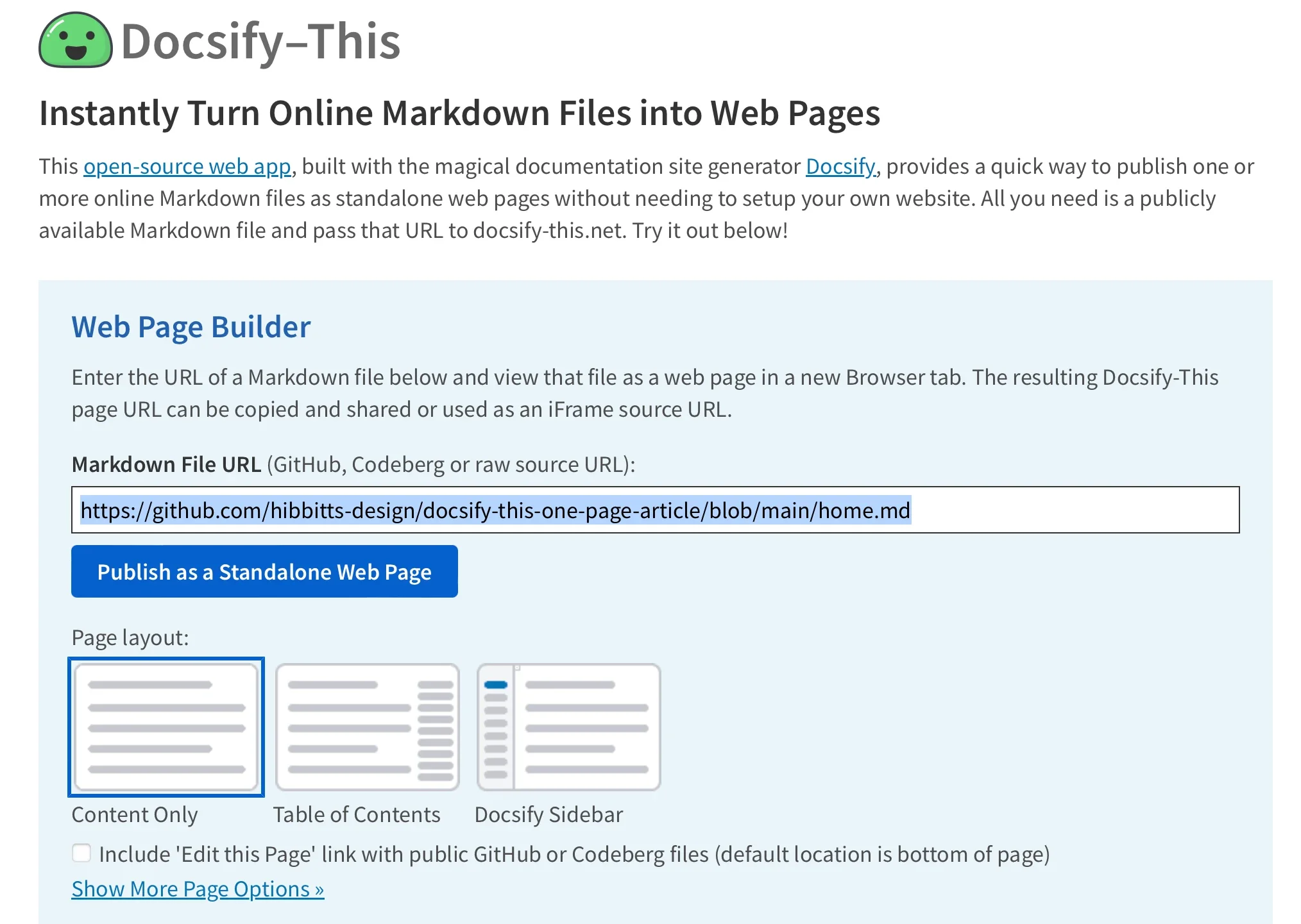
Beyond the graphical user interface, advanced users can construct and manipulate URLs manually using specific parameters. By editing the basePath and homepage query strings, publishers can direct the rendering engine to alternate files within the same repository. Furthermore, Docsify-This accepts a wide array of URL parameters mapped directly to standard cascading style sheet (CSS) attributes, including font-family, font-size, link-color, and line-height. This capability ensures that documentation dynamically inherits or adapts to the typographic standards of its destination environment, maintaining visual consistency across different platforms.
Extending Functionality with Custom CSS and HTML Snippets
While standard Markdown offers clean formatting for basic text documents, complex layouts often demand advanced styling elements such as buttons, multi-column grids, and custom callouts. Docsify-This bridges this gap by supporting both predefined Markdown CSS classes and user-defined inline styles.
For instance, publishers can append specialized classes to standard links—such as adding :class=button—to automatically transform text hyperlinks into styled interactive buttons. For more granular design control, authors can embed standard HTML <style> blocks directly within their Markdown source files. This allows developers to define custom CSS rules targeting specific class selectors like .markdown-section .mybutton, enabling tailored visual components, hover states, and container layouts without modifying the underlying application code.
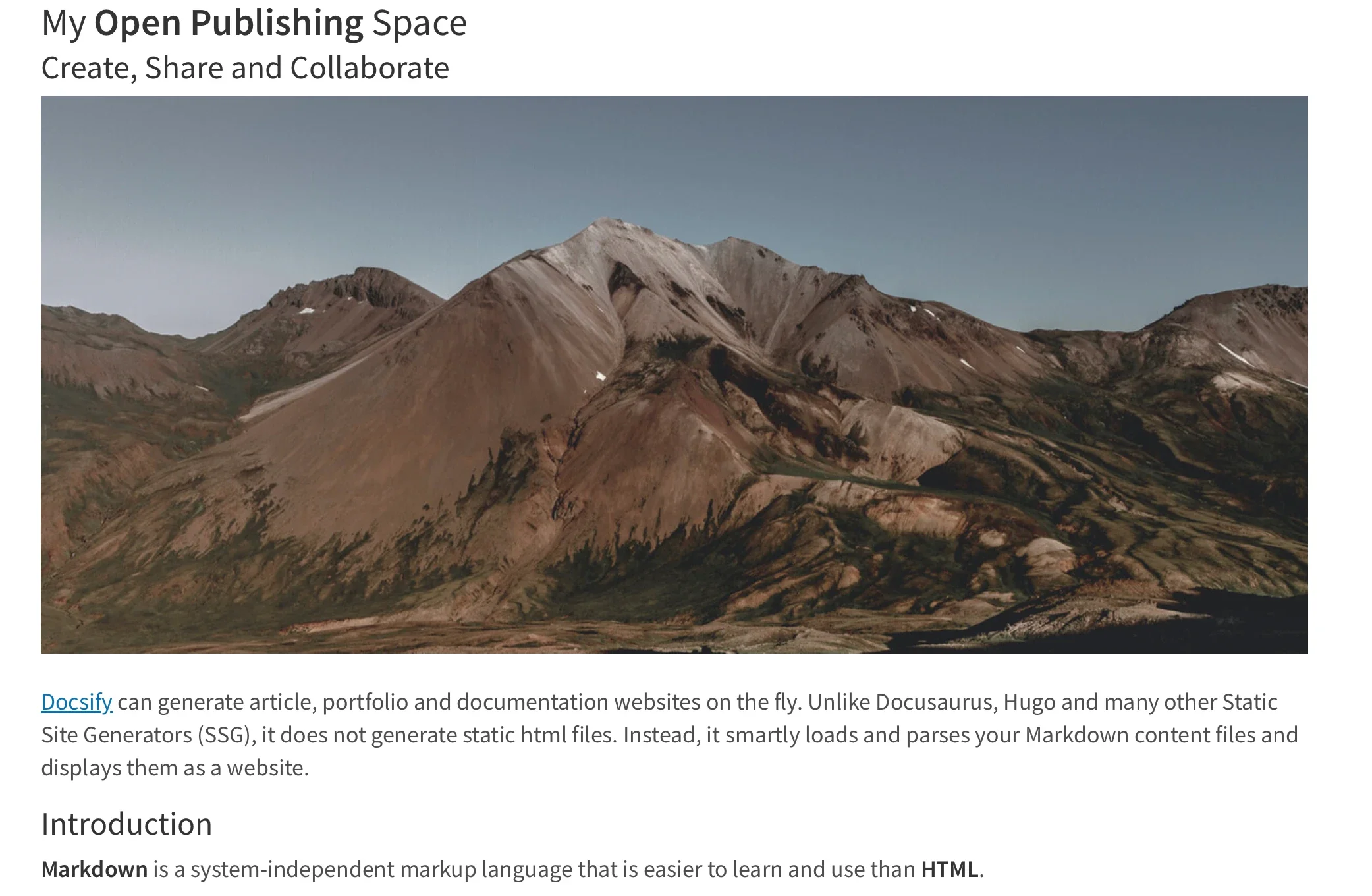
Additionally, the platform accommodates standard HTML layout snippets, such as multi-column division containers (<div class="row"> and <div class="column">), empowering content creators to build responsive grid systems directly inside plain-text files.
Seamless Integration with Learning Management Systems and iFrames
One of the most significant deployment use cases for Docsify-This lies in the educational technology and enterprise training sectors. Instructors and instructional designers frequently struggle to maintain synchronized course content when information must be updated across institutional LMS platforms, external wikis, and student resource hubs.
Docsify-This facilitates seamless integration through flexible iFrame embedding and external URL redirection. By wrapping a Docsify-This URL inside an iFrame code block, administrators can embed fully styled, responsive documentation directly into course modules or platform pages. Crucially, URL parameters can be injected into the iFrame source string to strip away unwanted elements—such as page credits via hide-credits=true—and align font metrics precisely with the host platform’s design system.

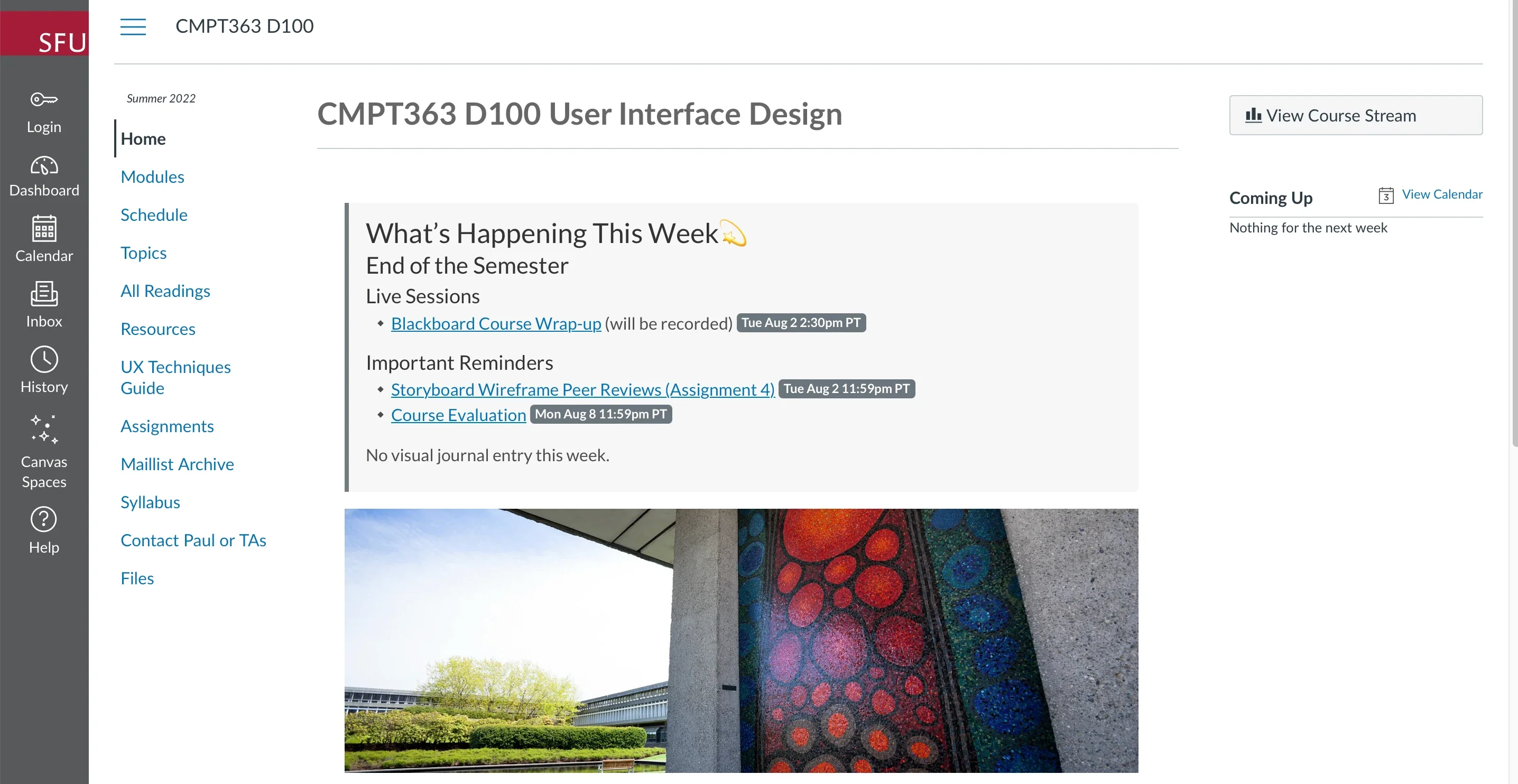
In learning management systems like Canvas and Moodle, administrators can leverage external tool integrations, such as the Canvas Redirect Tool, to map external Docsify-This pages directly into course navigation menus. This approach ensures that students always access the most up-to-date version of a syllabus, assignment guideline, or resource list, as edits made to the upstream Git repository propagate immediately to the embedded view.
Version Control, Collaboration, and the Git Ecosystem
The true power of Markdown publishing is maximized when paired with robust version control systems. By storing documentation repositories on collaborative platforms like GitHub or Codeberg, authoring teams unlock full traceability, historical change logs, branch management, and peer review workflows.
To reduce friction in collaborative authoring, Docsify-This supports an optional "Edit this Page" feature. When configured, each rendered page displays a direct link pointing back to the corresponding source file in the Git repository, inviting contributors, students, or colleagues to propose edits, correct typos, or expand documentation via pull requests.

Managing these repositories is supported by a rich ecosystem of open-source graphical user interfaces and code editors. Tools such as GitHub Desktop, Git-Cola, and SparkleShare provide visual management for non-command-line users, while extensible text editors like Visual Studio Code and Pulsar Edit offer native Git integration, syntax highlighting, and live Markdown preview capabilities.
Data-Driven Context and Open-Source Implications
The demand for lightweight, decentralized publishing tools reflects broader trends in software development and technical writing. According to recent surveys on developer tooling and documentation practices, organizations increasingly favor "Docs-as-Code" approaches—treating documentation with the same rigorous version control, automated testing, and collaborative workflows applied to source code.
Traditional content management systems, while feature-rich, often introduce vendor lock-in, database maintenance burdens, and security vulnerabilities associated with complex plugin architectures. Open-source tools like Docsify-This mitigate these risks by decoupling content authoring from proprietary hosting platforms. Because the underlying technology is open source, organizations can deploy private instances of Docsify-This on their own internal infrastructure, ensuring absolute data sovereignty and eliminating reliance on third-party cloud services.
Analysis of Broader Industry Impact
The implications of frictionless Markdown rendering extend across multiple industries:
- Education and Academia: Educators can manage course materials in plain text, reducing the administrative burden of updating LMS pages while providing students with clean, mobile-responsive reading interfaces.
- Software Development: Engineering teams can maintain lightweight project documentation that lives alongside source code repositories, updating product wikis automatically through continuous integration pipelines.
- Technical Communication: Writers can collaborate across geographically distributed teams using standard Git workflows, publishing finalized manuals directly into corporate intranets via secure iFrame embedding.
By removing the barriers of website setup, build configurations, and platform-specific formatting constraints, Docsify-This democratizes advanced digital publishing. It proves that powerful, responsive web presentation does not require bloated infrastructure—only clean markup, version control, and a flexible rendering engine. As organizations continue to seek out modular, open-source solutions for content delivery, tools that bridge the gap between plain-text simplicity and multi-platform distribution will undoubtedly remain central to the future of digital communication.
Related posts: