Streamlining Drupal Quality Assurance: How Cypress Is Transforming Modern Web Development Workflows


The perception that automated testing introduces unnecessary complexity and prohibitive expenses has historically deterred many web development teams from integrating test suites into their Drupal projects. Often viewed as an enterprise-grade luxury reserved strictly for massive, multi-tiered applications, automated quality assurance frequently gets sidelined in favor of rapid feature deployment. However, the paradigm is shifting. As digital experiences grow more complex and user expectations rise, ensuring absolute platform stability requires robust, repeatable verification methods. Modern open-source tooling has lowered the barrier to entry significantly, enabling developers to implement comprehensive end-to-end (E2E) testing without overhauling their entire operational budgets.
Among the tools leading this shift is Cypress, an open-source automation framework designed specifically for modern web applications. Originally released to address the architectural and operational bottlenecks inherent in older testing tools like Selenium, Cypress offers a developer-friendly ecosystem that runs tests directly inside a browser environment. By bridging the gap between front-end user interactions and back-end logic, Cypress provides a reliable method for validating Drupal installations. This article explores the strategic implementation of Cypress within a standard Drupal development lifecycle, detailing installation procedures, foundational test creation, advanced custom command structuring, and the broader implications of automated quality assurance on project ROI.
Background Context and the Evolution of Drupal Testing
To understand the current enthusiasm surrounding tools like Cypress, one must examine the historical context of testing within the Drupal ecosystem. For years, Drupal relied heavily on SimpleTest and subsequently PHPUnit for functional, unit, and kernel testing. While these frameworks are exceptionally powerful for evaluating back-end logic, database interactions, and module APIs, they often fall short when assessing the nuanced user experience (UX) rendered in the browser. Verifying complex JavaScript behaviors, responsive layouts, asynchronous AJAX submissions, and dynamic DOM manipulations traditionally required manual browser testing—a slow, error-prone, and economically inefficient process.
As modern Drupal evolved with the adoption of decoupled architectures, advanced JavaScript components, and sophisticated administrative interfaces, the need for comprehensive front-end testing became acute. Developers required a tool that could simulate genuine user behavior, navigate deeply nested menus, and interact with forms exactly as a human visitor or administrator would. Cypress emerged as a natural solution. By executing tests in the same run-loop as the application, Cypress provides native access to DOM elements, automatic waiting mechanisms that eliminate flaky test states, and time-travel debugging capabilities that allow developers to inspect precisely what occurred at every step of a test run.
Prerequisites and Local Development Environment Setup
Implementing Cypress in a contemporary Drupal workflow begins with a properly configured local development environment. Industry standards generally point toward a Composer-managed directory structure utilizing the drupal/recommended-project template. This ensures a clean separation between core vendor dependencies and the web-accessible root directory. For local orchestration, developers frequently deploy containerized environments such as Lando, DDEV, or Docksal, which emulate production-grade web servers, databases, and PHP runtimes locally.
A standard project exhibiting this architecture typically displays the following directory layout prior to introducing testing frameworks:

vendor/
web/
.editorconfig
.gitattributes
composer.json
composer.lock
Before initiating Cypress installation, developers must ensure that Node.js and its package manager, npm, are active on their local machine. Node.js serves as the execution runtime for Cypress, while npm manages the retrieval and versioning of the package dependencies. Initializing a new Node environment within the project root via npm init generates a baseline package.json configuration file, establishing the manifest required to track testing dependencies.
Installing and Configuring Cypress for End-to-End Testing
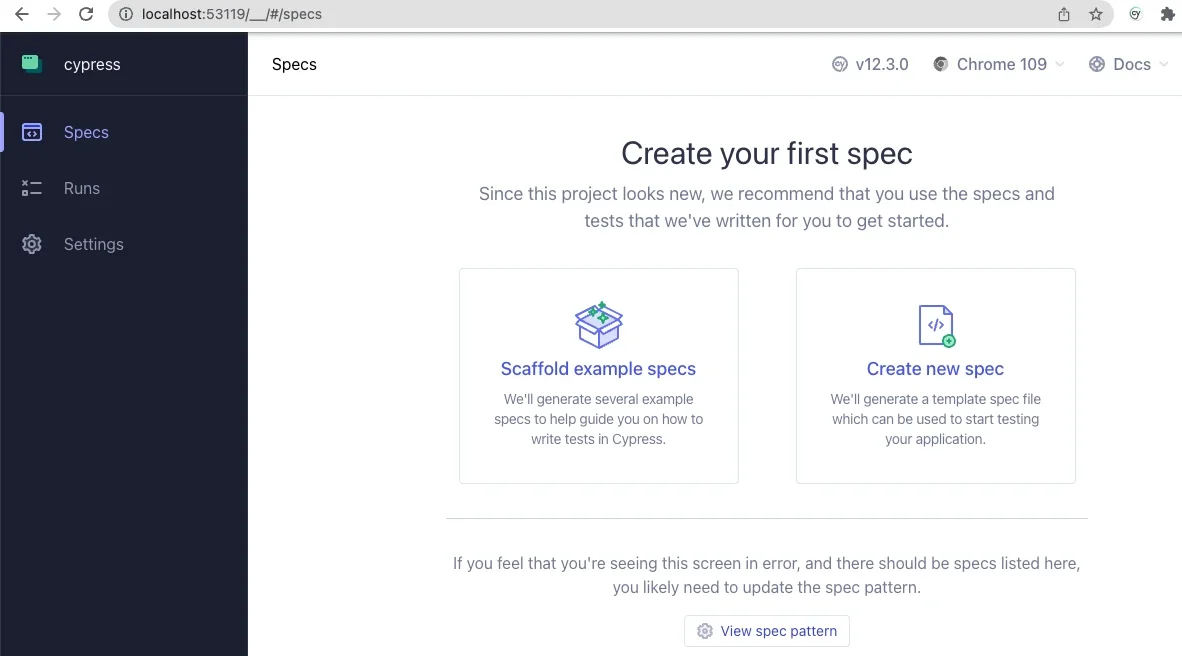
Once the Node environment is established, Cypress can be incorporated into the project dependencies as a development-only requirement. Executing $ npm install cypress --save-dev downloads the core binary and registers it within the project configuration. Launching the application interface for the first time via $ npx cypress open prompts the initialization wizard, which detects the absence of pre-existing configuration files and presents an interactive setup menu.
Selecting End-to-End (E2E) testing during this initial prompt instructs Cypress to scaffold the foundational directory structure required for test execution. The updated project directory now includes dedicated folders for end-to-end specifications, support files, fixtures, and the primary configuration module:
cypress/
node_modules/
vendor/
web/
.editorconfig
.gitattributes
composer.json
composer.lock
cypress.config.js
package-lock.json
package.json
Following the interactive setup, developers must configure the cypress.config.js file located at the project root to align Cypress with the local Drupal environment. This critical step involves defining the baseUrl parameter to match the local development URL (e.g., a local Lando or DDEV domain) and updating the file path resolutions to ensure the test runner can accurately locate integration scripts, support files, and fixtures.
const  defineConfig  = require("cypress");

module.exports = defineConfig(
  component:
    fixturesFolder: "cypress/fixtures",
    integrationFolder: "cypress/integration",
    pluginsFile: "cypress/plugins/index.js",
    screenshotsFolder: "cypress/screenshots",
    supportFile: "cypress/support/e2e.js",
    videosFolder: "cypress/videos",
    viewportWidth: 1440,
    viewportHeight: 900,
  ,

  e2e:
    setupNodeEvents(on, config)
      // implement node event listeners here
    ,
    baseUrl: "https://[your-local-dev-url]",
    specPattern: "cypress/**/*.js,jsx,ts,tsx",
    supportFile: "cypress/support/e2e.js",
    fixturesFolder: "cypress/fixtures"
   ,
 );
Writing and Executing Basic Drupal Test Specifications
With configuration complete, developers can construct their first custom test specifications. Organizing these tests within a dedicated integration or e2e directory maintains a clean separation of concerns. A foundational test file—designated here as test.cy.js—can evaluate critical baseline functionalities, such as front-end page rendering and authentication workflows.
Consider the following implementation within test.cy.js:
describe('Loads the front page', () =>
  it('Loads the front page', () =>
    cy.visit('/')
    cy.get('h1.page-title')
      .should('exist')
  );
);

describe('Tests logging in using an incorrect password', () =>
  it('Fails authentication using incorrect login credentials', () =>
    cy.visit('/user/login')
    cy.get('#edit-name')
      .type('Sir Lancelot of Camelot')
    cy.get('#edit-pass')
      .type('tacos')
    cy.get('input#edit-submit')
      .contains('Log in')
      .click()
    cy.contains('Unrecognized username or password.')
  );
);
When executing this spec via the Cypress test runner interface, developers gain immediate visual feedback. The left-hand command log displays each discrete action executed by the test suite, while the right-hand browser preview simulates the real-time user experience. This interactive inspection often reveals subtle UI nuances—such as flexbox styling or JavaScript animation layers obstructing clickable elements—that might otherwise cause test failures or unexpected user friction in production. By forcing explicit assertions (such as verifying that a submit button explicitly contains the target text before attempting a click), developers ensure absolute structural resilience.
Customizing Cypress Commands for Drupal Workflows
Beyond basic page navigation and form submissions, Cypress allows development teams to abstract repetitive testing actions into custom commands. This capability is particularly valuable within Drupal environments, where routine procedures like user authentication, content creation, and role assignment are executed repeatedly across multiple test suites.
By modifying the commands.js file located within the Cypress support directory, developers can define custom commands tailored specifically to Drupal’s administrative architecture. For instance, creating dedicated helper commands for logging out and logging in standard users streamlines subsequent test scripts significantly:
/**
 * Logs out the user.
 */
Cypress.Commands.add('drupalLogout', () =>
  cy.visit('/user/logout');
)

/**
 * Basic user login command. Requires valid username and password.
 *
 * @param string username
 *   The username with which to log in.
 * @param string password
 *   The password for the user's account.
 */
Cypress.Commands.add('loginAs', (username, password) =>
  cy.drupalLogout();
  cy.visit('/user/login');
  cy.get('#edit-name')
    .type(username);
  cy.get('#edit-pass').type(password,
    log: false,
  );

  cy.get('#edit-submit').contains('Log in').click();
);
Advanced implementations can even bridge the front-end testing environment with back-end administrative utilities like Drush. By leveraging environment variables and executing command-line instructions programmatically, developers can bypass standard UI login forms entirely when necessary—enhancing test execution speed and eliminating the security risk of hardcoding user passwords into test repositories:
/**
 * Logs a user in by their uid via drush uli.
 */
Cypress.Commands.add('loginUserByUid', (uid) =>
 cy.drush('user-login', [],  uid, uri: Cypress.env('baseUrl') )
   .its('stdout')
   .then(function (url)
     cy.visit(url);
   );
);
Strategic Implications and Industry Impact
The integration of tools like Cypress into Drupal development pipelines carries significant operational implications for digital agencies, enterprise organizations, and independent developers alike. Historically, quality assurance represented a major bottleneck preceding major core updates, module patches, or design system overhauls. Manual regression testing across multiple browsers, device viewports, and user roles frequently consumed dozens of engineering hours per release cycle.
By automating these verification processes, organizations can realize substantial efficiency gains. Automated test suites executed within Continuous Integration/Continuous Deployment (CI/CD) pipelines—such as GitHub Actions, GitLab CI, or Bitbucket Pipelines—ensure that every code commit is evaluated against baseline functionality before reaching staging or production environments. This proactive approach to quality control drastically reduces the incidence of critical production defects, minimizes post-launch maintenance overhead, and instills greater confidence among stakeholders during complex site migrations and feature expansions.
Furthermore, the democratization of testing enabled by accessible tools like Cypress alters team dynamics. Front-end developers, content administrators, and quality assurance specialists can collaborate more effectively on defining expected user journeys, writing clear test specifications, and interpreting visual execution logs. As the web development landscape continues to demand faster delivery schedules coupled with uncompromised platform security, adopting comprehensive E2E testing frameworks is no longer merely an optional enhancement; it is a foundational pillar of professional, sustainable Drupal engineering.