LG Faces Mounting Criticism Over Automatic Installation of Adware and Intrusive Bloatware on Premium Computer Monitors

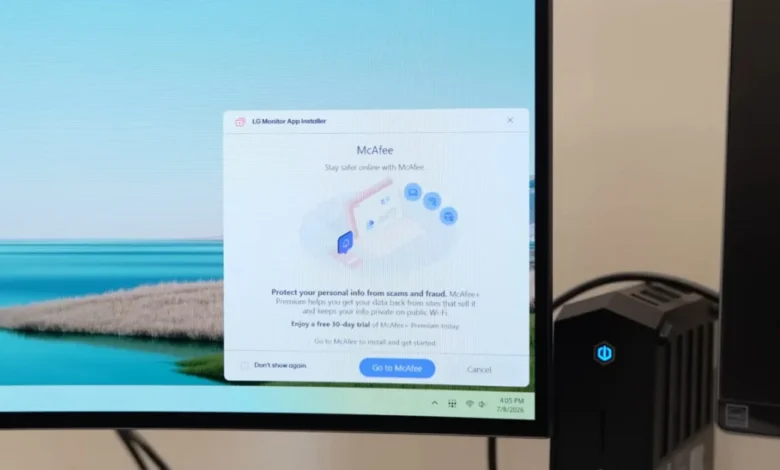
The global technology community is currently grappling with a significant controversy involving LG Electronics and the silent installation of the LG Monitor App Installer on Windows-based systems. Reports from hardware enthusiasts and consumer advocacy groups have highlighted a disturbing trend where owners of high-end LG monitors find unwanted software and advertisements appearing on their computers without prior notification or explicit consent. This practice, which appears to leverage Microsoft’s Windows Update infrastructure, has sparked a broader debate regarding consumer privacy, the sanctity of personal computing environments, and the ethical responsibilities of hardware manufacturers in the digital age.
The Emergence of the LG Monitor App Installer Controversy
The issue first gained significant traction following an investigation by the hardware news outlet Gamers Nexus. Steve Burke, the lead researcher at the outlet, documented the appearance of the LG Monitor App Installer on several systems connected to LG displays. The most alarming aspect of this discovery was the lack of user agency; the software was installed automatically, bypassing the traditional prompts that usually accompany the installation of new applications on the Windows operating system.
According to the findings, the software is not merely a driver update intended to improve the performance of the display. Instead, it functions as a gateway for third-party applications and promotional content. Once the LG Monitor App Installer is active, users have reported seeing pop-up advertisements for various services, including third-party antivirus software like McAfee. This behavior is particularly jarring for consumers who have invested heavily in their hardware. LG’s premium monitor lineup, including the UltraGear and UltraFine series, often retails for well over $1,000. The expectation among these high-end users is a clean, professional, and performance-oriented experience, which is directly contradicted by the presence of ad-supported bloatware.
Technical Mechanisms and the Role of Microsoft Windows
The mechanism behind this silent installation is rooted in the architecture of the Universal Windows Platform (UWP) and how Microsoft handles device-specific applications. Microsoft’s developer documentation reveals that the company allows "Universal Windows Platform device apps" to install automatically when a user connects a peripheral to their PC. This feature is intended to provide a seamless "out-of-box" experience, ensuring that users have the necessary software to utilize all features of their hardware immediately.
However, this convenience comes with a significant caveat. If a user does not opt out of "Recommended Settings" during the initial installation of Windows, the operating system is granted permission to download these companion apps from the Microsoft Store as soon as the hardware is detected and an internet connection is established. Microsoft’s own documentation acknowledges the potential for friction, stating that the automatic installation feature does not provide a notification to the user, which "some users may find confusing and frustrating."
In the case of LG, the "companion app" being pushed is the LG Monitor App Installer. Its description in the Microsoft Store claims to help users "easily install and use apps supported by your monitor," but in practice, it has become a vector for what many categorize as "crapware."
Privacy Concerns and Extensive Data Permissions
Beyond the annoyance of unwanted advertisements, the privacy implications of the LG Monitor App Installer are profound. Technical analysis of the app’s manifest and permissions reveals an extensive reach into the user’s system. According to Burke and other security researchers, the application technically possesses the permission to utilize "all system resources."
The scope of data collection permitted by the app’s terms of service is equally concerning. It includes the ability to collect:
- Precise geolocation data.
- Device-specific identifiers and hardware configurations.
- Online activity and browsing habits.
- Contact lists and communication metadata.
- User credentials and login information.
- Financial transaction history and purchase data.
For a piece of software ostensibly designed to manage a computer monitor, these permissions are remarkably broad. Critics argue that there is no functional reason for a display utility to access a user’s contacts or financial transactions. This has led to accusations that the software is acting as a data-harvesting tool, turning the user’s desktop into a source of telemetry and marketing revenue for LG and its partners.
A Growing Trend of "Peripheral Bloat" in the Industry
LG is not the only hardware vendor to face scrutiny for these practices. The PC industry has seen a resurgence of "peripheral bloat," where manufacturers of keyboards, mice, motherboards, and monitors use their hardware as a Trojan horse for software ecosystems.
- Razer: The company’s "Synapse" software has long been criticized for its mandatory login requirements and its tendency to prompt for installation the moment a Razer mouse is plugged into a USB port.
- Asus and Gigabyte: Both motherboard manufacturers have utilized features within the BIOS/UEFI (such as Asus Armoury Crate and Gigabyte App Center) to automatically inject software installers into the Windows operating system upon boot-up, often before the user has even reached the desktop.
- Logitech: Users have frequently complained about the "G Hub" software suite, which, while functional, is often seen as resource-heavy and overreaching in its data collection.
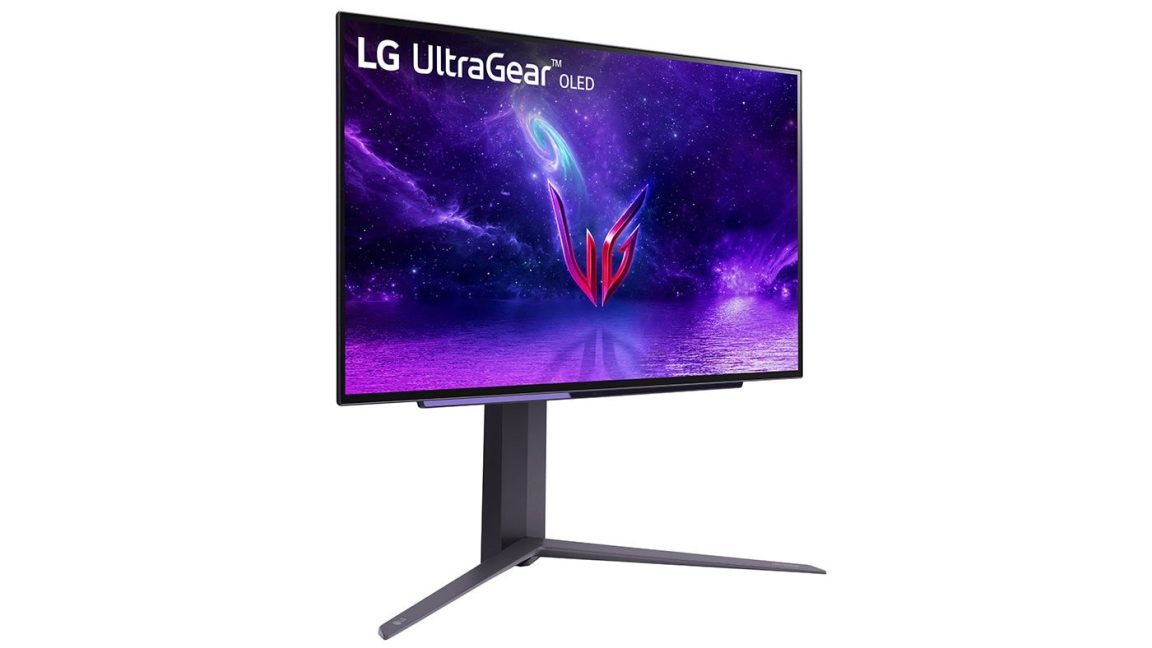
The distinction in the LG case, however, is the price point and the nature of the device. While a gaming mouse might reasonably require software for macro programming or RGB lighting, a monitor is fundamentally an output device. Most monitors function perfectly using standard Windows plug-and-play drivers. Forcing a multi-purpose app installer onto a $1,300 OLED display is seen by many as an egregious violation of the consumer-manufacturer relationship.
Chronology of User Reports and Manufacturer Response
The issue of LG’s automatic software installation is not entirely new, but it has intensified recently. Reports indicate that the practice has been occurring in various forms for several years. However, a spike in complaints occurred in mid-2024 as more users with older hardware began seeing the pop-ups. Steve Burke noted that he started receiving advertisements on monitors that were purchased over three years ago, suggesting that LG may have retroactively pushed the installer to older models via Windows Update.
When reached for comment by various news organizations, including Ars Technica, LG representatives acknowledged the inquiries but failed to provide a detailed explanation of why the software is necessary or why it requires such extensive data permissions. The lack of transparency from the company has only fueled the backlash, as users are left to wonder how to fully purge the software from their systems and prevent its return.
Impact on Security and System Stability
From a cybersecurity perspective, the automatic installation of software creates a "shadow" attack surface. Every piece of software installed on a system—especially those with high-level permissions—represents a potential vulnerability. If the LG Monitor App Installer or the third-party apps it promotes (like McAfee) contain security flaws, they could be exploited by malicious actors to gain access to the user’s data or system resources.
Furthermore, the "all system resources" permission is a red flag for system stability. Bloatware is notorious for running background processes that consume CPU cycles and RAM, potentially impacting the performance of the very systems that users bought high-end monitors to enhance. For gamers and creative professionals, any unnecessary background task can lead to frame-rate stutters or reduced rendering speeds.
Analysis of Implications for the Future of Hardware
The LG incident highlights a shifting paradigm in the tech industry: the move toward "Hardware-as-a-Service" or ad-subsidized hardware. In the world of budget televisions, it is common for the hardware to be sold at or near cost, with profits generated through data collection and advertising on the smart TV platform. However, the migration of this business model to the premium PC monitor market is a significant and unwelcome development for many.
If consumers accept the silent installation of adware on $1,000 displays, it sets a precedent that could embolden other manufacturers to follow suit. This could eventually lead to a landscape where every component of a PC—from the power supply to the cooling fans—attempts to install its own "companion app" with its own set of advertisements and data-harvesting protocols.
Consumer Recourse and How to Mitigate the Issue
For users currently affected by the LG Monitor App Installer, there are several steps that can be taken to mitigate the intrusion, though they require a level of technical knowledge that the average consumer may not possess:
- Opting Out of Recommended Settings: During a fresh Windows installation, users should select "Custom" settings and disable the option to automatically download manufacturer apps.
- Microsoft Store Settings: Disabling "Update apps automatically" in the Microsoft Store settings can prevent some silent installs, though it may not stop those triggered directly by Windows Update.
- Registry and Policy Edits: Advanced users can use Group Policy Editor (on Windows Pro) or Registry edits to block the installation of "Device Metadata" and "Co-installers."
- Manual Uninstallation: The LG Monitor App Installer can usually be uninstalled through the "Apps & Features" menu, though users should remain vigilant as Windows Update may attempt to reinstall it later.
The controversy surrounding LG’s monitor software serves as a stark reminder of the erosion of user control in the modern software ecosystem. As hardware and software become increasingly intertwined, the line between a helpful utility and intrusive bloatware continues to blur, leaving consumers to defend their privacy and system integrity against the very companies they have paid to support.
Related posts: