AWS Unveils Custom Code Transformation Service, Revolutionizing Enterprise Modernization with AI-Powered Agentic Capabilities

Amazon Web Services (AWS) has announced the release of AWS Transform custom, an innovative agentic AI service designed to address the unique and often intractable challenges of custom code transformations within enterprise environments. This new offering aims to bridge the gap left by generic migration tools, providing developers with the capability to define and execute bespoke code transformations using natural language, significantly streamlining the modernization of complex codebases.
The Persistent Challenge of Code Modernization and Technical Debt
For years, software development teams have grappled with the arduous task of maintaining and evolving vast, often proprietary codebases. While off-the-shelf migration tools can handle common scenarios like language upgrades or basic framework transitions, they frequently fall short when confronted with transformations specific to an organization’s internal libraries, error-handling conventions, logging standards, or architectural patterns. This "last mile" of code transformation – moving services off an internal library, standardizing error handling, or unifying logging across a fleet of services – typically devolves into a time-consuming, manual, and error-prone effort.
Industry reports consistently highlight technical debt as a significant impediment to innovation, with developers reportedly spending between 20% and 30% of their time on maintenance and remediation rather than new feature development. This issue is compounded in large enterprises managing hundreds or thousands of microservices, where enforcing consistent coding standards or migrating to new internal APIs can become a monumental undertaking, often leading to a growing backlog of essential but resource-intensive refactoring tasks. The inherent specificity of these tasks means that general-purpose tools, not written with a particular codebase’s nuances in mind, are largely ineffective. This is precisely the domain AWS Transform custom seeks to conquer, offering a tailored approach to an endemic problem.
Introducing AWS Transform Custom: An Agentic AI Solution
AWS Transform custom distinguishes itself by employing an agentic AI service that allows developers to describe their desired code transformations in natural language. This intuitive interface democratizes the process of creating complex automation, moving beyond rigid scripting or manual refactoring. The service then interprets these descriptions to execute the transformations across a codebase, adapting to the specific requirements of an organization.
"This service is a direct response to the critical feedback we’ve received from enterprises grappling with the unique challenges of their proprietary codebases," an AWS spokesperson indicated, underscoring the company’s commitment to developer productivity and reducing operational burden. "By leveraging agentic AI and natural language processing, we are empowering development teams to tackle highly customized migration efforts that were previously unautomatable, thereby accelerating their journey towards modern, cloud-native architectures."
The introduction of AWS Transform custom marks a significant step in the evolution of code migration tools. Historically, such transformations required either extensive manual effort, intricate regular expressions, or custom scripting that itself became a maintenance burden. More recently, rule-based systems offered some automation, but still lacked the flexibility for truly bespoke scenarios. AWS Transform custom represents a leap forward by integrating advanced AI capabilities, enabling a more dynamic and adaptable approach to code modernization.
A New Era of Transformation Definitions (TDs)
At the heart of AWS Transform custom lies the concept of a Transformation Definition (TD). While AWS Transform ships with a catalog of out-of-the-box TDs for common scenarios such as Java version upgrades, AWS SDK migrations (e.g., boto2 to boto3), framework transitions, and architectural shifts like x86 to AWS Graviton, the true power of the "custom" variant emerges when organizations define their own.
A TD is a reusable recipe that meticulously describes how a specific transformation should be performed. With AWS Transform custom, these definitions are authored not through arcane syntax or complex coding, but through natural language prompts. For instance, a developer could instruct the system:
- "Refactor all instances of
OldDatabaseClient.query(sql, params)toNewDatabaseService.execute(statement, parameters)ensuring parameter mapping is preserved." - "Standardize error handling across our Python microservices by replacing direct
raise Exception()with our internalServiceErrorclass, logging the context before raising." - "Migrate our internal
logger-v1package tologger-v2, where the new API useslogger.info(msg, context)instead oflogger.log(level, msg), while keeping existing log levels intact." - "Update all dependencies in our Node.js projects to use the latest approved versions from our internal package registry."
- "Ensure all service endpoints adhere to our new API gateway authentication standard, adding necessary security headers."
Each of these examples encodes logic specific to an organization’s unique codebase, internal libraries, and operational conventions. Once published to an AWS account, these custom TDs become immediately available for application across any matching repository, whether it’s a single project or hundreds of services across an enterprise fleet. "The ability to define custom transformations in natural language and scale them across our entire service fleet is a game-changer," commented a hypothetical Chief Technology Officer, reflecting the potential impact on development efficiency and code quality. "This could drastically cut down the time we spend on internal library upgrades or enforcing new coding standards, allowing our teams to focus more on delivering business value."
Seamless Integration into Developer Workflows
AWS Transform custom is designed for maximum accessibility, integrating directly into developers’ existing workflows through multiple interfaces. This flexibility ensures that teams can adopt the service in a manner that best suits their preferred tools and environments. The three primary modes of interaction are:
-
The Kiro Power for AWS Transform: For users of the Kiro IDE, this power brings the full AWS Transform workflow into the integrated development environment. Developers can describe their desired transformations in a chat interface, and Kiro, an AI-powered IDE, inspects the project, matches it against available TDs, requests necessary configurations, and executes the transformation. Progress updates, generated artifacts, and code diffs are displayed directly within the editor, providing a cohesive and intuitive experience.
-
The AWS Transform Agent Skill: Adhering to the open Agent Skills standard, this package offers broad compatibility across over 40 agents, including Kiro CLI, Claude Code, Cursor, GitHub Copilot, Gemini CLI, and Windsurf. This portability means developers can leverage the same powerful transformation capabilities within their chosen agent, maintaining a consistent workflow across various AI-assisted coding tools.
-
The AWS Transform IDE Plugin: For developers who prefer a graphical user interface over chat, a dedicated plugin is available for popular IDEs like VS Code and Open VSX-compatible editors. This plugin exposes AWS Transform custom features as first-class IDE actions, enabling users to browse published TDs, launch transformations, and manage the entire lifecycle from a familiar UI.
Crucially, all three interfaces communicate with the same underlying AWS Transform service and share published TDs. This interoperability allows teams to mix and match tools based on individual preferences while ensuring a unified repository of transformation logic.
Democratizing Transformation Creation: Chat-Driven TD Authoring
One of the most significant advancements offered by AWS Transform custom is the chat-driven workflow for creating custom TDs. Historically, defining such transformations often involved command-line interfaces (CLIs) and interactive authoring sessions, a path that remains available and suitable for scripting (atx in the terminal). However, the new agentic approach simplifies this process dramatically.
Developers can initiate a TD creation simply by telling their agent what they want in natural language. For example: "Create a custom AWS Transform custom TD that migrates our internal logger-v1 package to logger-v2. The new API uses logger.info(msg, context) instead of logger.log(level, msg). Keep existing log levels intact."
From this initial prompt, the agent engages in a conversational loop. It asks clarifying questions about the transformation’s scope, desired behavior, and any specific constraints. Based on these interactions, the agent drafts the TD. Developers can then review and refine the proposed definition directly within the chat interface before the agent publishes it to their AWS account. Once published, the new TD is immediately available across all integrated surfaces—Kiro power, agent skill, and IDE plugin—and will be suggested as a candidate for execution on matching repositories. This workflow significantly lowers the barrier to entry for creating complex, customized automation, making it accessible to a wider range of developers.
Scaling Code Transformations: Local to Enterprise-Wide Deployment
AWS Transform custom addresses the critical need for scalability in code modernization efforts, offering both local and remote execution modes.
For individual development tasks or smaller projects, the local mode allows developers to transform up to three repositories in parallel directly on their machine. This is ideal for quick, one-off refactoring or testing new TDs.
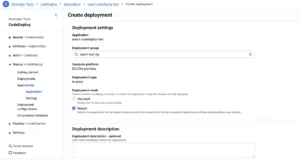
However, for large-scale modernization campaigns, remote mode unlocks enterprise-level scalability. By leveraging AWS Batch with AWS Fargate, AWS Transform custom can fan out transformations to hundreds of repositories in parallel. This eliminates local compute bottlenecks, allowing developers to initiate massive transformations without keeping their personal machines running overnight. The agent automates the entire setup process for remote mode, provisioning the necessary AWS Batch compute environment, job queues, job definitions, IAM roles, and networking infrastructure. Developers are spared the complexities of manually configuring CloudFormation templates or navigating the AWS console; they simply request to run in remote mode. Once the infrastructure is in place, execution proceeds similarly to local mode, with the agent streaming progress updates back to the developer’s editor while Fargate handles the heavy lifting in the cloud. Inputs for transformations can be local paths, Git URLs, or S3 locations, providing flexibility for diverse repository management strategies.
Getting Started: Accessibility and Ease of Adoption
AWS has prioritized ease of adoption for AWS Transform custom. The first time a user interacts with the Kiro power, agent skill, or IDE plugin, the agent guides them through a streamlined setup process. For those who prefer manual installation, the steps are straightforward:
- For Kiro IDE users: Ensure Kiro IDE is installed and configured with an AWS account. The power can then be installed via the Kiro Marketplace or from source.
- For any compatible agent: Install the AWS Transform custom CLI via a simple
curlcommand, then add the skill usingnpx skills addor by manually placing the skill folder in the agent’s skills directory. - For IDE plugin users: Install the plugin directly from the VS Code Marketplace or Open VSX, similar to any other editor extension.
Once set up, developers can immediately begin experimenting with custom TDs. A typical starting point involves prompting the agent: "Create a custom AWS Transform transformation that [describe your transformation]," followed by "Use AWS Transform to run my new transformation on /path/to/my-project." The agent guides the user through the entire lifecycle, from TD creation and modification to publishing and execution.
Ensuring Cleanliness and Resource Management
Recognizing the need for efficient resource management, AWS Transform custom includes built-in cleanup capabilities. After remote mode transformations are completed, the agent prompts the user to either keep or clean up the deployed AWS resources. Opting for cleanup automatically deletes the AWS Batch compute environment, job queues, and associated infrastructure that were provisioned for the remote run. For user-managed transformation definitions published to the registry, developers can use the atx CLI to list and delete specific TDs, ensuring their AWS account remains tidy and free of unnecessary artifacts.
Broader Implications for the Software Development Landscape
The introduction of AWS Transform custom carries significant implications for the broader software development landscape:
- Accelerated Modernization: By automating custom code transformations, enterprises can significantly accelerate their modernization initiatives, migrating to newer versions, frameworks, and cloud-native services like AWS Graviton at unprecedented speeds. This reduces the time-to-market for updated, more efficient applications.
- Enhanced Code Quality and Consistency: The ability to define and enforce custom coding standards, error-handling conventions, and logging patterns at scale leads to more consistent, maintainable, and higher-quality codebases across an organization. This minimizes technical debt accumulation and improves developer collaboration.
- Increased Developer Productivity: Freeing developers from the tedious and repetitive tasks of manual code refactoring allows them to focus on higher-value activities such as innovation, feature development, and architectural design. This translates directly into more efficient teams and faster delivery cycles.
- Cost Efficiency: Reducing manual effort and minimizing errors associated with complex migrations directly impacts operational costs. Faster modernization also means quicker adoption of more cost-efficient infrastructure, such as AWS Graviton processors.
- Democratization of Automation: The natural language interface makes complex automation accessible to a broader range of developers, reducing the need for specialized scripting expertise for every transformation.
- Future of AI in Development: AWS Transform custom exemplifies the growing trend of integrating agentic AI into the software development lifecycle, indicating a future where AI plays an increasingly pivotal role in code generation, refactoring, and quality assurance.
Conclusion
AWS Transform custom represents a strategic leap forward in addressing the persistent challenge of code modernization. By empowering developers to define and execute highly specific, custom code transformations using natural language and scalable agentic AI, AWS is providing a powerful tool to overcome the limitations of generic migration solutions. The value proposition is clear: organizations can now automate the transformations that encode their unique libraries, conventions, and standards, making modernization faster, more consistent, and less resource-intensive. For enterprises that have postponed critical migrations due to tooling gaps, AWS Transform custom offers a compelling reason to re-evaluate their strategies and embrace a new era of AI-driven code evolution.
Related posts: