Creating Terminal-Based Presentations with Spiel: A Deep Dive into an Innovative Open-Source Project

A novel open-source project, Spiel, has emerged, offering a unique solution for users who wish to craft and deliver presentations directly within their computer’s command-line terminal. Developed by Josh Karpel, Spiel leverages the power of the Rich library to render visually appealing slides, transforming the often-austere terminal environment into a dynamic presentation canvas. While the project is currently archived, its innovative approach to a niche but intriguing problem warrants a closer examination of its functionality, potential, and the reasons behind its current status.
The concept of presenting within a terminal might seem unconventional in an era dominated by sophisticated graphical presentation software. However, the command-line interface (CLI) is a fundamental tool for developers, system administrators, and a growing number of tech-savvy individuals. Spiel bridges the gap between these two worlds, providing a way to convey information through slides without leaving the familiar terminal environment. This could be particularly useful for technical demonstrations, internal team updates, or even educational purposes where the audience is already comfortable with CLI operations.
Understanding the Genesis and Architecture of Spiel
Spiel’s underlying mechanism relies heavily on the Rich library, a powerful Python package designed to enhance the output of terminal applications with rich text formatting, colors, tables, progress bars, and more. By integrating with Rich, Spiel gains access to a robust toolkit for creating visually engaging text-based content, which is then orchestrated into a slide-show format.
The decision to build a terminal presentation tool stems from a desire to streamline workflows and reduce dependencies on external applications. For technical presentations, especially those involving code snippets, command-line operations, or system configurations, delivering the content directly in the terminal can offer a more authentic and contextually relevant experience. It eliminates the need to switch between applications, ensuring a seamless flow for both the presenter and the audience.
Accessibility and Installation: Getting Spiel Up and Running
The project aims for ease of access, offering multiple avenues for users to experience its capabilities. For those who have Docker installed, a quick and convenient way to try Spiel without a full installation is provided. This allows for immediate experimentation and a firsthand understanding of its functionality.
For a more integrated experience and for users intending to create their own presentations, installing Spiel directly is recommended. This is achieved through the Python package installer, pip. The process is straightforward, requiring a simple command executed in the terminal:
pip install spielIt is a common and recommended practice to utilize Python virtual environments before installing packages like Spiel. This isolates the installation and its dependencies from the global Python installation, preventing potential conflicts with other projects or system-level Python packages. Creating a virtual environment ensures that Spiel and its required libraries are contained within a dedicated space, promoting a cleaner and more manageable development or usage environment.
To confirm a successful installation, Spiel provides a built-in demo command. Executing this command will initiate a sample presentation, allowing users to verify that the package is functioning as expected and to get a feel for the navigation and display:
spiel demo presentIf this command runs without errors and displays a presentation, the user can proceed with confidence to explore Spiel’s creative capabilities.
Crafting Your Terminal Presentations: A Look at Slide Creation
The core of Spiel’s utility lies in its intuitive method for creating presentation slides. The project’s documentation offers clear examples of how to structure a presentation. A basic, single-slide presentation can be constructed with just a few lines of Python code.
The fundamental structure involves importing necessary components from the spiel library and the rich.console module for rendering. A Deck object is instantiated, representing the entire presentation. Individual slides are then defined as Python functions, decorated with @deck.slide(). This decorator is crucial as it registers the function as a slide within the deck and allows for the specification of a slide title. The function itself is responsible for returning the content that will be displayed on the slide.
Here’s a foundational example, illustrating the creation of a one-slide presentation:
from rich.console import RenderableType
from spiel import Deck, present

deck = Deck(name="Your Deck Name")

@deck.slide(title="Slide 1 Title")
def slide_1() -> RenderableType:
    return "Your content here!"

if __name__ == "__main__":
    present(__file__)
This minimalist example demonstrates the core principle: a Python function defines the content of a slide, and the present(__file__) call within the if __name__ == "__main__": block initiates the presentation when the script is executed. The __file__ argument tells present to look for slides defined within the current script.
The documentation further elaborates on the methods for adding slides, though the provided snippet in the original article omits these specific details. Typically, such a library would offer ways to add slides sequentially, in a specific order, or even programmatically.
To showcase a more comprehensive approach to slide creation and to highlight the power of Rich integration, a more advanced example can be considered. This example introduces custom slide creation functions and leverages Rich’s formatting capabilities to style text and align content.
from rich.align import Align
from rich.console import RenderableType
from rich.style import Style
from rich.text import Text
from spiel import Deck, Slide, present

def make_slide(
    title_prefix: str,
    text: Text,
) -> Slide:
    """
    A helper function to create custom slides with centered text.
    """
    def content() -> RenderableType:
        return Align(text, align="center", vertical="middle")
    return Slide(title=f"title_prefix Slide", content=content)

# Initialize a new presentation deck.
deck = Deck("Test Deck")

# Create the first slide with a specific title and styled text.
title_slide = make_slide(
    title_prefix="First",
    text=Text("Python 101 - All About Lists", style=Style(color="blue"))
)

# Create a second slide introducing a concept with different styling.
intro_slide = make_slide(
    title_prefix="Second",
    text=Text("A Python list is", style=Style(color="red"))
)

# Add the created slides to the deck.
deck.add_slides(title_slide, intro_slide)

if __name__ == "__main__":
    # Present the deck. The 'present' function will interpret the slides.
    present(__file__)
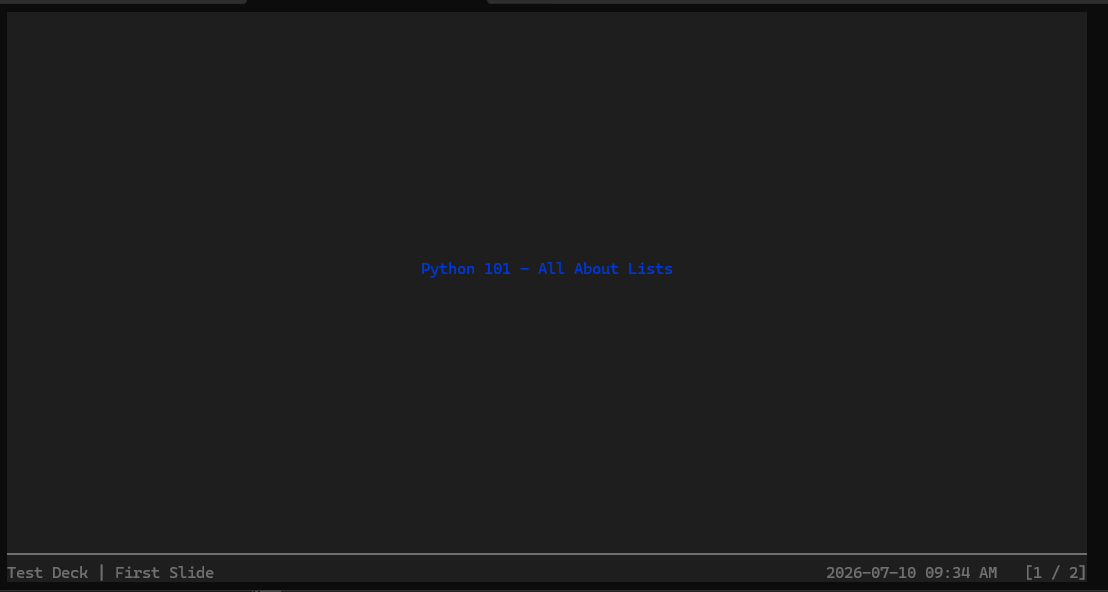
This enhanced example illustrates several key features:
- Custom Slide Factory: The
make_slidefunction acts as a factory, abstracting the creation of slides with common formatting. This promotes code reusability and cleaner presentation definitions. - Rich Text Styling:
rich.text.Textobjects are used to define the content, allowing for granular control over font styles, colors, and other rich text attributes. Here, the text is styled with different colors ("blue" and "red"). - Content Alignment:
rich.align.Alignis employed to center the text both horizontally and vertically within the slide, ensuring a visually balanced presentation. - Adding Multiple Slides: The
deck.add_slides()method demonstrates how to incorporate multiple custom-made slides into the presentation.
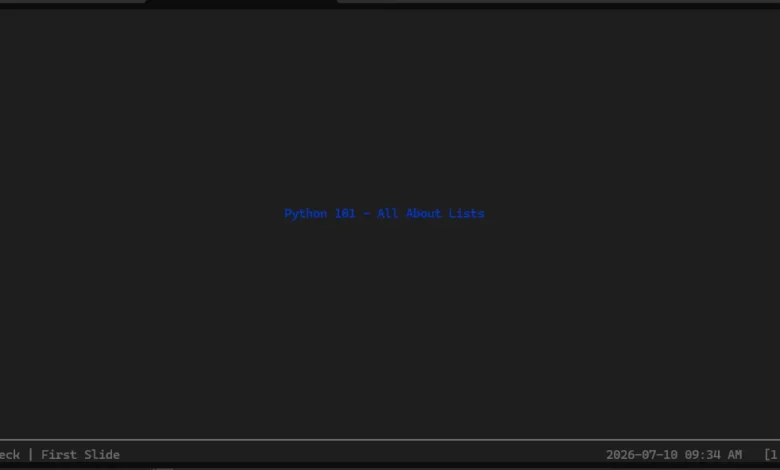
When this script is executed in the terminal, the output is a visually structured presentation. The image provided in the original article depicts a typical Spiel slide, showcasing a title and the main content, rendered with the applied styling and alignment. Navigating through the slides is typically managed via keyboard inputs, such as the arrow keys for moving forward and backward, and a key combination like CTRL+C to exit the presentation.
The Current Status of Spiel and Future Prospects
The article notes that Spiel is currently archived on GitHub. This status often indicates that the project is no longer actively maintained by its original author. The provided explanation suggests a potential issue with an outdated version of the Textual library, which Spiel might depend on, preventing future upgrades. Textual is a framework for building rich terminal applications, and compatibility issues with its underlying components can indeed lead to archiving.
This archiving is a lamentable development, as it halts further iteration and support for what appears to be a promising and innovative tool. The open-source community often relies on active maintenance for the longevity and evolution of projects. However, the nature of open source also means that the code remains accessible, and the idea can inspire others.
The implications of an archived project are multifaceted. For existing users, it means that bug fixes or new features are unlikely to be implemented by the original developer. However, the project can still be used as is, especially within controlled environments like virtual environments or Docker containers, as demonstrated. For potential new users, the archived status serves as a warning about the project’s current support level.
The hope expressed in the original article – that the author might reconsider, or that another developer might pick up the project – is a common sentiment within the open-source ecosystem. A fork of the project could be initiated, allowing a new maintainer to address the technical debt, upgrade dependencies, and continue development. Such a revival would breathe new life into Spiel, potentially expanding its capabilities and user base.
Broader Impact and Implications
Spiel’s contribution, even in its archived state, highlights a significant trend: the increasing sophistication and utility of terminal-based applications. As CLIs become more powerful and user-friendly, tools like Spiel demonstrate that they can extend beyond mere command execution to encompass more complex functionalities, including rich content creation and presentation.
The implications of such tools are far-reaching for specific professional communities:
- Developers and System Administrators: For those who spend their days in the terminal, Spiel offers a way to integrate presentations directly into their workflow, reducing context switching and enhancing the delivery of technical information. Imagine presenting a live code walkthrough or a system status report using slides generated on the fly.
- Educators and Trainers: In technical education, where command-line environments are often central, Spiel could be an invaluable tool for delivering lectures, tutorials, and workshops. Students could follow along directly in their own terminals, making the learning process more interactive and practical.
- Technical Documentation: Spiel could potentially be used to generate interactive documentation or tutorials that can be run directly from a README file or a documentation website, providing a more engaging way to explore complex topics.
The underlying technology, leveraging Rich, also points to the broader maturation of terminal UI/UX design. Libraries like Rich and Textual are pushing the boundaries of what’s possible in a text-based interface, proving that terminals can be more than just utilitarian. They can be environments for sophisticated applications that are both functional and aesthetically pleasing.
While the archiving of Spiel is unfortunate, its existence serves as a testament to the ingenuity of open-source development and the continuous exploration of new ways to interact with technology. The underlying principles and the innovative approach to terminal presentations remain valuable, offering a glimpse into a future where the command line is an even more versatile and powerful tool for communication and creation. The potential for a revival or a successor project remains, a testament to the enduring appeal of well-conceived, albeit sometimes short-lived, open-source endeavors.
Related posts: