The realm of software development often yields unexpected innovations, catering to niche requirements with elegant solutions. One such intriguing project, though now archived, is Spiel, an open-source tool designed to create and present slide decks directly within a computer’s terminal environment. Developed by Josh Karpel, Spiel leverages the powerful rich Python library to render visually appealing presentations in a text-based interface, offering a unique approach to content delivery that diverges significantly from conventional graphical presentation software. While the project’s archived status, apparently due to an outdated dependency on an older version of the Textual framework, limits its current development, the concept itself remains a testament to creative problem-solving in the developer community.
The Genesis and Functionality of Spiel
The primary motivation behind Spiel appears to be the desire to bring the structured format of presentations into the command-line interface. This could be useful for developers who spend a significant portion of their time in terminals, for automating presentations as part of a script, or simply for the novelty of a text-based visual experience. The project’s foundation on the rich library is crucial. rich is a Python package that enables the creation of rich text, beautiful formatting, and advanced control over the terminal output. It allows for the use of colors, styles, tables, and even rudimentary graphical elements, all within the confines of a text terminal. Spiel harnesses these capabilities to transform plain Python code into dynamic, navigable slide presentations.
The core idea is to define slides as Python functions, each decorated with a specific decorator to mark it as a slide and optionally assign it a title. The Deck object acts as a container for these slides, and the present function is responsible for rendering and navigating through the defined deck. This programmatic approach allows for dynamic slide generation, integration with other Python scripts, and a high degree of customization through the extensive features of the rich library.
Installation and Initial Exploration
For users eager to explore Spiel’s capabilities, the project offers a straightforward installation process. Prospective users can even trial Spiel without a local installation by utilizing Docker. This method provides a convenient way to test the functionality and observe its behavior without altering the local development environment. The command to run Spiel via Docker is:
docker run -it --rm ghcr.io/joshkarpel/spielThis command pulls the Spiel image from GitHub Container Registry and runs it in an interactive, terminal-based session. The --rm flag ensures that the container is automatically removed upon exit, keeping the system clean.
For those who wish to integrate Spiel into their workflow or experiment more deeply, direct installation via pip is recommended. This involves opening a terminal and executing the following command:
pip install spielIt is advisable for users to employ a Python virtual environment before installation. This practice isolates project dependencies, preventing potential conflicts with other Python packages installed globally on the system. Once Spiel is successfully installed, users can verify its functionality by running a pre-built demo presentation. This is achieved through the command:
spiel demo presentA successful execution of this command signifies that Spiel is correctly installed and ready for use.
Crafting Presentations with Spiel
The process of creating a presentation with Spiel involves defining a series of Python functions that represent individual slides. The most basic structure involves importing necessary components from the spiel and rich libraries, instantiating a Deck object, and then defining slides using the @deck.slide() decorator.
A minimalist example of a single-slide presentation, as provided by the documentation, illustrates this core concept:
from rich.console import RenderableType
from spiel import Deck, present

deck = Deck(name="Your Deck Name")

@deck.slide(title="Slide 1 Title")
def slide_1() -> RenderableType:
    return "Your content here!"

if __name__ == "__main__":
    present(__file__)
In this snippet, Deck(name="Your Deck Name") initializes a presentation deck with a specified name. The @deck.slide(title="Slide 1 Title") decorator registers the slide_1 function as a slide within the deck and assigns it a title. The function itself returns the content for the slide, which in this simple case, is just a string. The if __name__ == "__main__": present(__file__) block ensures that the present function is called when the script is executed directly, initiating the presentation. The present(__file__) command tells Spiel to look for slides defined within the current file.
The documentation outlines two primary methods for adding slides: directly decorating functions or creating Slide objects programmatically. The decorator approach is generally more concise for simpler presentations, while the Slide object offers greater flexibility for complex layouts and content.
A more elaborate example demonstrates the creation of custom slides with richer formatting and layout:
from rich.align import Align
from rich.console import RenderableType
from rich.style import Style
from rich.text import Text
from spiel import Deck, Slide, present

def make_slide(
    title_prefix: str,
    text: Text,
) -> Slide:
    def content() -> RenderableType:
        return Align(text, align="center", vertical="middle")
    return Slide(title=f"title_prefix Slide", content=content)

deck = Deck("Test Deck")

title_slide = make_slide(title_prefix="First", text=Text("Python 101 - All About Lists",
                                             style=Style(color="blue")))

intro_slide = make_slide(title_prefix="Second",
                    text=Text("A Python list is",
                              style=Style(color="red"))
                    )

deck.add_slides(title_slide, intro_slide)

if __name__ == "__main__":
    present(__file__)
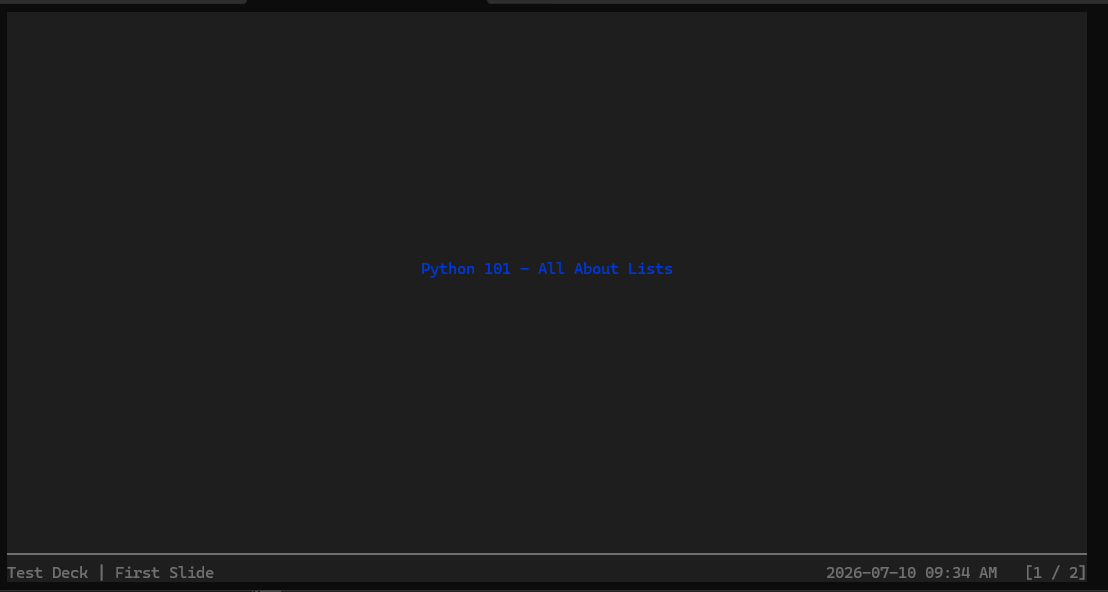
This extended example introduces a helper function, make_slide, which encapsulates the creation of a Slide object. This function takes a title prefix and a rich.text.Text object as arguments. Inside make_slide, the content function returns an Align object from rich, which centers the provided text both horizontally and vertically. This demonstrates how to leverage rich‘s layout and styling capabilities. The title_slide and intro_slide are created using this helper, incorporating different text content and colors. Finally, deck.add_slides(title_slide, intro_slide) adds these custom-built slides to the deck.
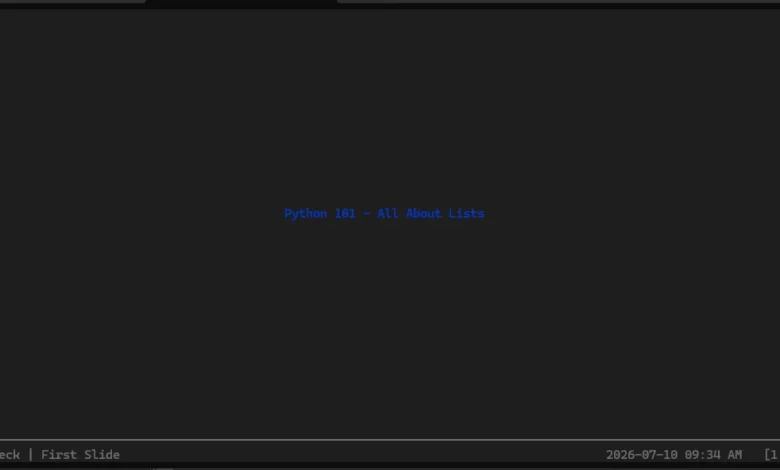
When executed, this script renders the presentation in the terminal. The visual output, as illustrated by the accompanying image, features a clear title and content, formatted with the specified styles. Navigation through the presentation is intuitive, utilizing the left and right arrow keys to move between slides. Exiting the presentation is achieved by pressing CTRL+C, a standard terminal command for interrupting processes.
The Archived Status and Future Prospects
The current archived state of the Spiel project on GitHub presents a significant limitation. While the repository remains accessible, it indicates that active development has ceased. The article notes that the likely reason for archiving is the project’s reliance on a very old version of the Textual framework, which cannot be easily upgraded to newer, compatible versions. This dependency chain often arises in software projects and can lead to obsolescence if not actively maintained.
The archiving of Spiel is a regrettable development for those who found its concept compelling. The project offered a unique and functional approach to terminal-based presentations, bridging the gap between command-line utility and visual content delivery. The hope expressed in the original article is that the author might reconsider reopening the project or that another developer might be inspired to fork it and continue its development. Such a revival would be particularly valuable in contexts where terminal-centric workflows are prevalent, such as in system administration, software development demonstrations, or educational materials delivered in a text-based environment.
Broader Implications and Potential Applications
The existence of projects like Spiel highlights the ongoing innovation within the open-source community and the continuous exploration of new use cases for existing technologies. Even in its archived state, Spiel serves as a valuable case study in how libraries like rich can be utilized to create sophisticated user experiences within the terminal.
The implications of such a tool, if actively maintained, are diverse:
- Developer Tooling: Developers could integrate Spiel into their CI/CD pipelines to generate automated reports or status updates in a presentation format. This could be particularly useful for live demos or status meetings where screen sharing might be cumbersome.
- Educational Content: For teaching programming concepts, especially in command-line-heavy environments, Spiel could be used to create interactive tutorials or lectures that are entirely contained within the terminal. This aligns with the philosophy of learning by doing and engaging with tools directly.
- Technical Documentation: Creating quick, shareable walkthroughs or explanations of technical processes could be facilitated by Spiel, allowing users to follow along directly in their terminal without needing to open separate applications.
- Artistic and Experimental Projects: The visual nature of terminal output, when enhanced by libraries like
rich, can be leveraged for creative coding and artistic expressions, and Spiel provides a framework for structuring such output into a narrative.
The core concept of presenting information in a structured, navigable format within a terminal is a powerful idea. While Spiel’s future remains uncertain, its contribution lies in demonstrating the potential for rich, dynamic content generation within an often-overlooked interface. The challenges it faced with dependency management are common in software evolution, underscoring the importance of ongoing maintenance and adaptation for open-source projects to thrive. The legacy of Spiel, therefore, serves as both an inspiration and a reminder of the dynamic and sometimes fragile nature of software development lifecycles.
Related posts: