How My Computer for Nautilus Restores Classic File Management and Enhances GNOME Customization

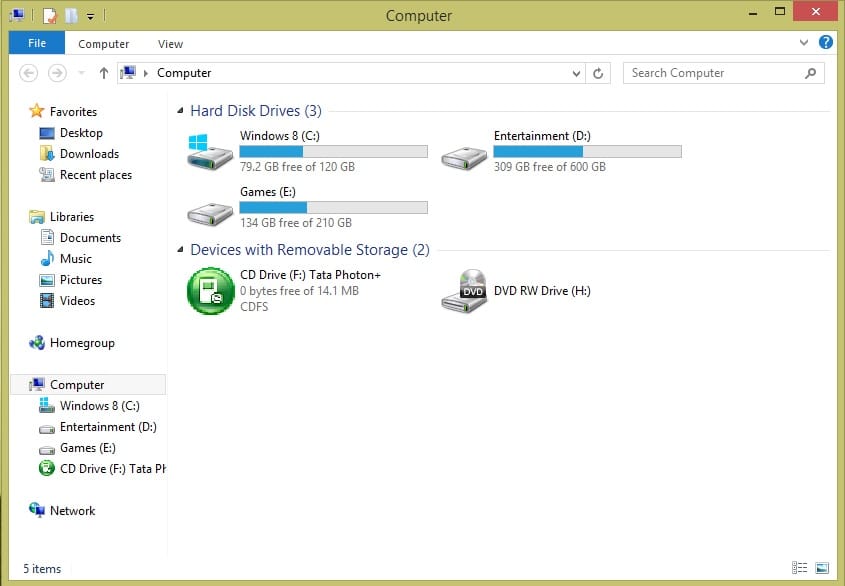
The landscape of desktop file management has undergone significant transformations over the last three decades, moving from the literal metaphors of the early 1990s to the streamlined, minimalist interfaces favored by modern operating systems. For many users who transitioned from the era of Windows 95 through Windows 7, the "My Computer" icon served as the psychological and functional anchor of the desktop experience. While Microsoft eventually rebranded this feature to "This PC" in later iterations of Windows, the underlying utility—a centralized dashboard for all local storage, network mounts, and system partitions—remains a foundational expectation for a specific demographic of power users. Within the Linux ecosystem, particularly for those utilizing the GNOME desktop environment, the recent release of GNOME 47 has introduced structural changes to the Nautilus file manager that have prompted the community to seek third-party solutions. One such solution, an extension titled "My Computer for Nautilus," has emerged as a comprehensive tool designed not only to restore traditional functionality but also to introduce advanced navigation features like Miller Columns.

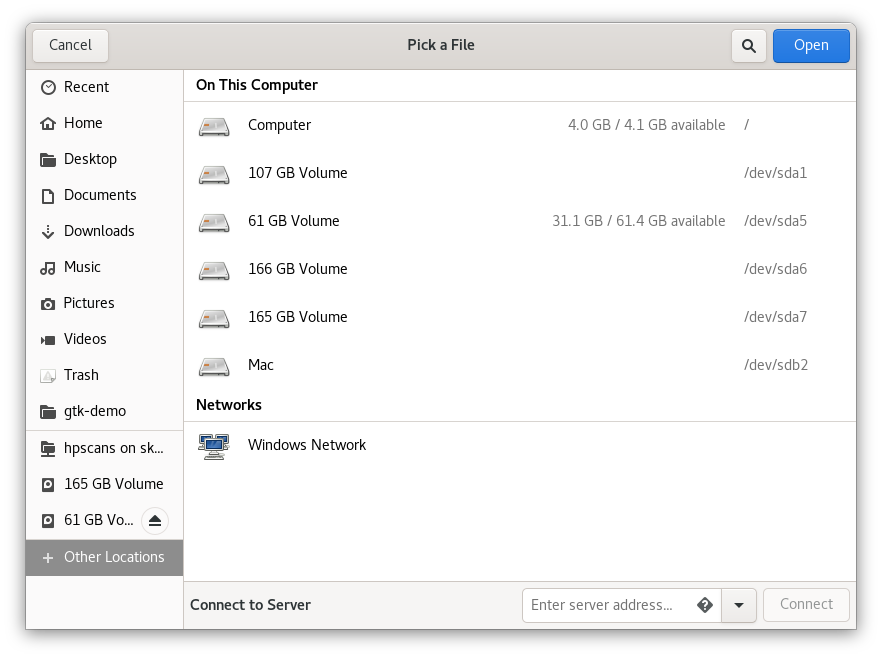
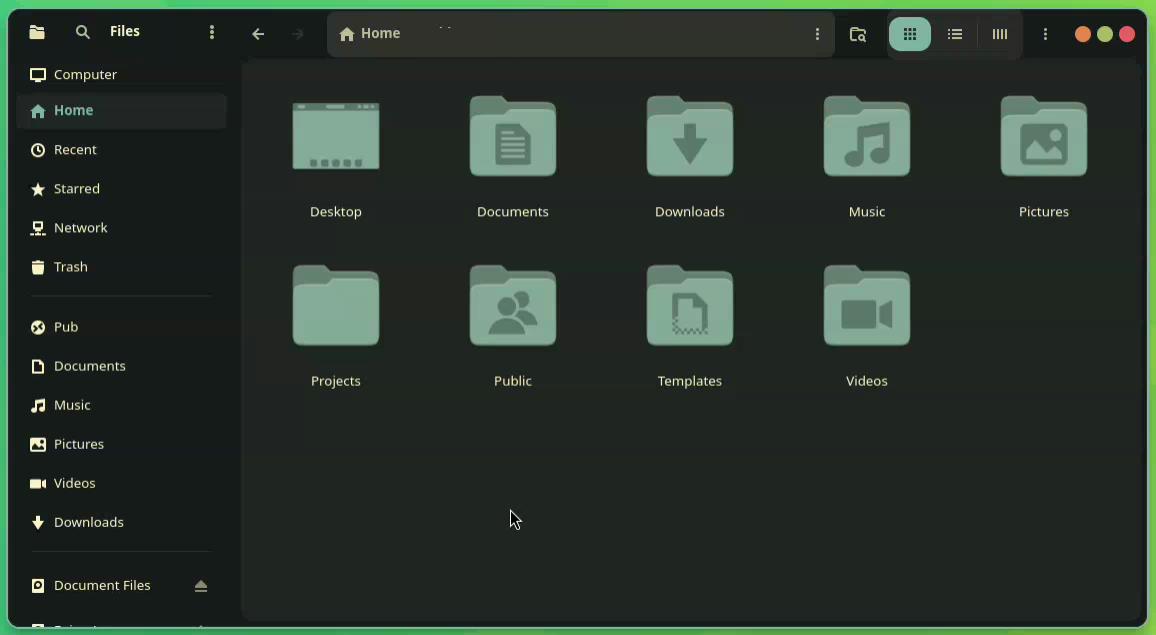
The evolution of GNOME’s file manager, officially known as GNOME Files but still widely referred to by its original name, Nautilus, has been characterized by a philosophy of simplification. In earlier versions of the desktop environment, Nautilus featured an "Other Locations" page. This view acted as a digital hub where users could monitor network shares, cloud storage services like Google Drive, and various hardware partitions from a single window. However, with the transition to GNOME 47, the development team opted to retire the "Other Locations" page. In its place, the sidebar now directly hosts local drives and partitions, while network-related tasks have been moved to a dedicated "Network" folder. While this design choice aligns with modern UI trends that favor flat hierarchies and reduced click-depth for frequently used items, it has created friction for users with complex hardware configurations or those who prefer the organizational clarity of a dedicated "Computer" view.
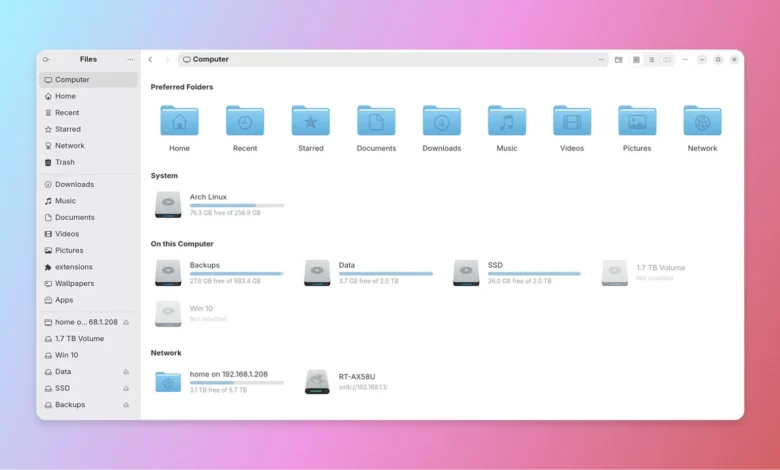
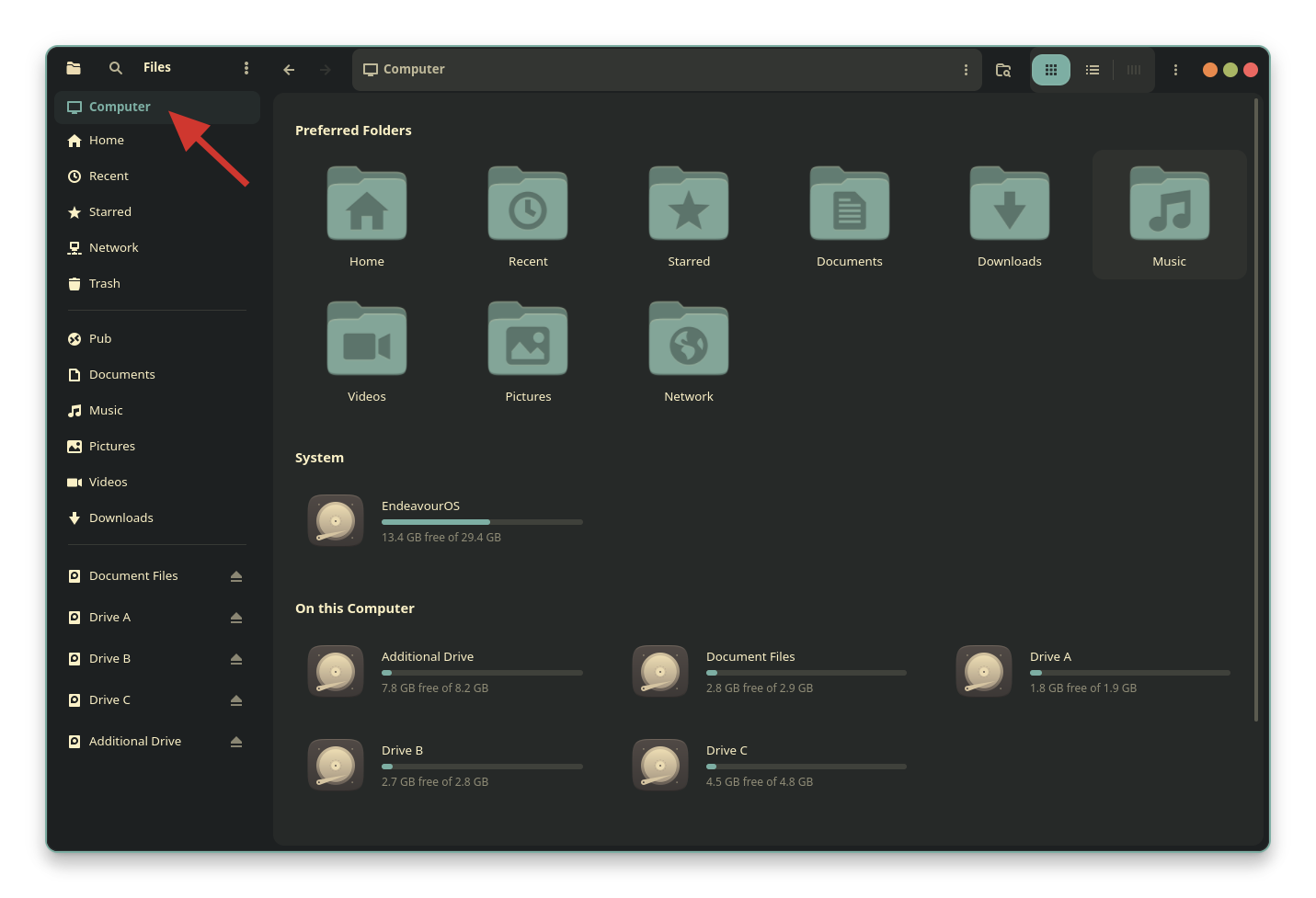
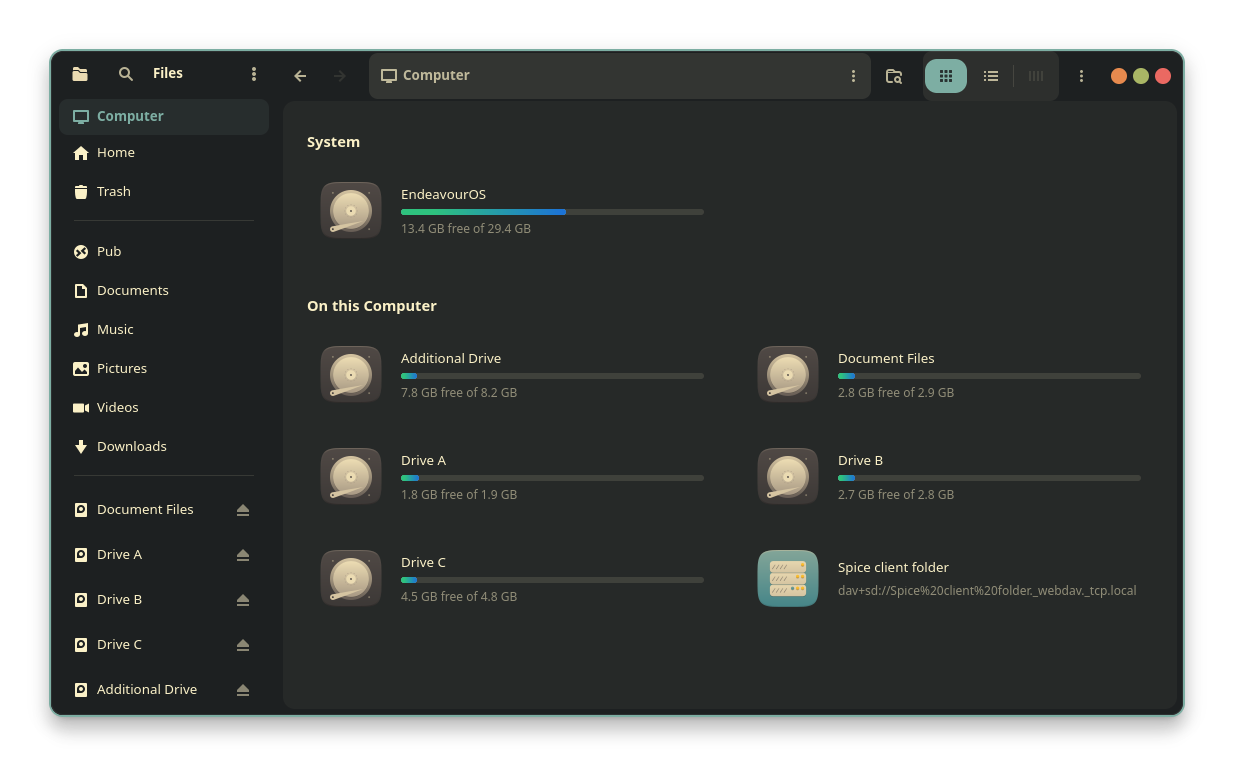
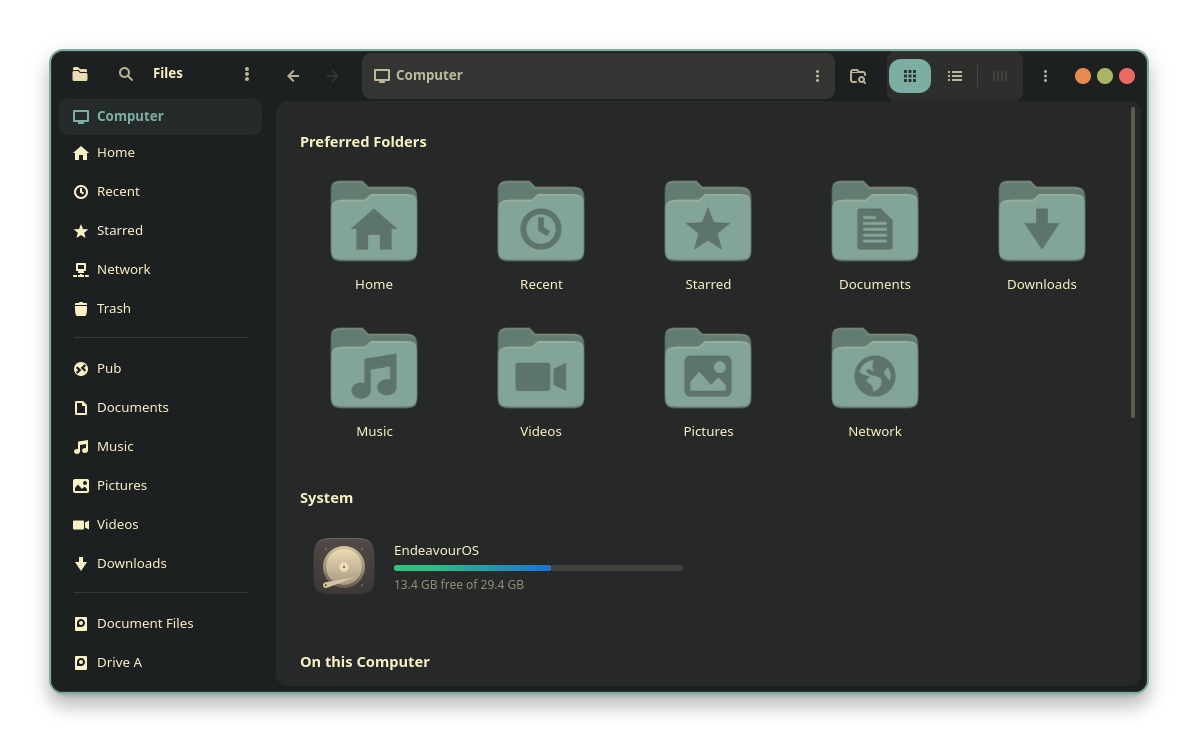
The "My Computer for Nautilus" extension, developed by Yann Masoch, addresses this specific gap in the user experience. By integrating directly into the Nautilus file manager, the extension reintroduces a dedicated "Computer" entry at the top of the sidebar. This view aggregates drives, partitions, removable media, and network mounts into a single, organized interface. Beyond simple restoration, the extension provides a suite of customization options that allow users to override the default constraints of the GNOME interface, which is notoriously resistant to user-level aesthetic modifications.
Technical Chronology and the Shift in GNOME Design
To understand the necessity of this extension, one must look at the chronology of GNOME’s interface evolution. Since the introduction of GNOME 3 in 2011, the project has moved steadily toward a "distraction-free" environment. This shift often involves the removal of legacy features that the developers deem redundant or overly complex for the average user. The removal of the "Other Locations" page in GNOME 47 is the latest step in this progression.
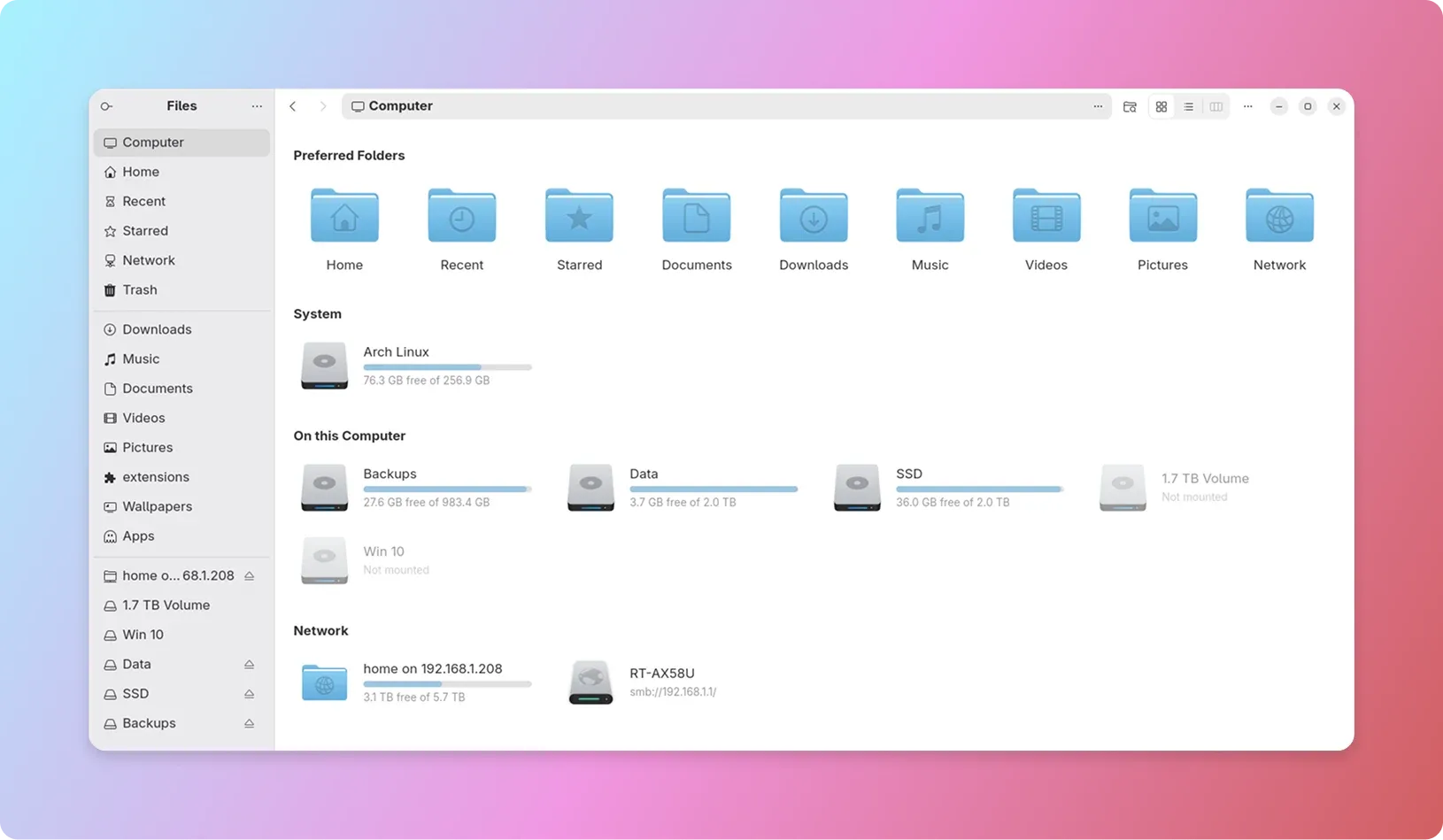
While the GNOME Project’s telemetry and design studies suggest that most users prefer having their most-used drives immediately visible in the sidebar, this approach can lead to "sidebar bloat" on systems with multiple internal disks, external backups, and mounted servers. The "My Computer for Nautilus" extension effectively reverts this behavior, allowing the sidebar to remain clean while providing a high-level overview within the main viewing pane. This development reflects a broader trend in the open-source community where third-party developers create "bridge" software to maintain workflows that official upstream updates have deprecated.
Advanced Navigation: The Introduction of Miller Columns
Perhaps the most significant technical enrichment provided by the extension is the inclusion of Miller Columns. This navigation style, popularized by the NeXTSTEP operating system and subsequently the macOS Finder, represents a departure from the traditional "icon" or "list" views found in standard Linux file managers. Miller Columns allow users to view the file hierarchy in a series of vertical panes. When a user selects a folder in one column, its contents appear in a new column to the right.
This cascading approach to file management offers several objective advantages for professional workflows. First, it provides constant visual context of the user’s path within the filesystem, reducing the cognitive load required to remember how deep a file is buried within a directory structure. Second, it facilitates faster file operations, such as dragging and dropping items between distant folders, without the need to open multiple windows or tabs. The extension also integrates a preview pane within this view, allowing for the immediate inspection of images, videos, and text metadata. While the Elementary OS file manager (Pantheon Files) has long offered a similar column view, its implementation in Nautilus via this extension marks a significant milestone for GNOME users who have sought this functionality for over a decade.
Data-Driven Customization and User Agency
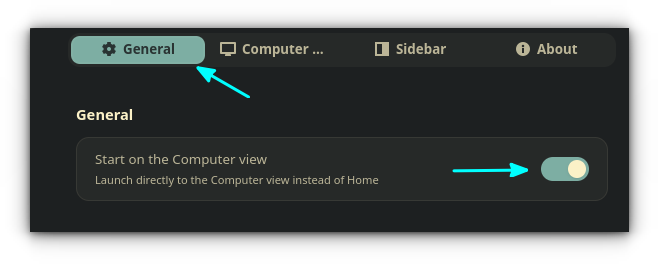
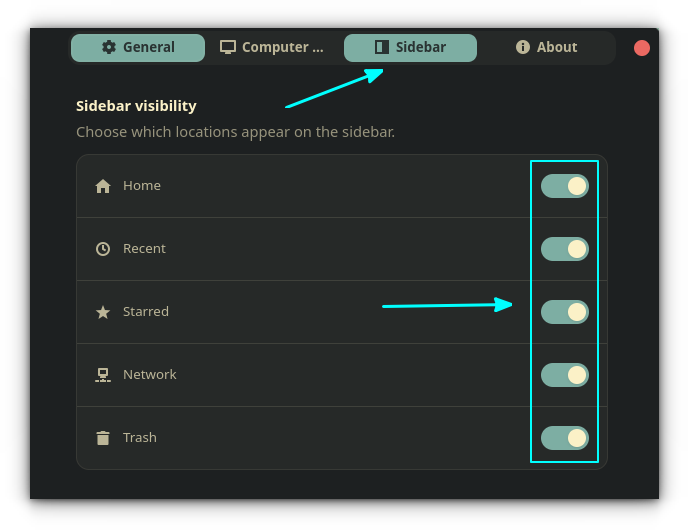
The "My Computer for Nautilus" extension is not merely a visual skin; it provides functional toggles that alter the core behavior of the file manager. One of the most common complaints regarding Nautilus is the inability to remove certain system folders from the sidebar, such as "Recents" or "Starred." These entries are hard-coded into the standard GNOME Files interface to encourage specific usage patterns.
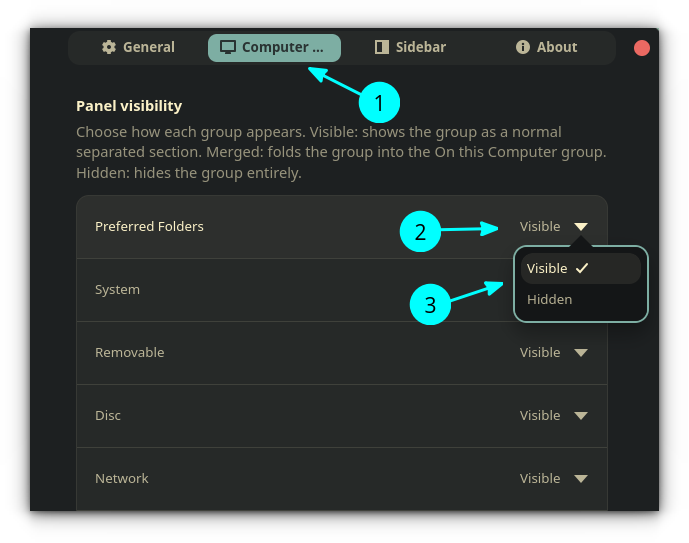
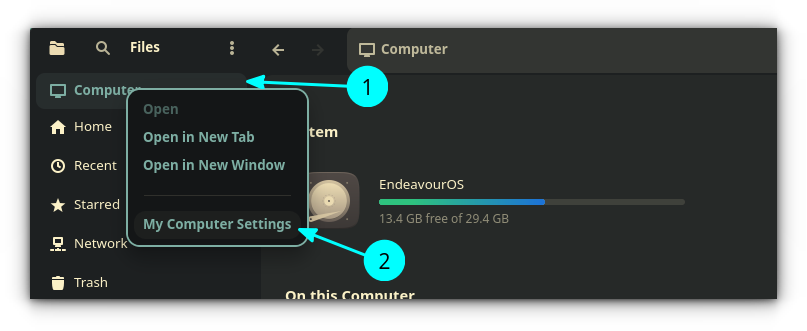
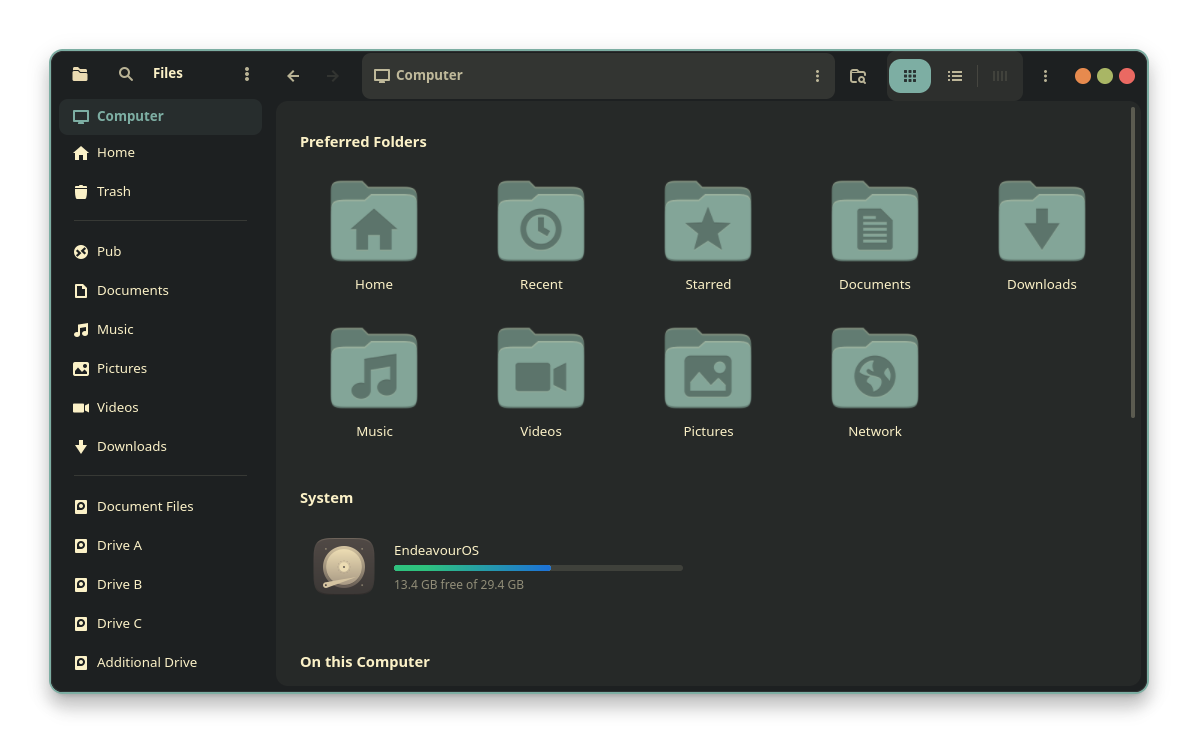
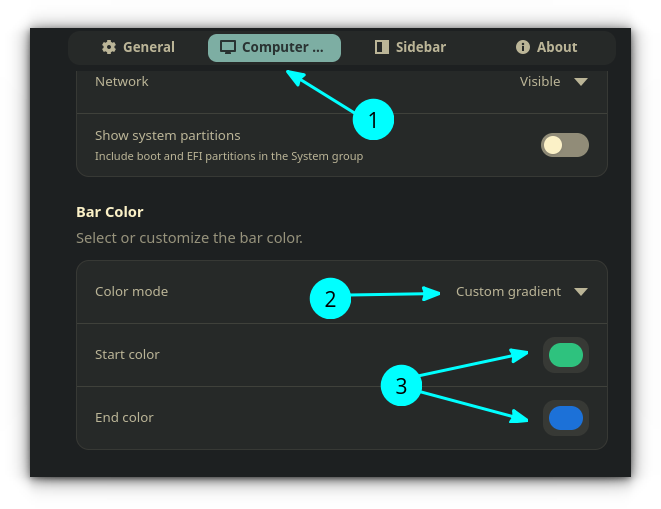
The extension introduces a "Sidebar Visibility" settings tab that allows users to hide these built-in entries. This level of control is particularly useful for users in enterprise or privacy-sensitive environments who may wish to disable the "Recents" list entirely. Furthermore, the extension addresses the aesthetic demands of the Linux community by allowing for the customization of storage usage bars. Users can transition from the standard system colors to custom gradients, providing a visual cue for disk health or capacity that fits their specific desktop theme.
Installation Infrastructure and Distribution
Because "My Computer for Nautilus" is a Python-based extension for the file manager itself rather than a standard GNOME Shell extension, its installation process follows the conventions of system-level software. This ensures deeper integration with the Nautilus API but requires users to utilize package managers or installation scripts.
For users on Ubuntu 24.04 and subsequent releases, the developer maintains a Personal Package Archive (PPA). This allows for seamless updates through the standard apt utility. Fedora users can access the software via a COPR (Cool Other Package Repo), which is the Fedora equivalent of a PPA. For users on Arch Linux, Manjaro, or other rolling-release distributions, a universal shell script is provided to handle the deployment of the necessary Python files to the user’s local extension directory. This multi-platform support is critical for the adoption of the tool across the fragmented Linux landscape.
Comparative Analysis and Industry Implications
The emergence of tools like "My Computer for Nautilus" highlights a persistent tension in software design between "opinionated" defaults and user flexibility. GNOME’s move to remove the "Other Locations" view is a classic example of opinionated design—the developers have determined a "correct" way to interact with the system. Conversely, the success of this extension suggests that a significant portion of the user base values modularity and the ability to reclaim legacy workflows.
When compared to other desktop environments, such as KDE Plasma, the difference in philosophy is stark. KDE’s file manager, Dolphin, is built on a foundation of hyper-configurability, offering many of these features natively. GNOME’s ecosystem, however, relies on a robust community of extension developers to provide these "power user" features. This modular approach keeps the core system lightweight and stable for casual users while allowing enthusiasts to build a highly customized environment.
Conclusion and Future Outlook
As GNOME continues to evolve toward its vision of a modern, touch-friendly, and streamlined interface, the role of extensions will only grow in importance. "My Computer for Nautilus" serves as a case study in how community-driven development can refine and improve upon the work of major open-source projects. By combining the nostalgia of the "My Computer" metaphor with the modern efficiency of Miller Columns and granular sidebar control, the extension provides a bridge between the computing paradigms of the past and the productivity requirements of the present.
The project remains under active development, with future updates expected to further refine the Miller Column preview engine and enhance compatibility with the libadwaita library, which governs the look and feel of modern GNOME applications. For the Linux user who feels constrained by the increasing simplicity of modern file managers, this extension represents a significant step toward reclaiming the desktop as a personalized, professional-grade tool. In the broader context of the OS market, such innovations ensure that Linux remains the premier platform for those who demand that their software adapt to their workflow, rather than the other way around.
Related posts: