Microsoft Officially Transitions WSL Containers to General Availability with the Release of WSL 3.0.1

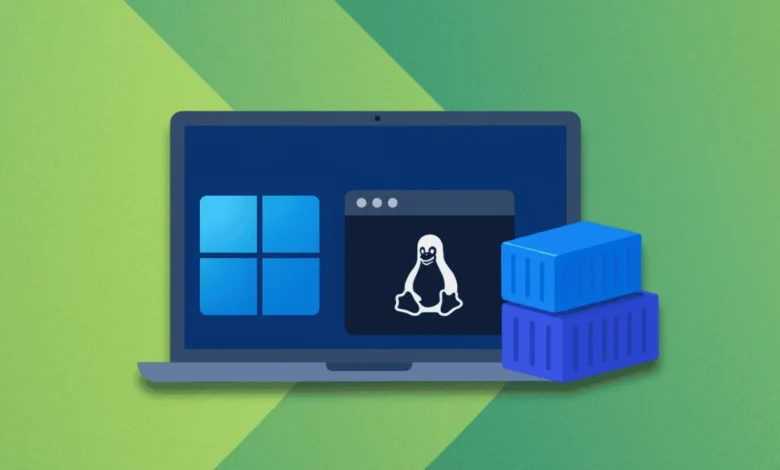
Microsoft has officially moved its Windows Subsystem for Linux (WSL) containers, commonly referred to as WSLC, out of the public preview phase and into general availability. This transition, announced via a detailed two-part blog series, marks a significant milestone in the evolution of Windows as a development platform. By integrating containerization workflows directly into the WSL architecture, Microsoft is bridging the gap between native Windows development and the ubiquitous Linux-based container ecosystems that power modern cloud-native applications.
The Evolution of WSL and the Path to Version 3.0.1
The journey toward this release began with the foundational introduction of WSL, which allowed developers to run GNU/Linux environments directly on Windows without the overhead of traditional virtual machines or dual-boot configurations. The release of WSL 2, which introduced a genuine Linux kernel running inside a lightweight, managed virtual machine, served as the catalyst for the current iteration.
The timeline of this transition highlights Microsoft’s strategic focus on developer experience:

- Late 2023/Early 2024: Initial conceptualization and early testing of container-specific optimizations for the WSL environment.
- Mid-2025: The public preview phase commences, allowing developers to experiment with native Linux container management within Windows.
- September 29, 2026: Microsoft officially announces the general availability of WSLC as part of the broader WSL 3.0.1 release, signaling that the platform is now stable enough for enterprise-grade production workflows.
Architectural Innovations: The Role of WSLC
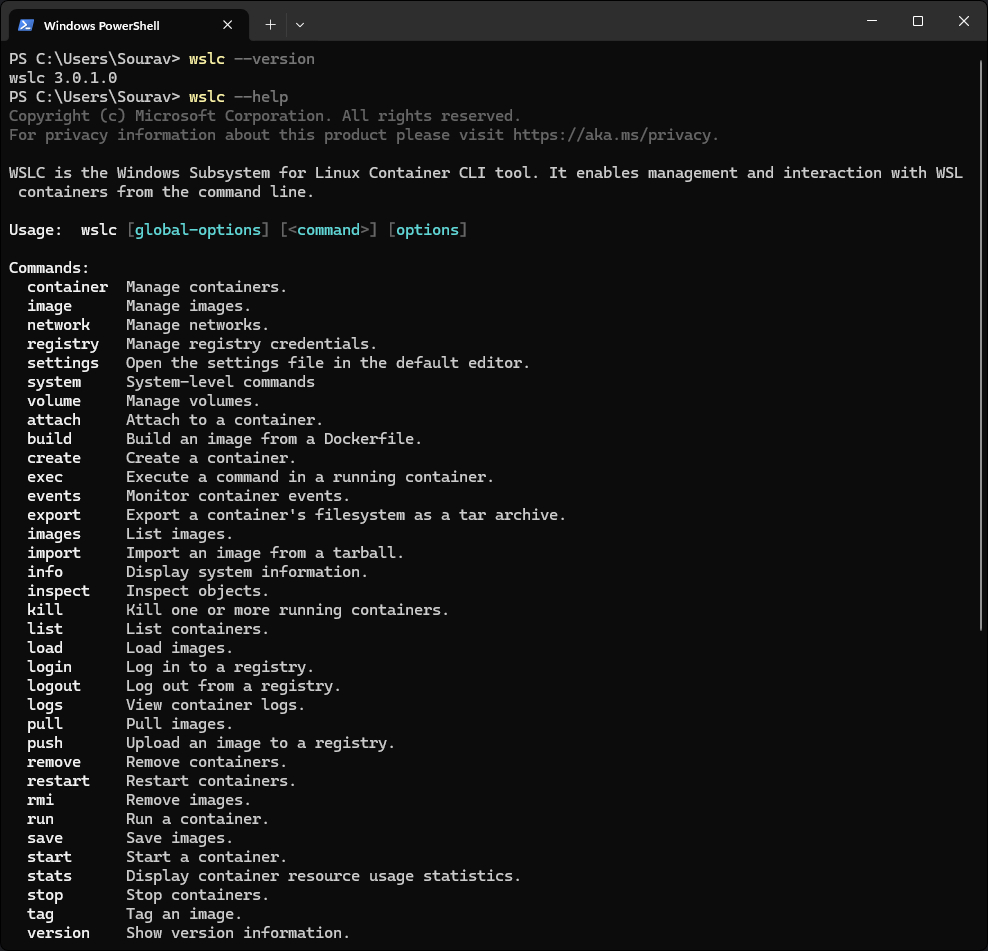
The core of this release is the introduction of wslc.exe, a dedicated command-line interface designed to streamline Linux container operations. Recognizing the diversity of developer habits, Microsoft has also included a built-in alias, container.exe, providing a familiar syntax for those migrating from other container management tools.
A critical design choice in the WSLC architecture is the decoupling of container operations from the primary WSL service. By routing requests through a specialized child process, wslcsession.exe, which operates under the user’s specific account, Microsoft has enhanced the security posture of the platform. This isolation ensures that container processes run with reduced privileges compared to the parent WSL service, mitigating the risk of container breakouts and system-wide vulnerabilities.
Furthermore, the introduction of a dedicated Windows API allows third-party developers to interact with these containers programmatically. This means that IDEs, CI/CD tools, and custom internal enterprise software can now spin up, manage, and monitor containerized workloads directly from native Windows applications, effectively treating Linux containers as first-class citizens in the Windows ecosystem.
Networking Paradigms: The Consommé Model
One of the most complex challenges in running Linux containers on a Windows host is network integration. To address this, Microsoft has implemented a new model known as "Consommé." Under this paradigm, container traffic is encapsulated into Ethernet frames as it exits the virtual machine. A Windows process, running under the context of the user, intercepts these frames and assumes responsibility for DNS resolution, routing, and port mapping.

The implications of this networking shift are significant. Because the traffic is managed by a native Windows process, it gains seamless compatibility with existing Windows-based networking infrastructure, including corporate VPNs, software-defined firewalls, and proxy servers. This allows developers to work within secure, restricted enterprise environments without encountering the common "network unreachable" errors that often plague traditional virtualized container setups.
Enterprise Control and Security Integration
The move to general availability also brings robust management features tailored for organizational IT departments. With the integration of Microsoft Intune, administrators now possess granular control over WSLC deployments across managed device fleets. New policy settings allow for:
- Feature Access Control: IT administrators can enable or disable WSLC functionality at the organization level, ensuring compliance with internal security policies.
- Registry Allow-listing: Organizations can restrict container image pulls to a curated set of approved registries, significantly reducing the risk of supply chain attacks or the introduction of unvetted software.
Security monitoring has also been bolstered through the integration with Microsoft Defender for Endpoint. The updated WSL plugin now provides deep visibility into container activity, including file system access, network socket creation, and process execution. By correlating events inside the container with the Windows host’s security logs, Defender provides a unified security narrative, allowing security operations centers (SOCs) to identify and respond to threats that may originate within a containerized Linux environment.
Operational Utility and Command-Line Efficiency
For the end-user, the transition to general availability simplifies day-to-day operations through a suite of new, refined commands. The following table highlights some of the primary functional improvements:
| Command | Operational Function |
|---|---|
wslc container restart |
Initiates a graceful restart of a specified container instance. |
wslc container cp |
Facilitates the transfer of files as tar archives between the host and the container. |
wslc system info |
Provides a comprehensive status report of the local WSLC environment. |
wslc network connect/disconnect |
Manages dynamic network connectivity for individual containers. |
wslc network create |
Provisions new networks with support for advanced driver configurations. |
These commands are complemented by new flags, such as --mount and --stop-timeout, which provide developers with greater control over resource allocation and lifecycle management. The addition of the wslc events command further aids in debugging, providing real-time tracking of container lifecycle transitions and system interactions.
Broader Implications and Industry Analysis
The shift to general availability for WSLC is more than just a software update; it represents a fundamental strategic pivot for Microsoft. By making Linux containerization a seamless, native experience on Windows, Microsoft is effectively lowering the barrier to entry for developers who require Linux-based toolchains but prefer the Windows desktop environment.
From a competitive standpoint, this move challenges the necessity of third-party virtualization software that previously occupied this niche. By offering a high-performance, integrated solution that benefits from hardware-level optimization and deep OS integration, Microsoft is likely to see an increase in the adoption of Windows as a preferred development environment for cloud-native engineers.
Furthermore, the emphasis on enterprise manageability through Intune and Defender for Endpoint suggests that Microsoft is positioning WSLC as a production-ready tool. While traditionally viewed as a "developer-only" utility, the enhanced security and administrative controls make a compelling case for the use of WSLC in enterprise DevOps pipelines.
Conclusion and Future Outlook
The release of WSL 3.0.1 and the general availability of WSLC serve as a testament to the maturation of the Windows Subsystem for Linux. By addressing the critical needs of performance, networking, and enterprise security, Microsoft has transformed a once-niche utility into a robust, professional-grade platform.
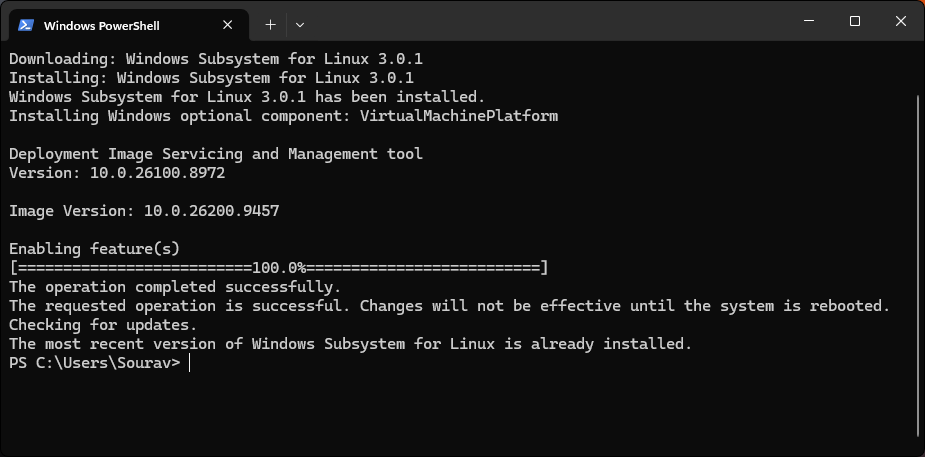
Developers are encouraged to update their installations by running the wsl --update command in their terminal to access these new features. As the ecosystem continues to evolve, the integration of containerization will likely become even more deeply ingrained in the Windows experience, further blurring the lines between operating system boundaries and enabling a more fluid, cross-platform development future. For those interested in the underlying mechanics of this release, the comprehensive architecture deep dive provided by the Microsoft command-line team remains an essential resource for understanding how these technologies interact at the kernel and user-space levels.