Last month, the Python library Textual introduced its users to the fundamental concepts of DOM (Document Object Model) queries, a powerful mechanism for interacting with and manipulating the widgets within a Textual application’s user interface. For those who missed the initial exploration, a comprehensive article detailing these basics is available for review, providing a crucial foundation for understanding the more advanced techniques discussed herein. This subsequent tutorial delves into sophisticated methods for querying and managing widgets, empowering developers to streamline their application development and enhance user experience through efficient UI control.
The core of Textual’s widget selection lies in its DOMQuery object, which acts as a versatile container and manipulator for retrieved widgets. While the previous installment covered the foundational query syntax, this piece focuses on unlocking the full potential of DOMQuery by examining its specialized methods. Understanding these advanced capabilities is paramount for building complex and responsive terminal applications, enabling developers to perform bulk updates, precisely target specific widgets, and refine their selections with unparalleled accuracy.
Unveiling the DOMQuery Object’s Capabilities
The DOMQuery object, returned by Textual’s query methods, is more than just a simple list of widgets. It possesses its own suite of specialized functions that go beyond standard Python list operations. To gain a comprehensive understanding of these built-in functionalities, developers can leverage Python’s introspection capabilities. By applying the dir() function to a DOMQuery object, one can obtain a detailed list of all available methods and attributes. This programmatic approach allows for a dynamic exploration of the object’s capabilities, revealing the full spectrum of operations that can be performed on selected widgets.
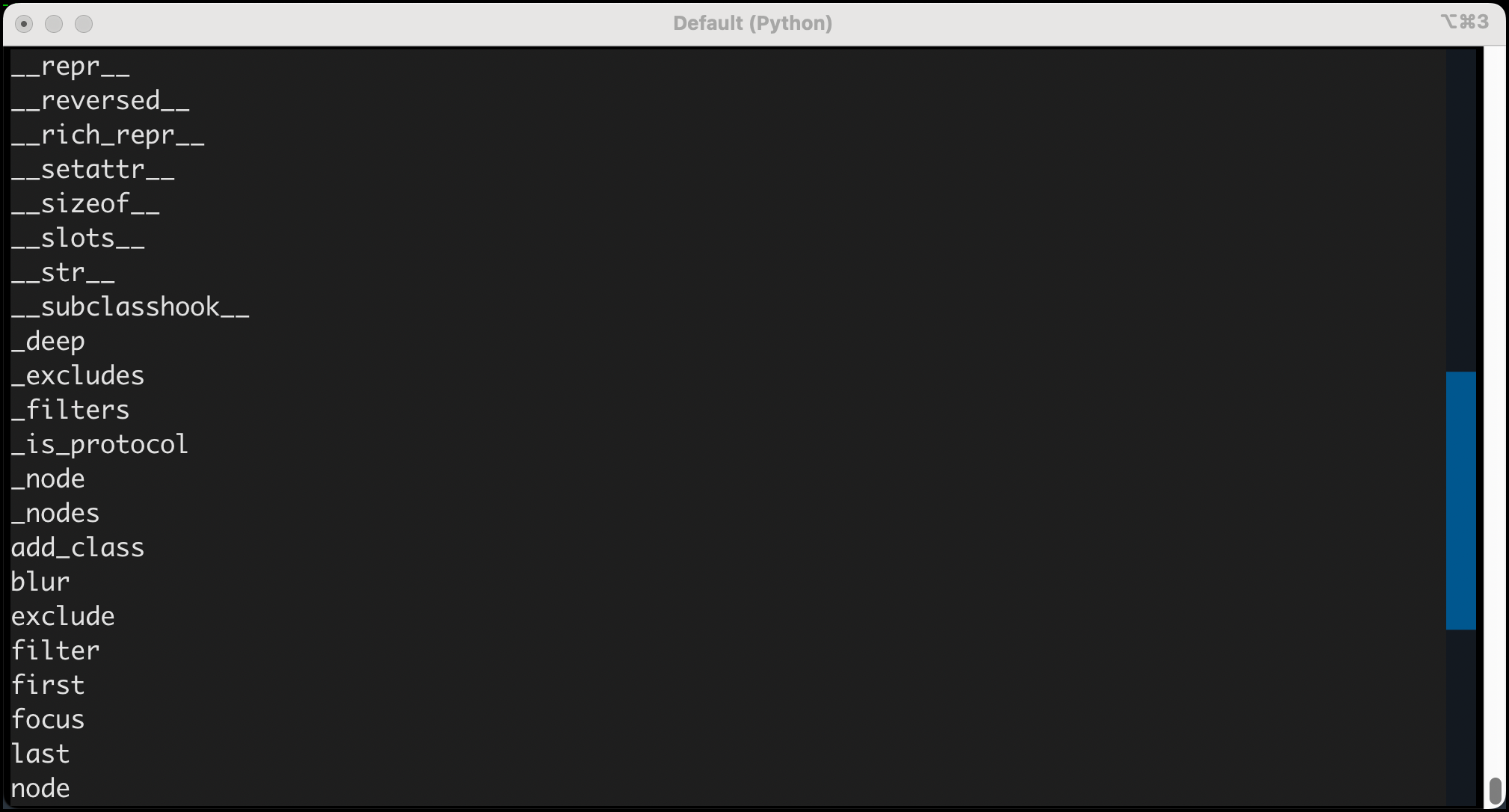
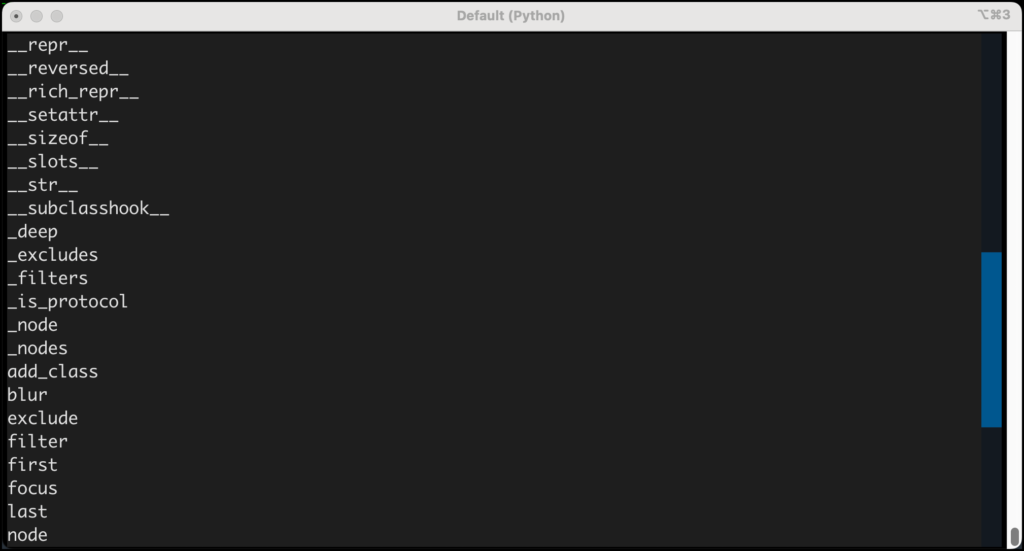
To illustrate this, consider the creation of a dedicated Python script, domquery_methods.py. This script serves as a practical demonstration of how to inspect and utilize the methods inherent to the DOMQuery object. The application is designed to be straightforward: it presents the user with a label and a single button. Upon pressing the button, the application executes a query to retrieve all Button widgets within the application’s composition. Subsequently, it iterates through the methods returned by dir(widgets), where widgets is the DOMQuery object, and compiles them into a string. This string is then displayed on the application’s label, offering a real-time view of the DOMQuery object’s available functions.
The output, when this script is executed, presents a comprehensive listing of the DOMQuery object’s methods. This list typically includes standard Python object methods alongside Textual-specific additions. For instance, developers will observe methods related to collection manipulation, attribute access, and Textual’s unique widget interaction functions. This visual representation of available methods is invaluable for developers seeking to expand their toolkit and discover new ways to programmatically manage their application’s UI.
Precision Selection: first() and last() Methods
Among the most frequently utilized and exceptionally useful methods within the DOMQuery object are first() and last(). These methods provide a direct and explicit way to retrieve the initial and terminal widgets from a query result, respectively. This is particularly beneficial when dealing with ordered lists of widgets or when a specific element at the beginning or end of a selection needs to be targeted for modification or inspection.
To showcase the utility of first() and last(), a practical example can be constructed. The first_and_last.py script builds upon the concept of multiple buttons. The compose method of the QueryApp class is modified to yield three distinct Button widgets, each assigned a unique ID for explicit identification: "One", "Two", and "Three". The on_button_pressed handler is then updated to perform a query for all Button widgets. Instead of iterating through the entire DOMQuery object, it directly employs widgets.first() and widgets.last() to obtain the first and last buttons in the selection. The string representation of these retrieved widgets is then presented to the user via the application’s label.
This demonstrates a refined approach to widget selection. When any of the buttons are pressed, the label updates to clearly indicate which button was identified as the first and which as the last. This immediate feedback loop helps developers understand the order in which widgets are returned by queries, which is often determined by their declaration order within the compose method.
It is important to note that the DOMQuery object, by its nature, behaves much like a Python list. Therefore, developers have the option to access the first and last elements using standard list indexing: widgets[0] for the first and widgets[-1] for the last. While this approach is functionally equivalent for obtaining the elements themselves, the first() and last() methods offer distinct advantages, particularly in scenarios demanding greater explicitness and error handling.
A key benefit of first() and last() lies in their ability to accept an expect_type argument. This parameter allows developers to specify the expected type of the widget they anticipate retrieving. For instance, self.query().last(Button) not only retrieves the last widget but also asserts that this widget must be an instance of the Button class. If the actual last widget does not conform to the specified type, Textual will raise a WrongType exception, providing an immediate safeguard against potential runtime errors and ensuring type integrity within the application’s logic. This feature is invaluable for maintaining code robustness, especially in applications with dynamic widget structures or complex inheritance hierarchies.
Advanced Filtering and Exclusion Techniques
Beyond simply retrieving the first or last element, Textual’s DOMQuery object provides powerful methods for refining selections: filter() and exclude(). These tools enable developers to precisely segment their widget collections, isolating specific types of widgets or removing unwanted elements from a query result.
Query Filters: Isolating Specific Widget Types
The filter() method is designed to extract subsets of widgets from an existing DOMQuery object based on CSS selectors. This is incredibly useful when a broad query returns a mixed collection of widgets, and the developer needs to operate on a specific category. For example, a query that retrieves all widgets in an application’s layout can be subsequently filtered to isolate only Label or Button widgets.
Consider a scenario where an application’s compose method yields a variety of widgets, including labels, buttons, and input fields. A general query, self.query(), would return a DOMQuery object containing all these elements. To then operate specifically on the labels, one could use widgets.filter("Label"). This operation returns a new DOMQuery object containing only the Label widgets that were part of the original widgets collection. Similarly, widgets.filter("Button") would yield a DOMQuery object exclusively populated with Button widgets. This granular control allows for targeted styling, event handling, or data manipulation on specific widget types without the need for manual iteration and type checking.
Query Exclusions: Removing Unwanted Widgets
Conversely, the exclude() method serves as the logical inverse of filter(). It allows developers to remove widgets from a DOMQuery object that match a given CSS selector. This is particularly useful when the goal is to perform an action on all widgets except for a particular subset.
Using the same broad query of all widgets (self.query()), one might wish to apply a style or perform an action on every widget except for the buttons. The exclude() method facilitates this directly: widgets.exclude("Button"). This operation results in a new DOMQuery object that contains all the widgets from the original widgets collection, with the exception of any that matched the "Button" selector. This offers an efficient way to manage exceptions within a larger selection, simplifying complex UI logic and reducing the need for intricate conditional statements.
With consistent practice, developers can master the art of using filter() and exclude() in tandem to construct highly specific DOMQuery objects, enabling precise control over their application’s user interface.
Bulk Widget Manipulation: Beyond Individual Operations
While iterating through a DOMQuery object and calling methods on individual widgets is a common practice, the DOMQuery object itself offers methods that can apply operations to all matched widgets simultaneously. This capability is a significant boon for performance and code conciseness, especially in applications with a large number of widgets.
A prime example of this bulk operation is the add_class() method. This method allows developers to append a specified CSS class to all widgets that are part of the DOMQuery object. This is incredibly useful for applying consistent styling or state changes across multiple elements. For instance, self.query("Input").add_class("started") would immediately apply the "started" CSS class to every Input widget present in the application’s DOM. This class could then be used in the application’s CSS to define visual cues, such as a border color or background change, indicating that these input fields have been interacted with or are in a particular state.
Beyond add_class(), Textual provides a suite of other methods that operate on the entire DOMQuery set, streamlining common UI update tasks. These include:
remove_class(class_name: str): Removes a specified CSS class from all widgets in the query. This is the inverse ofadd_class()and is useful for reverting styles or clearing states.toggle_class(class_name: str, condition: bool | None = None): Toggles the presence of a CSS class on all widgets. IfconditionisTrue, the class is added; ifFalse, it’s removed. IfconditionisNone, the class is added if it’s not present and removed if it is.set_class(class_name: str, add: bool): A more explicit way to add or remove a class.add=Trueadds the class, andadd=Falseremoves it.focus(): Attempts to set the focus on the first widget in the query that can receive focus.blur(): Attempts to remove focus from the currently focused widget, if it’s part of the query.scroll_visible(): Scrolls the viewport to make all widgets in the query visible.scroll_to_line(line: int): Scrolls the viewport to a specific line number within the widgets of the query, particularly useful for scrollable widgets likeStaticorLog.scroll_home(): Scrolls to the beginning of a scrollable widget.scroll_end(): Scrolls to the end of a scrollable widget.- *`run_worker(coro: Coroutine[Any, Any, Any], , name: str | None = None, group: str | None = None)`**: Runs a coroutine as a background worker for each widget in the query. This is powerful for performing asynchronous operations without blocking the UI.
- *`set_timer(duration: float, callback: Callable[[], None], , run_once: bool = False)
**: Sets a timer for each widget in the query. The specifiedcallbackfunction will be executed afterdurationseconds.run_once=True` ensures the timer only fires once. set_interval(duration: float, callback: Callable[[], None]): Similar toset_timer, but thecallbackwill be executed repeatedly at the specifieddurationinterval.
Developers are encouraged to experiment with these methods, applying them to various DOMQuery objects within their Textual applications. For a refresher on available CSS pseudo-classes and their implications, consulting Chapter 3 of the Textual documentation or the official Textual guide on CSS pseudo-classes is highly recommended.
Conclusion: Empowering UI Development with Advanced DOM Queries
Mastering Textual’s advanced DOM query techniques is an indispensable skill for any developer building sophisticated terminal user interfaces. The ability to efficiently select, filter, exclude, and manipulate widgets in bulk significantly enhances development speed and application responsiveness. By leveraging methods such as first(), last(), filter(), exclude(), and the various bulk operation methods, developers can craft more dynamic, interactive, and maintainable Textual applications.
This comprehensive exploration has covered the following key areas:
- Understanding the
DOMQueryObject: Delving into the intrinsic methods available for sophisticated widget management. - Precise Widget Retrieval: Utilizing
first()andlast()for targeted selection, including type-aware retrieval. - Refined Selections: Employing
filter()andexclude()to isolate or remove specific widgets based on selectors. - Bulk Operations: Applying actions like class manipulation, focus management, and asynchronous tasks to entire sets of widgets efficiently.
With this expanded knowledge base, developers are well-equipped to refine their Textual application development workflows. The practice of applying these methods to diverse DOMQuery objects within existing or new projects will solidify understanding and pave the way for creating highly polished and efficient user interfaces. The power to perform bulk updates and precise selections is now within reach, enabling a new level of control over the terminal’s visual landscape.
Related posts: