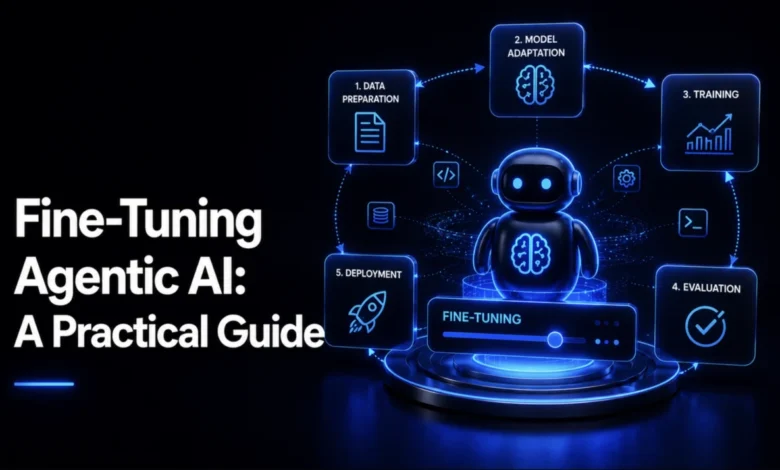
The rapid evolution of Large Language Models (LLMs) has transitioned from simple chat interfaces to sophisticated agentic systems capable of executing complex workflows. However, the industry has reached a technical inflection point: while base models are increasingly proficient at instruction following, the leap toward reliable, production-grade agents requires more than just prompting. Achieving consistent performance in tool-calling environments now necessitates a holistic fine-tuning strategy that addresses training data integrity, parameter-efficient fine-tuning (PEFT), runtime configuration, and preference alignment.
The Shift from Model Tuning to System Engineering
In the current landscape of AI development, "fine-tuning" is often misunderstood as a singular process. Industry practitioners have identified that optimizing a model in isolation—without considering the downstream inference environment—frequently leads to failure. If a model is perfectly tuned for a specific task but deployed with suboptimal temperature settings, it will likely struggle with hallucinations or erratic tool selection. Conversely, a robust runtime configuration cannot compensate for a dataset that lacks syntactic precision in its tool-calling examples.
As of 2026, the industry standard for agentic success has moved toward a four-dial framework. This approach treats the agent as a integrated system where training data, PEFT, runtime hyperparameters, and preference alignment are synchronized. This methodology is particularly vital for enterprise-level applications, such as support-ticket triage agents, which must interface with internal systems like order databases and refund APIs without human intervention.
Establishing Data Integrity Through Schema Validation
The foundational requirement for any agentic system is the dataset. Contrary to common belief, volume is secondary to format. For a model to reliably execute functions such as lookup_order or escalate_to_human, the training data must be syntactically perfect.
Technical teams are increasingly adopting rigorous validation protocols before training begins. By implementing automated schema validation—checking every tool call against the intended API definition—developers can prevent the model from learning to generate non-existent function names or incorrect argument structures. This "pre-flight" check acts as a safeguard, ensuring that the model is exposed only to high-fidelity patterns. For scaling, the current best practice involves a hybrid approach: curating a small set of high-quality human-written examples, expanding them via synthetic generation through a stronger teacher model, and applying a "judge filter" to discard the lowest-scoring 20% of generated data.
Parameter-Efficient Fine-Tuning: The Role of QLoRA
Once the dataset is validated, the computational challenge of training massive models must be addressed. Quantized Low-Rank Adaptation (QLoRA) has become the de facto standard for efficient fine-tuning. By freezing the base model in 4-bit precision and training only a small set of adapter matrices, developers can achieve high-performance fine-tuning on consumer-grade or mid-tier enterprise hardware.
The efficiency of this process is governed by specific hyperparameters: the rank (r), the scaling factor (alpha), and the dropout rate. Empirical studies on small instruct models suggest that a configuration of r=4 and alpha=32 provides an optimal balance between model capacity and the risk of overfitting. By isolating trainable parameters to roughly 1.7% of the total model size, QLoRA preserves the general reasoning capabilities of the base model while layering on specialized tool-calling expertise.
Tuning the Runtime Environment
A frequent oversight in agentic AI development is the assumption that the training phase concludes the optimization process. However, runtime hyperparameters—such as temperature, top-p sampling, and retry policies—are critical determinants of success in production.
Data from recent simulation trials indicates that agents often exhibit a baseline error rate that correlates positively with temperature. While higher temperatures foster creativity, they introduce volatility into function calling. A strategic solution gaining traction is the "deterministic retry" pattern. In this configuration, if an agent fails to execute a tool call correctly, the system triggers a retry with a temperature of 0.0. This strategy effectively isolates the agent’s ability to reason from its tendency toward stochastic output, often raising success rates by double-digit percentages without the need for additional training epochs.
Aligning Behavior with Direct Preference Optimization (DPO)
Supervised Fine-Tuning (SFT) is effective for teaching a model what to do, but it is insufficient for teaching a model how to choose between multiple valid, yet non-optimal, responses. This is where Direct Preference Optimization (DPO) becomes essential. DPO allows developers to provide the model with pairs of responses: one chosen (the ideal action) and one rejected (a valid but sub-optimal action).
For instance, in a support context, an agent might be able to call both issue_refund and escalate_to_human. Both are syntactically correct, but the former might be inappropriate for a high-value, ambiguous request. DPO enables the model to internalize the nuance of these decisions, aligning its behavior with enterprise policies that SFT cannot capture. Validation of these preference pairs is crucial, as identical responses in a dataset provide no signal and effectively waste computational resources.
Evaluation Discipline: Preventing Catastrophic Forgetting
The final, and perhaps most critical, stage of the agentic lifecycle is rigorous evaluation. Developers must monitor two distinct metrics: the accuracy of the target task and the stability of the model’s general capabilities. A common pitfall in narrow fine-tuning is "catastrophic forgetting," where the model excels at its specific new task but loses the broad language or reasoning skills it possessed previously.
To mitigate this, mature development teams utilize an automated "verdict" system. This system evaluates the model against held-out benchmarks—such as MMLU (Massive Multitask Language Understanding) or GSM8K (Grade School Math)—before authorizing a deployment. If the drop in general capability exceeds a predefined threshold, the system triggers a "HOLD" verdict, even if the target tool-calling accuracy has improved.
Broader Implications for AI Deployment
The transition toward this holistic, four-dial approach reflects a broader maturation in the artificial intelligence sector. As organizations move beyond experimental AI projects to mission-critical infrastructure, the focus has shifted from the mere novelty of "agentic" capabilities to the reliability of systems that operate in production environments.
The requirement for such granular control over data, training, inference, and alignment highlights the growing need for specialized MLOps tools capable of managing these distinct phases in tandem. As these practices become standardized, the divide between "demo-quality" agents and "production-ready" systems will likely widen. The ability to systematically tune and validate these models not only reduces the risk of failure but also accelerates the development lifecycle, allowing companies to deploy agents with confidence in their behavioral consistency.
Ultimately, the goal is to create systems that do not merely follow instructions but demonstrate the judgment required to navigate the complexities of real-world enterprise environments. By treating the agent as a comprehensive system—rather than a static object—developers can build models that are both specialized in their function and stable in their performance.