
JetBrains has officially released PhpStorm 2026.2, a major update to its integrated development environment (IDE) for PHP developers, signaling a significant leap forward in developer productivity through advanced AI integration, performance enhancements, and refined support for core web technologies. This release positions PhpStorm as a comprehensive platform for modern development workflows, empowering developers with intelligent coding agents, enhanced framework support for PHP and Laravel, and crucial improvements across Git, databases, and the built-in terminal. The update is available for download, following an extensive Early Access Program (EAP) that gathered feedback from the developer community.

The software development landscape is undergoing a profound transformation, with artificial intelligence emerging as a pivotal force. PhpStorm 2026.2 directly addresses this shift by integrating native support for a broader range of third-party AI providers and enhancing the capabilities of coding agents within the IDE. This move reflects JetBrains’ strategic vision to make AI an indispensable, context-aware assistant for developers, moving beyond simple code suggestions to truly understand project specifics and workflow nuances.
The AI Revolution in Developer Tools

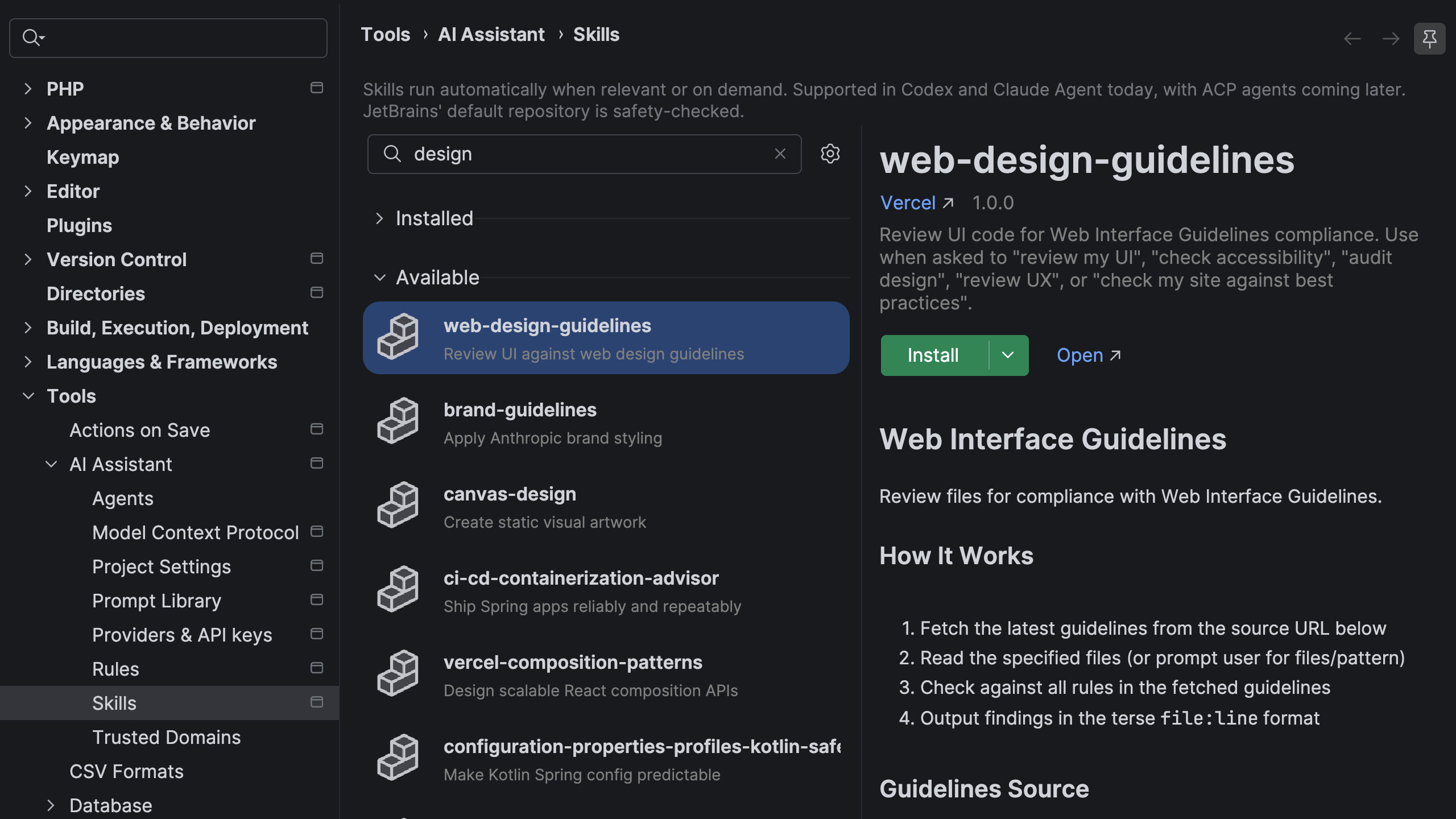
At the forefront of PhpStorm 2026.2’s innovations is a robust suite of AI features designed to streamline development and reduce repetitive tasks. The new Agent Skills Manager stands out as a critical enhancement. In an era where AI agents are becoming commonplace, their effectiveness often hinges on their contextual understanding. Developers frequently find themselves re-explaining project frameworks, coding conventions, and tool configurations in every new AI chat session. The Agent Skills Manager solves this by allowing developers to install "skills" once within PhpStorm, granting their AI agents persistent domain knowledge across all projects and sessions. This functionality not only saves time but also significantly improves the relevance and accuracy of AI-generated suggestions and assistance. Users can browse and manage skills directly from the IDE, expand their library with external registries like public GitHub repositories, and even import existing skills from platforms such as Claude Code or Codex, ensuring a highly personalized and efficient AI experience.
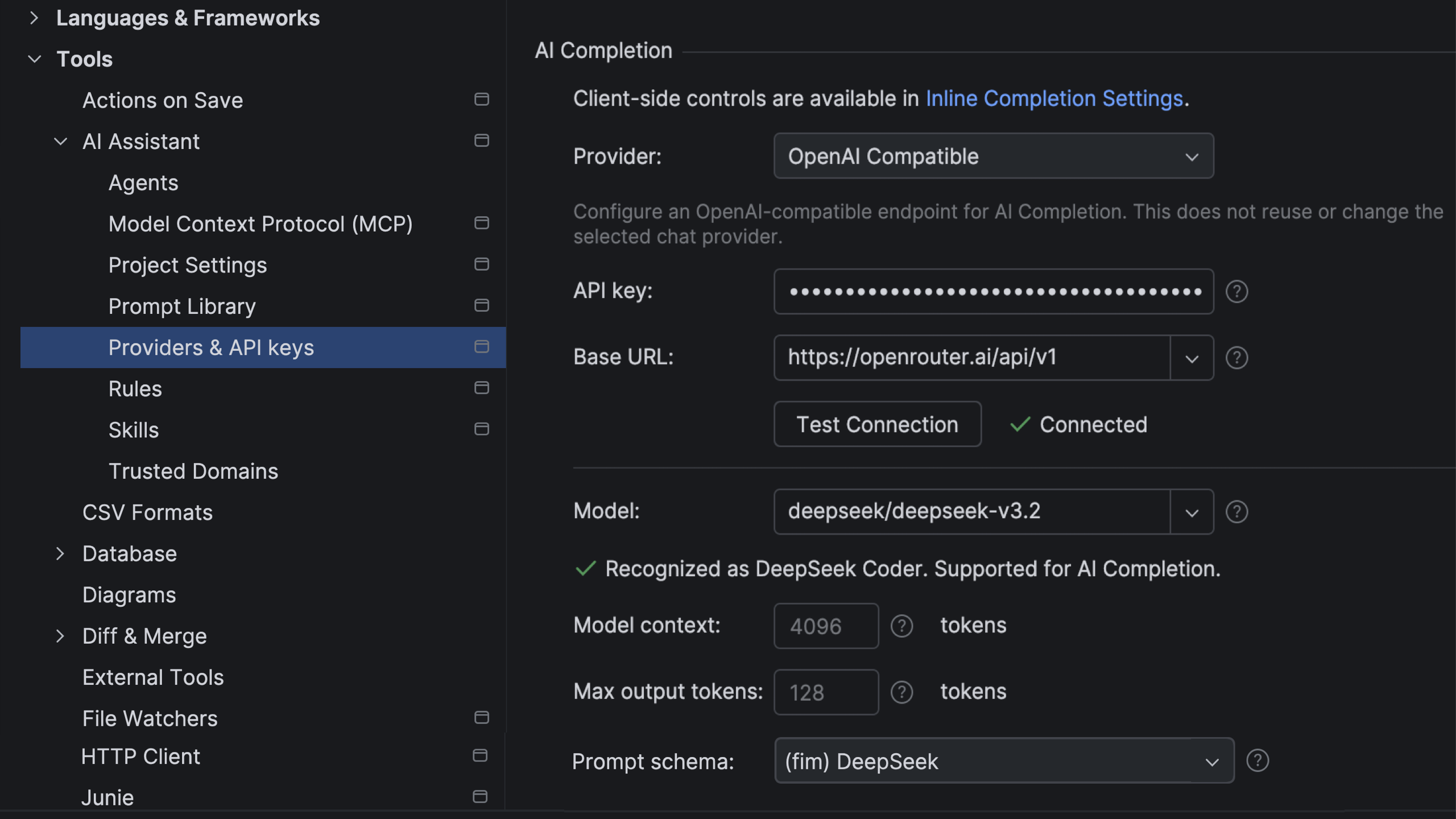
Further expanding the AI utility, PhpStorm 2026.2 introduces support for third-party providers in AI-based code completion. This feature, known as AI Completion, offers an in-editor code suggestion experience that integrates inline completion with next-edit suggestions, extending beyond the immediate cursor position. While JetBrains’ own models power this feature by default, without consuming external AI credits, the new update allows developers to connect their own OpenAI-compatible model providers. This flexibility caters to organizations and individuals who may have specific preferences or existing subscriptions with other AI service providers, ensuring that PhpStorm can integrate seamlessly into diverse AI ecosystems.
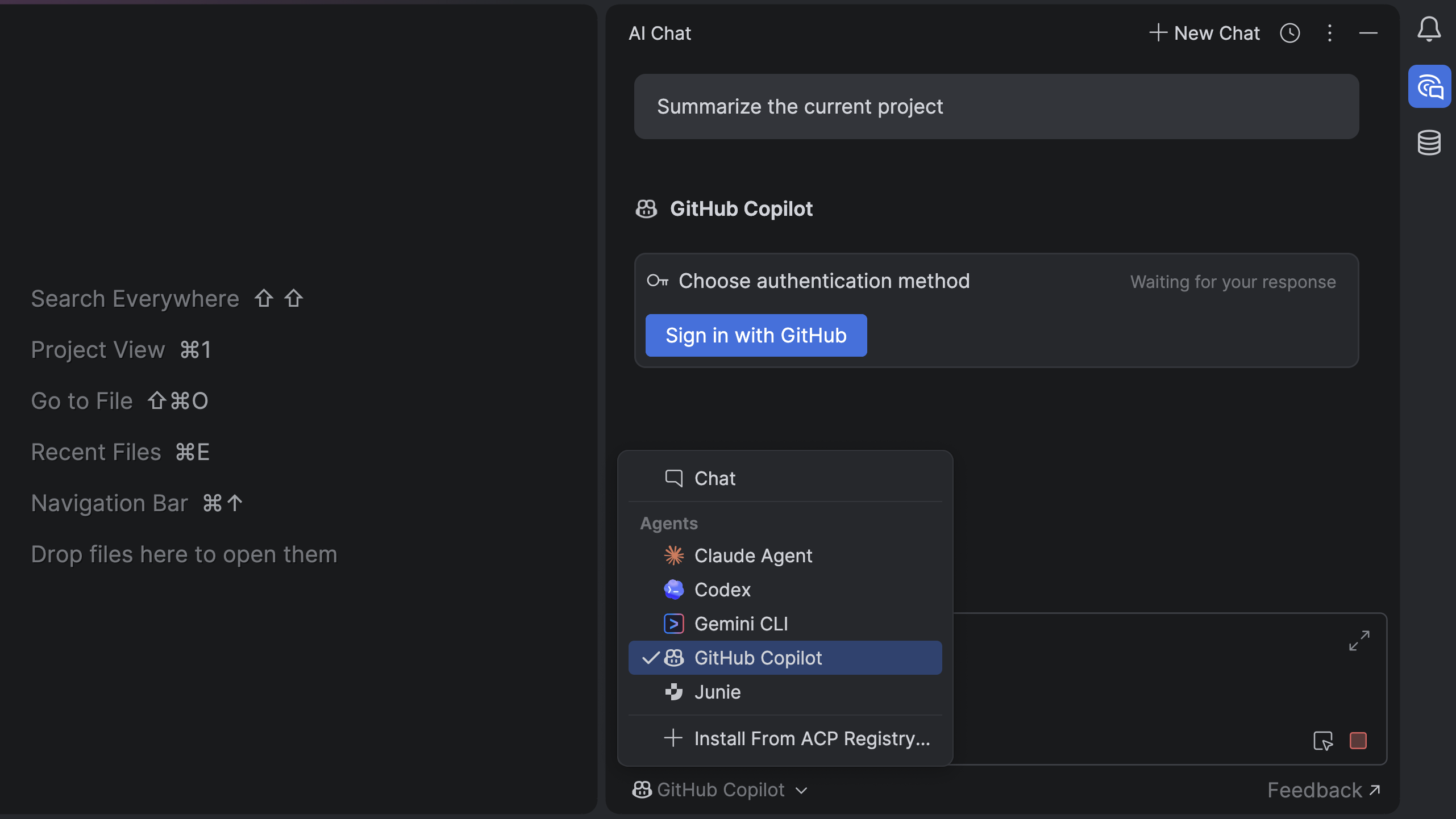
A significant partnership between JetBrains and Microsoft has culminated in the native integration of GitHub Copilot within JetBrains IDEs, including PhpStorm. Unlike previous setups that required external configurations, Copilot is now available out-of-the-box, offering a more cohesive and deeply integrated experience. Accessible directly from the agent picker in the AI chat, authentication is handled via OAuth with a GitHub account, requiring an active GitHub Copilot subscription. This integration is particularly noteworthy given GitHub Copilot’s widespread adoption, with millions of developers globally leveraging its capabilities for code generation and suggestion. By making Copilot a first-class citizen within PhpStorm, JetBrains acknowledges the tool’s impact and aims to provide its users with the most powerful and integrated AI coding assistance available.
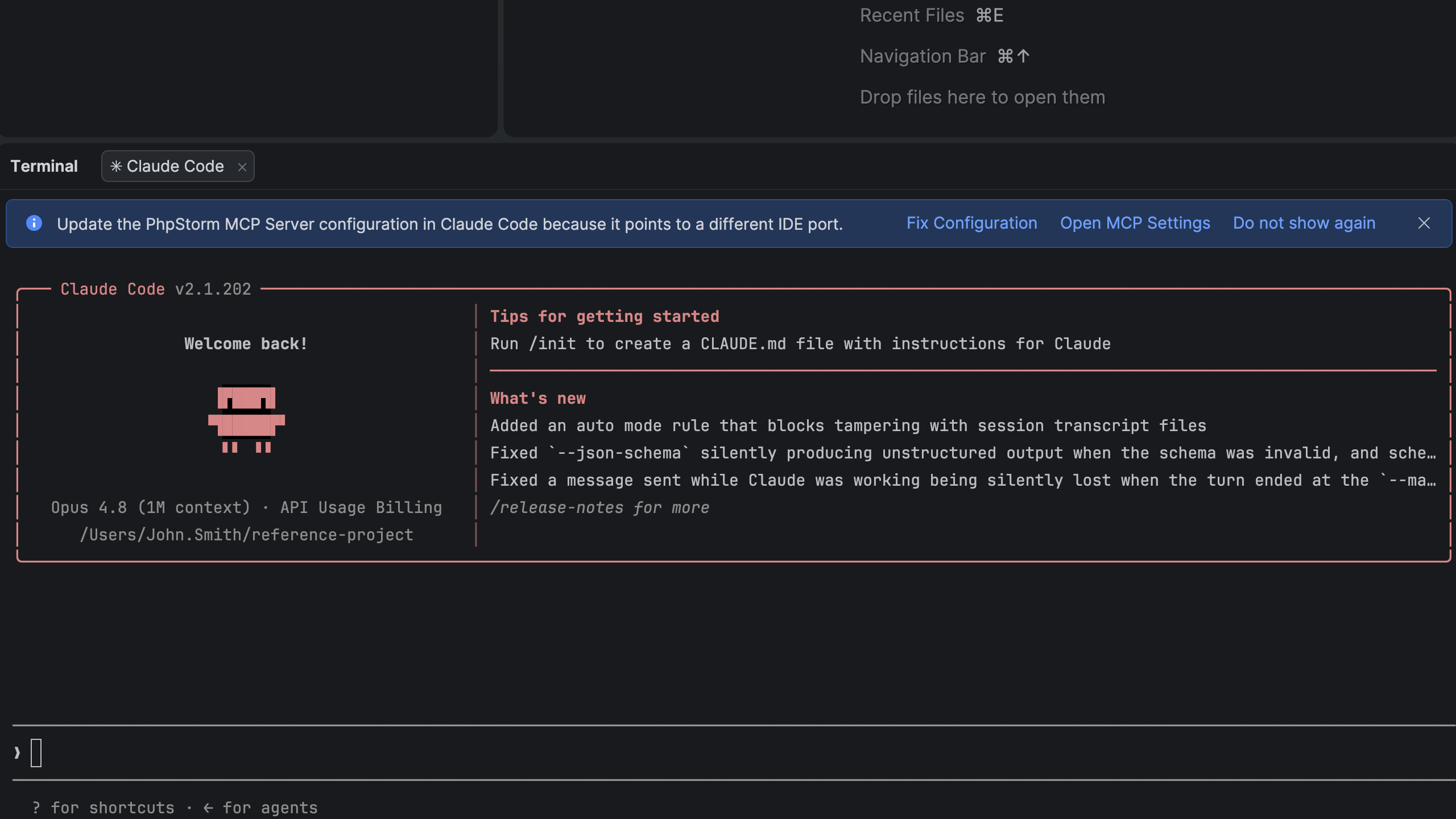
To further optimize AI agent workflows, particularly within the terminal, PhpStorm 2026.2 includes a faster PhpStorm MCP server setup for terminal AI sessions. The IDE now proactively prompts users to configure the MCP server when initiating a new session with their preferred coding agent. If no server is configured, an automatic notification guides the user directly to the relevant settings, significantly reducing friction and accelerating the adoption of AI-driven command-line interactions.
Enhancing the PHP Ecosystem and Laravel Development
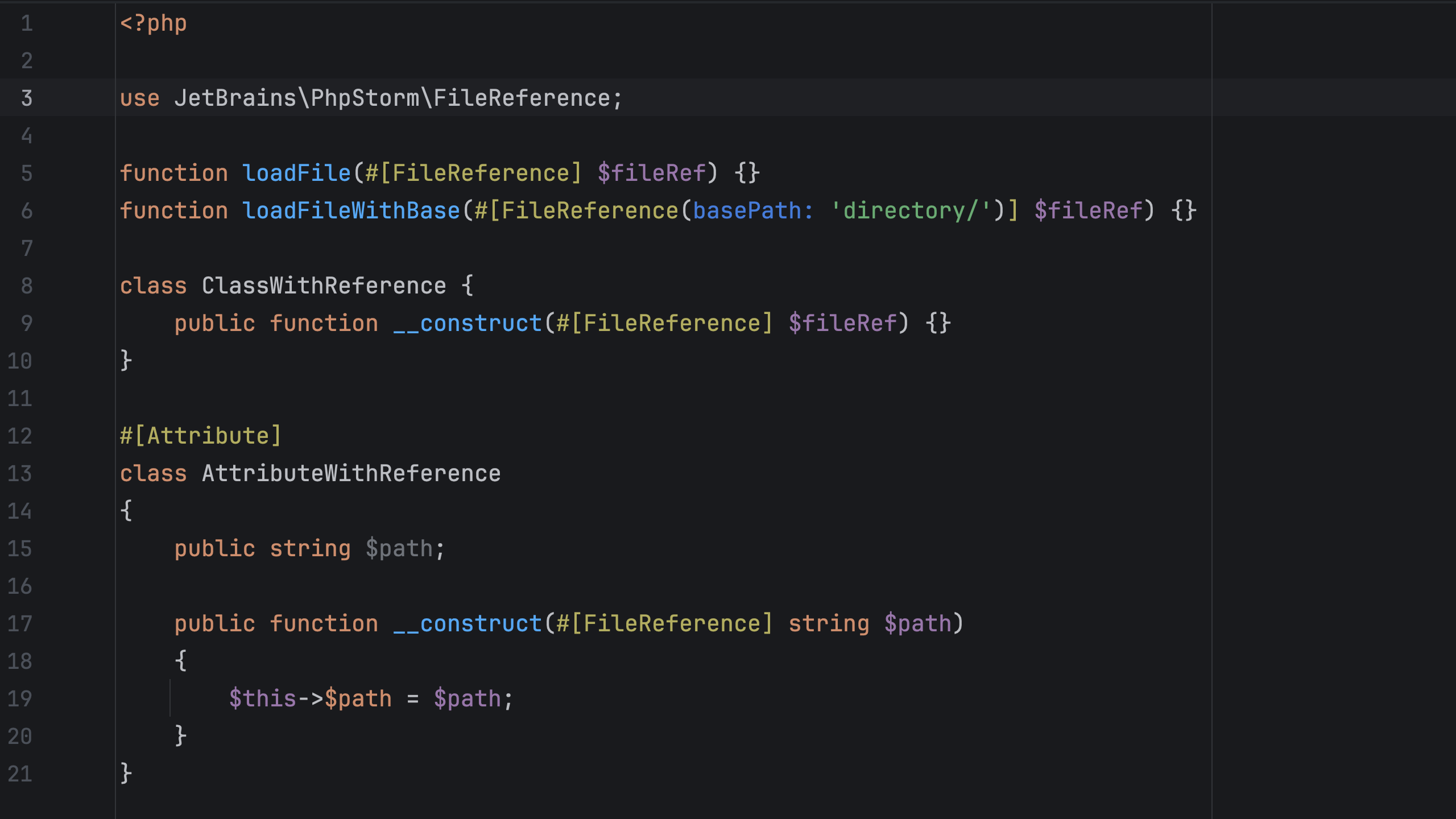
Beyond AI, PhpStorm 2026.2 delivers substantial improvements to its core PHP and Laravel support, reinforcing its position as the leading IDE for the PHP community. A standout feature for PHP developers is the new #[FileReference] attribute for persistent file references. This attribute allows developers to explicitly mark string literals as file or directory paths within function, method, and constructor parameters. When a path is passed to such a parameter, PhpStorm provides first-class support for navigation, refactoring, and validation, treating these strings as true file references rather than mere text. Unlike manual reference injections, annotated file references apply project-wide and persist across IDE restarts, offering a more robust and maintenance-friendly solution. The feature supports relative paths defined with basePath, as well as dynamically constructed paths or those using variables and constants, making it versatile for complex project structures.
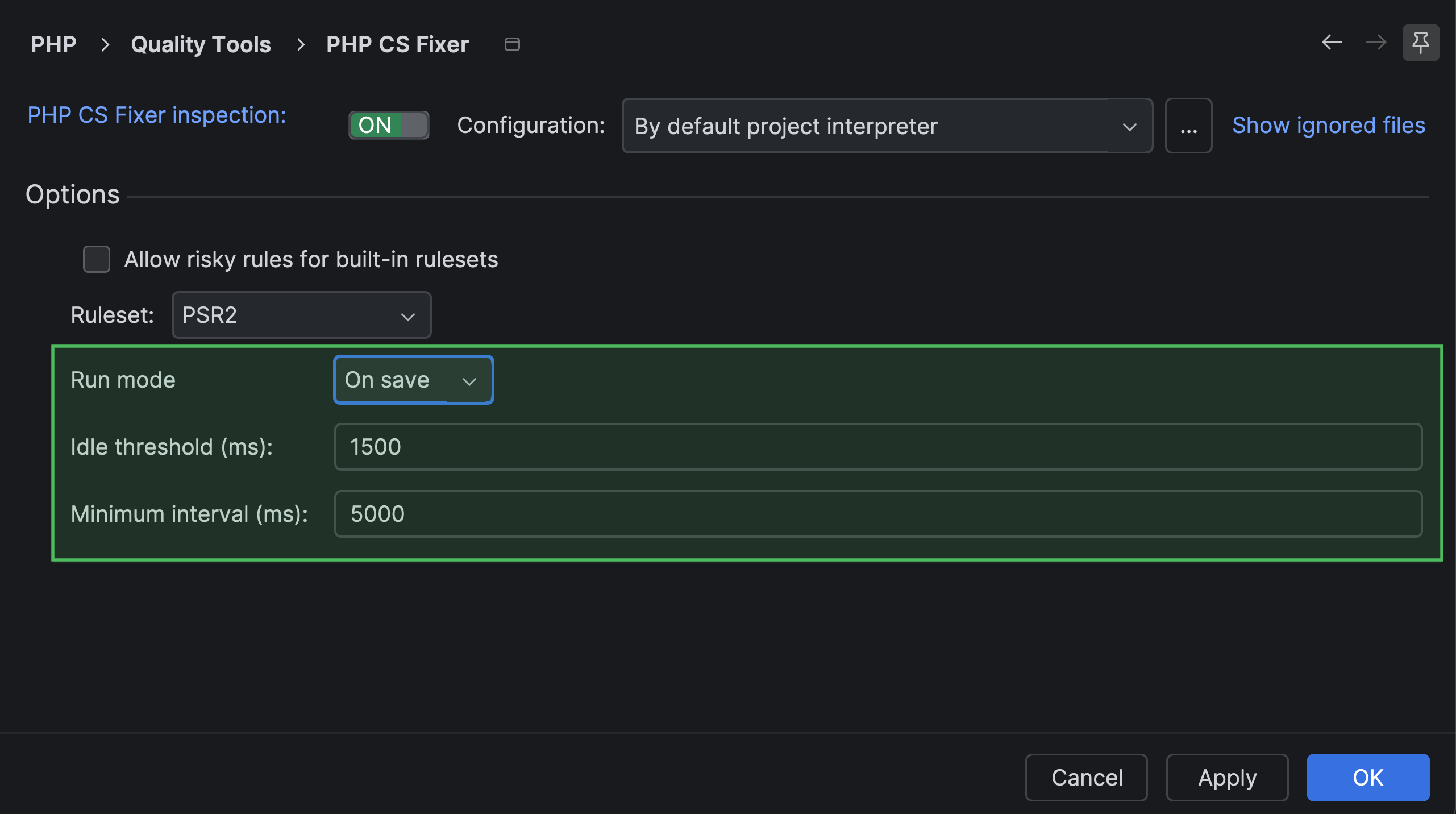
Performance optimization for code quality tools is another key area of improvement. PhpStorm 2026.2 introduces trigger options for code quality tools, allowing developers to configure how frequently third-party tools like PHPStan or Laravel Pint are invoked. Options include running "on the fly" as you type, "on idle," or "on file save." This granular control, configurable in Settings | PHP | Quality Tools, enables developers to balance real-time feedback with IDE performance, particularly beneficial in large projects where continuous analysis might otherwise introduce latency.
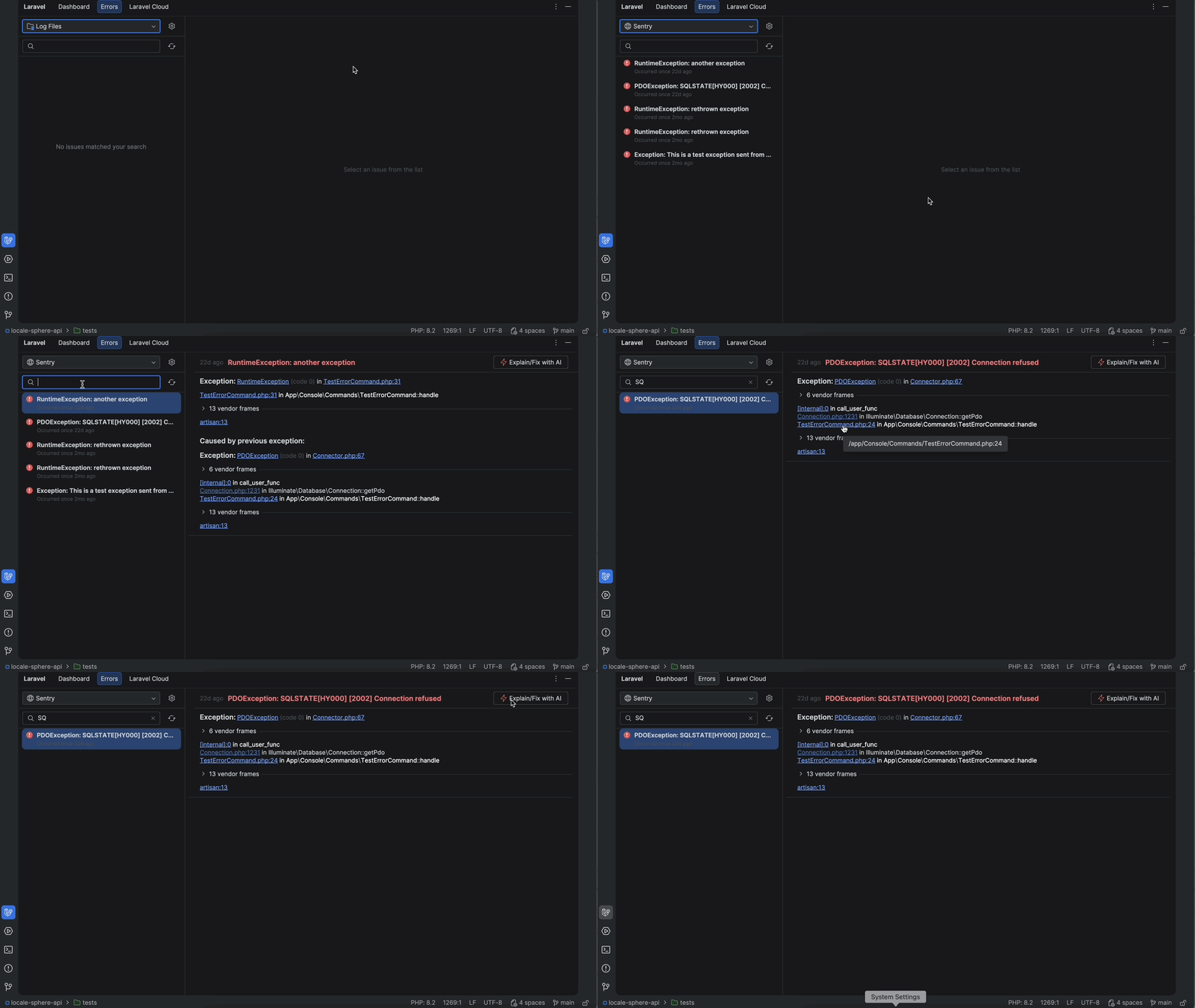
For the vast and growing community of Laravel developers, PhpStorm 2026.2 introduces the brand-new Laravel tool window. This comprehensive window centralizes project management tasks, eliminating the need to frequently switch contexts. The Dashboard tab provides general project information and quick access to Artisan commands, a staple for Laravel development. The Errors tab allows browsing local or Sentry-hosted log files, and crucially, enables error exploration and AI-powered fixes without manual copy-pasting of logs. Furthermore, the Laravel Cloud tab facilitates the management of deployments and environment variables, offering a unified interface for critical development and operational tasks. These integrations significantly enhance the developer experience for Laravel projects, streamlining common workflows and accelerating debugging cycles.
Advancements in Web, Version Control, and Terminal
Web development support receives a significant boost with IDE support for TypeScript 7. Microsoft’s decision to rewrite the TypeScript compiler and language server in Go marks a pivotal moment for the language. This re-architecture promises up to 4x faster type-checking and more responsive code completion and refactorings, especially beneficial for large-scale codebases. PhpStorm 2026.2 fully supports TypeScript 7 as the default for projects already utilizing it, while providing an opt-in upgrade path for those on earlier versions. Developers can immediately benefit from the speed improvements without requiring a full project migration on day one, ensuring a smooth transition to this performance-optimized TypeScript version.
Version control, an indispensable part of modern development, sees several workflow enhancements. Enhanced Git worktree support in PhpStorm 2026.2 simplifies the management of Git worktrees across diverse environments, including Windows Subsystem for Linux (WSL). The IDE now allows for easy removal and cleanup of worktrees directly, reducing reliance on external Git tooling and streamlining daily worktree management. This is particularly valuable for developers who frequently switch contexts or work on multiple features concurrently.
The often-tedious process of conflict resolution during merges is also significantly improved with a streamlined Git conflict resolution flow. Large projects frequently encounter dozens of file conflicts, many of which are simple import mismatches or formatting differences. PhpStorm 2026.2 introduces the Resolve All Simple Conflicts action, which automatically resolves standard conflicts across an entire changeset instantly. The new flow provides a complete overview of resolved and unresolved files, allows reopening files at any time, and enables reverting and reapplying conflict chunks in any order, dramatically accelerating the merge process. Additionally, username autocompletion in code reviews simplifies communication, allowing developers to mention teammates by typing @ in comments, pulling a list of users from the current GitHub or GitLab repository.
Terminal sessions, often a developer’s second home, become more interactive and efficient. Easier file and image sharing in terminal sessions allows users to drag and drop files or folders directly into the terminal to insert their paths into the current command. Dropping a file or folder onto the terminal tab area opens a new tab with its root path already set, accelerating context switching. Furthermore, the ability to paste images directly from the clipboard into supported CLI agent sessions enhances visual communication and information sharing with AI agents.
Streamlining Database and Cloud Workflows
Database management within PhpStorm receives a user experience overhaul. A redesigned empty state in the Database Explorer tool window provides a faster way to begin projects. When opening a new project, the tool window now displays quick actions for creating data sources, reducing initial setup friction. To aid new users, it offers one-click access to PostgreSQL, MySQL, and SQLite demo databases from JetBrains’ Quick Start Guide, facilitating familiarization with basic database features without complex configuration.
Custom query console names offer more context at a glance. Developers can now customize how query console names are displayed in editor tab headers, making it easier to identify open consoles and files. By using variables, additional details such as the attached data source, database, schema, or search path can be included in the template, which can also be applied to query files. This enhancement improves navigation and clarity in complex database environments.
The Database colors system receives a v2.0 update, introducing a refreshed, more consistent user experience with several usability improvements. This release includes an adaptive color engine alongside structural usability enhancements, making it easier to visually distinguish between different database connections and environments, reducing the risk of accidental operations on the wrong database.
For cloud-native development, PhpStorm 2026.2 introduces several key features. Docker Compose statuses are now displayed right in the editor, making Compose files more informative and interactive. Developers can view the status of running containers directly and access common actions like jumping to logs, creating database connections, or opening a service in a browser, all without leaving the editor. This deep integration simplifies monitoring and interaction with application stacks. Faster Docker Compose setup with service templates further streamlines container orchestration. Ready-to-use templates for popular technologies like PostgreSQL and Kafka allow the IDE to generate corresponding Docker Compose configurations as users type or select from a completion list, accelerating the setup of common dependent services.
Finally, version 2026.2 extends its infrastructure-as-code capabilities with Terraform testing framework support. This native integration completes the IDE’s ecosystem support for Terraform, enabling developers to validate module behavior and enforce configuration policies early in the development lifecycle. These additions ensure deployment configurations remain highly maintainable, predictable, and clean.
Performance and User Experience at the Core
A critical underlying focus for PhpStorm 2026.2 has been on overall IDE stability and performance. While initial results show an up to 10% faster project indexing time (benchmarked across diverse PHP frameworks), these changes are described as foundational, laying the groundwork for further reductions in startup time, indexing time, and freezes in upcoming releases for both local and remote development scenarios. JetBrains acknowledges the continuous importance of performance for developer satisfaction and productivity, and this release marks a significant step in that ongoing commitment. The introduction of a non-modal Settings dialog further enhances the user experience, allowing developers to interact with the IDE window even when the Settings dialog is open. This enables seamless copying of project paths, inserting values from configuration files, viewing immediate code appearance adjustments, or switching projects mid-configuration, promoting a more fluid workflow.
PhpStorm 2026.2 represents a comprehensive update that addresses the evolving needs of PHP developers. By deeply integrating advanced AI capabilities, refining core language and framework support, enhancing version control and terminal workflows, and boosting performance, JetBrains continues to solidify PhpStorm’s standing as a powerful and indispensable tool in the modern development toolkit. The emphasis on intelligent assistance and seamless integration across diverse development facets underscores a strategic vision aimed at maximizing developer efficiency and fostering innovation.