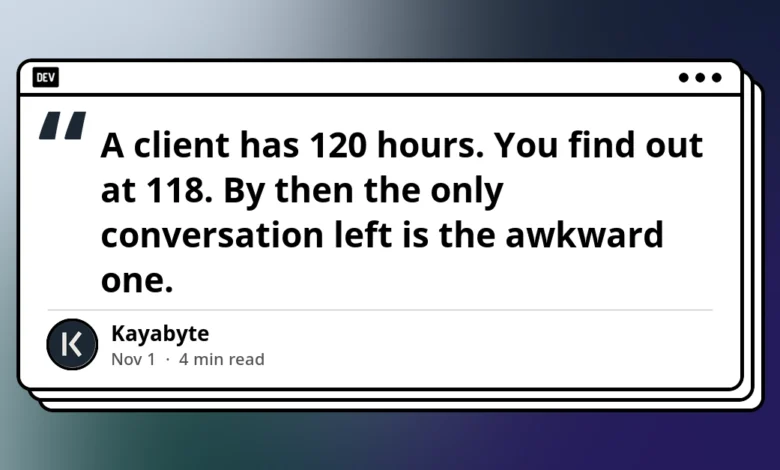
The moment of realization in client project management often arrives far too late. A client retains an agency for a strict 120-hour allocation, yet the internal team only discovers that the threshold has been breached at hour 118. By this point, the operational runway has evaporated, leaving account managers with little recourse other than an uncomfortable conversation regarding unbilled overages, scope creep, and retroactive change requests. What project managers actually require is an automated early-warning system—typically triggered at 80 or 90 percent capacity—providing a sufficient window to evaluate scope, negotiate a change order, or gracefully pause development before resources are hemorrhaging unpaid labor.
Despite its ubiquity as an issue-tracking and project-management backbone for tens of thousands of software development and professional services teams globally, Atlassian’s Jira suffers from a fundamental architectural limitation: while it tracks time diligently, it possesses no native, out-of-the-box concept of a financial or hour-based budget. Consequently, there are no default mechanisms to alert administrators when a project approaches critical financial thresholds. This systemic gap has forced organizations to cobble together workarounds using native Jira fields, scheduled automations, external spreadsheets, or third-party marketplace applications. Examining the mechanics, limitations, and operational realities of these approaches reveals how teams attempt to solve a problem that Atlassian’s core platform leaves unaddressed.
Establishing the Financial Baseline Before Tool Configuration
Before deploying any technical workaround within Jira, project operations teams must establish a rigid and unambiguous definition of what constitutes a "budget." Industry consultants and operations directors emphasize that technical configurations invariably fail if the foundational parameters remain vague. According to operational guidelines, administrators must document three distinct metrics for every active client: the precise numeric limit (expressed in cumulative hours or gross currency), the specific boundary of what that budget covers (whether bounded by an entire project, a targeted epic, a specific software version, or a complex Jira Query Language filter), and the chronological period governing the allocation (such as a one-off project cap or a recurring monthly reset).
Failing to define these boundaries beforehand renders downstream automations and tracking filters ineffective. If a budget rule attempts to evaluate "ACME Corp" without specifying whether it tracks billable hours, non-billable meetings, or rolling monthly retainers, the resulting data will quickly become corrupted by false positives and unmonitored overruns.
Native Option 1: Time Tracking Fields and Static Filters
The most rudimentary approach available natively within Jira relies upon the platform’s built-in time-tracking architecture. Every work item or issue within Jira contains default fields designed for capacity planning: Original Estimate, Remaining Estimate, and Time Spent.
To operationalize these fields, an administrator can construct a fundamental search filter—for instance, project = ACME—and configure the view as a list displaying the "Time Spent" column. By utilizing Jira’s native subscription feature, project managers can arrange for this list to be emailed to their inbox on a recurring schedule, such as every Monday morning, delivering a static snapshot of logged work items.
However, this method encounters severe functional limits. The filter merely lists individual work items; it possesses no internal capacity to aggregate or sum the hours across those items. Furthermore, because the filter is entirely divorced from the concept of a budget, it cannot evaluate whether the accumulated total has crossed a critical threshold, such as 80 percent of an allocated cap. Finally, the subscription mechanism operates as a blunt instrument, dispatching emails on a rigid schedule regardless of whether the project is healthy or catastrophically over budget, thereby contributing to alert fatigue among busy managers.
Native Option 2: Automation with Scheduled Rules
A more sophisticated, albeit brittle, native approach involves leveraging Jira Automation through scheduled rules. This method represents the closest an organization can get to an automated alert system using strictly out-of-the-box tools without purchasing third-party add-ons from the Atlassian Marketplace.
The architecture of this workaround relies on a scheduled rule that executes periodically—daily or weekly—to query issues associated with a specific client project, execute a lookup function, and calculate the aggregate sum of time spent. Smart values within Jira Automation can read the time spent per work item and sum them across lookup results.
Despite its promise, this approach introduces significant operational friction during execution. First, time-spent data aggregated across work items often encompasses historical logs spanning multiple months, complicating the tracking of recurring monthly budgets that require clean slate resets. Second, the alert thresholds must be hardcoded directly into the automation rule itself. Consequently, scaling this approach across dozens of clients requires administrators to clone, modify, and maintain a sprawling web of nearly identical automation rules, creating a substantial administrative overhead. If a threshold changes from 80 percent to 85 percent, every individual rule must be updated manually.
Native Option 3: Manual Spreadsheet Exports
Frustrated by the limitations of native Jira automation, many operations teams retreat to a traditional, external solution: the spreadsheet. This workflow involves exporting worklogs—capturing author data, exact dates, and logged hours—into a comma-separated values file, importing that data into Microsoft Excel or Google Sheets, calculating sums per client via pivot tables, and comparing those totals against a designated budget column using conditional formatting to turn cells red when consumption exceeds 80 percent.
This method possesses the virtue of absolute honesty: it works, provided human actors diligently maintain the data pipeline. Yet, its fragility lies precisely in that human dependency. In fast-paced agency environments, the data export quickly grows stale—often lagging by a week or more—and the primary notification mechanism relies entirely on an account manager remembering to open, refresh, and inspect the spreadsheet before catastrophe strikes. By the time a human notices the red cell, the billable hours may have already been expended.
Anatomy of an Effective Budget Warning System
Industry analysts tracking enterprise project management workflows have identified several core requirements that any functional budget-warning system must satisfy to prevent operational friction.
An effective warning framework must decouple the monitoring frequency from static schedules, operating continuously in the background while remaining resilient against data anomalies such as late-arriving worklogs. Crucially, the notification must be proactive, delivering contextual data directly to the stakeholders responsible for client communication—such as account directors and project managers—before the financial buffer is exhausted. The system must also accommodate hybrid billing structures, seamlessly handling situations where some clients operate under fixed-hour contracts while others maintain complex, multi-tiered financial retainers that reset on varying calendar schedules.
The Emergence of Specialized Marketplace Solutions
Recognizing the acute pain points generated by Jira’s lack of native budget tracking, third-party developers have introduced specialized applications to bridge the gap. One notable entrant in this ecosystem is Burnrate for Jira, developed by software engineering firm Kayabyte.
Applications of this class intercept the worklogs already being recorded by development and creative teams, enrich them using dated rate cards, and contrast those valuations against customizable budgets established per project, epic, fix version, or arbitrary JQL query. These tools allow project controllers to monitor budgets expressed simultaneously in hours, gross currency, or hybrid metrics, operating across one-off, monthly, or quarterly lifecycles.
Despite offering sophisticated tracking dashboards, these marketplace solutions often exhibit their own operational trade-offs. For instance, specific applications may lack native push notifications—such as automated emails or chat messages—when a budget shifts into an "At Risk" status, nor do they always feature native dashboard gadgets for immediate executive visibility. Instead, users must actively navigate to the application interface to review current project health. To compensate for this, organizations frequently pair these applications with routine administrative habits—such as reviewing the budget register during Monday morning standups—while retaining basic Jira automation rules as a secondary safety net.
Strategic Implications for Modern Professional Services
The ongoing struggle to manage client budgets within Jira underscores a broader tension within the enterprise software market: the friction between general-purpose issue trackers and specialized financial accounting tools. While Jira excels at tracking software bugs, sprint velocities, and task lifecycles, it was never architected to function as an enterprise resource planning (ERP) or professional services automation (PSA) platform.
For organizations managing only a handful of clients with simple hour-based budgets, deploying custom Jira automation rules or maintaining static spreadsheets remains a viable, cost-effective strategy. However, as agencies scale their client rosters, introduce complex financial retainers, and mix hourly billing with fixed-fee deliverables, the cost of manual oversight and undetected budget overruns escalates rapidly.
Ultimately, transitioning from reactive, post-mortem financial discoveries to proactive, automated threshold warnings is no longer an optional luxury for modern service providers. Whether achieved through meticulous native workflow engineering or specialized marketplace integrations, achieving real-time visibility into project burn rates remains essential for preserving client trust, protecting agency margins, and eliminating the dreaded, uncomfortable conversation at hour 118.