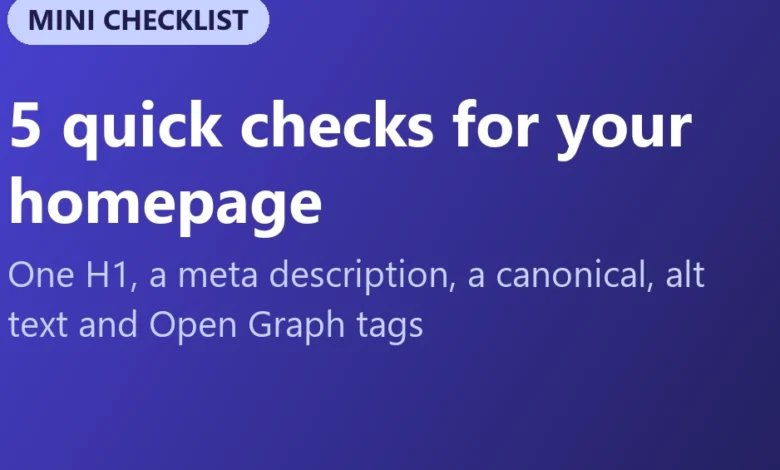
The homepage of any digital enterprise typically functions as the primary digital gateway, capturing the highest volume of inbound links and serving as the initial point of contact for both search engine crawlers and social media algorithms. Despite its critical role in determining a website’s overall visibility and organic traffic acquisition, many web administrators rely on expensive, subscription-based auditing software to identify foundational technical flaws. However, industry analysis indicates that a significant majority of the most pervasive optimization errors can be diagnosed and resolved manually in under five minutes. By executing a rapid inspection of the page source code, developers and site owners can evaluate five core elements that dictate basic search engine indexing and social media presentation.
The Foundation of On-Page Diagnostics: Accessing the Source
To conduct this manual audit, practitioners simply need to open their target homepage within a standard web browser, access the contextual menu via a right-click, and select the "View page source" utility. Utilizing the standard text-search function (Ctrl+F on Windows or Cmd+F on macOS) allows the user to immediately isolate and analyze the specific Hypertext Markup Language (HTML) tags responsible for search engine comprehension.
1. Verification of the Primary Heading Tag (H1)
The first critical diagnostic involves locating the primary heading tag by searching the source code for the <h1> element. Search engine optimization best practices dictate that every homepage should contain precisely one H1 tag that explicitly and concisely communicates the core value proposition or subject matter of the platform.
An optimal H1 implementation directly summarizes the site’s function in plain, accessible language, such as:
<h1>Free SEO and developer tools, no sign-up</h1>
During audits, developers frequently encounter three common structural errors:
- The complete absence of an H1 tag, often occurring when website templates rely exclusively on an image-based corporate logo without accompanying semantic text.
- The presence of multiple H1 tags across the document, typically caused by content management system themes that inappropriately reuse heading styles for visual layout purposes rather than structural hierarchy.
- Vague or generic text strings, such as "Welcome" or "Home," which fail to provide context for automated crawlers or assistive technologies.
Clear heading structures are essential not only for search engine algorithms parsing topical relevance but also for screen-reader users navigating the Document Object Model (DOM). Headings must be deployed to reflect semantic content architecture rather than aesthetic presentation.

2. Crafting and Verifying the Meta Description Tag
The second step requires searching the source code for the metadata attribute name="description". A properly configured meta description appears in the HTML as follows:
<meta name="description" content="130+ free SEO and developer tools: check a page's SEO, test robots.txt, compress images and more. No sign-up.">
While major search engines like Google have publicly clarified that the meta description tag is not a direct algorithmic ranking factor, its strategic importance cannot be overstated. The content populated within this attribute frequently serves as the descriptive snippet displayed beneath the blue hyperlink on search engine results pages (SERPs). Consequently, a compelling, manually crafted description directly influences user click-through rates.
If a meta description tag is omitted entirely, search engines will autonomously extract arbitrary text strings from the body of the webpage to construct the snippet, which often results in disjointed or unappealing summaries. Industry standards recommend maintaining description lengths between 150 and 160 characters, ensuring the text accurately informs prospective visitors of the utility or content they will encounter upon arrival.
3. Securing Canonical URLs and Preventing Stray Noindex Directives
The third phase of the rapid audit addresses indexation directives and duplicate content management through the search terms rel="canonical" and noindex.
The canonical link element—structured in the code as <link rel="canonical" href="https://example.com/">—informs search engine crawlers which specific Uniform Resource Locator (URL) represents the authoritative master version of a page. This prevents fragmentation of link equity and indexation confusion caused by variations such as HTTP versus HTTPS protocols, the presence or absence of "www" subdomains, or marketing-related tracking parameters appended to incoming links.
Simultaneously, auditors must aggressively search for the noindex directive within meta robots tags or HTTP response headers. The noindex tag explicitly instructs search engine spiders to exclude the specific document from public indexation databases. A frequent issue observed in web development pipelines involves staging environments transitioning to live production servers while retaining legacy noindex configurations, resulting in the complete disappearance of a homepage from organic search results. Because an X-Robots-Tag can also be transmitted via server HTTP response headers without appearing in the standard page source, comprehensive technical checks must extend beyond HTML inspection.
4. Image Accessibility and Semantic Alt Text
The fourth checkpoint evaluates visual assets by searching for <img tags and analyzing their corresponding alt (alternative text) attributes. Web accessibility guidelines and search engine crawlers rely on alt text to interpret the visual content of digital media.

Properly configured descriptive attributes provide immediate context for screen readers utilized by visually impaired visitors, while simultaneously enabling image search engines to index graphics accurately. For instance, an informational graphic should feature a descriptive string, such as:
<img src="dashboard.png" alt="SEO Checker report with a score of 92 out of 100">
Conversely, purely decorative elements—such as visual dividers, background flourishes, or structural icons—must be assigned an empty alt attribute (alt=""). This explicit declaration signals assistive software to bypass the asset entirely. Leaving the alt attribute out of the markup completely is considered a development error and should be systematically avoided across all web properties.
5. Open Graph Optimization for Social Media Sharing
The final foundational check involves searching the document for Open Graph (og:) protocol tags. Originally developed by Meta, the Open Graph protocol has been universally adopted by external platforms including LinkedIn, Slack, WhatsApp, X (formerly Twitter), and various messaging applications to generate rich preview cards when a URL is shared.
A standard implementation includes declarations for title, description, and preview imagery:
<meta property="og:title" content="SEOpeck: free SEO and developer tools">
<meta property="og:description" content="130+ free tools, no sign-up.">
<meta property="og:image" content="https://example.com/og-image.png">
Without these protocol declarations, platforms default to displaying a raw, unformatted URL string or extracting arbitrary, unoptimized imagery from the webpage layout. Best practices recommend utilizing dedicated preview images scaled to 1200 by 630 pixels to ensure visual integrity across diverse device viewports and application interfaces.
Broader Implications and Automated Verification
While manual inspection of source code provides immediate, transparent insight into the technical health of a homepage, digital marketers and developers managing multiple properties frequently adopt automated diagnostic utilities to streamline the auditing workflow. Comprehensive web-checking instruments can concurrently evaluate HTTPS security certificates, redirect chains, server response times, subheading hierarchies, word counts, mobile-responsiveness viewports, and structured data schemas.
Systematically identifying and rectifying these baseline technical oversights represents one of the most efficient optimization strategies available to small businesses, independent developers, and content publishers. By ensuring that search engine crawlers, assistive technologies, and social media platforms can accurately parse, index, and display the primary entry point of a digital domain, organizations establish a resilient technical foundation for sustained organic visibility and long-term digital growth.
Related posts: