Neo4j Launches Enterprise Studio to Provide Secure Unified Graph Database Workbench for Self-Managed Environments

Neo4j, the global leader in graph database technology, has officially unveiled Neo4j Enterprise Studio, a comprehensive and secure workbench designed to streamline the management, exploration, and visualization of connected data. This new offering is specifically engineered for organizations that require the high-security infrastructure of self-hosted or air-gapped environments, providing a unified "single pane of glass" experience that was previously more prevalent in fully managed cloud environments. By integrating three core functionalities—Query, Bloom, and Dashboards—Neo4j aims to bridge the gap between technical developers and business stakeholders, allowing for a more collaborative approach to graph data analysis without compromising on stringent network controls.
The launch of Enterprise Studio marks a significant milestone in Neo4j’s product roadmap, addressing a growing demand from sectors such as finance, healthcare, and government, where data sovereignty and network isolation are paramount. As organizations increasingly pivot toward graph-based architectures to power artificial intelligence (AI), fraud detection, and recommendation engines, the need for robust, on-premises tools has become a critical bottleneck. Enterprise Studio seeks to eliminate this friction by providing a consistent user experience regardless of whether the database is deployed in a private cloud, a local data center, or a secure offline facility.
The Core Components of Neo4j Enterprise Studio
At the heart of the Enterprise Studio offering are three distinct but interconnected tools, each tailored to a specific persona within the data ecosystem. These tools are designed to work in tandem, allowing users to transition from code-heavy development to high-level executive reporting within a single interface.
1. Query: Advanced Cypher Development and Optimization
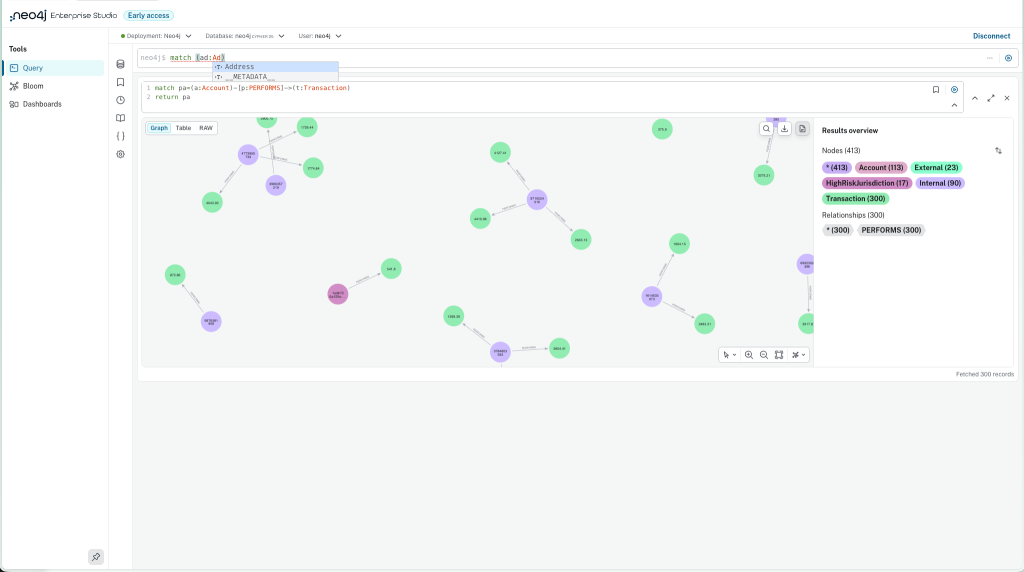
Query serves as the primary workspace for developers and database administrators. It is an evolution of the traditional graph querying environment, optimized for the Cypher query language—the industry standard for graph databases. Within Query, users can write, execute, test, and refine complex queries with high precision.
The tool includes a sophisticated Cypher formatter and a typeahead assistant that is context-aware, adapting to the specific version of the Neo4j database being utilized. This ensures that developers can leverage the latest syntax and performance improvements. Furthermore, Query provides multiple visualization formats for results; users can toggle between a graphical node-and-relationship view, a traditional tabular format, or a raw JSON output for deeper programmatic analysis. The ability to save and parameterize queries allows teams to build a library of reusable assets, significantly reducing the time required for recurring data tasks.
2. Bloom: No-Code Exploration for Business Intelligence
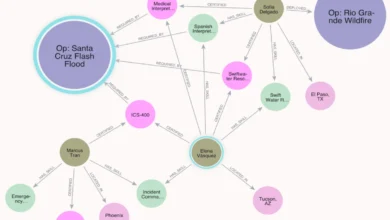
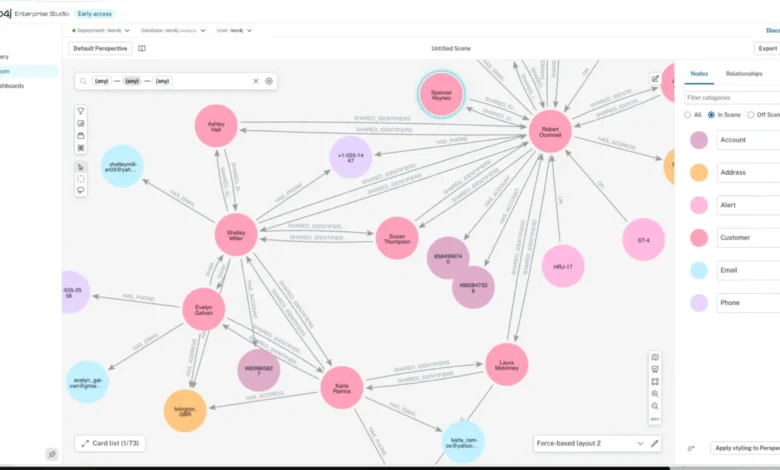
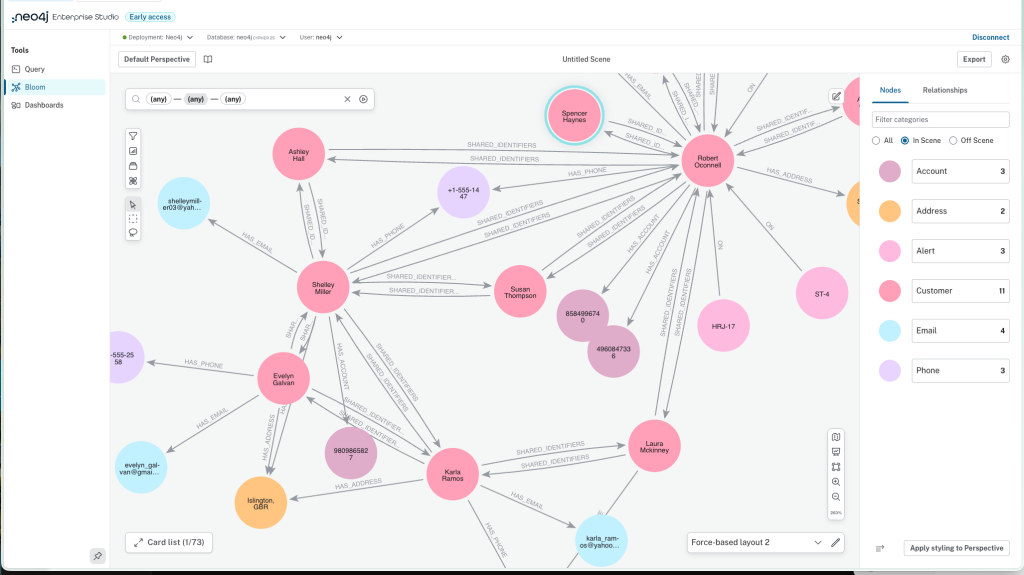
Recognizing that not every stakeholder is proficient in Cypher, Neo4j has integrated Bloom into the Enterprise Studio. Bloom is a visualization and exploration tool that utilizes a no-code interface, allowing business analysts and subject matter experts to interact with graph data using natural language-like searches and point-and-click navigation.
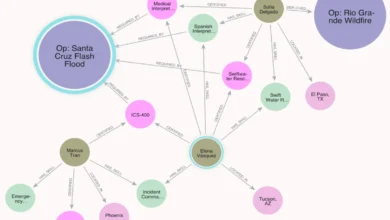
Bloom’s power lies in its ability to reveal patterns that might be hidden in rows and columns. It allows users to expand relationships dynamically, exploring how different entities are connected across the graph. Beyond simple visualization, Bloom supports the execution of advanced graph data science algorithms directly from the UI. Users can run centrality measures to find influential nodes, community detection to find clusters, and label propagation for classification tasks. The tool also offers rich visual styling options, enabling users to size nodes by property values or color-code them based on specific labels, making complex data sets digestible for non-technical audiences.
3. Dashboards: Real-Time Insights and Reporting
The third pillar, Dashboards, is designed for the delivery of actionable insights. It allows analysts to aggregate various data points into interactive visual reports. Supporting a wide array of visualization types—including bar charts, line graphs, geographic maps, and relationship diagrams—Dashboards enable organizations to monitor key performance indicators (KPIs) and trends in real-time.
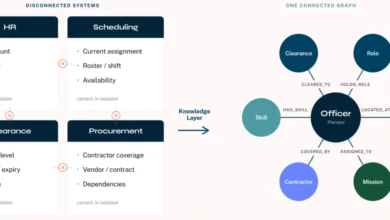
A unique feature of the Enterprise Studio ecosystem is the fluidity between these tools. For instance, a query that has been perfected and debugged in the Query tool can be immediately transformed into a widget within a Dashboard. This ensures that the insights presented to leadership are backed by the most accurate and optimized code possible.
Security and Collaboration in Self-Managed Environments
One of the primary drivers behind the creation of Enterprise Studio is the necessity of security in modern enterprise architecture. While cloud-based solutions offer convenience, many of Neo4j’s largest clients operate under regulatory frameworks that mandate strict control over data transit and storage.
Enterprise Studio is built for self-management, meaning it can be deployed entirely within an organization’s own firewall. It supports air-gapped configurations, which are essential for high-security government and defense applications where no internet access is permitted. To ensure seamless integration with existing corporate security protocols, the workbench supports enterprise-level authentication, including Single Sign-On (SSO), LDAP, and OIDC. This allows IT departments to maintain centralized control over who can access, edit, or view sensitive graph data.
Collaboration is also a central theme. In previous iterations of graph tooling, insights were often siloed within individual workstations. Enterprise Studio introduces the concept of shared "perspectives" in Bloom. A perspective acts as a shared visual language, defining how specific data should be styled and which queries are available to a specific group of users. By sharing these perspectives and dashboards, teams can ensure consistency in how data is interpreted across the entire organization.
Context and Background: The Evolution of Graph Tooling
The release of Enterprise Studio should be viewed within the broader context of Neo4j’s evolution. For over a decade, Neo4j has provided the Neo4j Browser and Neo4j Desktop as the primary ways to interact with its database. While effective, these tools were often seen as developer-centric. With the rise of Neo4j AuraDB—a fully managed cloud service—the company introduced a more integrated "Workspace" experience that combined querying, modeling, and visualization.
However, a significant portion of Neo4j’s enterprise user base remains on-premises or in hybrid cloud environments due to data residency laws (such as GDPR or CCPA) and security requirements. Enterprise Studio is essentially the realization of the "Aura experience" for the self-managed world. It represents a shift from providing individual tools to providing a cohesive platform.
This move comes at a time when the graph database market is experiencing rapid growth. According to industry analysts, the graph database market is expected to grow at a compound annual growth rate (CAGR) of over 20% through 2030. This growth is fueled by the increasing complexity of data and the limitations of traditional relational databases in handling highly interconnected information. By lowering the barrier to entry for non-technical users via Bloom and Dashboards, Neo4j is positioning itself to capture a larger share of the business intelligence (BI) and analytics market.
Chronology of Neo4j Tooling Development
The journey toward Enterprise Studio has been marked by several key technological milestones:
- 2010–2015: Focus on core database stability and the development of the Cypher language. Neo4j Browser becomes the standard interface for developers.
- 2017: Introduction of Neo4j Desktop, providing a local environment for developers to manage multiple database instances and plugins.
- 2018: Launch of Neo4j Bloom, introducing the first major no-code visualization tool for the graph ecosystem.
- 2021: Launch of Neo4j AuraDB, which introduced a unified web-based interface for managing cloud databases.
- 2023: Integration of advanced Graph Data Science (GDS) capabilities into the visual tools, allowing for complex analytics without deep coding knowledge.
- Present: Launch of Neo4j Enterprise Studio, unifying these disparate tools into a single, secure, self-managed package for enterprise-grade deployments.
Analysis of Implications and Market Impact
The introduction of Neo4j Enterprise Studio has several significant implications for the data science and enterprise software industries. First, it addresses the "context-switching" tax that plagues data professionals. By housing Query, Bloom, and Dashboards under one roof, Neo4j is reducing the time wasted moving data between different applications. This "unified experience" is a major selling point for organizations looking to increase the productivity of their data teams.
Second, the focus on air-gapped and self-managed security is a strategic move to defend Neo4j’s territory against cloud-native competitors. While cloud providers offer their own graph services, they often struggle to meet the extreme security requirements of the world’s most sensitive organizations. By doubling down on the self-managed experience, Neo4j reinforces its status as the platform of choice for mission-critical applications in banking and defense.
Third, the move toward no-code and low-code interfaces (Bloom and Dashboards) reflects a broader trend in the tech industry toward the "democratization of data." By allowing subject matter experts to query the graph using plain language, Neo4j is enabling faster decision-making. In a fraud detection scenario, for example, a fraud investigator can now use Bloom to visually trace a money-laundering path without waiting for a developer to write a custom Cypher script.
Official Responses and Future Outlook
While specific customer names are often withheld in the initial launch of high-security products, early feedback from the Neo4j community suggests a positive reception. Developers have noted that the inclusion of a Cypher assistant and formatter within a unified workbench significantly lowers the learning curve for new team members.
In a statement regarding the launch, Neo4j emphasized that Enterprise Studio is part of a broader commitment to providing a consistent experience across all deployment models. Whether a developer is using the free Neo4j Desktop, a startup is using AuraDB, or a global bank is using Enterprise Studio, the tools and the language remain the same. This consistency is vital for talent mobility and training within the tech industry.
Looking ahead, Neo4j has indicated that it will continue to enhance the collaborative features of Enterprise Studio. Future updates are expected to include deeper integrations with version control systems and expanded support for automated reporting. The company is also hosting a series of technical deep dives, including a LinkedIn Live event, to demonstrate the product’s capabilities to the global developer community.
As the world’s data becomes increasingly interconnected, the ability to safely and efficiently navigate that data will remain a competitive advantage. Neo4j Enterprise Studio represents a robust response to the challenges of modern data management, providing the security of the past with the advanced analytical capabilities of the future.
Related posts: