Beyond the Chat Box: How Dynamic UI Canvases Are Revolutionizing Developer Workflows with AI

Three years into the mainstream deployment of generative artificial intelligence, the software development ecosystem faces a persistent interface bottleneck: the chat box. Since the initial wave of Large Language Models (LLMs) captured global attention, the text input field—descended from foundational HTML textarea elements—has remained the primary conduit between human developers and artificial intelligence agents. While this universal text-based approach successfully accommodated the broad, exploratory phase of early AI adoption, industry experts argue that chat is increasingly proving to be an inefficient user interface for specific, highly technical tasks.
As developers transition from generalized experimentation to complex, task-oriented engineering workflows, the limitations of static chat windows have become more pronounced. In response to this interaction friction, platform ecosystems are beginning to introduce customizable, dynamic workspaces known as canvases, signaling a fundamental shift in how human-AI collaboration occurs within development environments.
The Limitations of Conversational Interfaces in Software Engineering
Academic perspectives have long highlighted the mismatch between generalized conversational tools and rigorous technical execution. Cognitive scientist Steven Pinker has noted that while the initial large-scale implementation of AI relied heavily on the novelty of the first-person chatbot, the true long-term promise of artificial intelligence lies in task-oriented execution.
In traditional software development, forcing every operation through a conversational chat interface frequently leads to inefficiencies, often described as token waste. When an LLM is treated as the direct executor of routine actions—such as staging and committing code changes, querying databases, or managing local package registries—developers consume computational resources on repetitive text generation rather than leveraging the AI to build permanent, reusable tooling.
Furthermore, relying exclusively on a text-based dialogue box keeps the human user tethered to the keyboard. Complex software workflows typically require multiple stages of research, prototyping, validation, and review. Constrained by a chat window, developers are forced to manually coordinate each step, interrupting their focus and preventing agents from operating autonomously until human intervention is genuinely required.
The Evolution of Dynamic Interfaces: Introducing Canvases
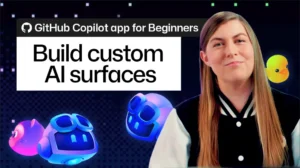
To address these architectural limitations, modern developer platforms have begun deploying canvas environments. Within the GitHub Copilot ecosystem, for instance, a canvas functions as a fully realized, full-stack application operating natively within the app interface without traditional browser chrome.
Unlike a static web page or a conversational text stream, a canvas maintains a bi-directional communication channel with the underlying AI agent. The server component of the canvas can interact directly with the agent while simultaneously rendering a rich graphical user interface tailored specifically to the task at hand. This architecture allows developers to generate custom user interfaces on demand—manifesting task-specific tools out of thin air to suit immediate engineering requirements.
Practical Implementations and Local Execution
Because these canvases operate as full-stack applications rather than isolated chat threads, they possess capabilities far beyond standard text rendering. They can interface with third-party application programming interfaces and execute code locally on the host machine.
Industry demonstrations of canvas technology highlight a wide array of utility applications:
- Local Package Management: Developers can generate dedicated user interfaces to browse, install, and manage local registries through command-line tool wrappers like Winget, eliminating the need to issue repetitive conversational prompts for routine system administration.
- Database Interaction: Instead of prompting an agent to query a SQLite database line by line through chat, developers can instantly spin up a custom database canvas equipped with native features like intellisense, allowing for direct, efficient data management.
- Content Management Workflows: Specialized text-editing and publishing interfaces can be instantiated to handle structured content creation, resurrecting efficient desktop publishing paradigms for modern static site generators like Jekyll.
- Gamification and Prototyping: Interactive applications, ranging from logic puzzles to fully functional web games, can be interactively constructed and tested within seconds to demonstrate real-time bidirectional control between user input and agent execution.
Automating Complex Workflows and Reducing Human Friction
The true strategic value of dynamic canvases emerges when applied to multi-step software development lifecycles. Standard agentic workflows typically follow a predictable progression: issue intake, repository research, prototyping, testing, code review, and final deployment.
Traditionally, each of these stages demands active human oversight, requiring the developer to manually review intermediate outputs and prompt the agent for the subsequent phase. By embedding these workflows into a custom canvas—utilizing tracking mechanisms like durable GitHub issues as state coordinators—development teams can establish deterministic control loops.
In these advanced configurations, the agent operates within defined boundaries, executing research and generating prototypes autonomously. Human intervention is restricted to strategic validation gates built directly into the canvas UI. Consequently, developers are removed from the loop for routine iterations, intervening only when architectural decisions or final approvals are formally required.
Industry Implications and Future Outlook
The transition away from universal chat boxes toward context-specific canvases reflects a broader maturation in AI-assisted software engineering. As development teams seek to maximize productivity and minimize unnecessary token expenditure, the emphasis is shifting from conversational prompting to tool creation.
By allowing agents to construct their own specialized user interfaces for specific tasks, developers can bridge the gap between human intent and machine execution. While building highly customized automation workflows may require an initial investment of setup time, the resulting efficiency gains point toward a future where the chat window is no longer the default workspace, but merely one of many specialized tools available to the modern engineer.