Streamlining Content Creation: How Docsify-This Revolutionizes Markdown Publishing Without Website Build Processes

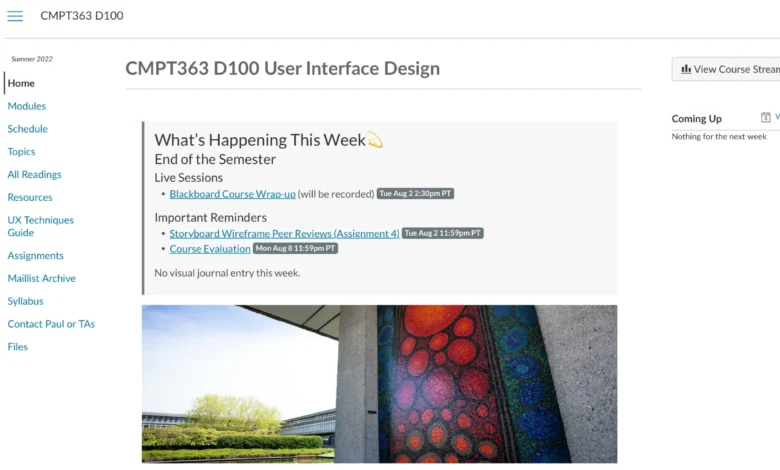
Content creators, educators, and developers have long sought a middle ground between the absolute simplicity of writing in plain text and the complex deployment pipelines required by modern static site generators. Historically, publishing Markdown online meant configuring themes, managing dependencies, setting up continuous integration and deployment (CI/CD) pipelines, and hosting files on dedicated web servers. For users embedded within restricted digital environments—such as corporate content management systems (CMS) or academic learning management systems (LMS) like Canvas and Moodle—adding lightweight documentation or resource pages often required cumbersome workarounds or administrative intervention.
Enter Docsify-This, an open-source project built upon the popular Docsify.js framework. Designed to eliminate the traditional website build process entirely, Docsify-This allows users to instantly transform publicly available Markdown files into responsive, standalone web pages or simple multi-page websites. By leveraging URL parameters, point-and-click web page builders, and standard Git repositories like GitHub and Codeberg, the platform addresses a critical gap in modern digital workflows: the ability to publish and embed rich, constraint-free content anywhere on the web without managing an underlying infrastructure.
Understanding the Core Architecture of Docsify-This
At its technical foundation, Docsify-This acts as an intermediary rendering engine. Rather than requiring a static site generator to compile Markdown files into HTML ahead of time, Docsify-This dynamically reads public Markdown files via raw repository URLs and renders them client-side in real time.

This architecture provides several distinct advantages for content managers and developers. First, it completely removes platform lock-in. Because Docsify-This is fully open source, organizations and individuals can deploy their own instances on custom domains, ensuring data sovereignty and operational independence. Second, it shifts the content authoring workflow entirely into version-controlled environments. When files are hosted on platforms like GitHub or Codeberg, authors can configure an automatic "Edit this Page" link, fostering collaborative authoring environments where subject matter experts can update documentation simply by editing a text file in their browser.
Furthermore, the integration with Git ecosystems opens the door to standard developer toolchains. Authors can manage their content using graphical Git clients such as GitHub Desktop, Git-Cola, or SparkleShare, or utilize feature-rich code editors equipped with native version control integration, including Visual Studio Code and Pulsar Edit.
Step-by-Step Functionality: The Web Page Builder Interface
For users who prefer a graphical interface over manual URL construction, the Docsify-This web page builder provides an intuitive point-and-click environment. Accessible via the official public website or any self-hosted local instance, the builder requires only a few inputs to generate a deployable asset.
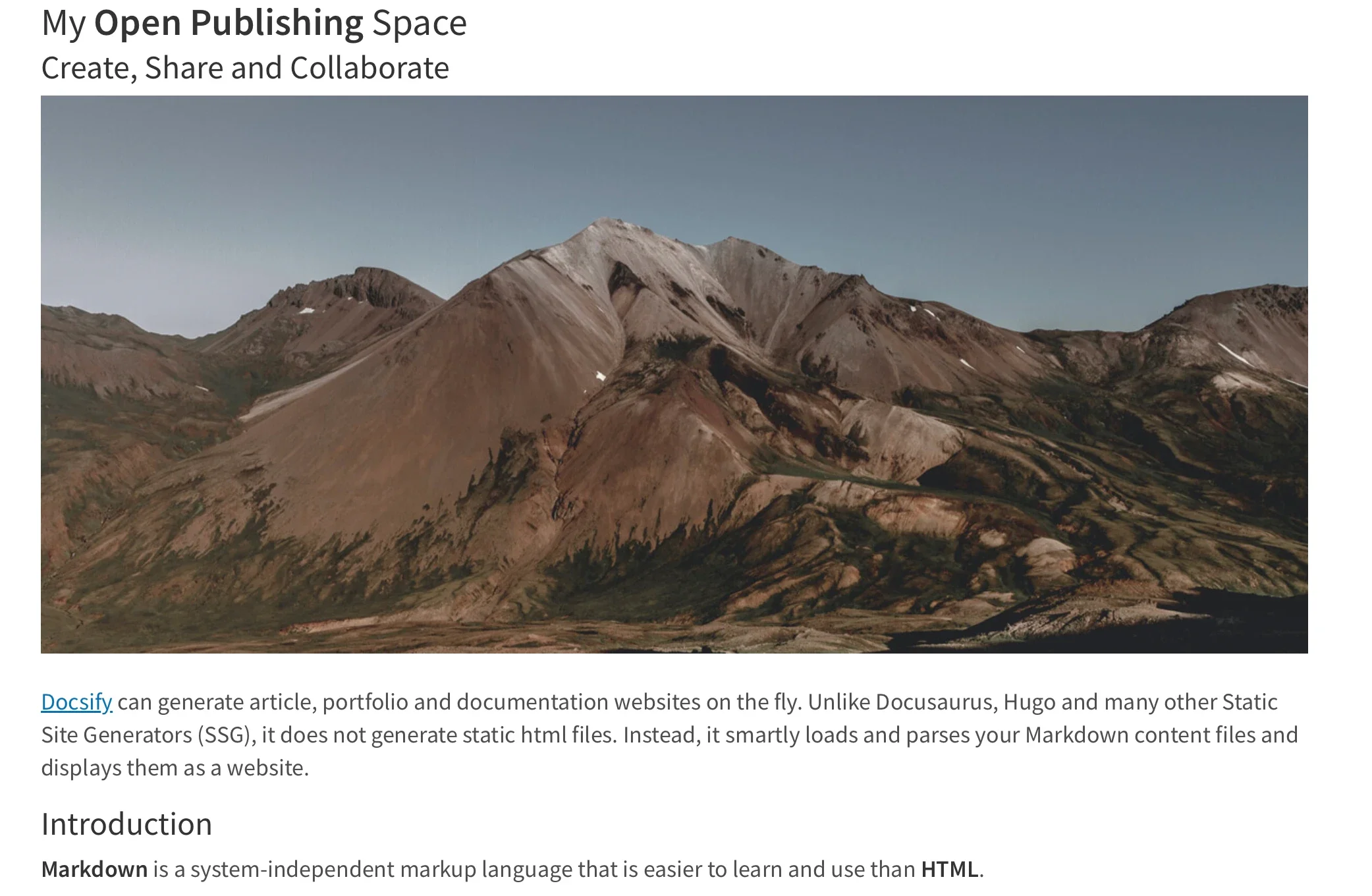
To create a standalone web page, a user simply navigates to the builder section, inputs the public URL of a Markdown file hosted on a Git repository, and executes the publishing action. The platform generates a unique, shareable URL structured around base paths and homepage parameters. For instance, a typical rendered URL takes the following form:
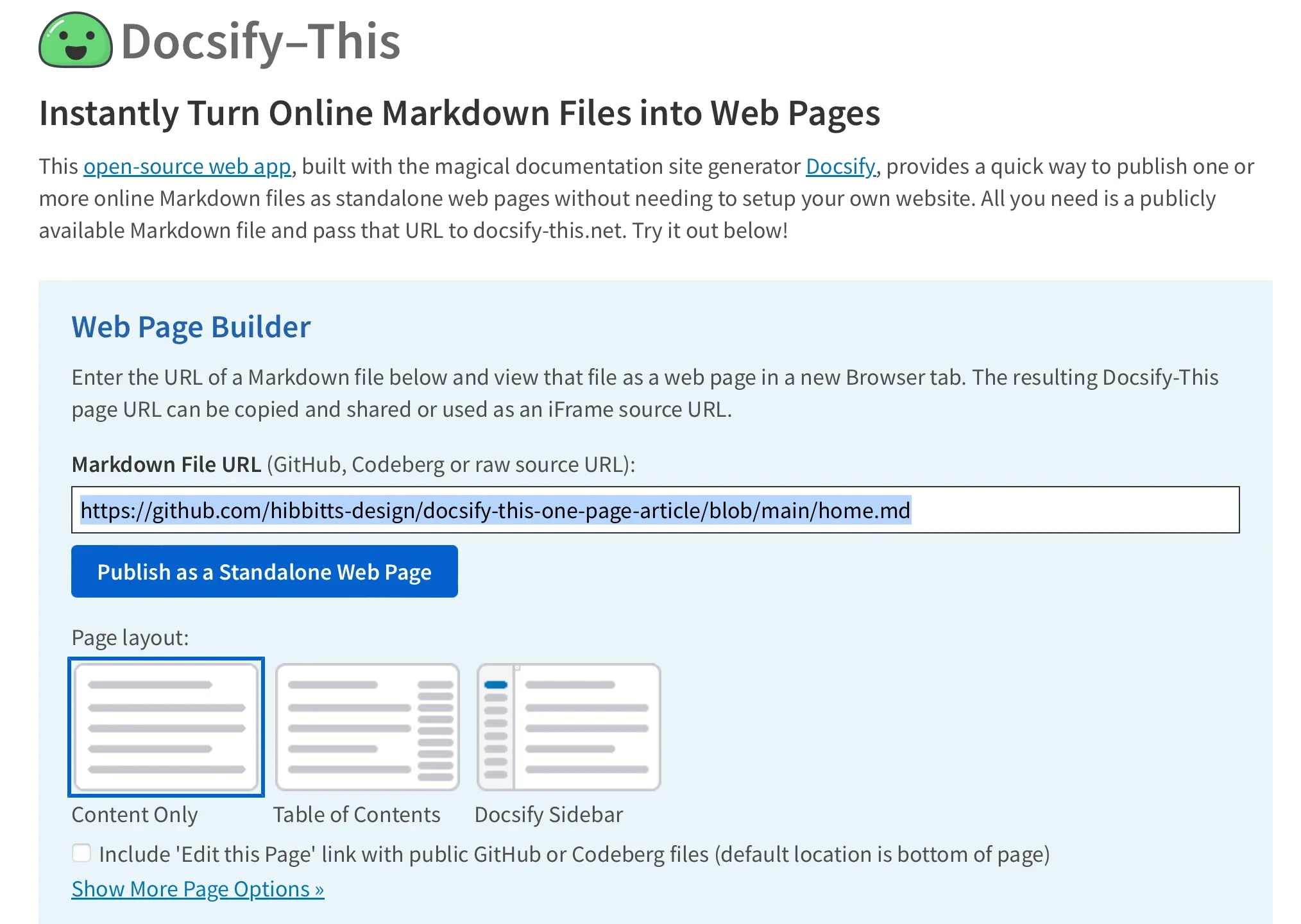
https://docsify-this.net/?basePath=https://raw.githubusercontent.com/hibbitts-design/docsify-this-one-page-article/main&homepage=home.md
By modifying the homepage parameter within the URL string, administrators can dynamically swap out the displayed document while maintaining the same underlying repository structure. This enables modular content management, where a single repository can house dozens of distinct documents, announcements, or instructional modules accessed via unique links.
Advanced Customization: Styling and Component Integration via URL Parameters
One of the primary challenges of embedding external content into established platforms—such as enterprise intranets, university course portals, or customer support knowledge bases—is visual consistency. Content embedded via standard frames often clashes aesthetically with the host platform, degrading the user experience.
Docsify-This solves this limitation by allowing granular style modifications directly through URL parameters. Developers and designers can pass standard CSS attributes into the publishing link, altering visual properties on the fly. Supported parameters include font-family, font-size, link-color, and line-height. For example, applying a specific typography rule can be achieved by appending a parameter string:
...&homepage=home.md&font-family=Open%20Sans,sans-serif
Beyond global page styling, Docsify-This supports specialized Markdown CSS classes that transform basic text elements into interactive components. A standard Markdown link can be instantly converted into a styled call-to-action button by appending a class identifier:
[Required Reading Quiz due Jun 4th](https://canvas.sfu.ca/courses/44038/quizzes/166553 ':class=button')
For advanced designers requiring precise brand alignment, the platform also permits the embedding of custom CSS style blocks directly within the Markdown files themselves. Authors can inject standard HTML <style> tags to define bespoke visual components, such as customized warning banners, interactive buttons, or multi-column layout structures using native HTML grid snippets.

Seamless Integration within Learning Management Systems and CMS Platforms
The true utility of Docsify-This becomes apparent when deployed within structured institutional ecosystems. Educational technologists and corporate trainers frequently struggle with the rigid formatting limitations imposed by platforms like Canvas, Moodle, or proprietary content management systems. Updating course materials often requires navigating deep administrative menus, uploading files individually, or dealing with broken rich-text editor formatting.
By utilizing HTML iFrames, educators can embed fully responsive Docsify-This pages directly into LMS modules. A typical iFrame implementation handles layout scaling, background color matching, and credit visibility automatically:
<p><iframe style="overflow: hidden; border: 0px #ffffff none; margin-top: -26px; background: #ffffff;" src="https://docsify-this.net/?basePath=https://raw.githubusercontent.com/paulhibbitts/cmpt-363-222-pages/main&homepage=home.md&font-family=Lato%20Extended,Lato,Helvetica%20Neue,Helvetica,Arial,sans-serif&font-size=1&hide-credits=true" width="800px" height="950px" allowfullscreen="allowfullscreen"></iframe></p>Furthermore, advanced LMS platforms allow external URLs to be integrated directly into course navigation menus. For instance, using the Canvas Redirect Tool, instructors can link an entire Docsify-This-powered resource repository directly into the sidebar menu of a virtual classroom. Because the underlying files reside in a GitHub or Codeberg repository, updating the course schedule or reading list requires only a quick text edit in the repository, instantly updating the embedded view across all student dashboards without requiring any manual re-uploading in the LMS.
Broader Industry Implications and the Shift Toward Decoupled Publishing
The rise of tools like Docsify-This reflects a broader, ongoing paradigm shift in web architecture: the move toward decoupled, API-driven, and lightweight publishing workflows. Traditional content management systems, while powerful, often introduce unnecessary administrative overhead, security vulnerability surfaces, and performance bloat for projects that require straightforward text distribution.

By combining the universal readability of Markdown with the flexibility of dynamic client-side rendering, open-source projects are lowering the barrier to entry for professional web publishing. Educators, technical writers, open-source maintainers, and corporate documentation teams can now maintain a single source of truth in version-controlled plain text while projecting polished, responsive web pages across diverse digital platforms.
As organizations increasingly demand agile, interoperable tools that integrate smoothly across disparate software suites—ranging from GitHub repositories to university learning portals—solutions that bridge the gap between static text files and dynamic web presentation will likely play an increasingly vital role in digital content strategies. For those interested in exploring lightweight, serverless publishing, Docsify-This offers a compelling, open-source blueprint for the future of web content distribution.