LG Monitor Owners Face Privacy Risks as Automatic Bloatware and Ads Infiltrate Windows Systems via Microsoft Update

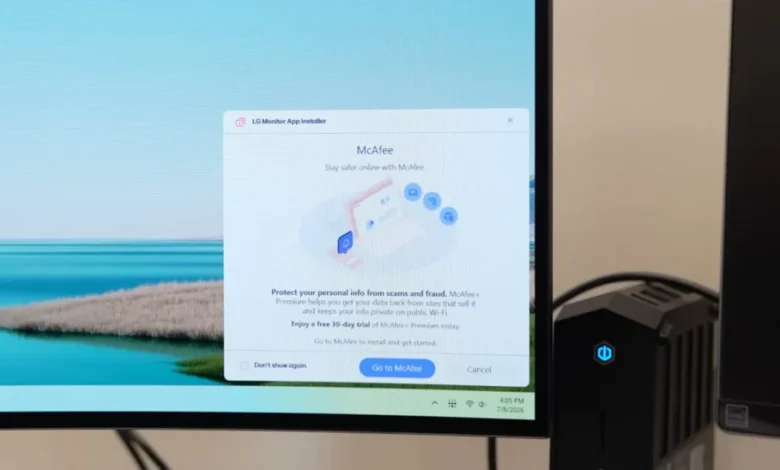
The integration of hardware and software has reached a controversial tipping point as owners of high-end LG monitors report the unauthorized installation of the LG Monitor App Installer on their Windows-based systems. This phenomenon, which occurs without a prompt or user consent, has raised significant alarms regarding digital privacy, consumer rights, and the security of the Windows Update ecosystem. Reports indicate that even consumers who have purchased premium displays costing upwards of $1,000 are finding their professional workstations transformed into platforms for third-party advertisements and intrusive data harvesting. The situation highlights a growing trend in the hardware industry where physical products serve as a "Trojan horse" for software-based revenue streams, often at the expense of the user’s autonomy and system integrity.
The Discovery of Unauthorized Installations
The issue gained mainstream attention following an investigative report by Gamers Nexus, a prominent hardware news outlet. Steve Burke, the lead researcher at Gamers Nexus, revealed that the LG Monitor App Installer was being pushed to systems via Windows Update. Unlike standard driver updates, which are necessary for hardware functionality, this software serves primarily as a bridge for additional applications and advertising. Users have reported seeing pop-up advertisements for third-party software, most notably McAfee antivirus, appearing on their desktops shortly after the silent installation.
The most troubling aspect for many users is the lack of transparency. Traditional software installations require a user to click "Install" or "Accept" on a License Agreement. In this instance, the software arrives as a "recommended" component of the Windows ecosystem, bypassing the traditional gatekeeping mechanisms that users rely on to keep their systems clean. For professionals in fields such as color grading, architectural design, and software development—who often opt for LG’s high-end UltraFine or UltraGear series—the sudden appearance of bloatware on a clean machine is viewed as a significant breach of trust.
Technical Mechanics: How the Installation Occurs
The mechanism behind this silent delivery is rooted in Microsoft’s Universal Windows Platform (UWP) device app framework. According to Microsoft’s developer documentation, UWP device apps are designed to "automatically install when the user connects their device to the PC." This feature is intended to provide a seamless "out-of-the-box" experience, ensuring that specialized hardware features are accessible without manual driver hunting.
However, the documentation also contains a cautionary note for developers: "The automatic installation feature does not provide a notification to the user when the app is installed. Some users may find this experience confusing and frustrating and give your app a bad rating." Despite this warning, LG has leveraged the system to deploy the Monitor App Installer. The process is triggered if the user has selected "Recommended Settings" during their Windows installation—a choice most average users make—is connected to the internet, and is signed into the Microsoft Store. Because the monitor is recognized as a specific hardware ID, Windows Update facilitates the download of the companion app automatically.
Extensive Data Collection and Privacy Implications
Beyond the annoyance of unwanted advertisements, the privacy implications of the LG Monitor App Installer are profound. Analysis of the app’s permission requests reveals a sweeping scope of data access. Once the software is embedded in the system, LG technically possesses the authorization to use "all system resources."
According to the findings presented by Burke and corroborated by system logs, the app’s telemetry and data collection capabilities include:
- Geolocation: Tracking the physical location of the user’s workstation.
- Device Data: Detailed hardware specifications and unique identifiers.
- Online Activity: Monitoring browsing habits and network interactions.
- User Credentials: Accessing sensitive login information stored or processed on the system.
- Contacts and Transactions: Scraping contact lists and monitoring financial interactions.
The inclusion of permissions for "contacts" and "transactions" is particularly egregious for a monitor utility. There is no logical technical requirement for a display management tool to access a user’s personal contacts or financial history. This suggests that the app functions more like a data-mining tool than a hardware utility, designed to build a comprehensive profile of the user for targeted marketing or data brokerage.
A Chronology of Expanding Bloatware
While the recent surge in reports suggests an escalation, the practice of hardware vendors bundling unwanted software has a long and troubled history. However, LG’s current approach represents an expansion of the "software-as-a-service" (SaaS) model into the realm of passive peripherals.
- 2021-2023: Initial reports of LG companion apps appearing on new monitor setups began to surface on technical forums. At the time, these were largely viewed as optional utilities for "OnScreen Control."
- Late 2024: Users of older LG monitors—some purchased more than three years ago—started reporting that the LG Monitor App Installer was suddenly appearing on their systems. This indicates that LG is retroactively pushing the software to its existing install base, not just new customers.
- Present Day: The integration of third-party ads (e.g., McAfee) marks a shift from functional bloatware to aggressive monetization.
This timeline suggests a strategic pivot by LG to monetize its hardware users long after the initial point of sale. For a company that markets its monitors as premium tools for "Life’s Good," the transition to ad-supported software has sparked a significant backlash among its most loyal customer segments.
Comparison with Other Hardware Vendors
LG is not alone in this practice, though the scale and lack of transparency in this instance are notable. The PC hardware industry has struggled with the ethics of "forced" software for years:
- Razer: Known for its Synapse software, which often prompts for installation as soon as a mouse or keyboard is plugged in.
- Logitech: Its G Hub and Options+ software have been criticized for their heavy resource footprint and frequent telemetry pings.
- ASUS and Gigabyte: Both motherboard manufacturers have faced scrutiny for embedding "Auto-Installers" in the BIOS/UEFI. In the case of Gigabyte, this practice even led to a security vulnerability (CVE-2023-32243) where the automated downloader could be intercepted by malicious actors to deliver malware.
The common thread among these companies is the desire to maintain a persistent software presence on the user’s OS. However, monitors have historically been "dumb" devices—plug them in, and they work. By forcing a "smart" software layer between the user and the screen, LG is breaking the traditional expectation of hardware simplicity.
Official Responses and Public Reaction
Ars Technica and other major tech outlets have reached out to LG for clarification on why such extensive permissions are necessary and which specific monitor models are targeted. While LG representatives have acknowledged the inquiries, a formal justification for the data collection and the lack of an opt-in mechanism has not been provided at the time of publication.
The public reaction has been overwhelmingly negative. On platforms like Reddit and X (formerly Twitter), users have shared instructions on how to block these installations. Common workarounds include:
- Disabling "Automatically download manufacturers’ apps and custom icons" in Windows Advanced System Settings.
- Using third-party tools to "debloat" Windows and block specific Microsoft Store IDs associated with LG.
- Utilizing Pi-hole or other network-level blockers to prevent the software from communicating with LG’s telemetry servers.
Broader Implications for the Industry
The LG incident serves as a warning for the future of the Internet of Things (IoT) and peripheral hardware. As profit margins on hardware tighten, manufacturers are increasingly looking toward "post-purchase monetization." This often involves selling user data or charging third-party software vendors to pre-install their apps on consumer machines.
From a security perspective, every piece of unauthorized software represents an expanded "attack surface." If the LG Monitor App Installer has access to "all system resources," a vulnerability in that app could give a hacker full control over the user’s computer. By forcing this software onto systems via a trusted channel like Windows Update, LG and Microsoft are inadvertently creating new risks for millions of users.
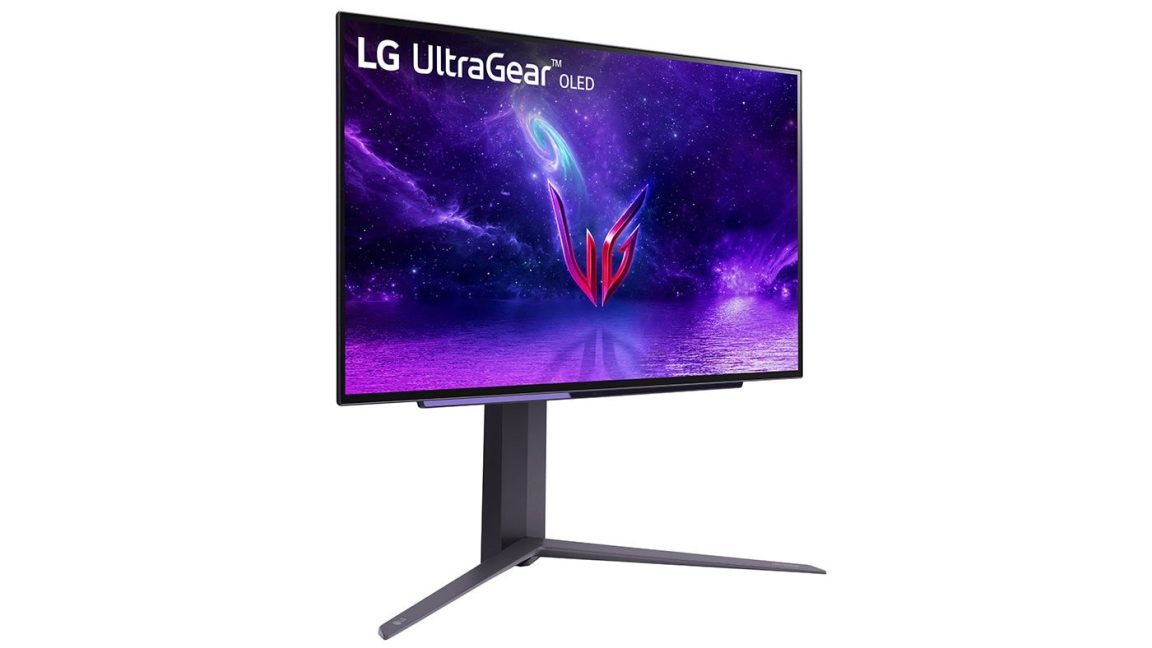
Furthermore, this practice erodes the value proposition of premium hardware. If a $1,300 OLED monitor comes with the same "ad-supported" baggage as a budget smartphone, the incentive for consumers to pay for "premium" experiences diminishes. The industry faces a critical choice: respect the digital sovereignty of the user or continue down a path where every piece of hardware is a gateway for surveillance and advertising. For now, LG monitor owners are advised to remain vigilant and monitor their "Add/Remove Programs" list for unwanted guests.
Related posts: