
The web development landscape experienced a significant transformation in August 2026, highlighted by the rollout of stable browser updates, expanded Baseline features, and a wave of forward-looking beta capabilities designed to streamline cross-browser compatibility. Throughout the month, major browser vendors pushed the boundaries of what is possible with native Cascading Style Sheets (CSS), HyperText Markup Language (HTML), JavaScript, and Web Real-Time Communication (WebRTC) protocols. With Chrome 152 and Firefox 154 reaching stable channels, developers gained access to a robust suite of tools that reduce reliance on external libraries, simplify complex UI layouts, and improve application performance across desktop and mobile devices.
The steady march of web standards toward interoperability was further underscored by several crucial additions joining the "Baseline Newly available" tier. This status assures developers that specific features are now supported across all major modern browser engines, eliminating the need for cumbersome polyfills or conditional code branches. As the industry looks toward the horizon with the arrival of Chrome 153 and Firefox 155 beta releases, the focus remains firmly on developer ergonomics, enhanced security controls, and native desktop application integration.
Stable Browser Releases Set a New Standard for Layout Control
The stable release cycle for August 2026 saw active deployment from Google and Mozilla, while Apple’s Safari maintained its existing stable posture following previous summer updates. Chrome 152 and Firefox 154 arrived with targeted enhancements aimed at modernizing layout engines, text rendering, and user input management. Industry analysts have noted that the rapid convergence of these features into the Baseline framework reflects a maturing web platform where browser vendors collaborate more closely than ever to minimize vendor-specific implementation discrepancies.
Among the most anticipated layout enhancements to reach stability is the complete text-box property suite. Introduced to Firefox 154 and solidifying a Baseline status alongside prior support in Safari 18.2 and Chrome 133, the text-box, text-box-trim, and text-box-edge properties finally give developers fine-grained control over vertical text alignment and spacing. Historically, font metrics have included extra vertical space—known as leading and half-leading—above and below text glyphs. This inherent spacing frequently resulted in uneven vertical alignment and unpredictable gaps around headings, buttons, and inline icons.
By utilizing text-box-edge to specify which font metrics to trim to—such as capital-to-alphabetic or ex-to-alphabetic bounds—and text-box-trim to dictate whether to clip the upper edge, lower edge, or both, developers can now achieve mathematically precise typography. The text-box shorthand property combines these declarations into a single line of code. Frontend architects have long campaigned for this capability, noting that it drastically reduces the need for hacky negative margins and custom line-height calculations when aligning text with graphical elements.
Dynamic Layouts and Typography via New CSS Functions
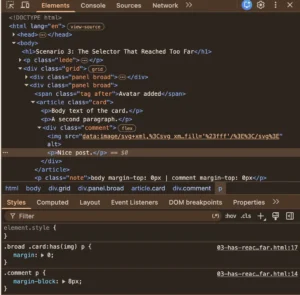
Complementing the typography updates, August 2026 also marked the arrival of powerful new layout math within CSS through the sibling-count() and sibling-index() functions, which achieved Baseline status with their inclusion in Firefox 154. These functions eliminate the historical dependency on JavaScript or complex preprocessor loops to compute dynamic styles based on an element’s position within a parent container.
The sibling-count() function evaluates to an integer representing the total number of sibling DOM elements residing within the same parent container, inclusive of the element itself. Meanwhile, sibling-index() returns the one-based numerical position of the current element among those siblings. Together, they allow developers to calculate responsive layout sizes, orchestrate staggered animation delays, and generate fluid color variations dynamically within stylesheets.
For instance, a grid of cards can now automatically adjust its flex-basis or apply incremental transition delays using CSS variables derived directly from sibling-index(), bypassing the performance overhead of running layout scripts on the main thread. Web performance engineers have praised this addition for contributing to faster First Paint and Interaction to Next Paint (INP) metrics, as fewer DOM mutations are required to achieve sophisticated, data-driven visual designs.
Enhancing Form Controls and Global Attributes
On the interaction and accessibility front, Chrome 152 introduced support for the global autocorrect HTML attribute, fully reflecting it onto the HTMLElement.prototype.autocorrect API. While already supported across Safari and other engines, its formal integration into Chrome completes the cross-browser baseline puzzle for this feature. The attribute provides explicit control over whether automatic spelling correction and punctuation adjustments are enabled on editable fields, including standard <input> elements, <textarea> nodes, and arbitrary elements bearing the contenteditable attribute. Accepting simple boolean-like string values of on or off, autocorrect allows developers to disable unwanted text transformations on fields designed for specialized inputs, such as promotional codes, custom usernames, or secure tokens.
Concurrently, Chrome 152 expanded CSSPseudoElement support beyond traditional anchors like ::after, ::before, and ::marker to include ::backdrop, ::scroll-marker, and ::view-transition. This extension represents a major quality-of-life improvement for application developers. By supporting CSSPseudoElement for the ::backdrop element, developers can attach native event listeners directly to the backdrop of a modal dialog. Previously, closing a modal upon clicking outside its bounding box required manual coordinate calculations or overlay container tracking. Now, standard event handling applies directly to the pseudo-element. Similarly, exposing ::scroll-marker and ::view-transition facilitates better capture of user interactions and enables geometry-aware animations during page transitions without dropping down to imperative JavaScript animation libraries.

Advanced Styling, Desktop Integration, and Text Range APIs
August 2026 also delivered sophisticated visual and structural APIs aimed at modern web applications. The introduction of the alpha() function in Chrome 152, drawn from the CSS Color Level 5 specification, brings relative alpha color manipulation to native stylesheets. This function ingests an existing origin color and returns it with an adjusted transparency channel while preserving the underlying color spaces seamlessly. It allows for predictable design system theming, where theme colors can be dynamically lightened, darkened, or made translucent on the fly without hardcoding specific hex or RGB values.
For developers building installed desktop web applications—often using frameworks like Electron or Progressive Web App (PWA) installation windows—Chrome 152’s adoption of the standard window-drag CSS property is a welcome standardization. Replacing older vendor-specific properties like app-region, window-drag allows developers to designate specific layout zones, such as custom title bars and headers, as draggable regions. Pointer drag gestures over these elements manipulate the top-level application window rather than selecting text or scrolling page content, using standard CSS inheritance and simple move or none values.
Furthermore, Chrome 152 rolled out the OpaqueRange API, providing a live text range representation within form control values inside <textarea> and text-based <input> elements. OpaqueRange empowers range-based APIs—such as getBoundingClientRect(), getClientRects(), and the CSS Custom Highlight API—to operate directly on form control text. This enables advanced features like inline autocomplete suggestions, custom spelling highlights, and anchored popovers to render precisely over form text while preserving component encapsulation by exposing value offsets rather than internal shadow tree container nodes.
JavaScript and WebRTC Evolution in Firefox
Mozilla’s Firefox 154 release did not limit its updates to CSS; it also brought notable improvements to JavaScript and real-time communication protocols. Several new helper methods were appended to Iterator.prototype, continuing the JavaScript ecosystem’s modernization of data processing primitives. These iterator helpers streamline data transformation pipelines directly within the language runtime, reducing memory overhead when handling large datasets or infinite sequences.
In the realm of real-time communication, Firefox 154 introduced critical WebRTC transport improvements. By implementing support for RTCIceTransport.getSelectedCandidatePair() and the RTCDtlsTransport error event—features already present in Chrome and Safari—Firefox has elevated these capabilities to Baseline Newly available status. Telecommunications engineers and developers building real-time collaboration tools, video conferencing platforms, and peer-to-peer data channels can now rely on robust, standardized error handling and connection diagnostics across all major browser engines without maintaining engine-specific fallback logic.
Beta Releases Preview the Future of Web Browsers
Looking ahead, the beta browser releases for August 2026—namely Chrome 153 and Firefox 155—offer a clear window into upcoming platform changes. These preview channels allow developers to audit their codebases for potential breaking changes and test bleeding-edge capabilities before they reach the general public.
Chrome 153 beta introduces support for single-axis scroll containers via overflow: scroll clip alongside the scroll-axis-lock CSS property, designed to prevent unwanted gesture axis locking during touch and trackpad navigation. On the JavaScript front, the beta incorporates TC39 Iterator join() methods and joint iteration (zip) utilities, further simplifying functional data manipulation. Notably, Chrome 153 beta also experiments with dedicated single-capability declarative HTML elements: <camera> and <microphone>. These elements aim to simplify media capture workflows by embedding native permission handling and stream binding directly into declarative markup, reducing the boilerplate JavaScript traditionally required to access hardware media devices.
Concurrently, the Firefox 155 beta updates SVGAElement to implement HyperlinkElementUtils. This update exposes standard URL utility properties—including protocol, hostname, pathname, search, hash, and origin—directly on SVG <a> elements, bringing them into alignment with standard HTML anchor behavior. Additionally, Firefox 155 beta introduces indexed setters to various SVG list interfaces, such as SVGNumberList, SVGPointList, SVGStringList, and SVGTransformList, streamlining programmatic manipulation of vector graphics graphics attributes.
Industry Implications and Future Outlook
The collective updates of August 2026 highlight a maturing web ecosystem where the barriers between native desktop software and web applications continue to dissolve. Industry observers emphasize that the expansion of Baseline features reduces development friction, allowing teams to ship advanced visual effects, typography controls, and real-time communication features with confidence. As browser vendors maintain their accelerated release cadences, the web platform remains well-positioned to meet the demands of increasingly complex, high-performance applications, solidifying its place as the premier cross-platform deployment environment.
Related posts: