React Native 0.85 Ushers in a New Animation Backend, Enhanced DevTools, and Streamlined Development Workflows

The React Native team has officially launched version 0.85, a significant release packed with foundational improvements and developer-centric enhancements. This update prominently features a groundbreaking New Animation Backend, the strategic relocation of the Jest preset to a dedicated package, and a host of other refinements aimed at boosting performance, stability, and the overall developer experience. This release marks a pivotal moment for the cross-platform development framework, promising more fluid animations, improved debugging capabilities, and a cleaner codebase.
The Dawn of a New Animation Era: The Shared Animation Backend
At the heart of React Native 0.85 lies the introduction of the Shared Animation Backend, a collaborative effort between the React Native core team and Software Mansion, a prominent mobile development consultancy. This new internal engine represents a fundamental shift in how animations are processed within React Native, affecting both the built-in Animated API and the widely adopted Reanimated library.
Previously, animation logic was more distributed, leading to potential inconsistencies and limitations, particularly when integrating with advanced libraries like Reanimated. By consolidating the core animation update logic within React Native itself, developers can now leverage performance gains that were previously unattainable. This architectural change ensures that Reanimated can tap into deeper optimizations, leading to smoother and more responsive animations. Furthermore, centralizing this logic in the core framework provides a robust foundation for future updates, ensuring that animation reconciliation processes are rigorously tested and remain stable as React Native evolves.
One of the most immediate and impactful benefits for developers using the standard Animated API is the ability to animate layout properties with the native driver. Historically, there was a caveat that prevented certain layout props from being animated natively. This limitation has now been lifted, opening up a vast array of possibilities for creating sophisticated UI transitions and interactions without sacrificing performance. Developers can now animate properties such as width, height, margin, padding, and position with useNativeDriver: true, offloading the animation computations to the native thread for a truly fluid experience.
To help developers explore these new animation capabilities, the React Native team has provided a dedicated examples directory within the rn-tester package, located at react-native/packages/rn-tester/js/examples/AnimationBackend/. These examples offer practical demonstrations of how to harness the power of the new animation backend.
For those eager to experiment with these advanced animation features, access is available through the experimental channel of React Native releases. Developers can opt into this channel as described in the official React Native documentation on release levels. It is important to note that this experimental feature will be fully available starting with React Native 0.85.1, a patch release scheduled for immediate deployment following 0.85.
Illustrative Example: Animating Layout Props
To demonstrate the enhanced capabilities, consider how easily layout properties can now be animated. The following code snippet showcases animating the width of an Animated.View component using the timing function and enabling the native driver:
import
  Animated,
  Button,
  View,
  useAnimatedValue,
 from 'react-native';

function MyComponent()
  const width = useAnimatedValue(100);

  const toggle = () =>
    Animated.timing(width,
      toValue: 300,
      duration: 500,
      useNativeDriver: true,
    ).start();
  ;

  return (
    <View style=flex: 1>
      <Animated.View
        style=width, height: 100, backgroundColor: 'blue'
      />
      <Button title="Expand" onPress=toggle />
    </View>
  );
This simple example, when run with React Native 0.85.1 and the experimental channel enabled, will result in a smooth, natively driven expansion of the blue Animated.View to a width of 300 pixels upon pressing the "Expand" button.
Enhancements to React Native DevTools and Metro
Beyond the animation system, React Native 0.85 brings significant improvements to the developer experience through enhancements in React Native DevTools and the Metro bundler.
React Native DevTools Improvements:
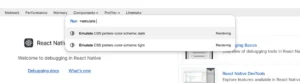
The integrated developer tools have received a notable facelift, offering a more streamlined and efficient debugging workflow. While the original announcement did not detail specific DevTools improvements, common areas of enhancement in such releases include performance optimizations for the inspector, better error reporting, and improved network request monitoring. The inclusion of native tabs on macOS, as visually suggested by an accompanying screenshot, points towards a more integrated and native-feeling debugging experience within the macOS ecosystem. This move signifies a commitment to providing developers with powerful, yet intuitive, tools for diagnosing and resolving issues in their applications.
Metro TLS Support:
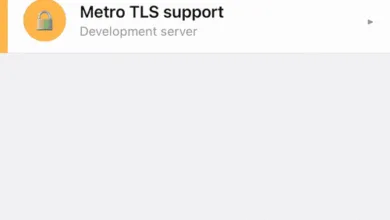
The Metro development server, the default bundler for React Native projects, now boasts native support for Transport Layer Security (TLS). This capability allows developers to configure HTTPS and WSS (for Fast Refresh) connections during development. This is particularly beneficial for applications that interact with APIs or services that enforce secure connections, ensuring that local development environments accurately reflect production constraints.
Configuring TLS support is straightforward and is managed within the metro.config.js file. Developers can provide a tls configuration object, specifying paths to their Certificate Authority (CA), certificate, and key files:

const fs = require('fs');

config.server.tls =
  ca: fs.readFileSync('path/to/ca'),
  cert: fs.readFileSync('path/to/cert'),
  key: fs.readFileSync('path/to/key'),
;
For local development purposes, tools like mkcert offer a convenient way to generate self-signed, locally-trusted certificates without encountering browser warnings, simplifying the setup process for secure local development.
Streamlining the Development Workflow: Jest Preset and Node.js Support
React Native 0.85 also introduces changes aimed at improving project maintainability and developer tooling, including the relocation of the Jest preset and updated Node.js version support.
Jest Preset Moved to a New Package:
In a move to reduce the core package size of react-native and offer greater flexibility to projects, the Jest testing preset has been extracted into a new, dedicated package: @react-native/jest-preset. This separation allows developers to manage their testing configurations more granularly.
To adopt this change, projects need to update their jest.config.js file with a simple modification. The line specifying the preset should be changed from:
// jest.config.js
- preset: 'react-native',
to:
// jest.config.js
+ preset: '@react-native/jest-preset',
This change is backward-compatible and ensures that existing testing setups can be easily migrated to the new package structure.
Dropped Support for EOL Node.js Versions:
Reflecting the broader JavaScript ecosystem’s commitment to modern tooling, React Native 0.85 has officially dropped support for End-Of-Life (EOL) Node.js versions. This includes any Node.js releases prior to v20.19.4. Developers are strongly encouraged to ensure they are running a supported version of Node.js before upgrading to React Native 0.85 to avoid potential compatibility issues. This decision aligns React Native with current best practices and ensures access to the latest features and security patches offered by Node.js.
StyleSheet.absoluteFillObject Removed:
The deprecated StyleSheet.absoluteFillObject API, which provided a static object for absolute positioning, has now been completely removed from the React Native core. Developers are directed to use StyleSheet.absoluteFill or to define their absolute positioning styles explicitly. This removal is part of a continuous effort to deprecate and eliminate outdated APIs in favor of more modern and maintainable alternatives. The recommended migration is a straightforward replacement:
// Before
- const styles = StyleSheet.absoluteFillObject;

// After
+ const styles = StyleSheet.absoluteFill;
Acknowledging Community Contributions and Upgrade Path
The release of React Native 0.85 is a testament to the vibrant and active community surrounding the framework. This version incorporates over 604 commits from 58 contributors, showcasing the collective effort in advancing the platform. Special recognition is given to community members who made significant contributions to this release, highlighting their dedication and expertise. The release notes also acknowledge authors who contributed to the documentation of new features, emphasizing the importance of clear and accessible learning resources.
Upgrade to 0.85:
React Native 0.85 is now the latest stable version, and with its release, version 0.82.x moves to an unsupported status. This aligns with React Native’s established support policy, which ensures that developers have access to ongoing maintenance and security updates for recent versions. For detailed information on the support policy, developers can refer to the official React Native releases repository.
Upgrading existing projects to React Native 0.85 is facilitated by the React Native Upgrade Helper. This invaluable tool provides a side-by-side comparison of code changes between different React Native versions, making it easier for developers to identify and apply the necessary modifications to their codebase. Complementary to the Upgrade Helper, the official React Native documentation on upgrading offers comprehensive guidance.
For developers looking to start new projects with the latest version, the command npx @react-native-community/cli@latest init MyProject --version latest will initialize a new project with React Native 0.85.
For users of the Expo managed workflow, the upcoming SDK 56 is slated to include React Native 0.85, ensuring that Expo developers will also benefit from these advancements in due course.
In conclusion, React Native 0.85 represents a significant leap forward, characterized by a robust new animation architecture, enhanced developer tooling, and a commitment to a cleaner, more sustainable codebase. These updates promise to empower developers with greater control, improved performance, and a more enjoyable development experience.