Jadens JD-166 Review: Evaluating the Efficacy of Portable Thermal Printing for the Modern Linux Ecosystem

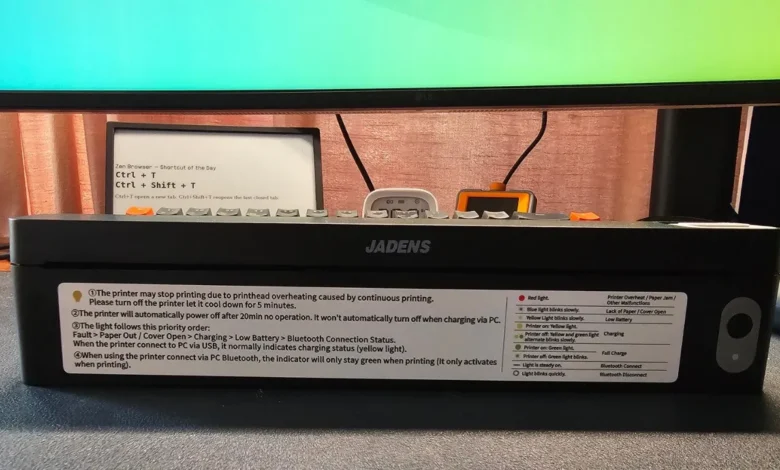
For long-time Linux users, the phrase "printer support" has historically been synonymous with technical frustration. While the integration of hardware drivers—often facilitated by the Common Unix Printing System (CUPS)—has seen massive improvements in the last decade, mobile and specialized printing hardware frequently remains a point of contention. The introduction of the Jadens JD-166, an ultra-compact, inkless thermal printer, represents a significant test case for how modern portable peripherals interact with open-source operating systems.
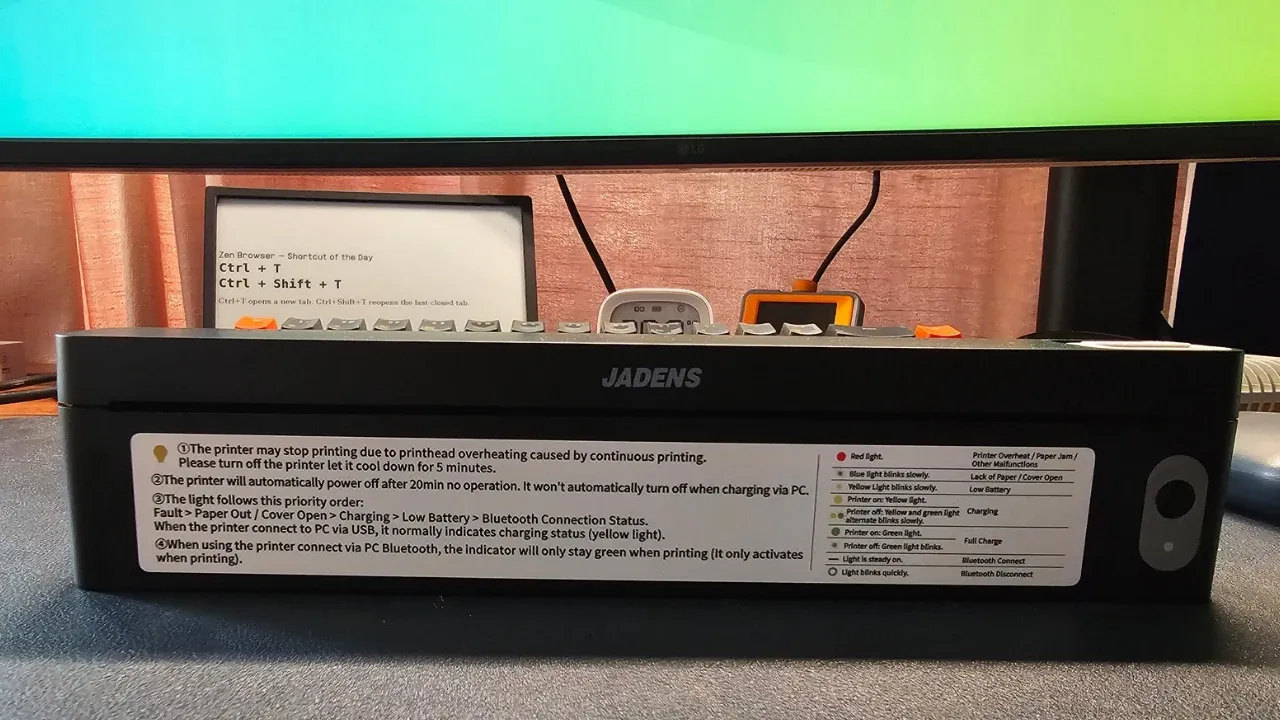
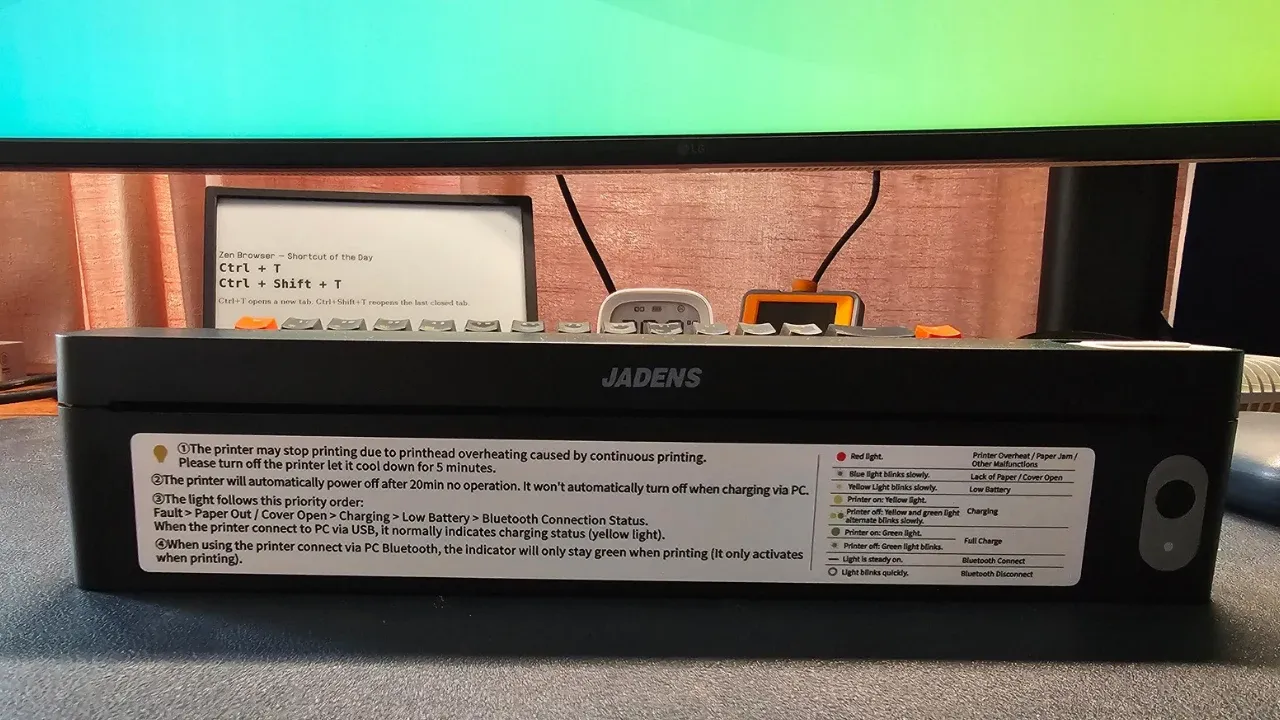
Measuring approximately one foot in width and only an inch in height, the Jadens JD-166 occupies a niche in the peripheral market that prioritizes portability over high-fidelity output. By utilizing thermal printing technology, the device eliminates the traditional reliance on liquid ink or laser toner, heating specialized paper to produce images and text. This design shift moves the hardware closer to the functionality of point-of-sale receipt printers than standard home office equipment, raising questions regarding its utility for professional document management on Linux-based workstations.
Technological Foundation and Hardware Specifications
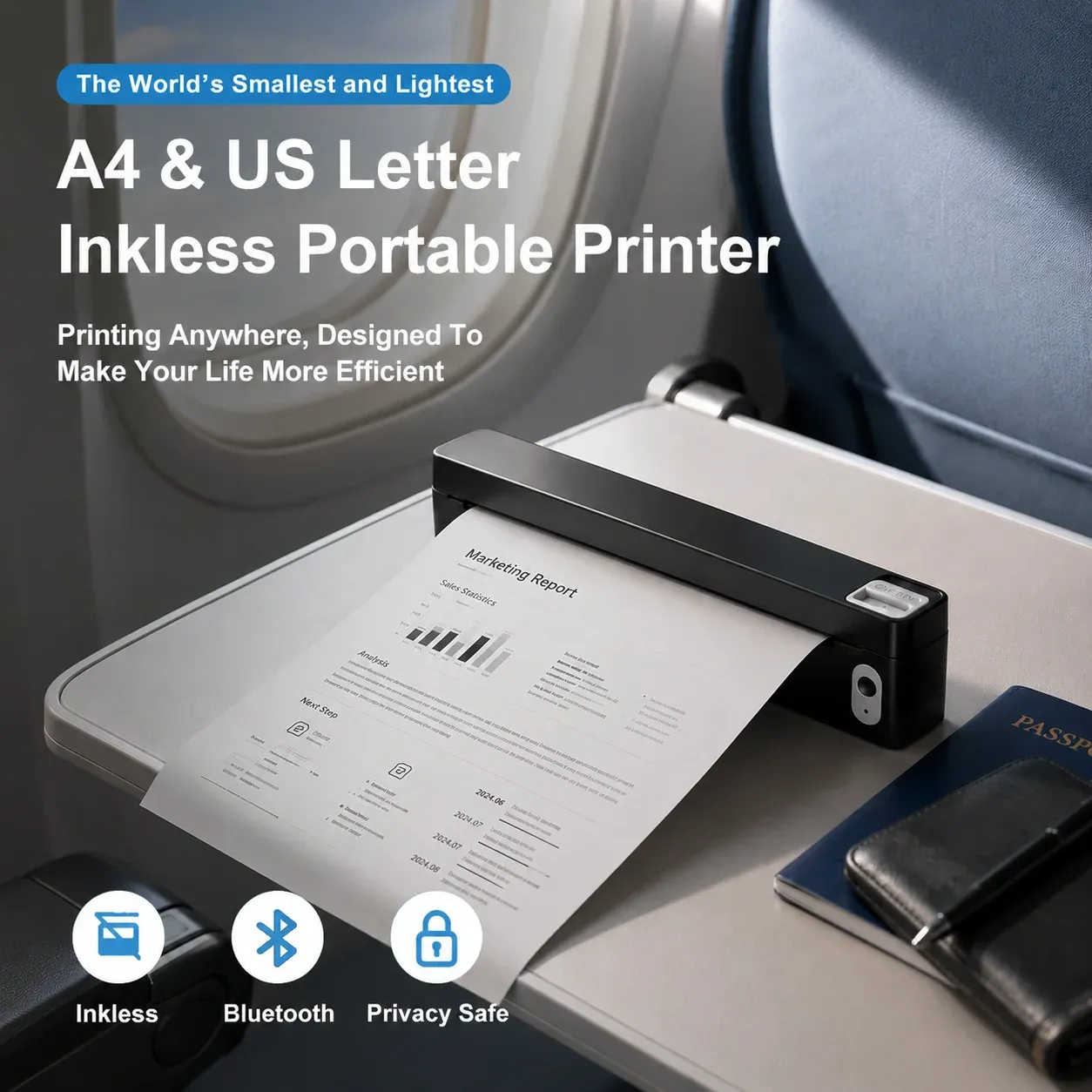
The JD-166 functions by applying heat to chemically treated thermal paper, which darkens upon contact with the printer’s heating elements. This eliminates the mechanical complexity of ink delivery systems, contributing to the device’s diminutive 445-gram footprint. Despite its small size, the unit supports A4 paper, making it theoretically viable for legal documents, contracts, and travel-related paperwork.
Key technical specifications of the device include:
- Printing Method: Thermal line printing (inkless).
- Resolution: 203 dots per inch (dpi).
- Connectivity: USB (wired) and Bluetooth Low Energy (BLE) for mobile integration.
- Power Source: 1800mAh integrated battery, rechargeable via USB-C.
- Dimensions: 250 x 32 x 55 mm.
- Supported Formats: PDF, DOCX, XLSX, and TXT.
While the device offers a compelling mobile solution, the hardware is strictly limited to monochrome output. Furthermore, because the printing process relies on direct thermal transfer, duplex printing—the ability to print on both sides of a sheet—is structurally impossible. Users are also required to utilize specific thermal paper rolls or sheets that feature a pre-cut alignment, as standard copy paper is incompatible with the thermal printhead.

The Linux Integration Timeline: A Case Study in Driver Dependency
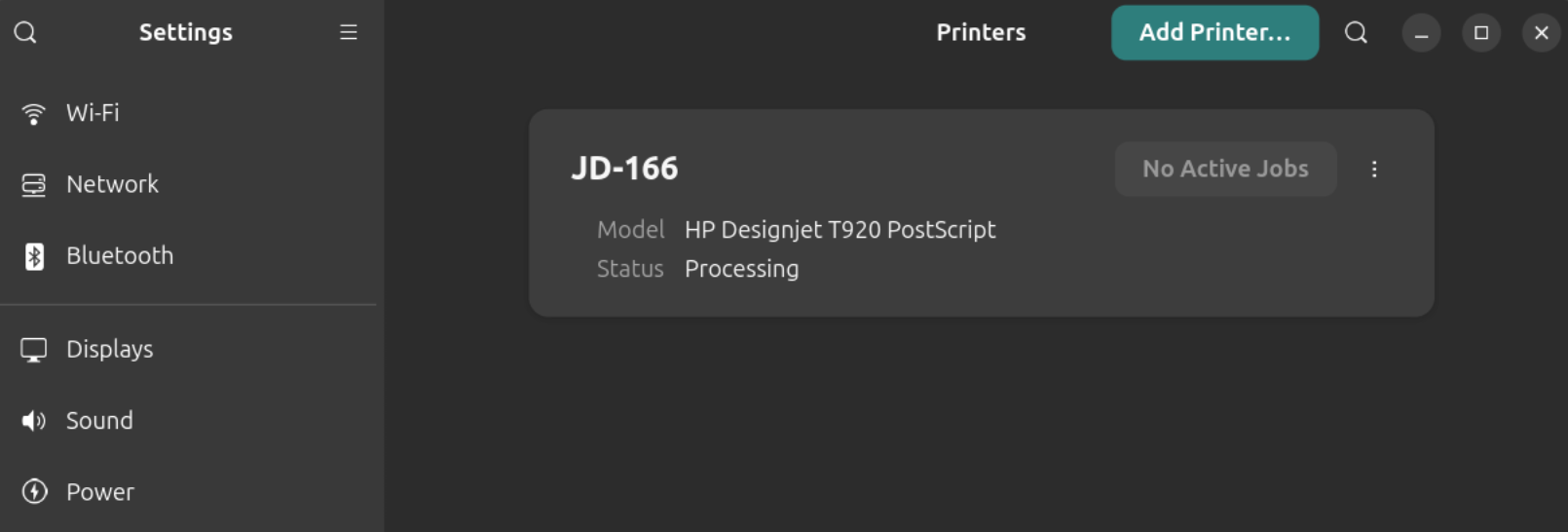
The integration of the JD-166 into an Ubuntu 26.04 environment highlights the ongoing complexities of Linux hardware compatibility. When connected via USB, the system’s native CUPS daemon initially detected the device, a standard occurrence for plug-and-play peripherals. However, the system misidentified the printer as an HP Designjet T920, a large-format industrial plotter.
This misclassification resulted in a complete failure of the print spooler. Upon sending a document, the CUPS logs recorded a ppdFilterEmitJCL error, causing the job to hang indefinitely in the queue. Attempts to resolve the issue using generic print languages—specifically ESC/POS, TSPL, and ZPL—yielded "completed" status reports in the print queue, yet failed to produce any physical output. This discrepancy highlights a critical distinction in Linux printing: a "completed" status in CUPS merely confirms that data reached the device, not that the device correctly interpreted the instruction set.
The resolution required the manual installation of proprietary drivers provided by Jadens. Unlike manufacturers that provide open-source kernel modules or support IPP-Everywhere (Internet Printing Protocol), Jadens distributes its driver as a standalone .deb package. Once this package was installed, the system successfully recognized the device, and printing functionality was restored. This reliance on a vendor-supplied binary package underlines a persistent reality for Linux users: while generic support is expanding, niche hardware often remains tethered to proprietary software provided by the manufacturer.
Economic and Practical Implications
An analysis of the operational costs reveals that while the JD-166 eliminates the recurring expense of ink cartridges, it shifts the financial burden to specialized paper. At a market rate of approximately $20 for 200 sheets, the cost per page sits at roughly $0.10. When compared to the average cost of an inkjet page, the financial profile is comparable, though the JD-166 provides the intangible benefit of extreme mobility.
The printer is not designed to replace high-volume office hardware. A standard laser printer remains the superior choice for high-speed, duplex, color-accurate, and cost-effective printing. The JD-166, conversely, serves as an emergency-use device for professionals who frequently travel and require the ability to finalize paper-based agreements without the logistical hurdles of locating a commercial print shop.
Strategic Limitations and Performance Analysis
In testing environments, software performance varied by application. LibreOffice, a staple of the Linux productivity suite, struggled with document orientation, persistently defaulting to landscape mode regardless of configuration changes. In contrast, ONLYOFFICE exhibited greater compatibility, correctly interpreting portrait mode settings.
The print speed is moderate, suitable for single-page documents but impractical for long-form reports or multi-page manuals. Furthermore, the 203 dpi resolution limits the device to text and basic graphics. Users attempting to print high-resolution photographs or complex illustrations will find the output quality lacking, as the thermal process reduces all images to a dithered, black-and-white format.
Broader Impact on the Portable Hardware Market
The release and subsequent Linux-based testing of the JD-166 reflect a growing trend in the "mobile office" sector. As the workforce becomes increasingly decentralized, the demand for portable, battery-powered peripherals—scanners, printers, and monitors—has risen. However, the hardware-software divide remains significant.
For the Linux community, the JD-166 serves as a reminder of the "last mile" problem in hardware support. Even when hardware is physically capable of interacting with a Unix-based system, the lack of standardized, open-source driver communication protocols forces manufacturers to rely on closed-source binaries. This creates a maintenance burden for the user, who must ensure these proprietary drivers remain compatible with future kernel updates and distribution releases.
Conclusion: Evaluating the Value Proposition
The Jadens JD-166 is a specialized tool for a specific demographic. It is not intended for the general consumer who requires versatile printing capabilities. For the Linux user, the device is functional, provided one is willing to manage the installation of vendor-specific drivers and accept the limitations of monochrome, single-sided, thermal-paper printing.
For the digital nomad, the student, or the field technician who relies on a Linux laptop and requires the occasional physical copy of a document, the JD-166 offers a viable, compact solution. It effectively solves the problem of "printing on the go," albeit with the trade-offs inherent to thermal technology. As the market for portable office peripherals continues to expand, the success of such devices will depend on the manufacturer’s commitment to maintaining driver compatibility across the diverse and evolving landscape of Linux distributions. Prospective buyers should view this printer as a convenience-focused utility rather than a general-purpose office appliance.