For over a decade, the humble .env file has served as the backbone of configuration management for web and mobile development. While it remains a staple of the industry, its reliance on plain-text files to store sensitive credentials has become a growing liability for engineering teams managing complex, multi-environment infrastructures. As security standards tighten and development workflows become increasingly distributed, the limitations of these static files—ranging from accidental exposure in version control to the absence of centralized audit logs—have prompted a shift toward dynamic secret management. This article examines the transition from static .env files to programmatic, vault-based solutions, focusing on the integration of the 1Password Command Line Interface (CLI) as a robust alternative.
The Evolution of Twelve-Factor Configuration
The conceptual foundation for modern application configuration was solidified in 2011 with the publication of "The Twelve-Factor App," a methodology authored by Heroku co-founder Adam Wiggins. The third factor, titled "Config," established the industry standard: "Apps sometimes store config as constants in the code. This is a violation of twelve-factor, which requires strict separation of config from code."

The adoption of this principle led to the ubiquity of environment variables. By isolating configuration from the source code, developers could theoretically deploy the same build across development, staging, and production environments simply by altering the external environment variables. This approach was revolutionary for the era, moving away from hard-coded database URLs and API keys. However, the implementation of this standard—primarily via .env files—was intended as a stopgap measure. Over time, these files became a "shadow" layer of the infrastructure, often ignored by security audits and neglected by version control systems due to their sensitivity.
The Friction of Static Secret Management
As engineering teams scale, the traditional .env file model encounters several points of failure that threaten developer velocity and security posture. First is the "onboarding bottleneck." When a new engineer joins a team, they are often required to participate in a manual scavenger hunt for credentials. While sample files like .env.example exist to mitigate this, they are rarely kept in sync with the live production environment, leading to "works on my machine" syndromes that can delay onboarding by days.
Second, the proliferation of environment-specific files—such as .env.development, .env.test, and .env.production—creates a massive maintenance burden. In an enterprise setting, managing these files across dozens of microservices leads to configuration drift, where the lack of a "single source of truth" results in environments that are unintentionally misaligned.
Finally, the lack of auditability is perhaps the most significant drawback. Static files are not version-controlled. If a secret is rotated or an API key is revoked, there is no history of who changed the value or when. In a modern DevSecOps environment, where compliance frameworks like SOC2 or ISO 27001 are standard, the inability to track secret usage or lifecycle is a glaring vulnerability.
The 1Password CLI: A Paradigm Shift
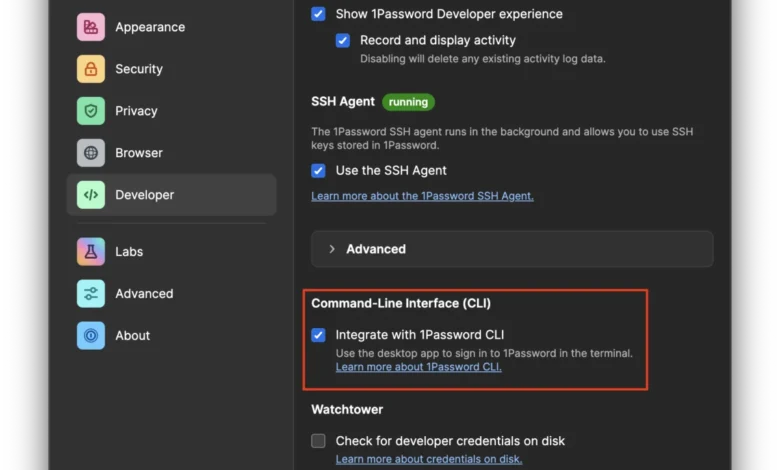
In response to these challenges, security-conscious organizations are increasingly turning to dedicated secret managers that support command-line integration. The 1Password CLI, commonly referred to as "op," offers a bridge between high-security vault storage and the terminal-based workflows that developers prefer.
The core innovation of the 1Password CLI is the op run subcommand. Rather than forcing developers to manually inject variables into their shell, op run acts as a wrapper that dynamically resolves references at runtime. By utilizing URI-style pointers—such as op://development/database/password—within a configuration file, the actual secret remains encrypted in a vault until the exact moment the process begins.
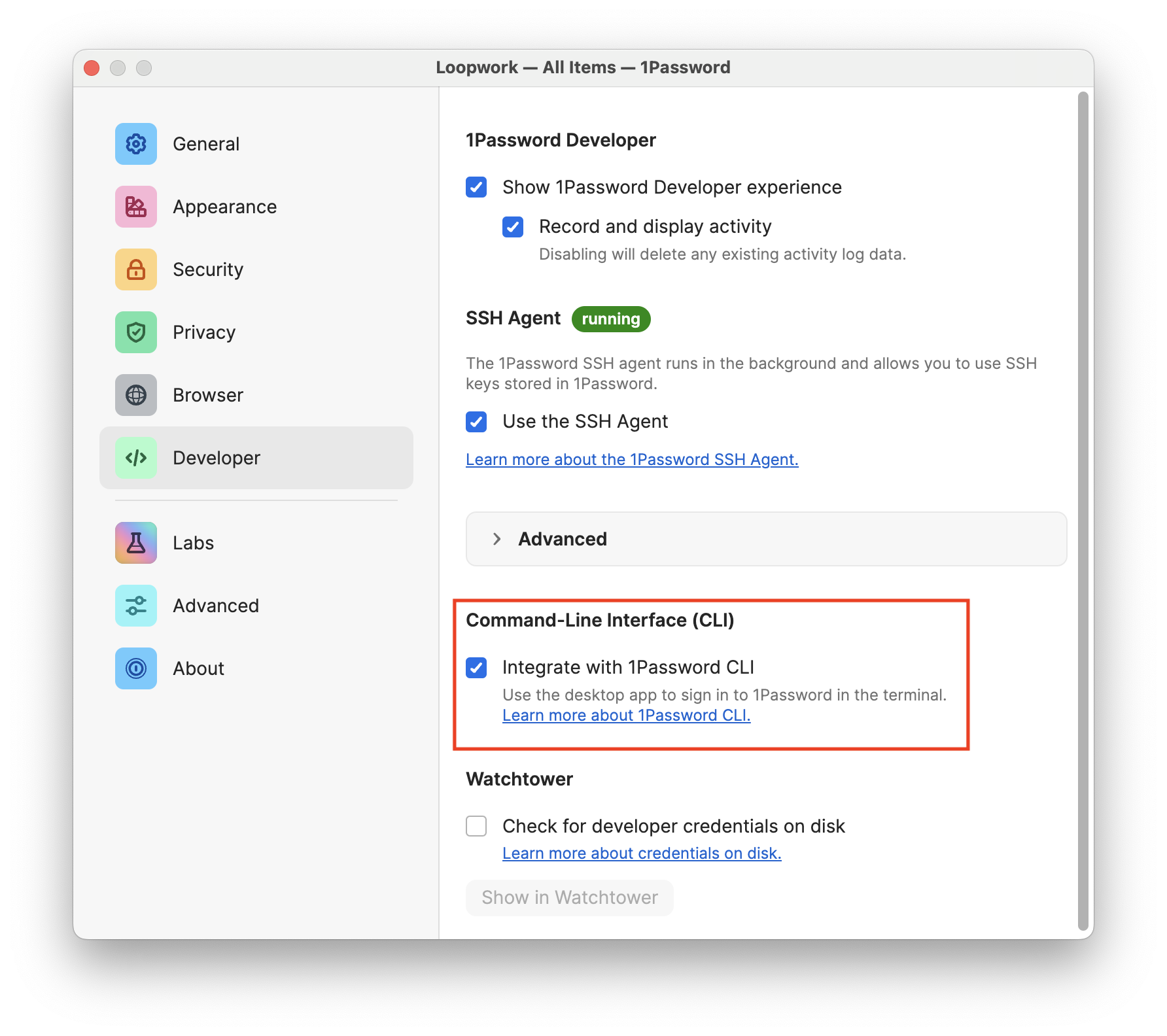
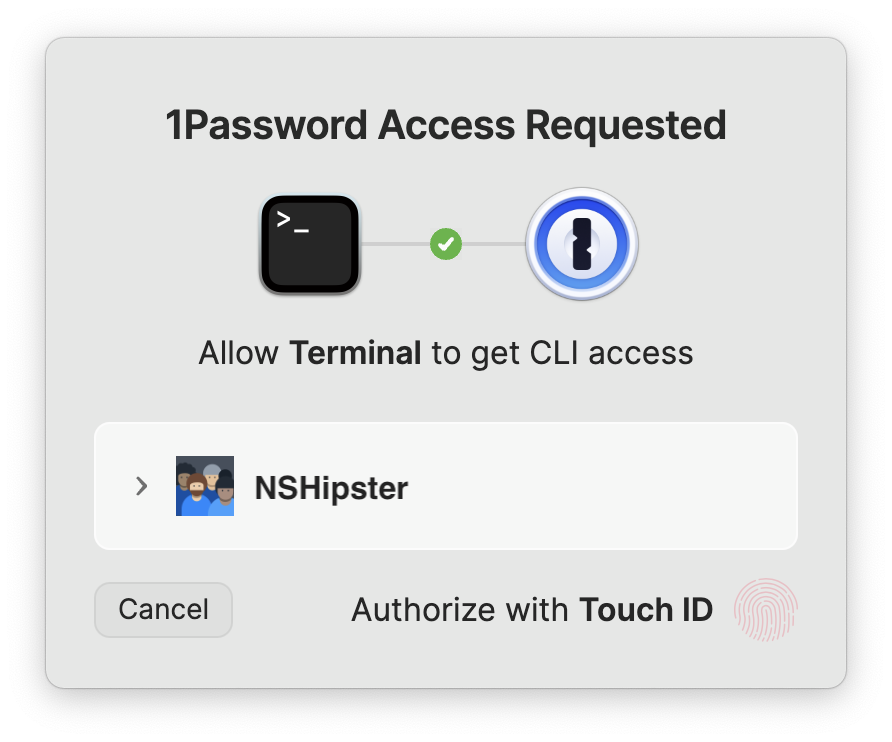
This mechanism allows developers to commit their .env files to version control without risking a security breach. Because the file contains only a URI reference, the sensitive data itself is never exposed to the repository. When a team member runs the application, the 1Password CLI authenticates the user, retrieves the value from the secure vault, and injects it into the process memory, where it exists only as long as the application is running.
Chronology of Adoption and Industry Standards
The push for better secret management follows a broader industry trend toward "Zero Trust" architectures. In the early 2010s, the primary concern was separating code from config. By the late 2010s, the focus shifted toward preventing "secret sprawl," where credentials were found in CI/CD logs, Slack channels, and unsecured developer laptops.
The rise of tools like HashiCorp Vault, AWS Secrets Manager, and subsequently, 1Password’s expanded developer toolset, marks the third wave of this evolution. The 1Password CLI specifically gained traction around 2020, as the company moved beyond password management into the realm of enterprise secret orchestration. By integrating with existing workflows like Homebrew and providing native support for CI/CD environments (including GitHub Actions), the platform minimized the friction that usually accompanies the adoption of new security tooling.
Quantitative Benefits and Operational Impact
While anecdotal evidence of "easier onboarding" is common, the quantitative impact of migrating to a CLI-managed secret system is significant. Industry analysis suggests that teams using centralized secret management can reduce the time spent on credential rotation and configuration debugging by an average of 15–20% per sprint.
Furthermore, the risk of "secret leakage"—the accidental inclusion of a key in a commit—is effectively eliminated. According to recent data from security researchers, hard-coded credentials remain a top-five cause of cloud infrastructure breaches. By shifting to a URI-based reference system, organizations reduce their attack surface, as developers no longer store, copy, or paste plain-text secrets.
Implementation and Security Considerations
For teams considering a transition to 1Password CLI, the migration process is generally handled in four distinct phases:

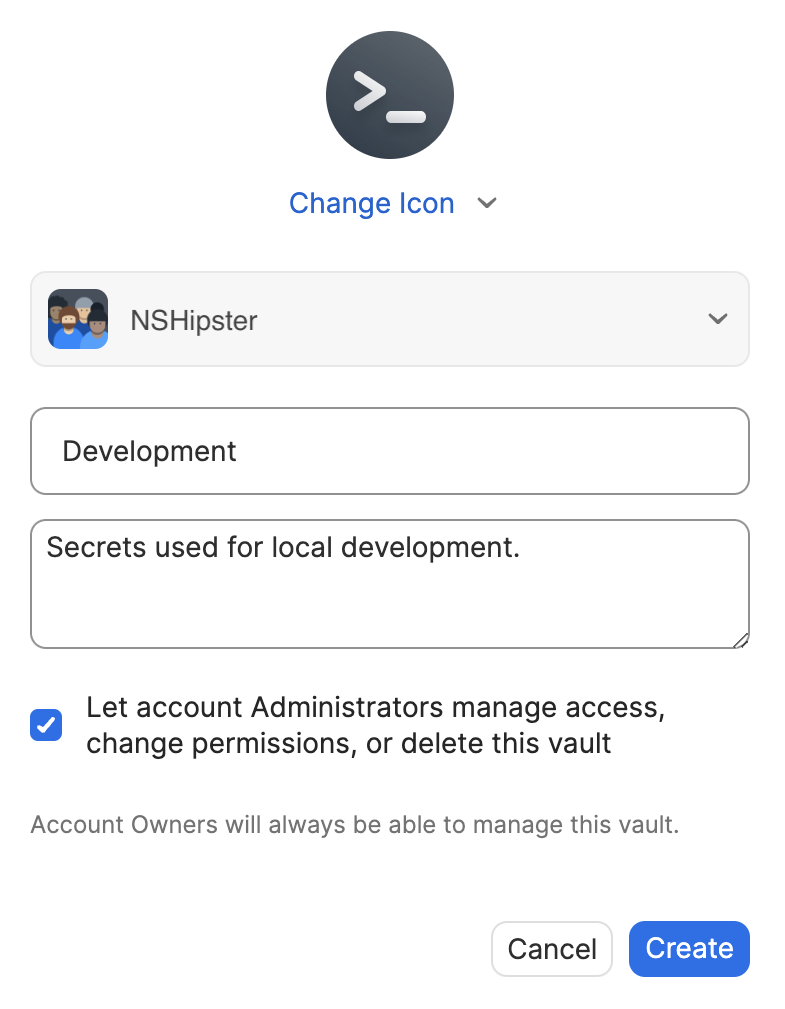
- Vault Partitioning: Establishing a dedicated "Development" vault ensures that production secrets are logically separated from those used during local development. This follows the principle of least privilege, ensuring that developers only have access to the credentials they require for their specific tasks.
- Item Migration: Replacing raw strings with structured data types—such as API credentials or database objects—within the 1Password interface. This enforces a schema on the configuration, preventing the "unstructured text" issues common in standard .env files.
- Reference Mapping: Updating local configuration files to use the
op://syntax. This is the most labor-intensive step, requiring a systematic audit of all environment variables. - CI/CD Integration: Updating deployment scripts to use
op runor the 1Password Connect API. This ensures that the production environment benefits from the same security rigor as the local development environment.
Despite the benefits, there are potential trade-offs. The primary challenge is the dependency on the 1Password service itself. If the service experiences an outage, developers may find themselves unable to launch their local environments. Additionally, there is a minor learning curve associated with managing CLI permissions and authentication tokens. However, for most modern engineering organizations, these trade-offs are outweighed by the significant gains in security, auditability, and team efficiency.
Conclusion
The transition away from static .env files is not merely a technical upgrade; it is a cultural shift in how engineering teams handle security. By treating configuration as a dynamic, protected asset rather than a static file, teams can resolve the long-standing tension between developer productivity and security compliance.
As the complexity of web applications continues to increase, the reliance on manual, insecure configuration methods will likely continue to decline. Tools like the 1Password CLI represent a maturing ecosystem that prioritizes developer experience without compromising the integrity of the underlying infrastructure. Organizations that embrace this shift now will find themselves better positioned to manage the scaling challenges of tomorrow, ensuring that their secrets—and their development workflows—remain both robust and accessible.
Related posts: