GitHub Copilot Canvas Redefines Developer Workflows with Bidirectional AI-Generated Interfaces

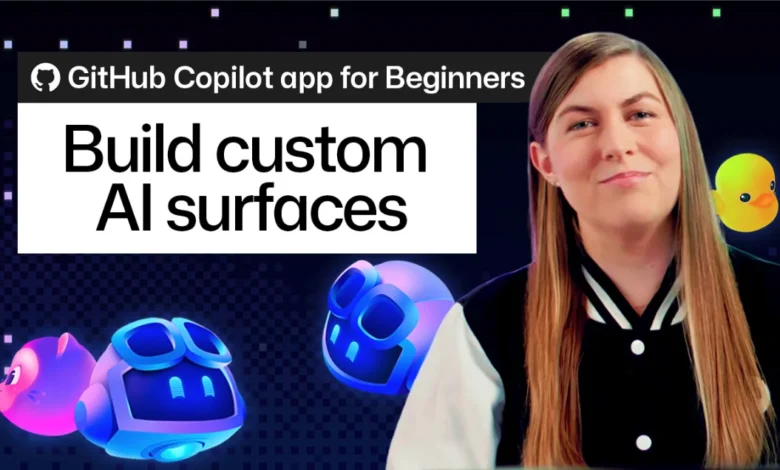
The landscape of software development tooling is undergoing a profound paradigm shift as fixed, rigid user interfaces give way to fluid, generative environments. For decades, software engineers and project managers have been forced to adapt their workflows to the constraints of pre-built application screens—navigating complex menus, wrestling with inflexible dashboard layouts, and shoehorning their processes into standardized kanban boards or spreadsheets. A newly introduced feature within the GitHub Copilot app, known as canvases or canvas extensions, seeks to upend this dynamic by allowing users to generate fully functional, custom-built interfaces simply by describing their desired workflow in plain English.
The core premise of the canvas feature is straightforward yet transformative: rather than demanding that a human user conform to the limitations of a software tool, the tool takes shape around the human’s intent. Developed to bridge the gap between AI execution and human oversight, canvases serve as shared, bidirectional surfaces where both the user and the GitHub Copilot agent can operate simultaneously. Whether configured as a dynamic issue triage board, an automated release notes tracker, a daily checklist, or an interactive project dashboard, these interfaces are designed to eliminate friction, reduce context switching, and accelerate the software delivery lifecycle.
The Evolution of Developer Interfaces and the Shift Toward Generative UI
To understand the significance of GitHub Copilot canvases, it is necessary to examine the historical trajectory of developer tooling. Since the advent of integrated development environments (IDEs) and cloud-based project management platforms, software teams have relied on static user interfaces. Tools such as Jira, GitHub Issues, Trello, and Notion have long provided robust feature sets, but they ultimately require manual configuration. Setting up a new workflow often involves navigating administrative settings, creating custom fields, writing automation scripts, and manually organizing data.
As artificial intelligence began penetrating the software engineering sector—initially through autocomplete utilities and later via conversational chat agents—a new bottleneck emerged. While AI models became increasingly adept at generating code, debugging, and answering complex queries, the medium of interaction remained largely confined to chat windows or inline code suggestions. Users found themselves trapped in a repetitive cycle of prompting, waiting for a response, copying outputs, and manually pasting or organizing those outputs within their existing project management tools.
The introduction of canvases directly addresses this "command-and-wait" paradigm. By shifting from conversational text streams to interactive, shared workspaces, GitHub is pioneering a movement toward generative user interfaces—software that adapts its form and function in real-time based on the immediate needs of its users. Industry analysts note that this capability represents a major evolutionary step in human-computer interaction, moving beyond simple task automation into the realm of collaborative workspace synthesis.
Mechanics of the Canvas: How /create-canvas Works
Creating a bespoke interface using the GitHub Copilot app requires no frontend development experience, design skills, or manual file manipulation. The process is initiated directly within an active agent session by invoking the built-in /create-canvas skill.
Upon entering the command, the user provides a natural language prompt detailing the objective, structure, and interactive capabilities of the desired workspace. While prompts can be tailored to an infinite variety of use cases, platform documentation emphasizes that the most successful canvas configurations clearly articulate three fundamental elements: the primary purpose of the workspace, the specific controls and organizational structures required, and the permissions granted to the AI agent to independently add or update entries.
For example, a developer looking to track feature completion across multiple Copilot sessions can input the following directive:
/create-canvas Create a release notes canvas for tracking new feature work completed across GitHub Copilot app sessions. Include controls for reviewing and organizing entries and allow the agent to add and update them.
Once submitted, the GitHub Copilot agent interprets the request, constructs the interface architecture, and renders the live canvas directly within the application’s right-side panel. This eliminates the traditional overhead associated with software deployment, database schema design, and UI layout configuration. A single descriptive sentence is translated into a fully operational, custom tool within seconds.
Real-Time Collaboration and Bidirectional State Synchronization
One of the most notable technical achievements of the canvas architecture is its implementation of real-time, bidirectional state synchronization. In conventional collaborative software, updates are typically asynchronous; one party makes a change, triggers an event, and the other party refreshes or receives a notification to view the update.
Within a GitHub Copilot canvas, the interface acts as a shared live whiteboard between the human user and the AI agent. The system architecture ensures that state changes are reflected instantaneously across both participants. When a human user clicks a button, adjusts a filter, drags a card across a board, or edits a text field, the underlying state updates immediately. The Copilot agent perceives these modifications without the need for a separate synchronization step or explicit conversational prompt.
Conversely, the agent can leverage the exact same interface capabilities available to the human user. If instructed to monitor incoming pull requests or compile weekly project summaries, the agent can autonomously add new cards, update release notes, or reorganize data streams directly within the canvas. The human user can watch these changes populate the interface in real time, transforming the interaction from a transactional query-and-response model into a fluid, collaborative partnership.
Furthermore, once a canvas has been successfully generated and refined, it is not treated as a disposable or ephemeral session artifact. Users can save the canvas as a persistent extension. These extensions can be stored within a specific project repository to be shared across an entire engineering team, or retained as personal extensions customized for individual workflows.
Ecosystem Integration and the Awesome Copilot Community
To accelerate adoption and demonstrate the versatility of the technology, GitHub has integrated canvas extensions into the broader developer ecosystem. Developers who may be uncertain about how to structure their initial prompts can leverage community-contributed templates available through the "Awesome Copilot" repository.
This curated directory features a wide array of pre-built canvas extensions, ranging from advanced kanban boards and specialized issue triage workflows to automated release documentation tools. Users can install an existing extension that closely aligns with their operational requirements and subsequently instruct the Copilot agent to customize, expand, or refactor the interface to suit their exact team dynamics. This community-driven approach mirrors the growth patterns of other open-source ecosystems, fostering rapid iteration and shared innovation among software practitioners.
Implications for Enterprise Productivity and the Future of Work
The deployment of generative, AI-driven workspaces carries significant implications for enterprise productivity, software engineering management, and the future of digital labor. As organizations increasingly rely on specialized AI agents to handle complex engineering tasks, the administrative burden of managing those agents threatens to offset the productivity gains they provide.
By streamlining the interface creation process, GitHub Copilot canvases reduce cognitive load. Developers and project managers no longer need to constantly switch between code editors, project trackers, and chat interfaces to maintain visibility over a project. Instead, the workspace adapts dynamically to the project’s current lifecycle stage—shifting from an exploratory brainstorming dashboard during early development phases to a strict release checklist and bug-triage grid during deployment cycles.
Security and governance considerations are also paramount as teams begin sharing these dynamic extensions across enterprise environments. Because canvases operate within the established security perimeters of the GitHub Copilot app, access controls, repository permissions, and compliance guardrails remain intact, mitigating risks associated with unauthorized data exposure or improper agent execution.
As the software industry continues to embrace generative artificial intelligence, tools like GitHub Copilot canvases signal a departure from rigid, one-size-fits-all software architectures. By empowering users to sculpt their own digital environments through natural language, technology providers are laying the groundwork for a more intuitive, adaptable, and collaborative future of work—one where software bends to human creativity rather than the other way around.