Mastering DOM Queries in Textual: A Comprehensive Guide to Dynamic Python Terminal Applications

The landscape of command-line interface (CLI) and terminal user interface (TUI) development in Python has undergone a dramatic transformation in recent years. Among the modern frameworks driving this evolution, Textual—developed by Will McGugan, founder of Textualize—has emerged as a leading tool for building rich, interactive, and aesthetically striking applications directly within the terminal. Central to Textual’s architecture is its implementation of a Document Object Model (DOM), a hierarchical structure that mirrors web-based DOMs by keeping a real-time ledger of every widget active within an application. By leveraging targeted DOM queries, developers can effortlessly locate, manipulate, and update interface components on the fly. This comprehensive guide explores the mechanics of querying the Textual DOM, focusing on the core methods, practical implementation strategies, and the broader implications for modern Python application architecture.
Background and Context of Terminal UI Frameworks
Historically, building TUIs in Python relied on legacy libraries such as Curses or basic wrapper tools that offered limited styling, poor responsiveness, and cumbersome event-handling mechanisms. While functional for basic scripts, these older paradigms struggled to meet the demands of modern developers accustomed to the reactive, event-driven, and component-based architectures found in web frameworks like React or Vue.
Recognizing this gap, the open-source community shifted toward frameworks that treat terminal screens not merely as text grids, but as structured layout engines. Textual introduced a CSS-like styling language and a robust DOM tree, allowing developers to manage layout, reactivity, and user events with unprecedented precision. Within this ecosystem, understanding how to traverse the DOM is no longer an optional optimization; it is a fundamental competency required to build scalable and maintainable terminal applications. As Textual continues to gain traction across enterprise tooling, data dashboards, and developer utilities, mastering data retrieval via DOM queries has become an essential milestone for Python engineers.
Core Query Mechanics: The query_one() Method
At the heart of Textual’s interactive capabilities lies the query_one() method. Widely documented across the official Textual repository and open-source GitHub projects, query_one() is designed to retrieve a single, specific widget matching either a CSS selector string or a target widget type.
To utilize query_one() effectively, developers can pass up to two parameters. When both parameters are provided, the CSS selector must be specified first, followed by the widget class as the second parameter. If a query yields zero matches, Textual raises a NoMatches exception, ensuring that silent failures do not plague runtime execution. Conversely, if multiple widgets match the criteria, the method returns the first matching instance encountered in the DOM tree. Furthermore, passing a valid CSS selector alongside a mismatched widget type triggers a WrongType exception, providing strict type safety during runtime evaluation.
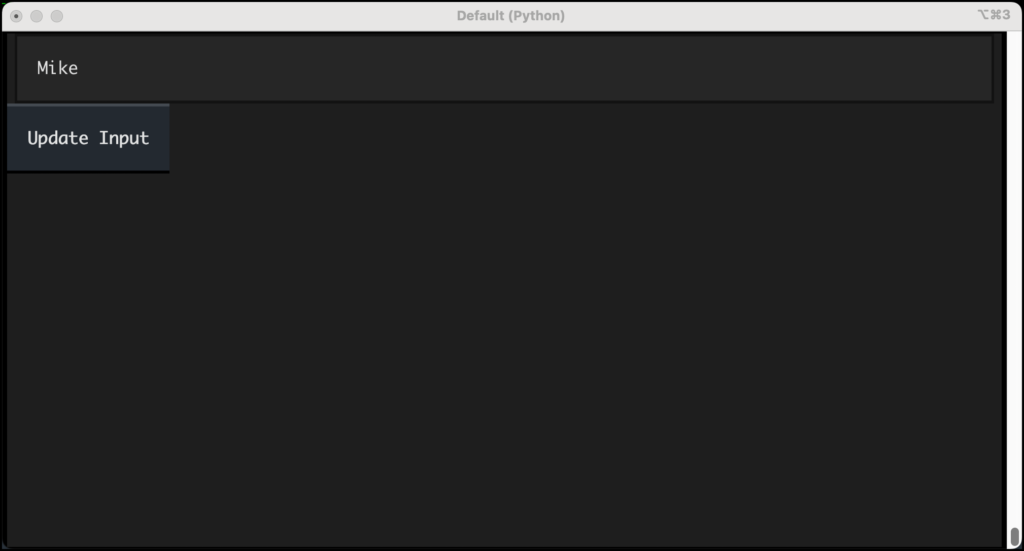
To observe this in practice, consider a standard input-handling workflow. By initializing an App subclass that composes an Input field and a Button, developers can handle user button presses by invoking self.query_one(Input). This retrieves the active input component, allowing the application to read user input, process strings dynamically, and reassign updated values directly to the widget property.
Similarly, developers can target specific components using unique CSS identifiers (IDs). By assigning an ID—such as id="label"—to a Label widget, an application can execute self.query_one("#label") upon receiving a button press event, subsequently updating the label’s text dynamically. This precise targeting forms the backbone of reactive UI updates in Textual applications.
Expanding Scope: Retrieving Multiple Widgets with query() and DOMQuery
While query_one() excels at isolating individual components, complex applications frequently require batch operations across multiple elements. For these scenarios, Textual provides the query() method, which returns a DOMQuery object—a specialized, list-like container that holds references to all matching widgets.
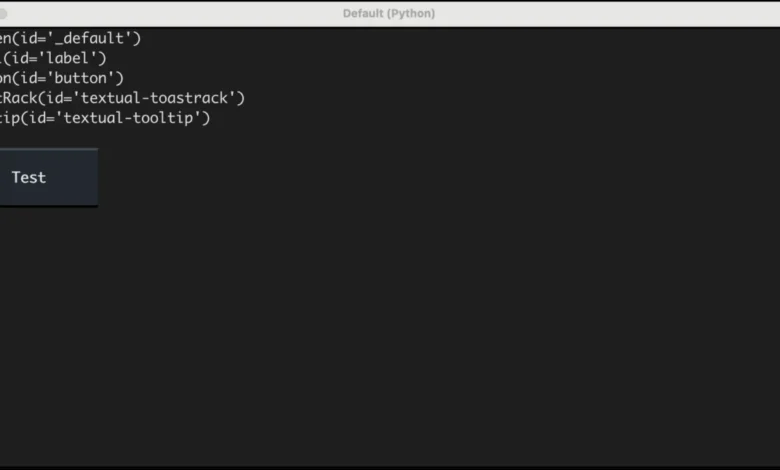
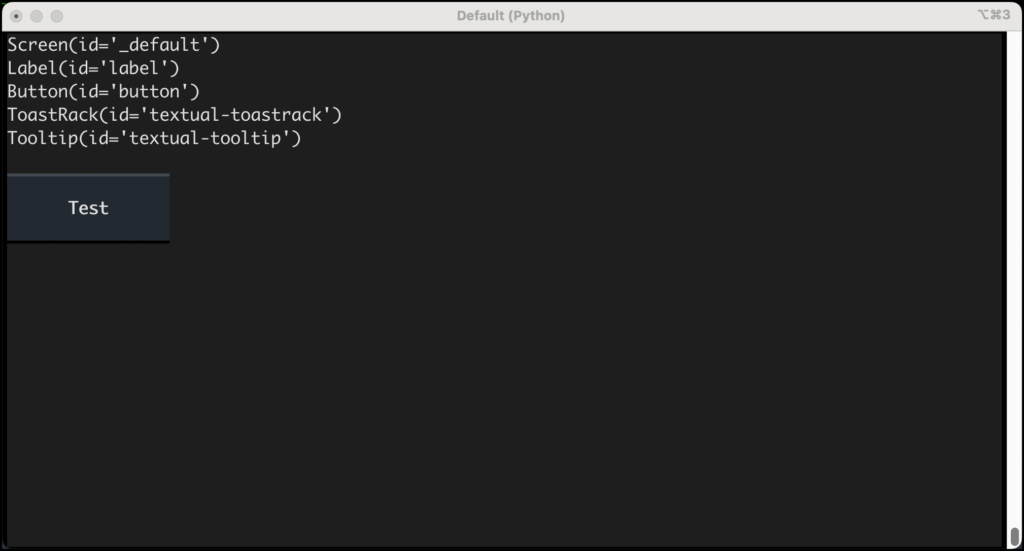
When developers execute self.query() without arguments, the returned collection includes more than just the explicitly declared user components. In a standard Textual application, the DOM tree encompasses background infrastructure components, including the primary Screen widget, a ToastRack responsible for managing notification toasts, and a Tooltip handler responsible for displaying hover-based contextual messages. Understanding this underlying architecture prevents confusion when debugging or logging active DOM elements.
Query methods in Textual are not restricted to the main application class; they can be invoked across any Widget subclass, enabling modular encapsulation where individual components can query their own internal children without relying on global application state.
Advanced Selection Strategies and Type Safety
As applications grow in complexity, relying solely on broad widget types becomes insufficient. Textual supports advanced CSS selectors, allowing developers to filter components by classes, attributes, or states. For instance, querying interactive elements like buttons can be refined to target specific states, such as retrieving all disabled elements using selector strings like self.query("Button.disabled").
To bridge the gap between dynamic collection iteration and static type checking, Textual query objects provide the results() method. When working with static analysis tools and type checkers like Mypy, standard iteration over a generic DOMQuery restricts type inference to the base Widget class. By chaining the results() method—such as self.query(".disabled").results(Button)—developers explicitly declare the expected underlying type. This practice enhances code readability, satisfies strict type checkers, and ensures that integrated development environments (IDEs) can provide accurate autocomplete suggestions and error detection.
Analysis of Implications and Industry Impact
The introduction of robust DOM querying in TUI frameworks represents a significant maturation of Python’s command-line ecosystem. By abstracting terminal rendering into a queryable DOM tree, frameworks like Textual lower the barrier to entry for developers transitioning from web development to systems-level or terminal-based tooling.
Industry analysts note that the demand for efficient, resource-light developer utilities has surged alongside remote work trends and cloud-native infrastructure management. Tools that run locally within lightweight terminal multiplexers—such as Tmux or GNU Screen—provide immediate performance advantages over memory-heavy Electron-based desktop applications. By equipping developers with familiar paradigms like CSS selectors, DOM trees, and exception-safe querying (NoMatches, WrongType), Textual bridges the gap between web ergonomics and native execution speed.
Future iterations of the Textual framework are anticipated to introduce further optimizations to DOM traversal algorithms, reducing overhead in large-scale applications with thousands of active nodes. As developers continue to build sophisticated database clients, monitoring dashboards, and Git workflows within the terminal, mastering DOM querying techniques remains a critical foundational skill.
Conclusion and Next Steps
Querying the DOM in Textual empowers developers to build highly responsive, dynamic, and maintainable terminal applications. Through methods like query_one() for precise element retrieval and query() for batch operations, Python engineers maintain absolute programmatic control over their user interfaces. By integrating CSS selectors, handling runtime exceptions gracefully, and leveraging type-safe iteration methods like results(), developers can construct resilient software architectures. As the ecosystem expands, exploring advanced reactivity patterns in subsequent tutorials will further unlock the full potential of Python-driven terminal interfaces.
Related posts: