The modern digital workspace demands a level of cognitive endurance that often conflicts with human biological limitations. Research into neuro-productivity suggests that the human brain is not optimized for eight hours of continuous, high-intensity focus, yet software environments frequently introduce "friction"—small, repetitive interruptions and technical hurdles—that exacerbate mental fatigue. For users of the GNOME desktop environment, a popular choice across Linux distributions like Ubuntu, Fedora, and Debian, the solution to this friction lies in a robust ecosystem of extensions. These community-developed tools allow users to bypass the limitations of a "vanilla" desktop, tailoring the interface to support specific workflows without the need for multiple, costly software subscriptions.
As the GNOME Project continues to evolve, most recently with the milestone release of GNOME 48, the integration of productivity-centric features has moved from the periphery to the core of the desktop experience. However, for power users, developers, and students, the standard toolset often requires augmentation. The following analysis explores nine essential GNOME extensions and native features designed to reduce context-switching costs, manage system resources, and maintain focus during demanding work sessions.
The Evolution of the GNOME Extension Ecosystem
To understand the current state of GNOME productivity, one must look at the chronology of the GNOME Shell. When GNOME 3 was introduced in 2011, it pivoted toward a minimalist, "distraction-free" design. This shift was controversial, as it removed many traditional desktop metaphors. To appease power users, the developers implemented an extension system that allowed the community to add functionality back into the shell.

Over the last decade, this ecosystem has matured significantly. The transition from the older GTK3 toolkit to GTK4 and the introduction of "libadwaita" have forced extension developers to modernize their codebases, resulting in tools that are more performant and visually consistent with the modern Linux desktop. Today, these extensions are not merely "add-ons" but are integral components of a professional Linux workstation.
1. GSConnect: Bridging the Mobile-Desktop Divide
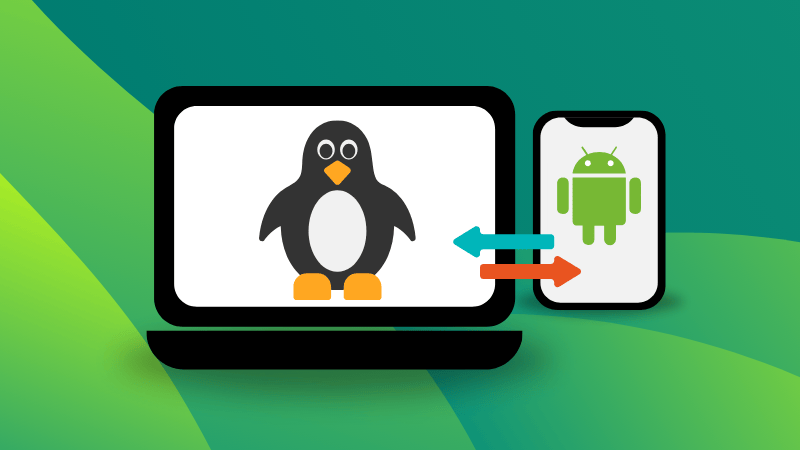
One of the most significant sources of workplace distraction is "notification fragmentation," where a user must physically interact with a smartphone to check alerts, only to become sidetracked by unrelated apps. GSConnect addresses this by providing a complete implementation of the KDE Connect protocol specifically for the GNOME Shell.
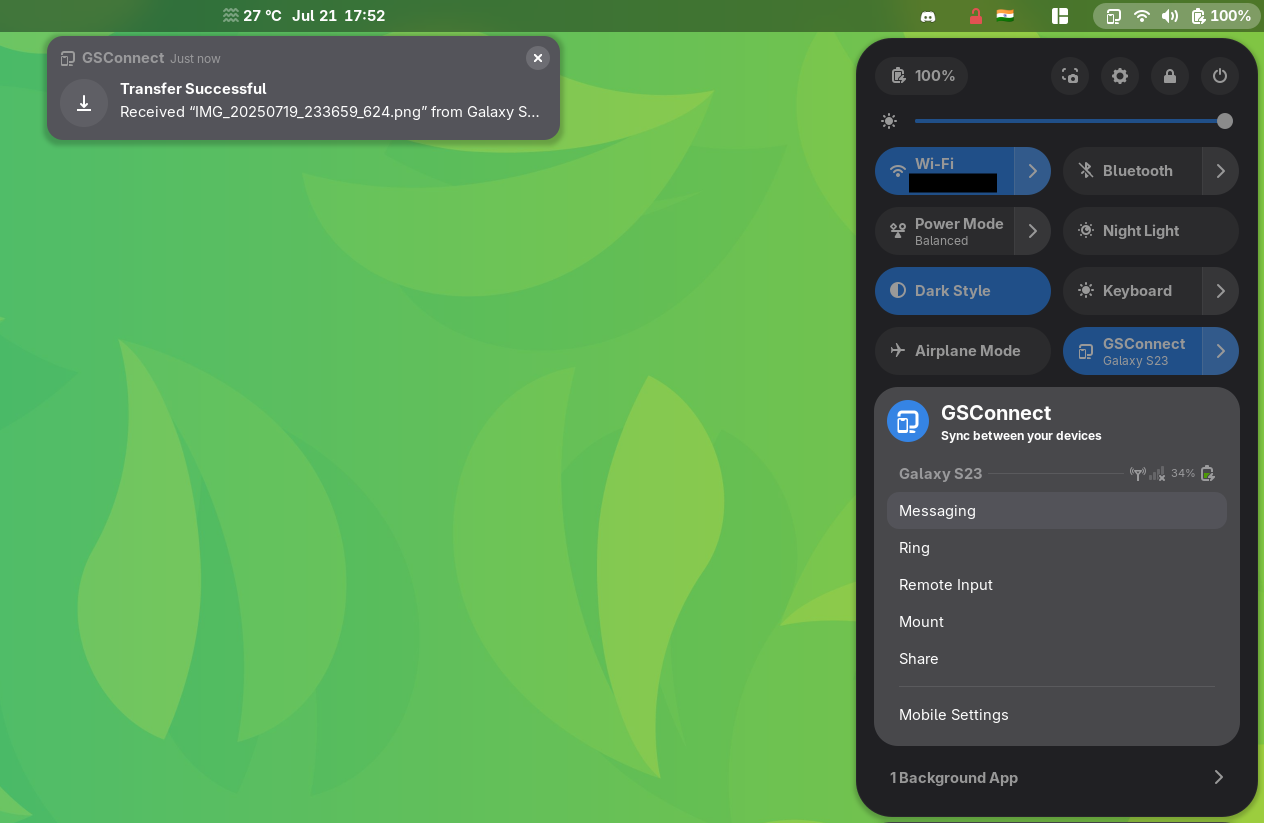
Unlike simple notification mirrors, GSConnect facilitates a two-way flow of information. It allows for SMS messaging directly from the desktop, synchronized clipboards (allowing a user to copy text on a phone and paste it on a PC), and seamless file transfers. From a productivity standpoint, the ability to mount a phone’s filesystem as a remote drive reduces the time spent emailing files to oneself or using cloud intermediaries.
2. Caffeine: Preventing Workflow Interruptions
In a professional setting, few technical glitches are as disruptive as a screen dimming or locking during a presentation or a long period of data analysis. While system power settings allow for global changes to suspend timers, these are often too rigid for dynamic workdays.

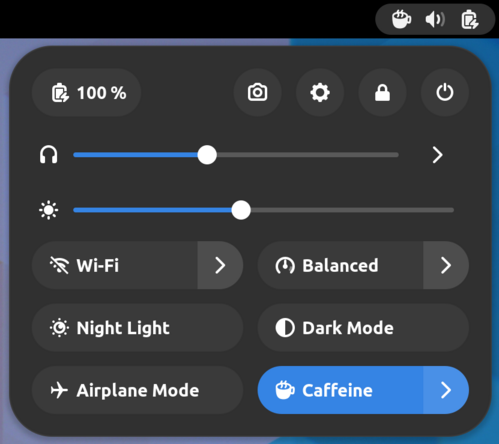
The Caffeine extension provides a toggleable "manual override" for the system’s power management. By clicking a simple icon in the top panel, users can prevent the screen from locking or the system from entering sleep mode. This is particularly vital for developers watching long compilation logs or researchers reading dense documentation. The extension’s support for command-line triggers also allows it to be integrated into automated scripts, ensuring the system stays "awake" only when specific tasks are running.
3. ddterm: High-Velocity Terminal Access
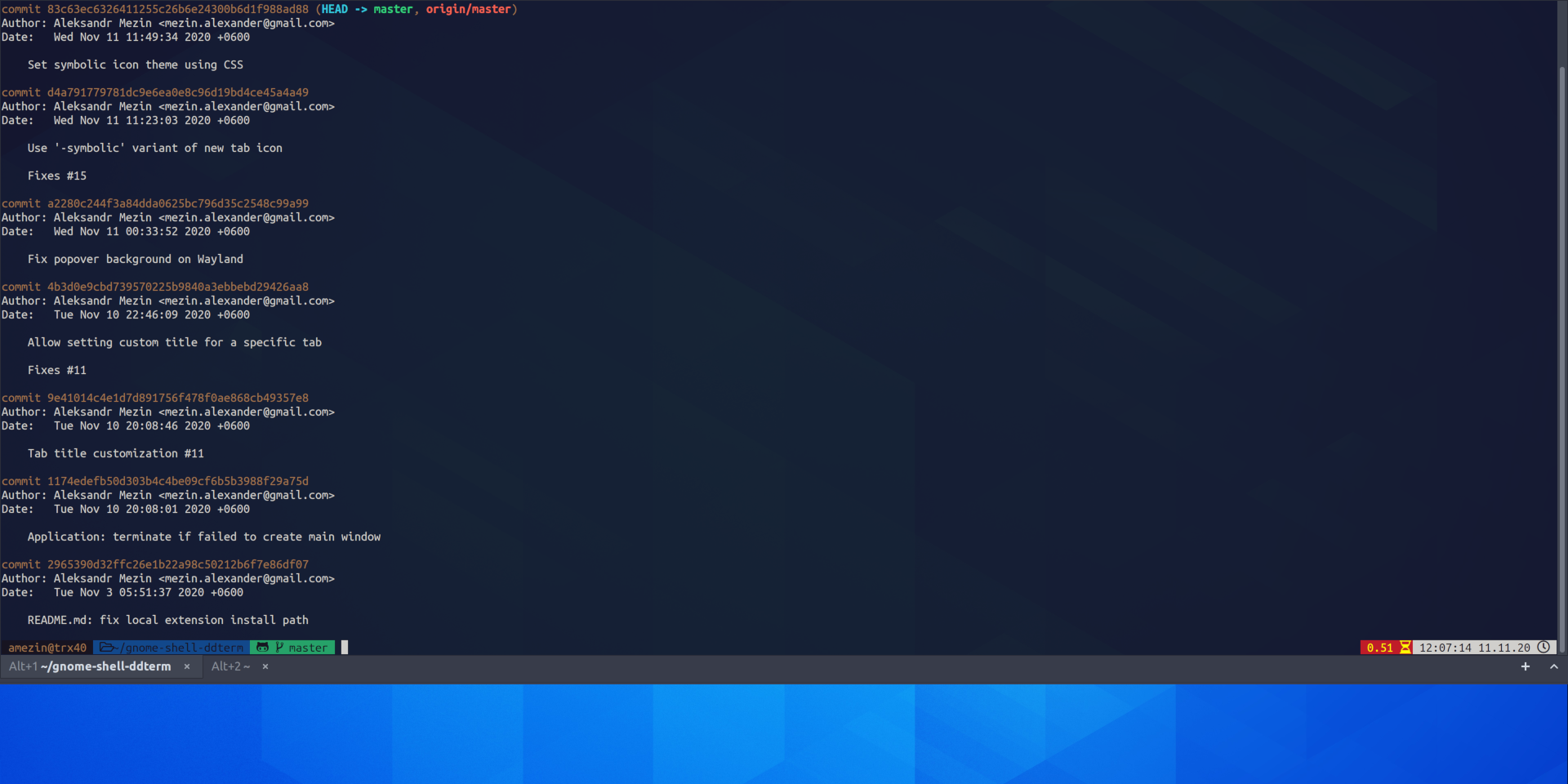
For developers and system administrators, the terminal is the primary tool of trade. The traditional method of switching to a terminal window—using a dock or an application switcher—introduces several milliseconds of cognitive lag. ddterm (Drop Down Terminal) implements a "Quake-style" interface where a terminal slides down from the top of the screen upon a keyboard shortcut.
The significance of ddterm lies in its native Wayland support and its ability to persist across sessions. By keeping the terminal on a separate layer above the workspace, it allows users to execute commands and immediately return to their GUI applications without losing their place. Technical data indicates that reducing the "travel distance" between windows can significantly lower the cumulative fatigue of a long coding session.
4. Clipboard Indicator: Enhancing Data Persistence
The standard system clipboard is a "volatile" resource, holding only one piece of information at a time. For tasks involving data entry, coding, or content creation, this limitation necessitates constant back-and-forth switching between source and destination.
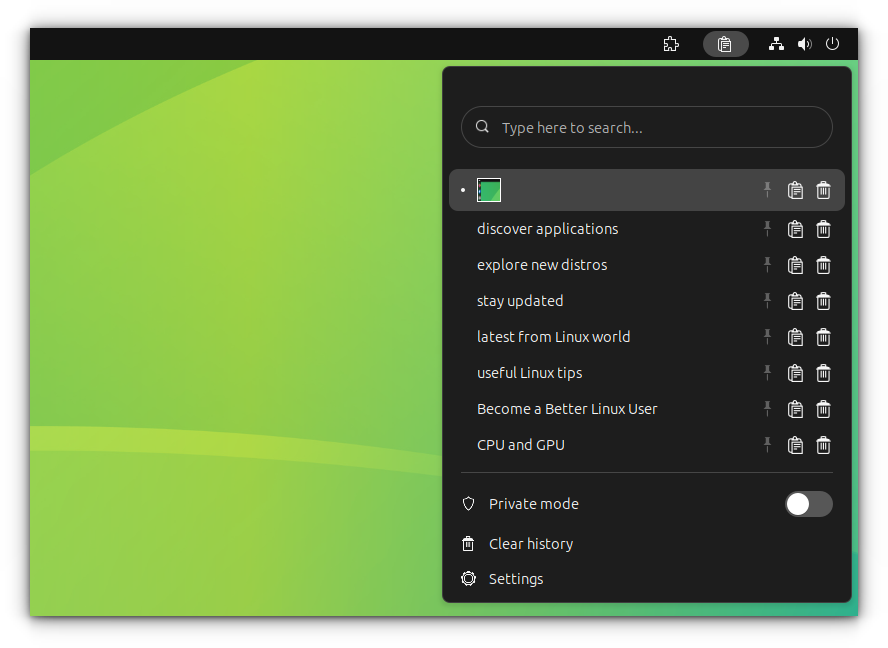
Clipboard Indicator transforms this into a searchable database. By maintaining a history of text and image snippets, it allows users to "batch" their copying tasks and "batch" their pasting tasks. Advanced features such as regex searching, pinning frequently used snippets (like boilerplate code or email signatures), and a private mode for sensitive data make it an essential tool for information workers.
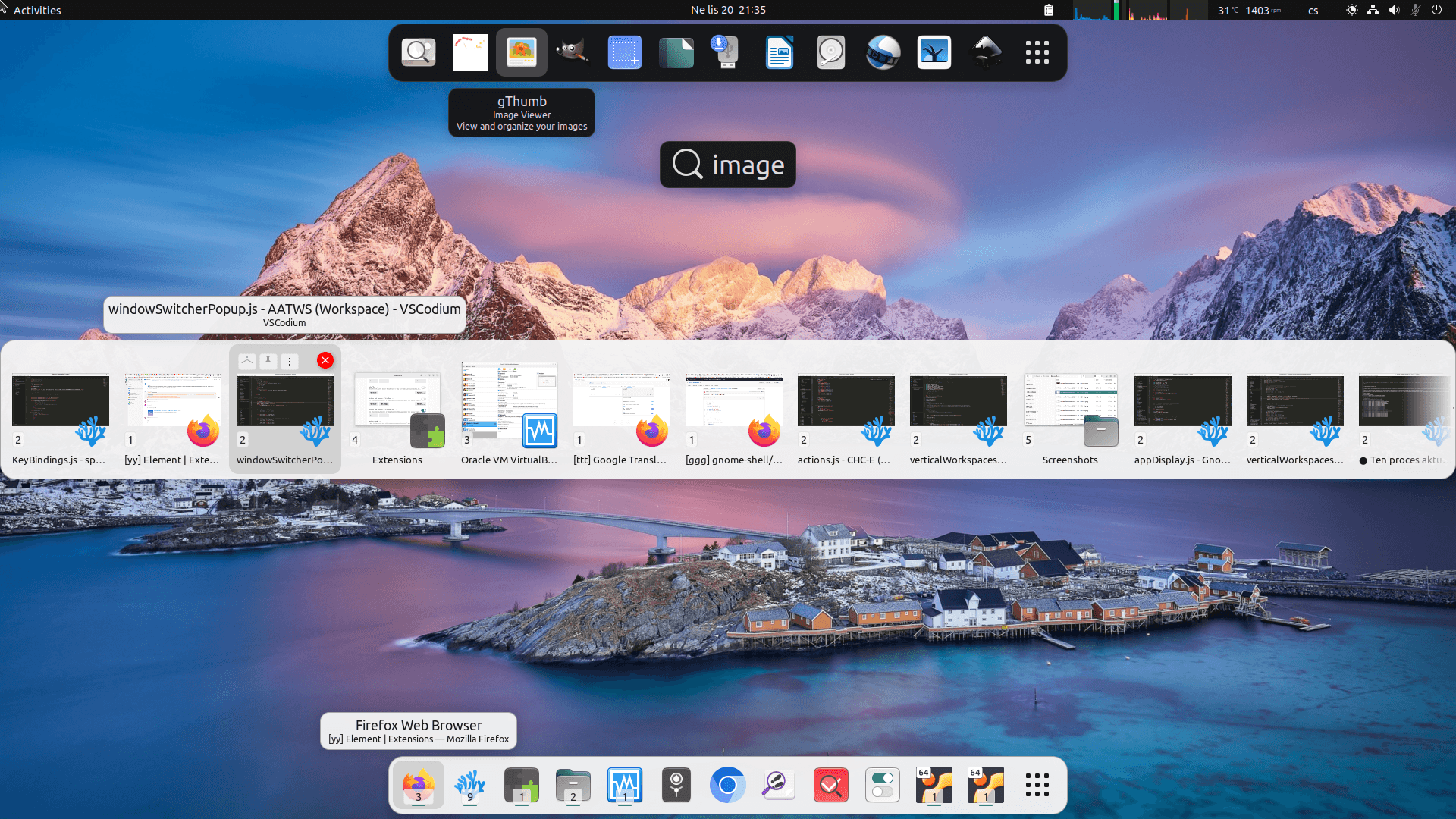
5. Advanced Alt-Tab Window Switcher (AATWS)
As workflows become more complex, the number of open windows increases. GNOME’s default Alt-Tab behavior, while aesthetically pleasing, can become cumbersome when dealing with dozens of instances of the same application.
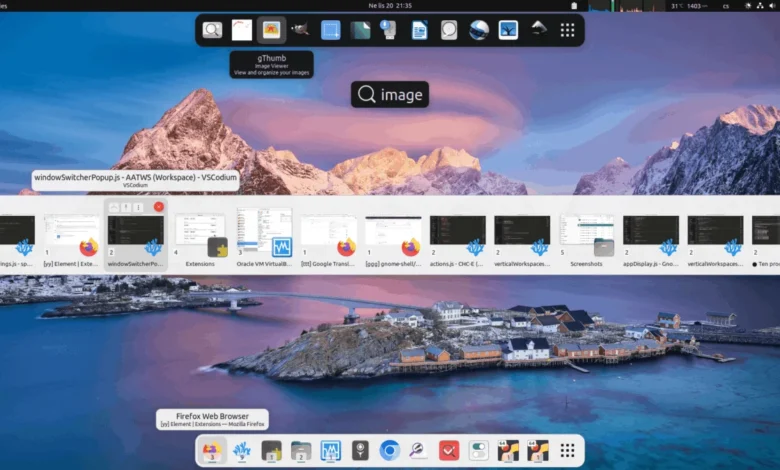
AATWS replaces the standard switcher with a more robust interface that supports filtering and type-to-search. This allows a user to hit Alt-Tab and start typing the name of a specific document or website to jump directly to it. Furthermore, it integrates window management actions—such as closing or moving windows to different monitors—directly into the switcher interface, effectively turning the Alt-Tab command into a command center for the entire desktop.
6. Tiling Shell: Advanced Window Management
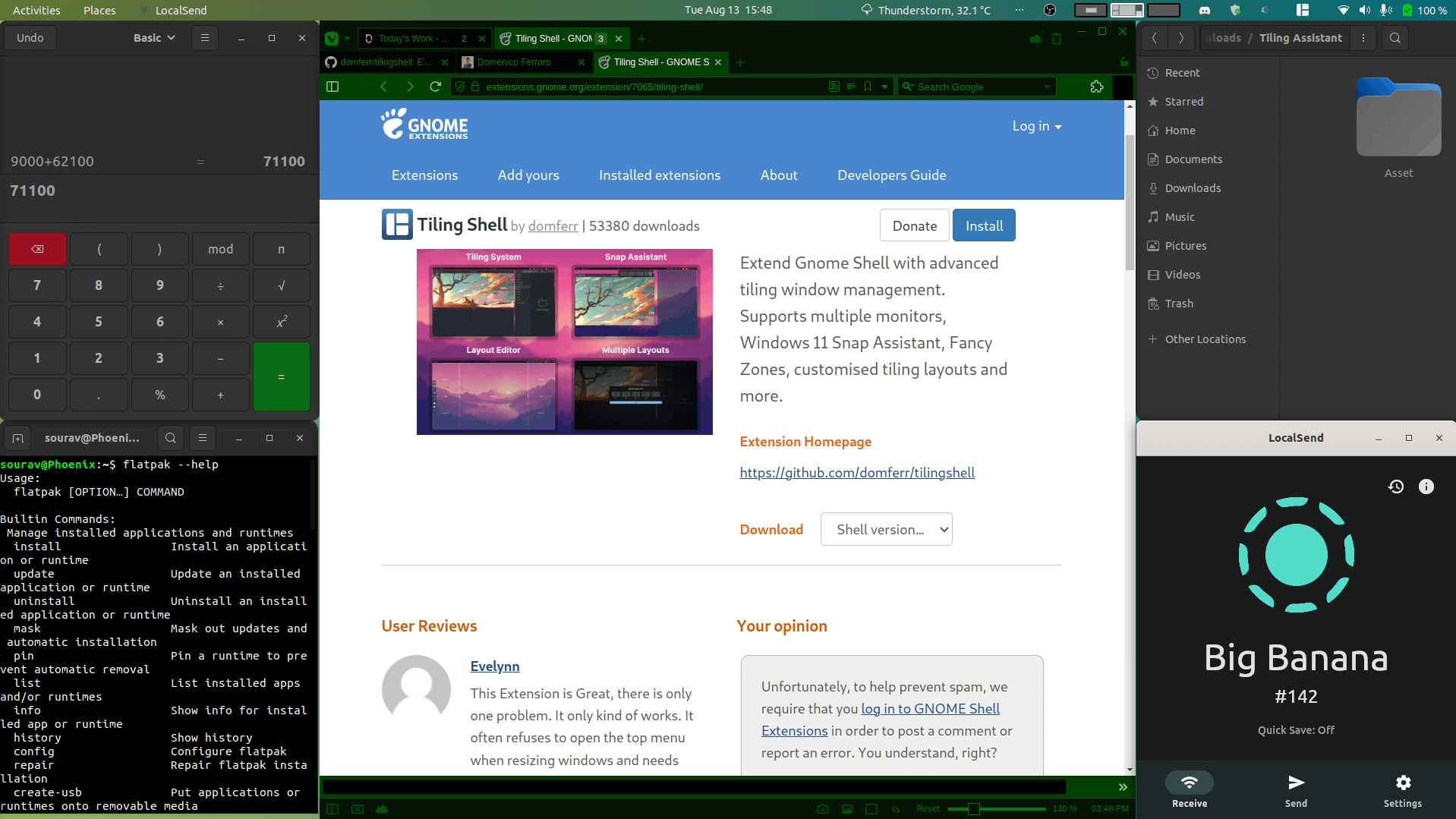
While GNOME provides basic side-by-side window snapping, it lacks the sophisticated tiling capabilities found in dedicated tiling window managers like i3 or Sway. Tiling Shell bridges this gap, allowing users to create custom layouts and "snap" windows into specific zones.
This extension is particularly useful for users with ultra-wide monitors who need to manage three or four windows simultaneously. By automating the resizing and positioning of windows, Tiling Shell eliminates the "pixel-hunting" associated with manual window management. The ability to save and load specific layouts for different tasks (e.g., a "Coding Layout" vs. a "Meeting Layout") provides a significant boost to organizational efficiency.
7. Cronomix: The Unified Productivity Suite
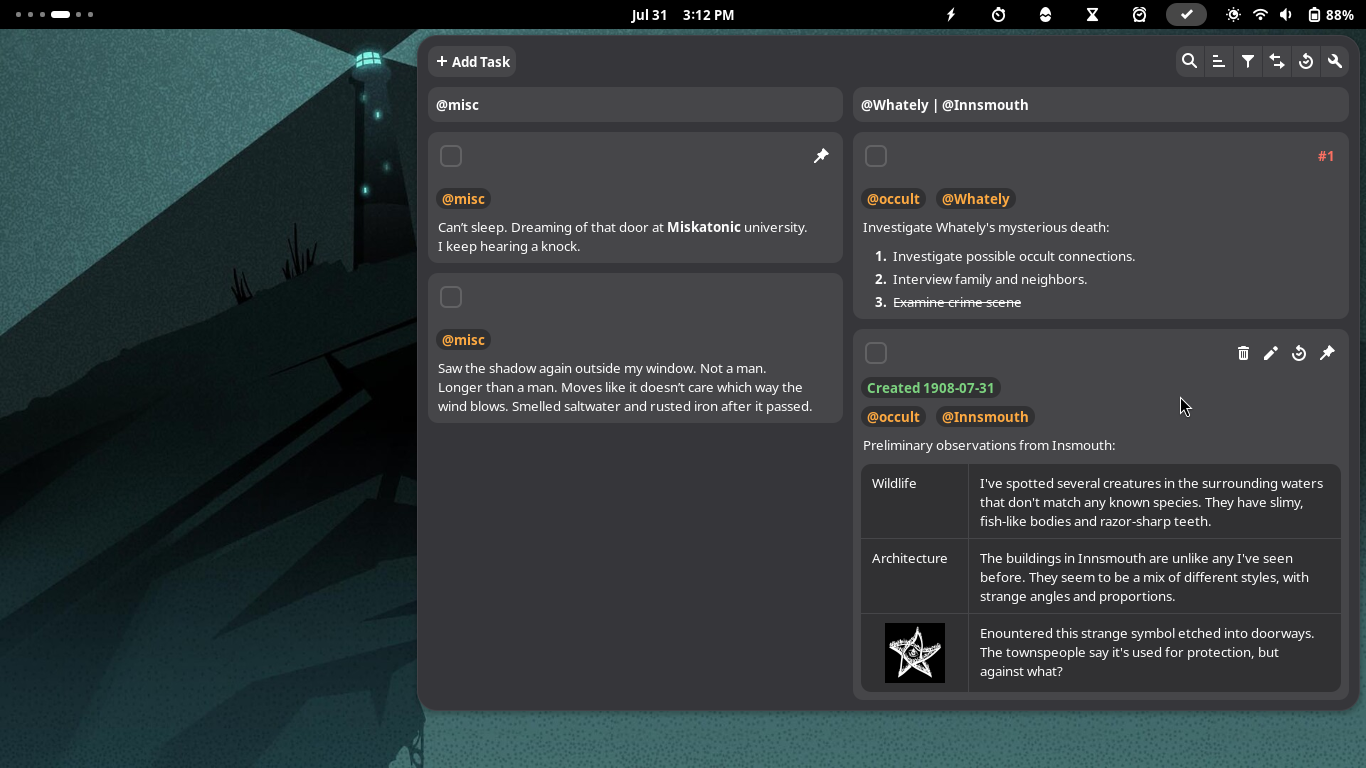
In the "productivity guru" landscape, many promote the use of Pomodoro timers, time trackers, and to-do lists. However, using separate applications for each of these functions often leads to "app fatigue." Cronomix integrates these features into a single, cohesive GNOME extension.
By housing a Pomodoro timer, a task list, and a time tracker within the system tray, Cronomix allows users to monitor their work-rest cycles without leaving their active window. For freelancers and contractors, the built-in time tracker provides an objective record of hours spent on specific projects, simplifying the invoicing process and providing data-driven insights into where time is being lost.
8. Notes With History: Persistent Scratchpads
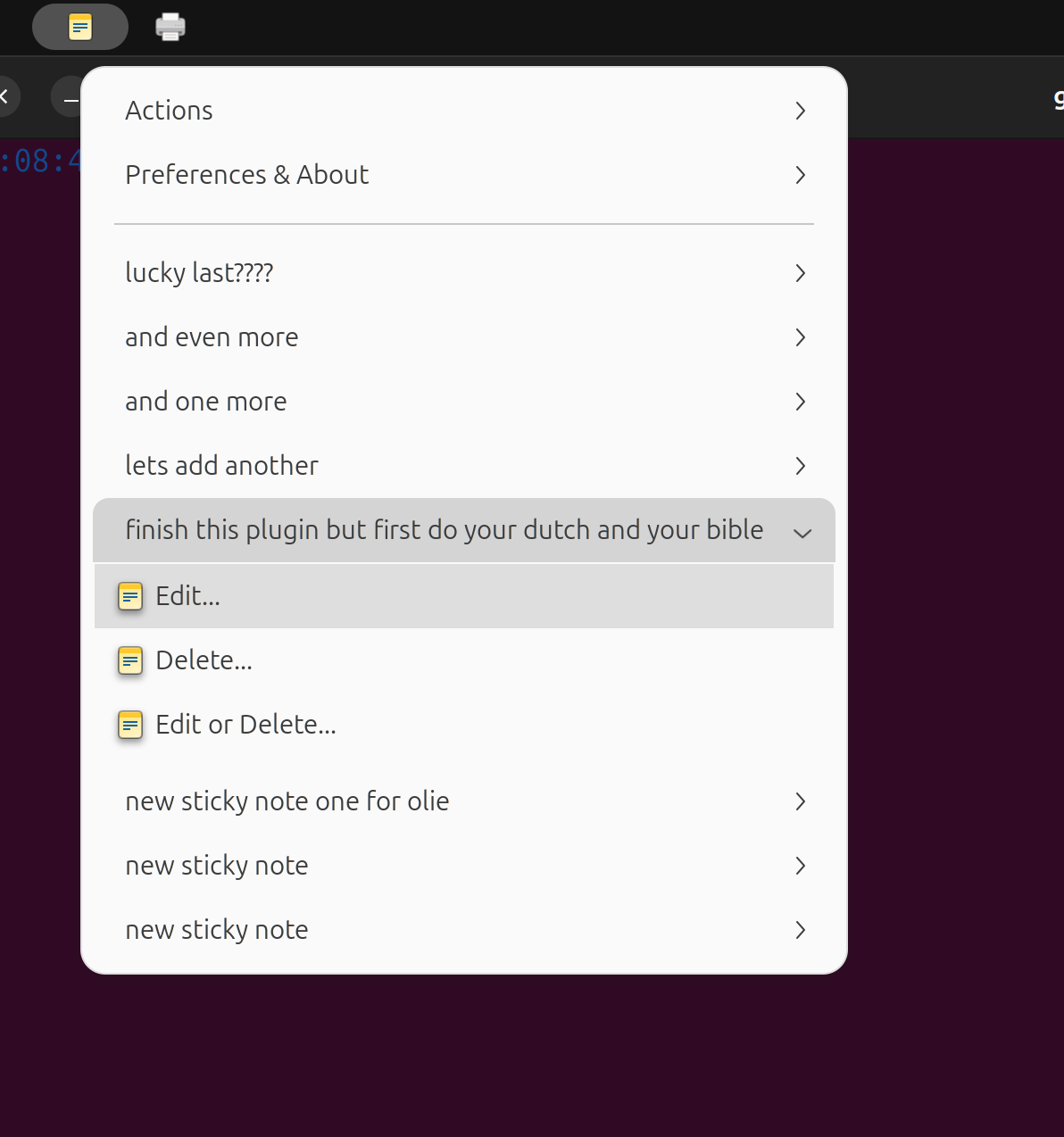
Ideas and reminders are often fleeting. Notes With History provides a non-intrusive way to capture these thoughts. Unlike traditional "sticky note" apps that clutter the screen, this extension hides notes within a panel menu.
The "history" aspect of the extension ensures that previous versions of notes are preserved, protecting against accidental deletions. For users who need to keep track of temporary data—such as meeting IDs, terminal commands, or brief outlines—this extension serves as a digital "scrap of paper" that is always accessible but never in the way.
9. Freon: Hardware Health and System Stability
System performance is a prerequisite for productivity. A sudden slowdown caused by CPU throttling or a runaway process can derail a deep-work session. Freon brings hardware monitoring to the top bar, displaying real-time data on temperatures (CPU, GPU, Disk), fan speeds, and voltages.

By providing immediate visibility into the system’s physical state, Freon allows users to identify hardware bottlenecks before they cause a system crash. This is especially critical for users working on laptops or high-performance workstations where thermal management is a constant factor in maintaining peak processing speeds.
Native Integration: The GNOME 48 Digital Wellbeing Initiative
While extensions provide specialized tools, the GNOME Project has begun integrating core productivity features directly into the desktop. With the release of GNOME 48, the "Digital Wellbeing" section in the Settings menu marks a significant shift in philosophy.

This native feature includes:
- Screen Time Tracking: Provides users with a breakdown of their daily and weekly usage patterns.
- Break Reminders: Encourages movement and eyesight breaks to prevent physical strain.
- Grayscale Mode: A psychological tool designed to make the screen less "stimulating," helping users wind down or avoid the addictive qualities of certain interfaces.
This move toward native wellbeing tools suggests that the GNOME developers recognize that productivity is not just about doing more, but about maintaining the health of the user.
Analysis of Implications: The Future of the Linux Desktop
The reliance on extensions for productivity highlights a unique aspect of the Linux ecosystem: the balance between a stable, predictable core and a flexible, user-defined periphery. While some critics argue that these features should be built into the desktop by default, the extension model allows for rapid innovation. A developer can create a tool like Tiling Shell and iterate on it much faster than the six-month release cycle of the GNOME desktop itself.
However, this flexibility comes with challenges. Each major GNOME release can potentially break existing extensions, requiring developers to update their code. This "version churn" has led to the professionalization of extension development, with many popular tools now maintained by dedicated teams or supported by community donations.
For the enterprise user, these tools represent a way to achieve "feature parity" with—or even exceed—the productivity suites found in Windows or macOS. For example, the combination of GSConnect and Tiling Shell provides a workflow that is arguably more integrated than what is available on proprietary platforms without third-party software.
Conclusion
Productivity on the modern desktop is a battle against friction and distraction. For GNOME users, the strategy for 2024 involves a hybrid approach: leveraging the sleek, stable foundation of the GNOME Shell while strategically deploying extensions to handle the heavy lifting of window management, mobile integration, and time tracking. By curating a set of tools like those listed above, users can transform their Linux workstation from a simple operating system into a finely-tuned engine for professional output. As GNOME continues to incorporate "wellbeing" into its core, the gap between human biological needs and digital work demands continues to narrow, promising a more sustainable future for the digital workforce.
Related posts: