Mastering Python Textual DOM Queries Part Two: Advanced Methods and Bulk Widget Manipulation

Building upon the foundational concepts introduced in the initial installment of the Textual DOM query guide, developers diving deeper into Python’s modern Terminal User Interface (TUI) framework encounter a powerful array of advanced manipulation techniques. While basic queries allow programmers to locate specific UI elements within an application layout, the DOMQuery object possesses an extensive suite of native methods designed to streamline complex state changes, filter collections, and execute bulk updates without relying on manual iteration loops.
Understanding these advanced capabilities is essential for software engineers striving to build responsive, maintainable, and high-performance terminal applications. As frameworks like Textual bridge the gap between traditional web development paradigms and command-line interfaces, adopting DOM-like manipulation patterns has become a cornerstone of efficient TUI architecture.
Exploring the DOMQuery Interface
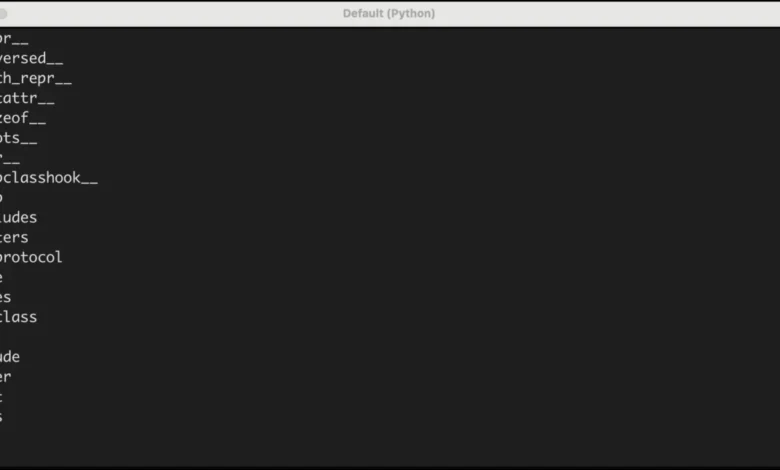
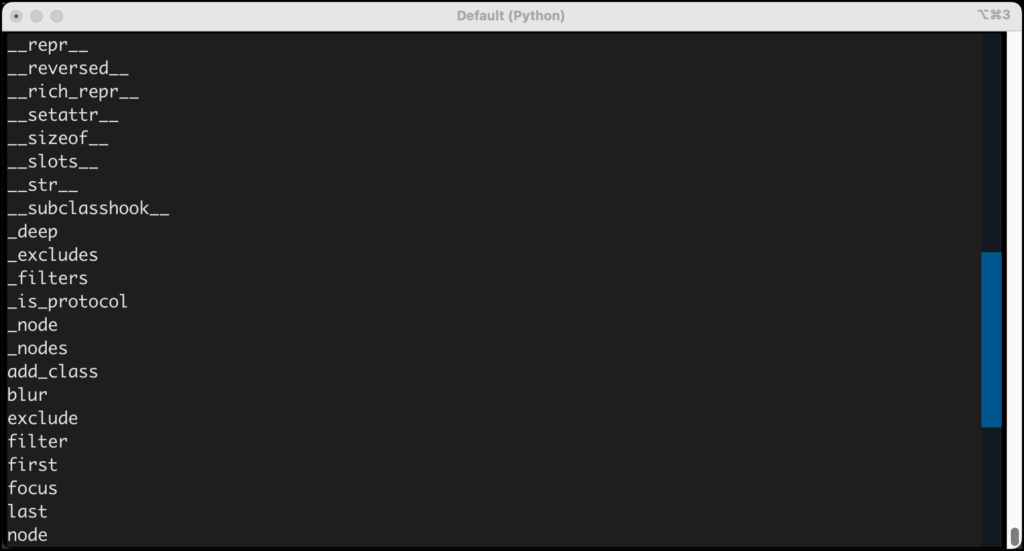
To comprehend the full scope of what a DOMQuery object can achieve, developers can inspect its internal structure using Python’s built-in dir() function. This introspection technique reveals dozens of hidden methods and attributes inherited or specifically implemented by the framework to handle widget collections.
Consider the following implementation of a diagnostic application designed to output the available methods of a DOMQuery object directly to a user interface label:
# domquery_methods.py
import pprint

from textual.app import App, ComposeResult
from textual.widgets import Button, Label

class QueryApp(App):

    def compose(self) -> ComposeResult:
        yield Label("Press a button", id="label")
        yield Button("Get DomQuery Methods", id="one")

    def on_button_pressed(self) -> None:
        widgets = self.query("Button")
        s = ""
        s += f"type(widgets)n"
        for entry in dir(widgets):
            s += f"entryn"
        label = self.query_one("#label")
        label.update(s)

if __name__ == "__main__":
    app = QueryApp()
    app.run()
When executed, this script captures the query results for all buttons within the application view, iterates over the introspection output, and displays the complete list of available methods. Among this extensive collection, several utility functions stand out for their frequency of use in production-grade software architecture, notably those governing boundary selection, filtering, and exclusion.
Navigating Boundaries: First and Last Elements
In many UI workflows, developers frequently need to target only the initial or final element of a matched collection—for instance, when focusing the first input field in a form or triggering a submission handler on the final action button. Textual simplifies this requirement through the dedicated first() and last() methods.
To demonstrate this behavior, consider a scenario featuring multiple action buttons:
# first_and_last.py

from textual.app import App, ComposeResult
from textual.widgets import Button, Label

class QueryApp(App):

    def compose(self) -> ComposeResult:
        yield Label("Press a button", id="label")
        yield Button("One", id="one")
        yield Button("Two", id="two")
        yield Button("Three", id="three")

    def on_button_pressed(self) -> None:
        widgets = self.query("Button")
        s = ""
        s += f"The first button: widgets.first()n"
        s += f"The last button: widgets.last()"
        label = self.query_one("#label")
        label.update(s)

if __name__ == "__main__":
    app = QueryApp()
    app.run()
While DOMQuery objects natively mimic Python lists—allowing developers to achieve identical results using standard index slicing such as widgets[0] and widgets[-1]—the dedicated methods offer critical safety enhancements. Specifically, first() and last() accept an optional expect_type argument.
This argument enforces strict type checking at runtime. If a developer expects the final widget in a query set to be a specific component class—such as a Button—they can write:
last_button = self.query().last(Button)If the matching element does not conform to the expected type, Textual raises a WrongType exception, catching structural bugs during execution before they manifest as silent UI failures.
Refining Selection Sets Through Filtering
As applications scale in complexity, broad queries often capture mixed collections of widgets. To isolate specific subsets without writing custom loops, Textual provides the filter() method. This utility evaluates a CSS selector against the existing query set, returning a new, refined DOMQuery instance containing only the matching elements.
For example, when managing a complex layout where a developer has queried all children within a container, filter() allows for the immediate segregation of distinct component types:
# Get all active widgets in the current view
widgets = self.query()

# Isolate all Label components into a dedicated query object
label_widgets = widgets.filter("Label")

# Isolate all Button components into a separate query object
button_widgets = widgets.filter("Button")
This functional approach mirrors modern JavaScript DOM manipulation techniques, providing Python developers with a familiar, expressive syntax for handling hierarchical component trees.
Excluding Elements from Query Sets
Conversely, scenarios often arise where developers need to target an entire collection while omitting specific sub-components. The exclude() method serves as the logical inverse of filter(), stripping out any elements from the DOMQuery collection that match a provided CSS selector.
By leveraging exclusion, developers can streamline event handling and styling updates across heterogeneous layouts. Consider an application state where a developer wishes to update every widget in a container except for interactive buttons:
# Capture all descendant widgets
widgets = self.query()

# Remove all button elements from the active set
non_buttons = widgets.exclude("Button")
Through the strategic combination of filter() and exclude(), developers retain absolute control over precisely which elements are targeted during layout manipulation.
Executing Bulk Updates Without Iteration Loops
One of the most powerful architectural advantages of Textual’s DOMQuery system is its ability to perform bulk operations natively. Rather than iterating over individual widget references in a for loop to modify properties or apply styles, developers can invoke mutation methods directly on the DOMQuery object itself. These operations propagate automatically across every matched element simultaneously.
A primary use case for this functionality involves dynamic class management. Marking input fields or processing blocks as active, complete, or erred can be accomplished in a single line of code:
self.query("Input").add_class("started")By applying CSS classes in bulk, developers decouple visual presentation logic from underlying event handlers. The framework supports a robust set of bulk operations, including methods for adding, removing, and toggling classes, updating disabled states, and triggering layout recalculations across entire component trees.
Implications for TUI Application Architecture
The maturation of Python terminal frameworks highlights a broader industry shift toward rich, state-driven command-line utilities. Historically, building complex TUIs required low-level manipulation of terminal buffers or reliance on aging libraries like curses, which lacked modern abstractions.
By introducing a robust DOM-like query and manipulation engine, Textual brings web-development ergonomics to desktop and server-side terminal environments. The ability to query elements using standard CSS selectors, enforce runtime type safety, and execute bulk property updates significantly reduces boilerplate code. For enterprise developers building administration dashboards, monitoring tools, and developer CLI applications, mastering these advanced query mechanics translates directly into more maintainable codebases and improved application performance.