GitHub Unveils Copilot Canvases: Transforming Plain English Descriptions into Dynamic, Bidirectional Developer Workspaces

Software development has long been governed by the tyranny of rigid interfaces. Developers, project managers, and engineers are routinely forced to adapt their cognitive workflows to the predefined screens, fixed layouts, and unyielding database schemas of the tools they use. Whether tracking issues on a standard kanban board, compiling release notes in a text editor, or organizing deployment pipelines via cumbersome dashboards, the human element has historically shouldered the burden of bridging the gap between thought and software. GitHub aims to dismantle this paradigm with the introduction of canvases within the GitHub Copilot application.
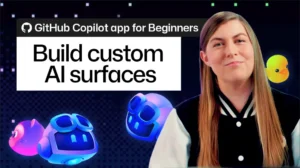
Announced as a groundbreaking leap in human-AI collaboration, Copilot canvases allow users to bypass manual coding and UI design entirely. By issuing a simple command and describing a desired interface in plain English, users can prompt the AI agent to construct a live, customized surface—ranging from spreadsheets and issue triage boards to release checklists and dynamic dashboards—that evolves in real time alongside the project.
The Genesis of Context-Aware Developer Tools
The software industry has experienced a seismic shift over the past several years, transitioning from static code completion tools to autonomous, conversational AI coding assistants. However, while chat interfaces and inline completions have drastically accelerated syntax writing, they have largely remained siloed from the broader operational workflows of project management. Developers still find themselves constantly context-switching between their integrated development environments (IDEs), browser-based project management boards, terminal windows, and communication channels.
GitHub Copilot canvases represent a direct evolution of this ecosystem, merging conversational AI with dynamic user interface generation. Rather than treating the AI as a chatbot that merely responds to text prompts, the canvas architecture transforms the AI into a collaborative partner operating within a shared, visual medium. This innovation addresses a fundamental friction point in modern software engineering: the translation of unstructured ideas into structured, actionable project artifacts.
Anatomy of a Canvas: How the Technology Operates
At its technical core, a canvas—formally referred to as a canvas extension—is a bidirectional, customizable interface shared between the human user and the GitHub Copilot agent. Unlike traditional web applications where UI elements are hardcoded by developers, a canvas is instantiated, modified, and maintained dynamically through natural language interactions.
To initiate this process, a user opens an active Copilot agent session and invokes the built-in skill using the /create-canvas command. Following this command, the user provides a natural language prompt detailing the intended purpose, required controls, and functional capabilities of the interface. For example, a developer might input a prompt designed to track cross-session feature completions:
/create-canvas Create a release notes canvas for tracking new feature work completed across GitHub Copilot app sessions. Include controls for reviewing and organizing entries and allow the agent to add and update them.
Upon receiving this instruction, the Copilot agent synthesizes the underlying structure, generates the necessary layout elements, and renders the fully functional interface within the right-side panel of the application. Crucially, this entire operation occurs without the user needing to write a single line of frontend code, configure layout files, or manually arrange UI components.
The Power of Bidirectional Collaboration
What separates canvases from traditional templates or static dashboards is their bidirectional nature. In conventional software tools, updates are unidirectional: a user enters data, and the system stores it, or a script runs and updates a database. With Copilot canvases, both the human user and the AI agent possess simultaneous, read-write access to the interface state.
When a user clicks a button, adjusts a filter, drags a card across a kanban lane, or modifies a data field, the shared state updates instantly. The Copilot agent observes these modifications in real time, eliminating the need for separate synchronization steps or repeated prompt commands. Conversely, the agent can actively utilize the canvas’s native capabilities—executing the exact same actions available to the human user—to autonomously add new release notes, update status markers, or reorganize priority queues.
This creates a continuous feedback loop that redefines the division of labor between developer and machine. Instead of the traditional "command-and-wait" cycle, where a user submits a prompt and awaits a static response, canvases foster an environment of continuous co-creation. The developer steers the overarching workflow while the AI handles the administrative overhead of logging, sorting, and updating project data.
Iteration, Customization, and Persistence
Recognizing that no initial interface design is ever completely final, GitHub has engineered canvases to be fully malleable. The first rendered version of a canvas serves merely as a baseline. Users can continuously refine the workspace through iterative dialogue with the Copilot agent.
If a project manager decides that a release tracking board requires a new filter for open pull requests, a column for QA status, or a daily checklist format, they simply instruct the agent accordingly. The AI adapts the layout on the fly, tailoring the tool precisely to the shifting demands of the project lifecycle.
Furthermore, once a canvas has been perfected, it is not discarded. Canvases are saved as extensible extensions, allowing them to be preserved for future use. Development teams can store a customized canvas within a shared project repository to standardize workflows across multiple contributors, or individual engineers can save personalized extensions tailored exclusively to their personal productivity habits.
Community Integration and the "Awesome Copilot" Ecosystem
To accelerate adoption and reduce the learning curve, GitHub has integrated canvases with its broader open-source ecosystem. Developers who are uncertain where to begin can access a growing library of pre-built canvas extensions curated through the "Awesome Copilot" community repository.
These community-contributed templates include specialized tools for release management, kanban tracking, complex issue triage, and sprint planning. Rather than building a workspace from scratch, a team can install a template that closely aligns with their needs and deploy the Copilot agent to customize and calibrate it for their specific repository environment.
Industry Implications and Future Outlook
The introduction of canvases signals a broader maturation in the developer tooling landscape. As artificial intelligence models become increasingly agentic, the primary bottleneck in software engineering is no longer the generation of code, but the orchestration of workflows, communication, and project oversight.
By collapsing the distance between natural language instructions and functional user interfaces, GitHub is pointing toward a future where software applications are ephemeral, intent-driven, and completely malleable. Tools will no longer dictate how teams must structure their processes; instead, the tools will materialize instantly to fit the unique contours of human ingenuity.
For organizations navigating increasingly complex software development lifecycles, the ability to spin up context-aware, collaborative workspaces in seconds promises substantial efficiency gains. By delegating operational friction to AI agents, engineering teams can refocus their cognitive energy on what matters most: writing secure, innovative code and delivering value to users.