React Native 0.77 Officially Released with Advanced CSS Layout Features, Android 16KB Page Support, and Modernized Swift Templates


The open-source mobile development community has marked a significant milestone with the official launch of React Native 0.77. Spearheaded by core contributors and a vast network of global developers, this latest stable release bridges the gap between web and native application design. Featuring advanced CSS layout properties, critical compatibility updates for the Android operating system, and a shift toward modern systems programming languages on iOS, version 0.77 sets a new standard for cross-platform application performance and developer ergonomics.
Following a rigorous release candidate testing phase that began in late 2024, version 0.77 consolidates more than 1,061 individual commits contributed by 161 developers worldwide. As the framework continues to evolve under the hood—particularly with the widespread adoption of the New Architecture—this release delivers powerful tools designed to streamline complex UI creation while maintaining backward compatibility for legacy codebases.
Enhanced Layout Capabilities and Web-Standard CSS Properties

A primary focus of the React Native 0.77 release cycle is the continued alignment of React Native’s styling engine with standard web CSS specifications. Developers frequently face challenges when translating web-based layout concepts into native mobile environments. To alleviate this friction, the core team has introduced robust support for several high-demand CSS properties: display: contents, boxSizing, mixBlendMode, and a comprehensive suite of outline-related properties.
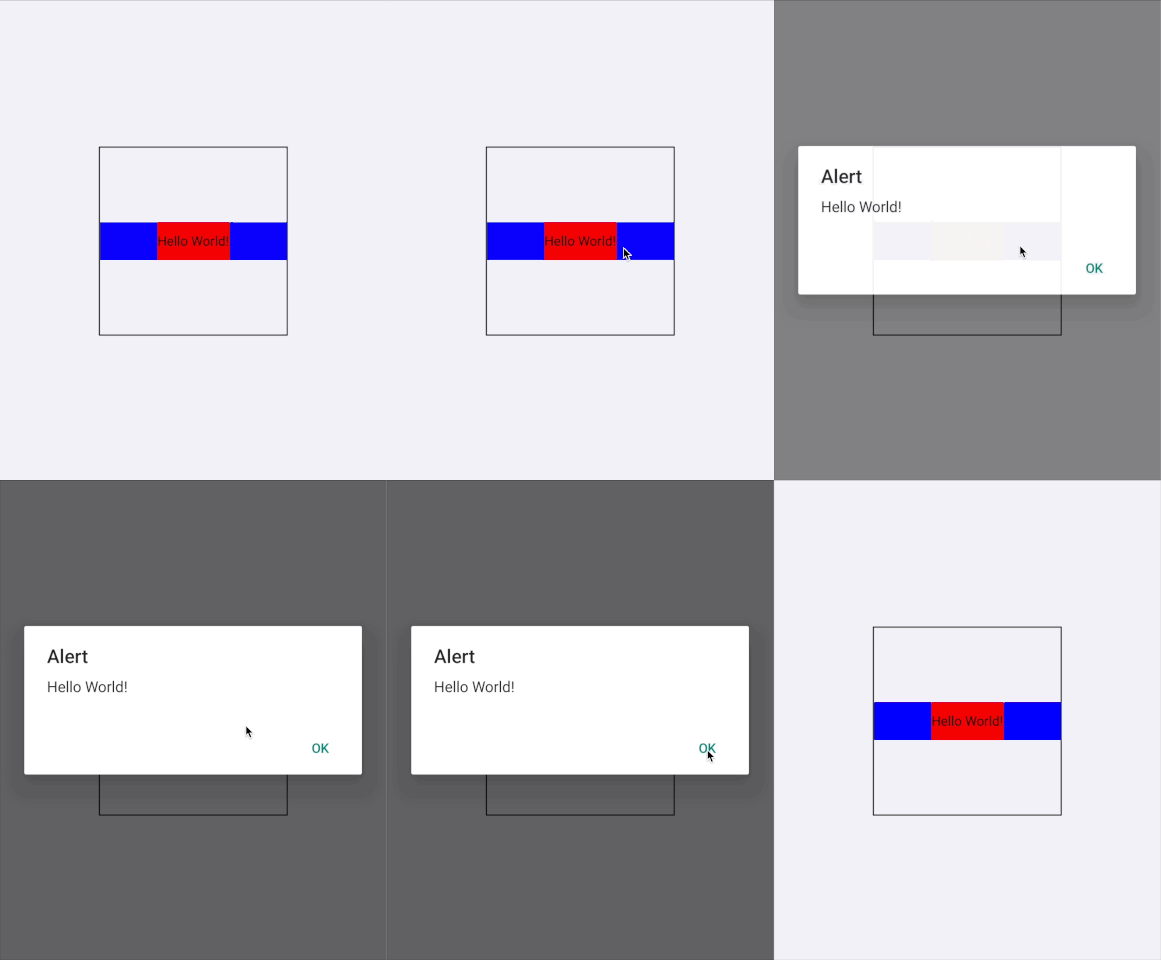
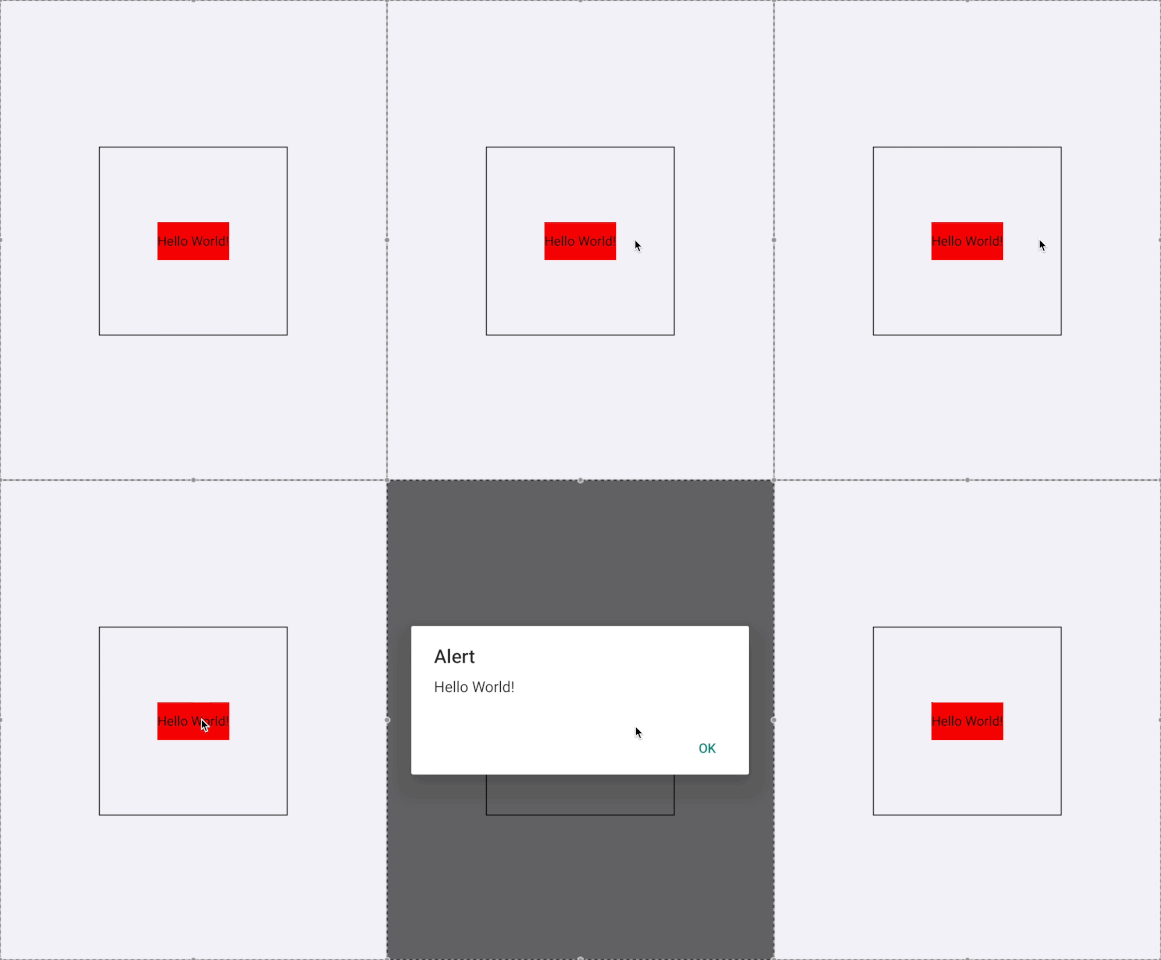
The incorporation of display: contents represents a major upgrade for component structuring. In web development, applying this property allows an element to effectively disappear from the visual layout hierarchy while still rendering its children directly inside the parent element. In React Native 0.77, this enables developers to construct abstract wrapper components—such as event handlers or accessibility layers—without introducing unintended layout boxes, padding boundaries, or visual distortions. Pointer events and touch interactions can now pass seamlessly through wrapper components to target inner elements directly, solving a long-standing architectural hurdle in complex mobile UI trees.
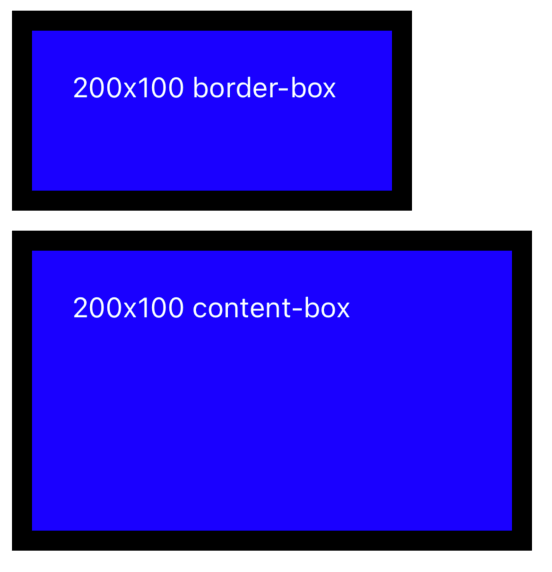
Additionally, the introduction of the boxSizing property provides developers with explicit control over how element dimensions are calculated. While border-box remains the default value to preserve backward compatibility and prevent unexpected layout shifts across existing applications, developers can now explicitly utilize content-box where appropriate. This mirrors standard web behavior and gives teams finer grain sizing options.
To further elevate visual fidelity, version 0.77 introduces mixBlendMode alongside the isolation property. By setting isolation: isolate, developers can force a View component to establish a distinct stacking context. This ensures that descendant elements utilizing complex color-blending functions do not bleed or interact unexpectedly with surrounding UI elements outside their designated container. Coupled with newly introduced outline properties—including outlineWidth, outlineStyle, outlineSpread, and outlineColor—developers can now highlight active states or draw focus rings around the border box without triggering costly layout reflows.
Android 15 Integration and 16KB Memory Page Support
On the mobile operating system front, React Native 0.77 delivers crucial updates to ensure seamless operation on cutting-edge Android hardware and software environments. Building upon foundational work laid in previous versions, this release addresses major shifts introduced in Android 15.
Most notably, applications targeting targetSdk 35 will encounter forced edge-to-edge display rendering on Android 15 devices. The React Native team has continued to issue guidance and structural adjustments to help development teams adapt their user interfaces, preventing common layout clipping issues around system gesture navigation bars and status displays.
Furthermore, version 0.77 brings full native support for 16KB memory page sizes. Google has introduced 16KB page size support in modern Android environments to optimize memory allocation and drive significant performance gains on future devices. Because older application builds relying on standard 4KB page configurations face potential compatibility roadblocks on upcoming hardware, React Native’s proactive adoption ensures that cross-platform applications remain fully compliant and performant. Developers can now reliably test, build, and deploy production-ready applications targeting 16KB-supported Android devices directly out of the box.
Modernizing the iOS Ecosystem with Swift Templates and Architectural Shifts
In the iOS ecosystem, React Native 0.77 introduces a sweeping modernization of the default community template. For years, the foundational iOS entry points of a React Native application relied heavily on Objective-C and Objective-C++. Version 0.77 initiates a strategic migration by transitioning the default project template to Swift, replacing multiple legacy files—including main.m, AppDelegate.h, and AppDelegate.mm—with a streamlined, single AppDelegate.swift file.
While new projects generated via the command-line interface will utilize Swift by default, the core maintainers have emphasized that Objective-C++ remains fully supported for teams that prefer it or maintain legacy modules. However, applications adopting the new Swift template must integrate the RCTAppDependencyProvider to manage third-party dependency loading properly and avoid runtime initialization errors.
The framework maintainers have also outlined specific limitations regarding this migration. Applications containing local native modules written purely in C++ cannot currently register those modules within a Swift-based AppDelegate due to the ongoing evolution of Swift-to-C++ interoperability. Consequently, teams utilizing pure C++ Turbo Native Modules are advised to retain their Objective-C++ configurations until language interop matures further in future releases.
Retirement of Legacy Workflows and Debugging Infrastructure
Version 0.77 continues the systematic cleanup of deprecated features and legacy tooling. Most notably, this release completes the absolute deprecation and removal of the legacy react-native init command, which was initially sunrised in version 0.75. Developers must now utilize modern tooling workflows, such as @react-native-community/cli or ecosystem-specific frameworks like Expo, to bootstrap new environments.
In an effort to streamline the local development server, the community CLI has also removed the ‘a’ and ‘i’ keyboard shortcuts from Metro. These shortcuts previously allowed developers to trigger run-android and run-ios commands directly from the terminal interface. According to core contributors, these shortcuts provided an inconsistent developer experience and were rarely utilized, as modern frameworks and IDE extensions are better suited for managing terminal process outputs.
Crucially, version 0.77 marks the permanent removal of console.log() streaming via Metro. Deprecated in version 0.76, this custom log-forwarding mechanism has been entirely retired in favor of the standardized Chrome DevTools Protocol (CDP). This architectural shift ensures that JavaScript logging and debugging operations behave with high reliability, matching the performance and feature sets of modern browser-based developer tooling.

Looking Ahead: The Road to React 19
The release of React Native 0.77 coincided closely with the debut of React 19 in December 2024. Because the release branch for version 0.77 had already entered its final candidate phase, incorporating React 19 directly into this stable drop was not feasible.
However, the React Native engineering team has confirmed that React 19 integration is already well underway for the subsequent release cycle. Development branches for React Native 0.78 have already been cut, and intrepid developers can test early integrations using designated release candidate flags via the community CLI.
Support Policy and Upgrade Pathways

With the deployment of version 0.77, the framework’s active support lifecycle shifts accordingly. Version 0.77 now stands as the latest stable release of React Native, while older iterations such as version 0.74.x officially transition into unsupported status in accordance with the project’s formal support policy.
Existing project maintainers seeking to adopt the latest performance enhancements, CSS layout features, and security updates are encouraged to utilize the official React Native Upgrade Helper to navigate necessary code modifications. For new application development, engineers can initialize projects using the updated CLI packages, while projects operating within the Expo ecosystem can anticipate native compatibility support in upcoming Expo SDK releases.
Related posts: