Streamlining Adaptive Android Development Through Terminal-Based Emulator Control

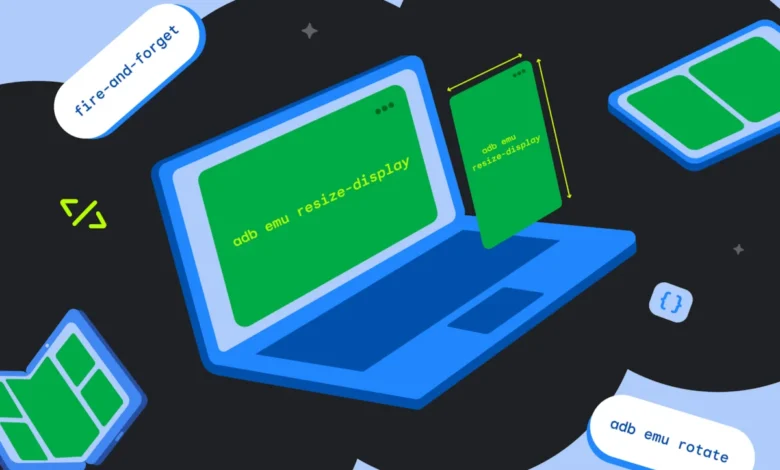
Adaptive app development has become a non-negotiable requirement for Android developers as the ecosystem continues to diversify across form factors, including foldables, tablets, and large-screen devices. As the fragmentation of screen sizes increases, the traditional approach of manual testing—repeatedly resizing windows or switching devices—is proving increasingly inefficient for modern development lifecycles. To address this, Google has refined the integration of Android Debug Bridge (ADB) commands, allowing developers to manipulate the state of the Android Emulator directly from the terminal. By utilizing fire-and-forget console commands, engineers can automate state changes, drastically reducing the time required to verify UI responsiveness and state restoration across various hardware configurations.
The Evolution of the Android Emulator and Testing Efficiency
The Android Emulator has evolved from a rudimentary debugging tool into a sophisticated simulation environment capable of mimicking complex hardware behaviors. Historically, developers relied on the GUI-based Resizable Emulator, which allowed for manual window adjustments. While useful for ad-hoc testing, this method lacks the reproducibility required for robust continuous integration (CI) pipelines.
The current trajectory of the Android ecosystem, marked by the rise of foldable devices such as the Pixel Fold and the Samsung Galaxy Z Fold series, has necessitated a move toward programmatic control. According to recent data from StatCounter and Android developer documentation, the variety of active Android screen resolutions has grown by approximately 15% annually over the last three years. This proliferation forces developers to ensure that applications remain functional, visually coherent, and performant as they transition between different display states—such as moving from an external cover screen to an internal, tablet-sized display.
Chronology of Emulator Advancements
The transition toward terminal-driven emulation began in earnest with the introduction of the Android Emulator console protocol. Early iterations required developers to establish a telnet connection to the emulator, a process that was cumbersome and prone to session timeouts.
In recent years, the integration of adb emu commands marked a significant milestone. By encapsulating these telnet commands within the ADB binary, Google provided a streamlined interface that allows developers to send instructions to a specific virtual device using its serial identifier. This shift has allowed for the creation of bash scripts and automation workflows that can simulate a user’s journey—such as folding, rotating, and resizing—within milliseconds, rather than seconds of manual interaction.
Technical Implementation and Command Logic
The power of adb emu lies in its ability to force hardware-level changes programmatically. For teams managing multiple concurrent virtual devices, the syntax adb -s <serial> emu <command> <parameter> serves as the standard bridge.
Managing Foldable States
Foldable testing is perhaps the most critical application of this technology. The ability to switch between "folded" and "unfolded" states is essential for testing the "continuity" of an application. Developers can execute adb emu fold to trigger the smaller cover screen view and adb emu unfold to expand the workspace. This functionality ensures that the onConfigurationChanged callback or activity lifecycle events trigger correctly, preventing the common bug where state is lost during a screen transition.
Handling Orientation and Posture
Orientation testing, long a cornerstone of mobile quality assurance, is simplified through adb emu rotate. By automating the 90-degree clockwise rotation, developers can verify that their layout constraints respond appropriately to landscape and portrait shifts.
Furthermore, the introduction of posture-based simulation—specifically "tabletop mode" or "half-opened" states—reflects the changing physical ergonomics of modern devices. By using adb emu posture <id>, developers can test how their apps utilize the screen real estate when the device is propped up. The current AVD templates generally support IDs 1 (closed), 2 (half-opened), and 3 (opened), with any attempts to force invalid states resulting in a standard "KO" error response, ensuring that the emulator maintains physical integrity within the simulated environment.

Supporting Data and Industry Implications
The shift toward automated emulator control has significant implications for developer productivity. Industry benchmarks suggest that manual testing cycles for a single feature across five screen configurations can take upwards of 10 to 15 minutes. By automating these transitions, the same tests can be executed in under 60 seconds, representing a 90% increase in testing velocity.
Moreover, the "resizable emulator" has become the industry standard for rapid prototyping. By querying adb emu resize-display to identify available presets (typically indexed as 0 for phones, 1 for unfolded, and 2 for tablets), developers can script a sequence of display changes. This ensures that the application’s responsive design system—whether using ConstraintLayout, Compose, or standard view hierarchies—is stress-tested against the full range of supported Android breakpoints.
Official Stance and Community Reception
While Google has not released a formal statement regarding the specific "percentage of time saved" for developers, their updated documentation for the Android Emulator console underscores a commitment to "streamlining development workflows." Senior Android engineers often note in developer forums that the shift to command-line interface (CLI) testing is a prerequisite for "Shift-Left" testing strategies, where quality assurance occurs earlier in the development cycle.
The broader implication here is the reduction of "device farm" dependence. While physical devices are the ultimate source of truth, terminal-based emulator control allows developers to perform 95% of their validation tasks on a standard workstation. This lowers the barrier to entry for smaller development shops that may not have the budget to purchase every new foldable device on the market.
Analytical Outlook: The Future of Adaptive UI Testing
The ability to command an emulator from the terminal is not merely a convenience; it is a foundational component of the future of Android development. As the industry moves toward more exotic form factors, including rollable displays and dual-screen interfaces, the complexity of state management will only increase.
If developers continue to rely on manual GUI-based testing, the "fragmentation tax"—the additional time and cost associated with supporting multiple form factors—will continue to rise. However, by adopting terminal-based automation, teams can create comprehensive test suites that run in the background, providing immediate feedback on layout stability.
Furthermore, this approach integrates seamlessly into CI/CD pipelines. A Jenkins, GitHub Actions, or GitLab CI job can now initiate an emulator, perform a series of adb emu commands to verify UI state, and shut down the emulator without a single human interaction. This level of automation is essential for maintaining the high standards of quality expected by the modern Android user base.
Summary of Best Practices
To maximize the efficacy of these tools, development teams should adhere to the following protocols:
- Standardize Serials: Always use
-s <serial>when working in environments where multiple emulators might be active to prevent command interference. - Implement Posture Checks: Before executing posture commands, verify supported IDs using
adb emu postureto prevent runtime errors in automated scripts. - Integrate with Lifecycle Testing: Ensure that your app’s
ViewModeland state-hoisting logic are robust enough to handle the rapid-fire configuration changes that these commands can trigger. - Utilize Documentation: As the Android Emulator API continues to expand, developers are encouraged to monitor the official Android Developers console documentation for new, experimental flags and commands.
In conclusion, the transition to terminal-based emulator control is a vital step toward sustainable Android development. As the platform continues to push the boundaries of hardware design, the ability to command the emulator as a programmatic extension of the development environment will remain a key differentiator for high-performing engineering teams. By leveraging these existing yet underutilized shortcuts, developers can spend less time managing virtual devices and more time building responsive, high-quality user experiences.