Fake LastPass Authenticator GitHub Installer Deploys Kernel-Level Malware to Bypass Endpoint Security

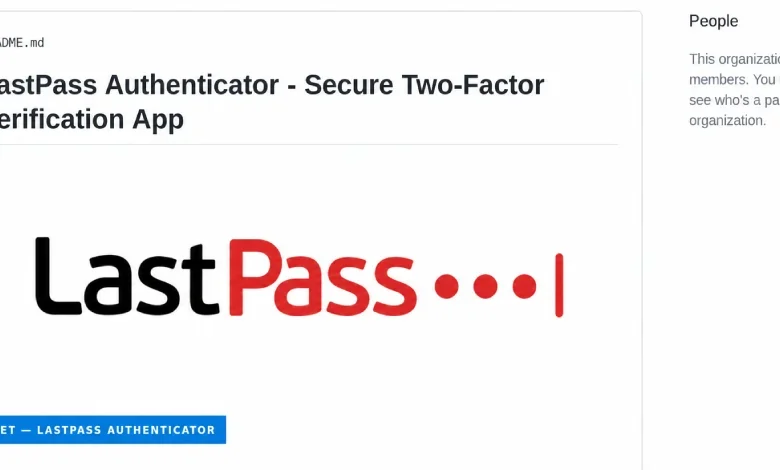
In a sophisticated cyberattack that leverages trusted developer platforms and legitimate Windows hardware signing mechanisms, threat actors have launched a campaign distributing a malicious installer disguised as the LastPass Authenticator. Security researchers from LastPass and Delphos Labs disclosed on September 17 that the campaign utilizes a technique known as "Bring Your Own Vulnerable Driver" (BYOVD) to disable endpoint protection software at the kernel level, effectively blinding security solutions before deploying a potent password-stealing trojan.
The campaign specifically targets users searching for authentication tools, utilizing SEO-poisoned GitHub repositories to rank high in search engine results. When a victim interacts with the fake GitHub page—which meticulously mimics an official LastPass product portal—they are prompted to download a ZIP archive. Once executed, this payload initiates a multi-stage attack that grants the adversary SYSTEM-level privileges, the highest level of access on a Windows operating system, allowing the malware to manipulate core system functions with impunity.
The Anatomy of the Attack: DLL Side-Loading and Kernel Control
The attack chain begins with a deception tactic involving the standard Windows debugging utility, vsdbg.exe. The malicious ZIP file contains a legitimate copy of this Microsoft-signed tool, placed alongside a malicious dynamic link library (DLL) named vsdbg.dll. Through a process known as DLL side-loading, the Windows loader is tricked into executing the malicious code whenever the debugging tool is launched.
Once the loader gains a foothold, it executes a series of privilege escalation routines to achieve SYSTEM-level access. The crown jewel of this operation is the deployment of a kernel driver, identified by researchers as "Alinubx.sys." Because the driver operates within the Windows kernel, it functions beneath the user-mode security software—such as antivirus (AV) and Endpoint Detection and Response (EDR) solutions—that the operating system uses to monitor for malicious activity.
Equipped with a pre-configured "kill list" containing the names of 145 distinct security and antivirus processes, the driver systematically terminates these services. By neutralizing the very software designed to monitor system integrity, the attacker ensures that the subsequent deployment of the "Rapuncel" infostealer goes undetected by standard heuristic and behavioral analysis tools.
The Paradox of Microsoft-Signed Drivers
A critical component of this campaign is the misuse of the Microsoft Windows Hardware Compatibility Publisher signature. The malicious driver, Alinubx.sys, was digitally signed in March 2023. While Microsoft’s hardware attestation process is intended to verify that a driver is compatible with Windows, it does not inherently guarantee that the code is malicious-free or benign.

This incident highlights a systemic vulnerability in the Windows ecosystem: legitimate signing does not equate to safety. By utilizing a renamed version of the known vulnerable "CcProtect.sys" driver—a component of the CnCrypt disk-encryption product—the attackers successfully bypassed initial detection. The original driver was previously cataloged in the LOLDrivers project, an open-source database that tracks legitimate drivers susceptible to abuse. However, because the attackers renamed the file and modified its metadata, they managed to bypass static file-hash detections.
Furthermore, the driver was not included in Microsoft’s official vulnerable driver blocklist. Even though Windows 11 includes protections to block known malicious drivers, the blocklist relies on specific file hashes. By re-signing or slightly modifying the binary to generate a new hash, threat actors can bypass these protections until the specific new variant is identified, analyzed, and added to the blocklist by Microsoft engineers.
Chronology of the Discovery
The discovery of the campaign followed a series of alerts regarding suspicious traffic and file behavior in late summer:
- August 19: Delphos Labs identified the malicious driver and reported it to Microsoft, requesting its inclusion in the Windows vulnerable driver blocklist.
- August 20: Security researchers confirmed that the driver remained absent from Microsoft’s blocklist and continued to show zero detections on aggregate analysis platforms like VirusTotal due to its legitimate signature.
- Late August: LastPass security teams began investigating reports of potential impersonation, linking the activity to the malicious GitHub repositories.
- September 17: Official disclosure was made, confirming that the campaign was active and outlining the mechanics of the "Rapuncel" infostealer and the kernel-level driver.
The "Rapuncel" Infostealer: Impact and Data Exfiltration
Once the security landscape has been cleared by the kernel driver, the "Rapuncel" infostealer begins its harvest. The malware is designed to target a wide range of sensitive data stored on the host machine. It systematically scrapes passwords, autofill data, and cookies from over two dozen web browsers, including Google Chrome, Microsoft Edge, and Mozilla Firefox.
To circumvent modern browser protections like Google’s "app-bound" encryption, which is designed to prevent local extraction of credentials, the infostealer employs a clever bypass: it injects code directly into the browser process. By masquerading as the browser, the malware requests the browser’s own internal services to perform the decryption of stored passwords, effectively bypassing the security controls meant to protect user data.
Beyond browser credentials, the malware targets:
- Cryptocurrency wallet files (seed phrases and private keys).
- Session tokens for popular communication platforms, including Discord, Telegram, and Steam.
- Windows Credential Manager entries.
- Local files containing sensitive keywords such as "recovery," "seed," or "password."
The exfiltrated data is bundled into compressed archives and transmitted to remote attacker-controlled servers. Because the driver persists across system reboots, it re-initiates the process of killing security software and executing the stealer every time the machine is turned on, creating a cycle of persistent data theft that is difficult for non-technical users to remediate.

Implications for Enterprise and Consumer Security
This incident serves as a stark reminder of the limitations of relying solely on signature-based or even behavior-based endpoint security when the attacker operates at the kernel level. The use of "Bring Your Own Vulnerable Driver" is becoming a favored tactic for sophisticated cybercriminal groups, as it effectively turns the operating system’s own trust mechanisms against itself.
The broader implications are significant. As attackers shift toward abusing legitimate tools and drivers, the burden of security falls not only on software vendors but also on hardware and operating system providers. Microsoft’s response to the researchers—that the driver’s behavior did not meet the immediate definition of a security vulnerability because it was not a "Microsoft component"—underscores the bureaucratic challenges in maintaining a comprehensive and up-to-date blocklist.
For organizations, the primary defense against such attacks is robust system hardening. This includes implementing strict Application Control policies that prevent the loading of unsigned or unauthorized drivers, enforcing the use of the Windows Defender Application Control (WDAC) to restrict binary execution, and ensuring that users are restricted from installing software from unverified sources.
Mitigation and Recovery for Victims
Researchers and cybersecurity professionals emphasize that any machine compromised by this campaign must be treated as a total loss of integrity. Because the malware achieves kernel-level access, it is capable of hiding its presence from the OS entirely. Attempting to "clean" a machine by simply deleting the malicious files or running an antivirus scan is insufficient, as the kernel driver will likely remain active and continue to facilitate the infection.
Victims are advised to follow these critical steps:
- Isolate the Device: Immediately disconnect the affected machine from all networks to prevent further data exfiltration.
- Assume Total Compromise: Treat all credentials, session tokens, and financial information associated with the device as compromised.
- Perform Remediation on a Clean Device: Do not attempt to change passwords or conduct financial transactions from the infected machine. Use a secondary, secure, and clean device to reset all passwords for accounts stored in the browser.
- Full System Rebuild: The only reliable way to ensure the removal of kernel-level malware is to perform a full factory reset or a clean reinstallation of the operating system from trusted, original media.
- Monitor Account Activity: Review account logs for unauthorized logins and enable multi-factor authentication (MFA) across all sensitive services, ideally using hardware-based security keys which are less susceptible to the types of token theft employed by Rapuncel.
As the threat landscape evolves, the "LastPass Authenticator" impersonation serves as a critical case study in the necessity of verified source verification. Users are urged to only download software from official, verified domains and to remain skeptical of repositories that appear in search results but deviate from standard, official distribution channels.
Related posts: