Unveiling the Android CLI, Skills, and Knowledge Base: A New Era for AI-Assisted Android Development

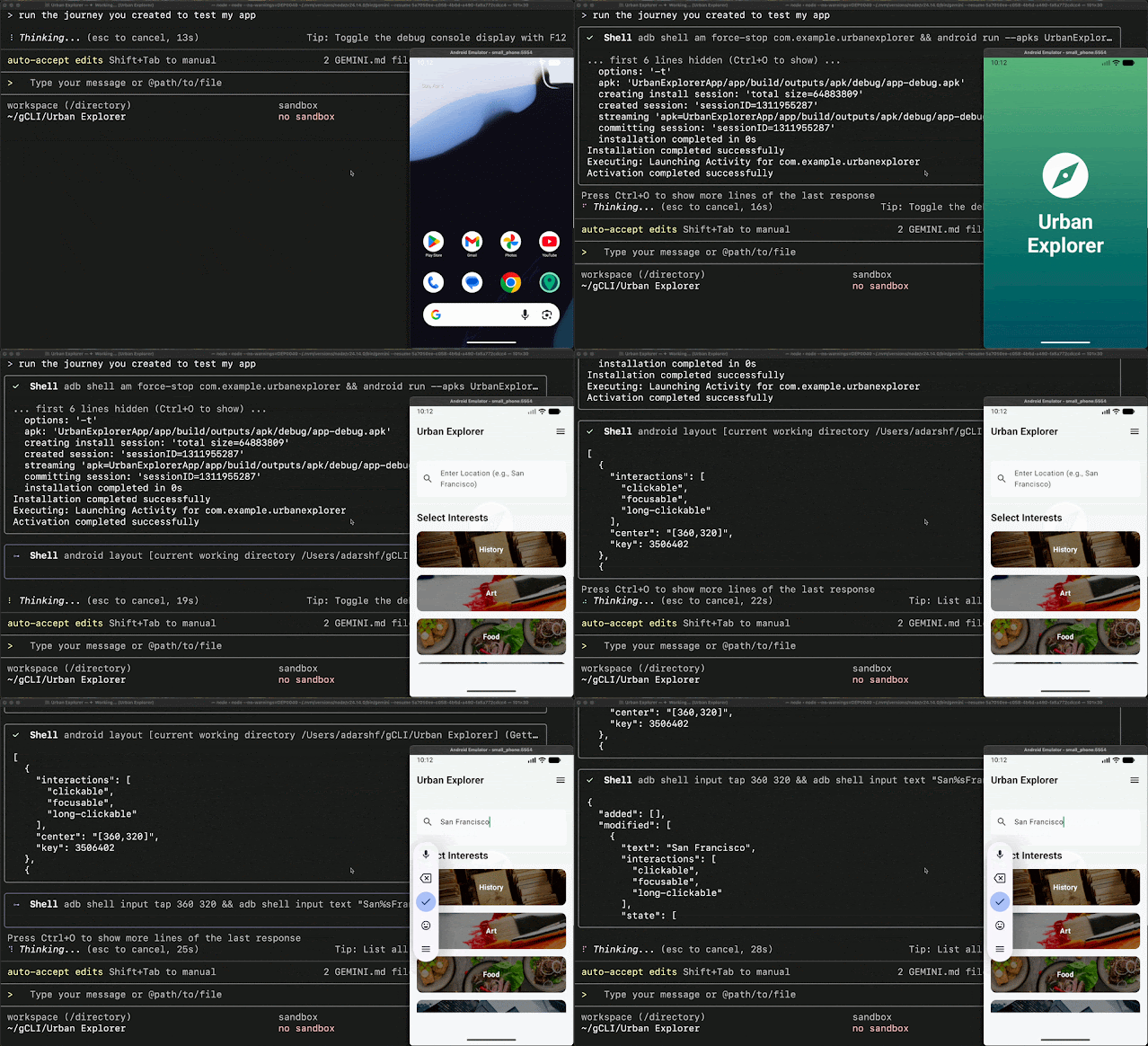
The landscape of Android development is undergoing a significant transformation with the introduction of a comprehensive suite of new tools designed to enhance agentic workflows. Google has officially launched the Android Command Line Interface (CLI) alongside Android Skills and an Android Knowledge Base, aiming to streamline and empower developers in leveraging Artificial Intelligence for app creation. This strategic move addresses the growing need for more efficient, accurate, and up-to-date AI assistance, particularly for complex development tasks that extend beyond the integrated environment of Android Studio.
For years, Android developers have navigated a diverse ecosystem of AI agents and tools, from Gemini integrated within Android Studio to standalone solutions like the Gemini CLI, Antigravity, and third-party offerings such as Claude Code and Codex. While these tools have offered varying degrees of support, a persistent challenge has been ensuring that AI agents can reliably execute core Android development workflows with precision and adherence to the latest best practices. The newly released Android CLI, paired with its accompanying skills and knowledge base, is Google’s direct response to this challenge, promising to "eliminate the guesswork" and elevate the efficiency of AI-driven development.
This initiative signifies a commitment to making high-quality Android development accessible to a broader range of developers, from novices embarking on their coding journey to seasoned professionals managing multi-platform applications. The overarching goal is to foster an environment where developers can seamlessly integrate AI assistance into their workflows, regardless of their preferred development environment, with a clear path to transition and leverage the full capabilities of Android Studio.

Revitalizing the Command Line: The Android CLI
At the heart of this new ecosystem lies a significantly enhanced Android CLI. Recognizing that AI agents perform optimally with a lightweight, programmatic interface, the revitalized CLI serves as the primary gateway for terminal-based Android development. Its modern design emphasizes ease of use and continuous updatability, offering robust commands for essential tasks such as environment setup, project initialization, and device management.
Internal testing has demonstrated substantial improvements in development efficiency. According to preliminary findings, the Android CLI has been instrumental in reducing Large Language Model (LLM) token usage by over 70% during project and environment setup. Furthermore, task completion times were observed to be three times faster compared to scenarios where agents relied solely on conventional toolsets to navigate these initial development stages. This efficiency gain is critical in the context of LLM operations, where token consumption directly impacts cost and speed.
Key functionalities of the Android CLI include:

- Environment Configuration: Streamlining the setup of the Android SDK, build tools, and necessary dependencies, ensuring a consistent development environment.
- Project Generation: Enabling rapid creation of new Android projects with pre-defined structures and configurations, significantly reducing boilerplate coding.
- Device Emulation and Management: Facilitating the creation, configuration, and management of Android Virtual Devices (AVDs) directly from the command line, simplifying testing and debugging across various device profiles.
- Build and Deployment: Offering commands to compile, build, and deploy applications to connected devices or emulators, integrating seamlessly into automated workflows.
The introduction of the Android CLI is not solely focused on agentic workflows. Its design also caters to the increasing demand for automation in continuous integration (CI) pipelines, application maintenance, and other scripted development processes. This makes it a versatile tool for distributed Android development teams seeking to standardize and automate their build and deployment procedures. Developers can download and explore the preview version of the Android CLI starting today at d.android.com/tools/agents.
Grounding AI in Reality: Official Android Skills
One of the persistent limitations of LLMs in technical domains has been their reliance on static training data, which can quickly become outdated. Traditional documentation, while valuable for conceptual understanding, often lacks the precise, actionable instructions required for AI agents to execute complex development tasks without resorting to deprecated patterns or libraries.
To bridge this critical gap, Google has launched the Android Skills GitHub repository. These "skills" are modular, markdown-based instruction sets, each encapsulated within a SKILL.md file. They function as technical specifications for specific development tasks. The innovation lies in their automatic triggering mechanism: when a developer’s prompt aligns with the metadata defined within a skill, the relevant instructions are automatically invoked. This eliminates the need for developers to manually attach lengthy documentation to every AI prompt, a tedious and often inefficient process.

Android Skills are designed to address common Android development workflows that both novice developers and AI models might find challenging. By providing explicit, best-practice-aligned guidance, these skills empower AI models to better understand and execute specific coding patterns and architectural principles.
The initial release of the Android Skills repository includes a curated set of skills covering essential areas such as:
- UI Component Implementation: Guiding AI agents on how to correctly implement and configure common UI elements according to Material Design guidelines.
- Navigation Patterns: Providing instructions for setting up and managing app navigation using Jetpack Navigation components.
- Data Persistence: Detailing best practices for implementing local data storage solutions like Room or SharedPreferences.
- Networking and API Integration: Offering guidance on making network requests and integrating with backend services using libraries like Retrofit.
Developers utilizing the Android CLI can browse and integrate this growing collection of skills directly using the android skills command. These skills are designed to be interoperable, allowing them to coexist with custom-built skills or those developed by the broader Android developer community. This collaborative approach fosters a rich ecosystem of AI-assisted development resources. Further details on getting started with Android Skills are available at d.android.com/tools/agents/android-skills.
The Definitive Source: Android Knowledge Base

Complementing the CLI and Skills is the newly introduced Android Knowledge Base. Accessible via the android docs command within the CLI and already integrated into the latest version of Android Studio, this specialized data source serves as a dynamic repository of authoritative Android developer guidelines.
The Android Knowledge Base enables AI agents to perform real-time searches and retrieve the most current and relevant developer guidelines. This ensures that the context provided to LLMs is always up-to-date, even if the model’s underlying training data has a knowledge cutoff. By grounding AI responses in this continuously updated knowledge base, developers can be confident that the guidance they receive adheres to the latest recommendations from official Android developer documentation, Firebase, Google Developers, and Kotlin documentation.
This feature is particularly impactful for addressing the rapid evolution of the Android platform. New frameworks, libraries, and best practices are introduced regularly. Without access to the latest information, AI-generated code or advice could quickly become obsolete, leading to technical debt and compatibility issues. The Android Knowledge Base acts as a crucial safeguard, ensuring that AI-assisted development remains aligned with the cutting edge of Android technology.
The integration of the Android Knowledge Base within Android Studio also enhances the in-IDE AI experience. Developers can now leverage these up-to-date resources directly within their primary development environment, further streamlining the process of writing correct and efficient code.

Android Studio: The Apex of Premium App Development
While the Android CLI, Skills, and Knowledge Base empower developers and AI agents to manage project setup and boilerplate code efficiently, they are strategically designed to facilitate a seamless transition to Android Studio. This integrated approach allows developers to initiate a project rapidly using an agent with the Android CLI and then seamlessly open it within Android Studio.
Once in Android Studio, developers gain access to a suite of sophisticated tools for refining their applications. This includes visual editors for UI design, advanced debugging capabilities, and in-depth profiling tools. These features are essential for building high-quality applications that scale effectively across the diverse Android ecosystem.
The AI-powered features within Android Studio have also been expanded. Beyond the established Agent and Planning Modes for active development, a new AI-powered New Project flow has been introduced. This serves as an intuitive entry point for rapid prototyping, enabling developers to quickly translate their ideas into functional Android applications.

These integrated AI agents within Android Studio are capable of extending app development across a wide spectrum of device types, including phones, foldables, tablets, Wear OS, Android Auto, and Android TV. With a comprehensive understanding of the project’s source code and access to a full suite of debugging, profiling, and emulation tools, developers are equipped with an end-to-end, AI-accelerated toolkit. This holistic approach ensures that the development process is not only efficient but also produces applications optimized for the latest platform capabilities and user experiences.
Broader Impact and Future Implications
The introduction of the Android CLI, Skills, and Knowledge Base represents a significant step forward in democratizing and accelerating Android development. By providing structured, AI-friendly tools and resources, Google is lowering the barrier to entry for new developers and enhancing the productivity of experienced professionals.
The emphasis on adherence to best practices through Android Skills and the Knowledge Base is particularly noteworthy. In an era where AI can generate code at an unprecedented rate, ensuring that this code is maintainable, secure, and performant is paramount. This initiative aims to imbue AI assistance with the same rigor and quality standards that Google upholds for Android development itself.

The implications for the broader Android ecosystem are substantial. Increased developer productivity can lead to faster innovation and a greater diversity of applications available on the platform. Furthermore, the standardization of AI workflows can improve collaboration within teams and reduce the time spent on repetitive tasks.
The move towards more integrated AI assistance also signals a potential shift in how software development is perceived and executed. As AI agents become more sophisticated and developers become more adept at directing them, the lines between human creativity and AI execution may blur, leading to entirely new paradigms in software engineering.
Getting Started Today
The preview of the Android CLI is available now, accompanied by a continually expanding collection of Android Skills and Knowledge Base resources. Developers eager to explore these new capabilities can download the Android CLI and find comprehensive documentation and getting started guides at d.android.com/tools/agents. This launch marks the beginning of a new chapter for AI in Android development, promising a more efficient, intelligent, and accessible future for app creation.