The initial interaction a developer has with an early-stage open-source project is often through its "Getting Started" guide. This critical onboarding experience can make or break user adoption. When commands falter, outputs mismatch, or instructions lack clarity, the immediate user response is rarely to file a bug report; instead, they simply move on to another project. This common pitfall was acutely felt by the small, four-engineer team behind Drasi, a CNCF sandbox project supported by Microsoft Azure’s Office of the Chief Technology Officer, designed to detect data changes and trigger immediate reactions. Despite comprehensive tutorials, the rapid pace of code development outstripped their capacity for manual testing.
The team’s realization of the significant gap in their documentation validation process occurred in late 2025. A routine update to GitHub’s Dev Container infrastructure, which increased the minimum required Docker version, inadvertently broke the Docker daemon connection. This seemingly minor change had a cascading effect, rendering every single Drasi tutorial non-functional. Relying on manual testing meant the team was unaware of the full extent of the disruption for an indeterminate period. Any developer attempting to engage with Drasi during this window would have encountered an insurmountable obstacle, leading to frustration and potential abandonment of the project.
This incident served as a powerful catalyst, prompting a fundamental shift in their approach: the integration of advanced AI coding assistants could transform documentation testing from a manual, error-prone task into a proactive monitoring challenge.
The Silent Erosion of Trust: Why Documentation Breaks
Documentation, particularly for complex technical projects, is susceptible to failure due to two primary, insidious factors: the "curse of knowledge" and "silent drift."

1. The Curse of Knowledge
Experienced developers, steeped in the implicit context of their projects, often write documentation that assumes a level of understanding their new users lack. For instance, a phrase like "wait for the query to bootstrap" might be clear to an insider who knows to execute drasi list query and monitor for a "Running" status, or even better, use the drasi wait command. However, a novice user, or even an AI agent, reads these instructions literally. They lack the foundational knowledge to bridge the gap between the documented "what" and the missing "how," leading to immediate roadblocks. This is a pervasive issue across the software development landscape, where the expertise of creators can become an unintentional barrier to entry for newcomers.
2. Silent Drift
Unlike code, which often fails loudly and immediately when changes occur (e.g., a build error after renaming a configuration file), documentation drifts silently. When a configuration file is renamed, the code build will fail, but outdated documentation referencing the old filename will persist without any immediate indication of error. This discrepancy accumulates unnoticed until a user reports confusion or an error.
This problem is amplified for tutorials that provision sandbox environments using tools like Docker, k3d, and sample databases. Even minor changes in upstream dependencies—such as deprecated flags, version bumps, or altered default settings—can silently break these tutorials. Without a systematic way to detect these subtle shifts, the user experience deteriorates without the development team’s awareness.
The Dawn of a New Era: Agents as Synthetic Users
To overcome these challenges, the Drasi team reframed tutorial testing as a simulation problem. They developed an AI agent designed to function as a "synthetic new user," meticulously mimicking the experience of a developer encountering the documentation for the first time. This synthetic user possesses three critical characteristics:
- Literal Interpretation: It approaches documentation without prior knowledge or assumptions, interpreting instructions precisely as written.
- Actionable Execution: It can execute terminal commands, write and modify files, and interact with web interfaces.
- Observational Verification: It can assess the results of its actions by observing terminal output, comparing screenshots, and verifying core data elements.
This approach effectively transforms documentation testing into a continuous monitoring process, leveraging AI to ensure the integrity and usability of onboarding materials.
The Technological Backbone: GitHub Copilot CLI and Dev Containers
The solution was architected using a robust suite of tools: GitHub Actions for orchestration, Dev Containers for reproducible environments, Playwright for browser automation, and the GitHub Copilot CLI as the AI agent’s core.
Drasi’s tutorials necessitate a complex infrastructure setup, often involving:
- Containerized Environments: Utilizing Docker and k3d for isolated and reproducible development and testing.
- Database Provisioning: Spinning up and configuring sample databases to simulate real-world data scenarios.
- Application Deployment: Deploying Drasi itself and related components within the sandbox.
- Interactive Web UIs: Requiring interaction with web-based dashboards for monitoring and verification.
Crucially, the testing environment needed to mirror the user’s experience precisely. If users were expected to run within a specific Dev Container on GitHub Codespaces, the automated testing agent had to operate within that exact same Dev Container configuration. This parity is essential for identifying issues that are environment-specific.
Architectural Design: Simulating the Human Workflow
Within the Dev Container, the AI agent is invoked using the GitHub Copilot CLI with a specialized system prompt. This prompt, meticulously crafted, instructs the agent on its role and capabilities. The core of this prompt enables the agent to execute terminal commands, write files, and run browser scripts, mirroring the actions of a human developer at their terminal.
To empower the agent to interact with web pages as a human user would, Playwright is installed within the Dev Container. The agent can then navigate web interfaces, perform actions, and capture screenshots. These screenshots are subsequently compared against expected visuals defined within the documentation, providing a visual layer of verification.
The Security Model: A Fortress of Isolation
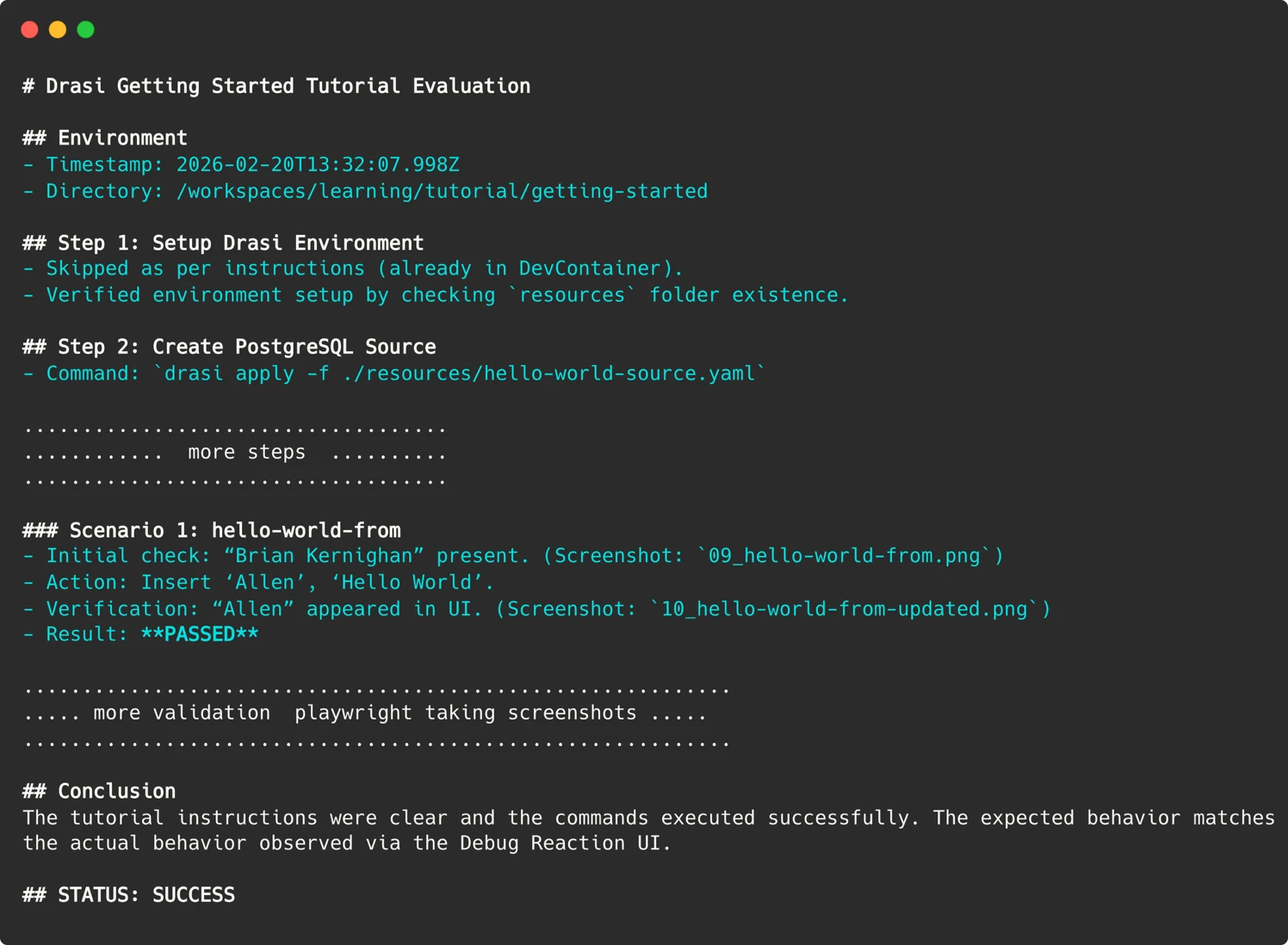
A paramount consideration in this AI-driven testing approach is security. The team implemented a stringent security model centered on the principle that "the container is the boundary." Instead of attempting to micromanage and restrict individual commands—a nearly impossible feat when an agent needs to execute arbitrary scripts for tools like Playwright—the entire Dev Container is treated as an isolated sandbox.
The controls are focused on what passes across the container’s boundaries:
- Network Restrictions: No outbound network access is permitted beyond localhost, preventing the agent from reaching external, potentially untrusted, resources.
- Limited Permissions: A Personal Access Token (PAT) for the GitHub Copilot CLI is granted only the minimal "Copilot Requests" permission.
- Ephemeral Environments: Containers are destroyed after each test run, ensuring no lingering state or potential security vulnerabilities.
- Maintainer Approval Gate: Workflows are configured to require explicit maintainer approval before execution, especially for pull requests from external contributors. This prevents malicious code from being executed even within the secured environment.
This layered security approach ensures that while the AI agent has the necessary freedom to perform its tasks, it operates within a tightly controlled and auditable environment.
Navigating the Labyrinth of Non-Determinism
One of the most significant hurdles in AI-driven testing is the inherent non-determinism of Large Language Models (LLMs). LLMs are probabilistic; their outputs can vary even with identical inputs, meaning an agent might retry a command successfully on one run and fail on another, or conversely, give up prematurely.
The Drasi team addressed this challenge through a multi-pronged strategy:
- Phased Retries with Model Escalation: A three-stage retry mechanism was implemented. If an initial attempt fails, the system escalates to a more powerful LLM (e.g., starting with Gemini-Pro and moving to Claude Opus on failure), increasing the likelihood of a successful execution.
- Semantic Screenshot Comparison: Instead of relying on pixel-perfect matching, which is highly susceptible to minor rendering differences, the system employs semantic comparison for screenshots. This allows for more robust validation of visual elements.
- Core Data Field Verification: The agent verifies crucial data fields rather than volatile values, which can change frequently and might not indicate a functional failure. This ensures that the core logic and data integrity are being assessed.
- Tight Prompt Constraints: The system incorporates a list of strict constraints within the prompts to prevent the agent from embarking on extended debugging journeys. This includes directives to control the structure of the final report and "skip directives" that allow the agent to bypass optional tutorial sections, such as the setup of external services.
Artifacts for Debugging: Reconstructing the Failure
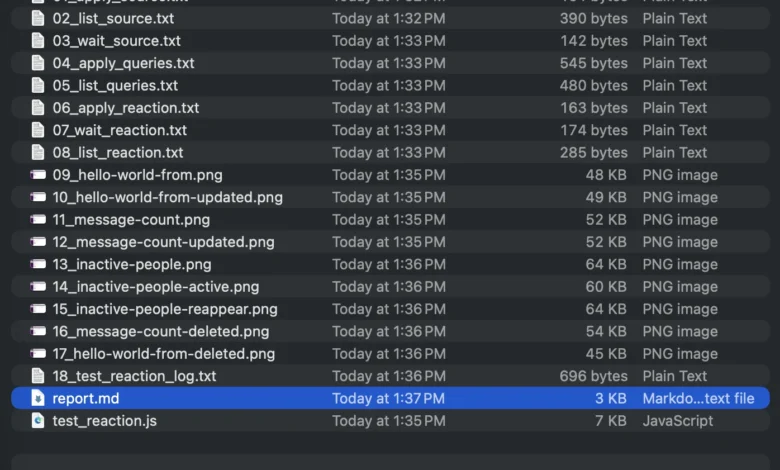
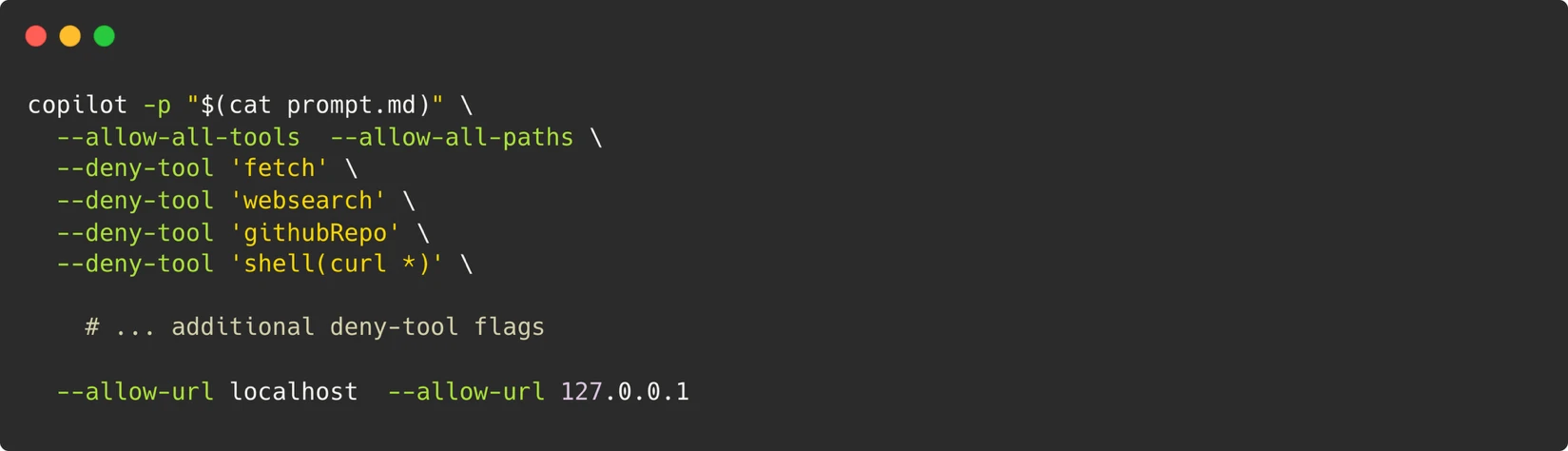
When a test run inevitably fails, understanding the root cause is critical. Since the AI agent operates within transient containers, direct SSH access for post-mortem analysis is not feasible. To overcome this, the agent meticulously preserves evidence from each run. This includes:
- Screenshots of Web UIs: Visual records of the state of interactive elements.
- Terminal Output: Logs of critical commands executed during the test.
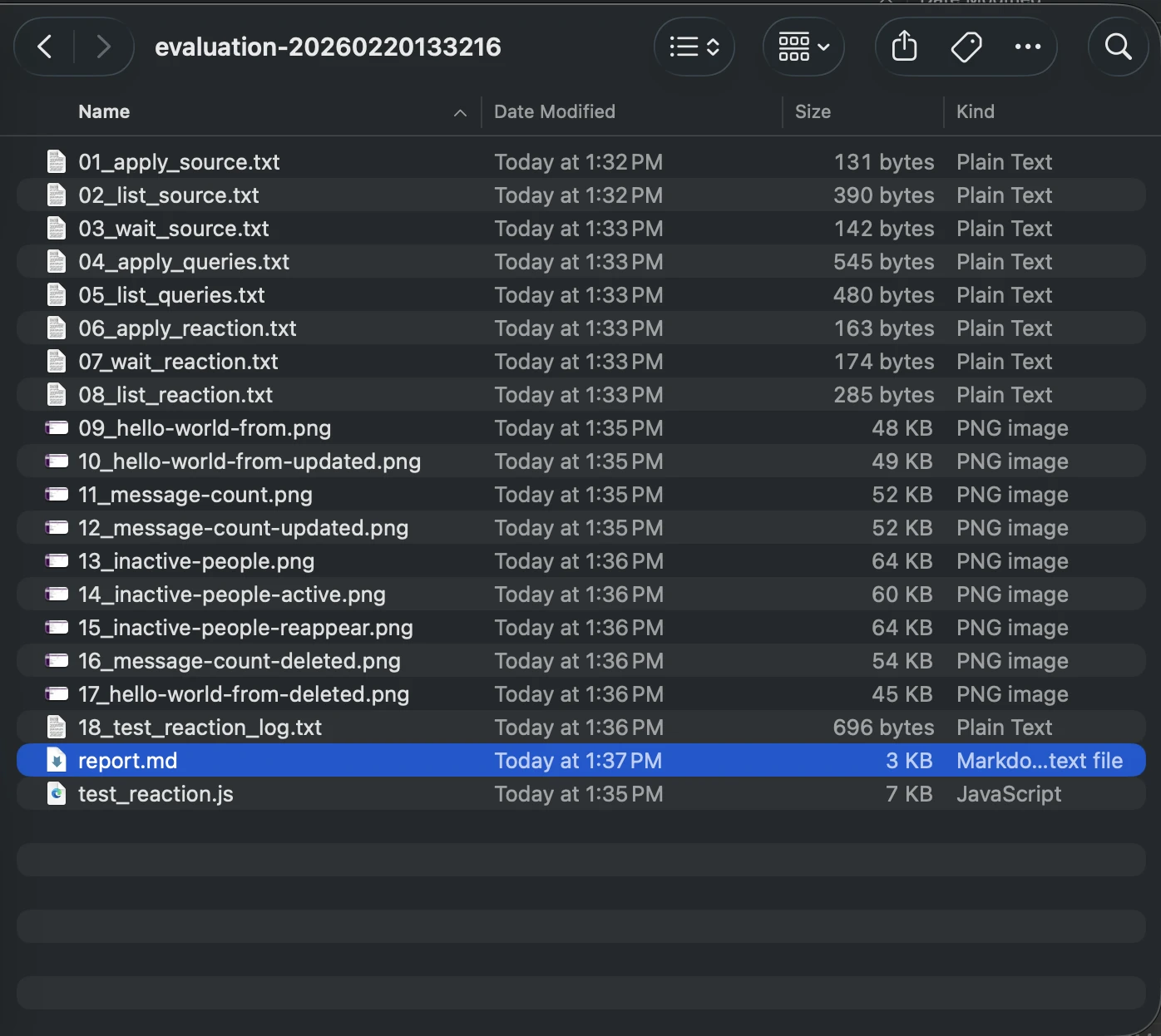
- Markdown Report: A detailed narrative of the agent’s reasoning, actions, and conclusions.
These artifacts are uploaded to the GitHub Actions run summary, enabling developers to "time travel" back to the precise moment of failure and observe the scenario exactly as the agent experienced it. This comprehensive evidence trail dramatically accelerates the debugging process.
Parsing the Agent’s Report: Bridging the Gap to CI/CD
Translating the nuanced, often verbose, output of an LLM into a definitive "Pass/Fail" signal that a CI/CD pipeline can understand presents another challenge. An agent might conclude a tutorial with a lengthy, qualitative assessment. To make this actionable, the Drasi team employed sophisticated prompt engineering. They explicitly instructed the agent to provide a clear, machine-readable status indicator.
In the GitHub Action workflow, this signal is then parsed using simple commands like grep to set the workflow’s exit code. This straightforward technique effectively bridges the gap between the probabilistic nature of AI outputs and the binary pass/fail expectations of automated pipelines.
Automation at Scale: Weekly Validation and Proactive Issue Filing
The culmination of this work is an automated workflow that runs weekly, evaluating all Drasi tutorials. Each tutorial is tested in its own isolated sandbox container, with the AI agent providing a fresh, unbiased perspective as a synthetic user. If any tutorial evaluation fails, the workflow is configured to automatically file an issue in the Drasi GitHub repository, alerting the development team to the problem.

This workflow can also be triggered on pull requests, but with crucial security safeguards. A maintainer-approval requirement and the use of a pull_request_target trigger ensure that even for pull requests from external contributors, the workflow executing is the one from the main branch, mitigating potential attacks. The PAT token required for the Copilot CLI is stored securely as repository secrets, and the maintainer approval process adds an essential human oversight layer.
Unearthing Critical Issues: Bugs That Truly Matter
Since the implementation of this AI-driven testing system, the Drasi team has conducted over 200 "synthetic user" sessions. The agent has successfully identified 18 distinct issues, including several serious environment-related problems and other documentation flaws. Crucially, fixing these issues not only benefited the AI agent but also significantly improved the documentation for all human users. This highlights a key benefit: AI-driven testing can uncover problems that might be missed by traditional manual review processes due to oversight or time constraints.
AI as a Force Multiplier: Redefining Development Capacity
The narrative around AI often focuses on job displacement. However, in the case of Drasi’s documentation testing, AI is acting as a powerful "force multiplier," providing a capability that the small development team could not otherwise afford.
Replicating the system’s output—running six tutorials across fresh environments every week—would necessitate a dedicated QA resource or a substantial budget for manual testing, both of which are infeasible for a four-person team. By deploying these "Synthetic Users," the team has effectively gained a tireless QA engineer, capable of working around the clock, including nights, weekends, and holidays.
Drasi’s tutorials are now subjected to rigorous weekly validation by synthetic users. Developers are encouraged to try the "Getting Started" guide firsthand to witness the results. For projects grappling with similar documentation drift challenges, the Drasi team advocates for viewing tools like the GitHub Copilot CLI not merely as coding assistants but as versatile agents. By providing them with a clear prompt, a controlled container environment, and a defined goal, these AI agents can shoulder the burden of tasks that human developers often lack the time or resources to perform, thereby accelerating project development and enhancing user experience.